Robots don’t have to stay on a desk or the floor. Strap some electronics to yourself and suddenly you become the robot — or at least the most interesting person at a maker faire.
What is Wearable Electronics?
Wearable electronics means building circuits and code into things you wear. That covers a huge range: a pair of glasses with servo-driven shutters, a wrist computer running a Raspberry Pi, or a jacket lined with NeoPixel LEDs.
The key challenge is size and power. Components need to be small enough to wear comfortably, and your power source is usually a compact LiPo battery rather than a wall socket. Microcontrollers like the Raspberry Pi Pico, the BBC micro:bit, and the Adafruit Circuit Playground are popular choices — small, light, and with plenty of GPIO for LEDs and sensors.
Addressable RGB LEDs — NeoPixels in the Adafruit world, WS2812B by their chip name — are the workhorses of wearable making. A single data pin drives a whole strip of individually controllable full-colour LEDs. You can stitch flexible LED strips into fabric, hot-glue them to helmets, or weave them into a prop.
How NeoPixels chain together
The clever part is that one GPIO pin controls every LED. Each NeoPixel has a data-in and a data-out; data flows in, the first pixel grabs its own colour and passes the rest along to the next. Wire them in a chain and a single pin drives the whole strip:
   GPIO ──DIN─▶[LED 1]──DOUT─▶[LED 2]──DOUT─▶[LED 3]──▶ …
   (one data pin)   │            │            │
                    └── each grabs its colour, forwards
                        the rest down the chain

   Power them from their own 5 V rail, not the GPIO pin —
   a full strip can pull more current than a board can give.
That one-pin-many-LEDs trick is why a tiny board like a Pico can light up a whole jacket or helmet — and the same wiring works for a single ring of 5 pixels or a strip of 150.
Why robot builders care
Wearable projects teach you the same skills as robot building, just in a more personal form factor. You learn to manage power budgets, deal with cramped wiring, write sensor-driven code, and think about how a user actually interacts with the device — all skills that transfer directly back to wheeled robots and arms.
There is also serious crossover with animatronics and cosplay props. A servo-driven eye mechanism, a motorised visor, or a reactive LED display uses the same hardware and firmware concepts as a walking robot. People view it from centimetres away, though, so the finish matters more.
Wearables also push you into 3D printing and enclosure design sooner than almost any other project type — housings need to be light, curved, and actually pleasant to wear.
Get started
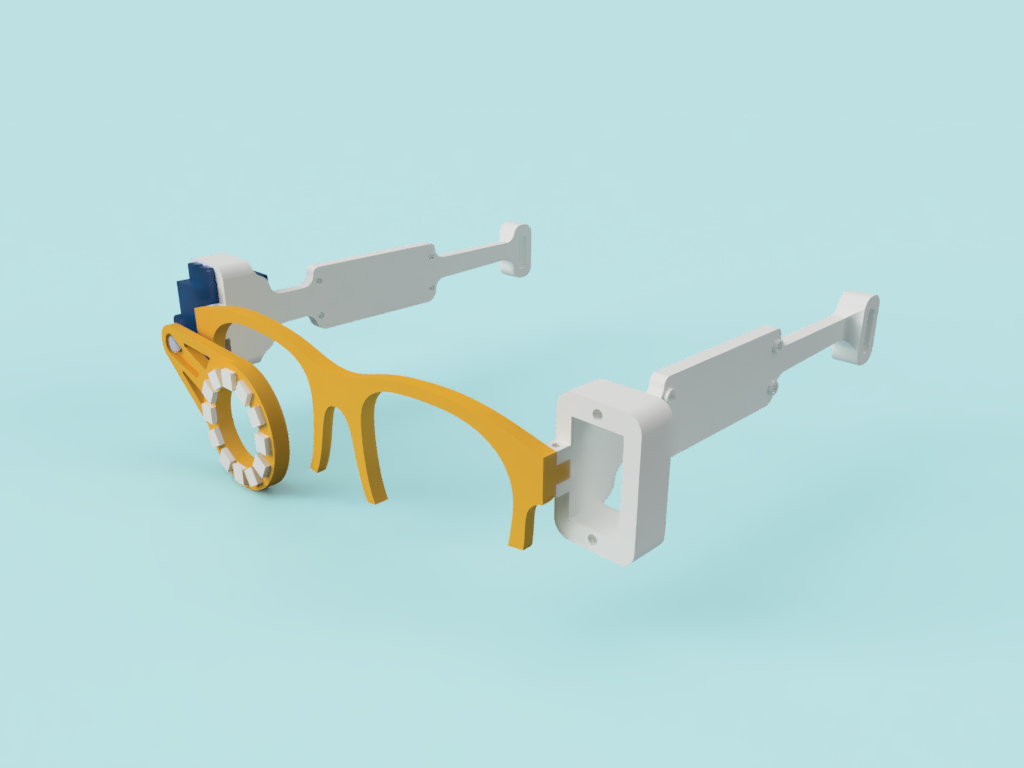
The quickest on-ramp is a project that combines LEDs with a bit of code. Kevin’s build of the Cyberglasses — RGB LED and servo-powered glasses — shows exactly how to take a simple circuit and make it wearable with 3D-printed parts and MicroPython.
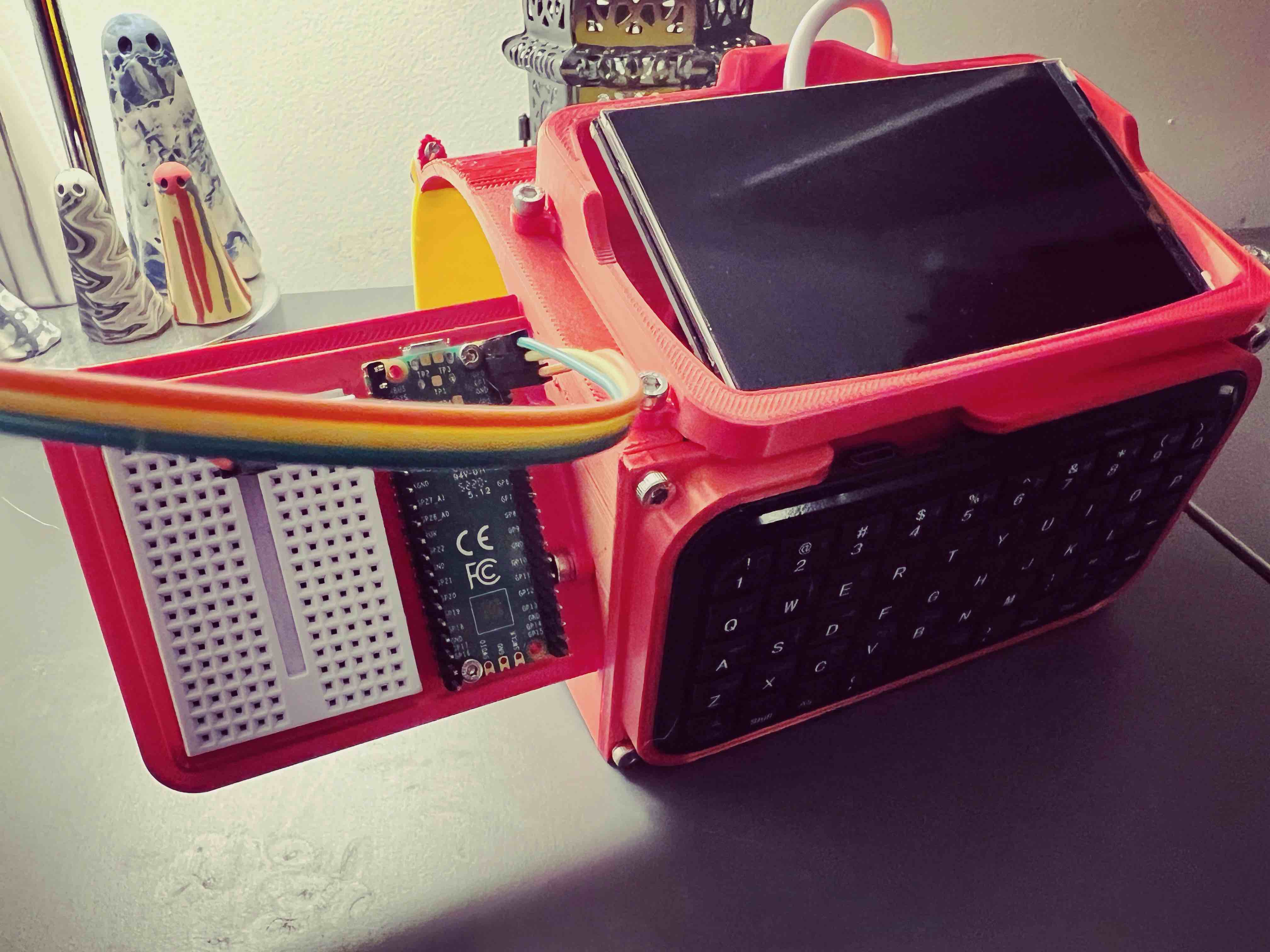
For something more ambitious, the Pi-PipBoy is a full Raspberry Pi wrist computer inspired by the Fallout games. It proves that with a small display, a Pi Zero, and some clever CAD work, you can build genuinely usable wearable tech.
When it comes to programming the electronics side, the GPIO Mastery course covers controlling pins, LEDs, and sensors with MicroPython on the Raspberry Pi Pico — the exact skills you need for wearable builds. Once you are comfortable with GPIO, the MicroPython Robotics Projects course shows how to combine those inputs and outputs into interactive, responsive behaviour.
Start small: wire up five NeoPixels, write a colour-chase loop, and hot-glue the whole thing to a hat. You’ll have learned half of what you need for every wearable project that follows.
Reacts well with
More Making & Design
- GrGears
- WhWheels
- Pr3D Printing
- CdCAD
- FuFusion 360
- FcFreeCAD
- LcLaser Cutting
- ChChassis Design
- TkTank Tracks
- LeLEGO Robotics
Learn more on KevsRobots
Courses


Articles to read


Share this element
This page is awesome? Show some love!Did you find this content useful?
If you found this high quality content useful please consider supporting my work, so I can continue to create more content for you.
I give away all my content for free: Weekly video content on YouTube, 3d Printable designs, Programs and Code, Reviews and Project write-ups, but 98% of visitors don't give back, they simply read/watch, download and go. If everyone who reads or watches my content, who likes it, helps fund it just a little, my future would be more secure for years to come. A price of a cup of coffee is all I ask.
There are a couple of ways you can support my work financially:
If you can't afford to provide any financial support, you can also help me grow my influence by doing the following:
Thank you again for your support and helping me grow my hobby into a business I can sustain.
- Kevin McAleer
Comments