There is a reason so many robot builders trace their obsession back to a colourful plastic brick. LEGO makes the first step feel effortless — and the second step surprisingly powerful.
What is LEGO Robotics?
LEGO Robotics covers the platforms LEGO has built for programmable, motorised models. The best-known line was Mindstorms, which launched in 1998 and ran for over two decades across three major hardware generations — RCX, NXT, and EV3. The EV3 brick runs Linux, has USB, Bluetooth, and a 300 MHz ARM processor. LEGO discontinued Mindstorms in 2022, but EV3 kits are still widely available second-hand and remain excellent for learning.
The current line-up includes SPIKE Prime (aimed at schools, uses the same 6-port hub concept) and the more accessible SPIKE Essential. All of them follow the same idea: a programmable hub at the centre, LEGO Technic beams for structure, and purpose-built sensors and motors that plug straight in — no soldering, no wiring diagrams.
Standard LEGO bricks follow a precise 8mm pitch system. Studs are 4.8mm in diameter, blocks measure 15.8 × 31.8mm. That predictability is what makes LEGO a genuine engineering tool, not just a toy.
The brick dimension system
This is what turns LEGO from a toy into an engineering kit: every dimension is a precise, repeatable multiple. Studs sit on an 8 mm grid, so any part lines up with any other — and that same grid is what you replicate when 3D-printing LEGO-compatible parts:
        ┌──8mm──┬──8mm──┬──8mm──┐
        ●       ●       ●       ●   ← studs
        │  (4.8mm dia)          │
        │                       │
       9.6mm   one brick        │   brick height = 9.6 mm
        │      = 2 studs        │   (3 plates stacked)
        └───────────────────────┘
        stud pitch = 8 mm (centre to centre)
Because the spacing is exact, a Technic beam, a motor mount, and a custom 3D-printed bracket all share the same grid — which is why you can mix printed parts straight into a LEGO build without anything binding.
Why robot builders care
LEGO removes almost every barrier to experimentation. You can prototype a chassis in ten minutes, test it, pull it apart, and rebuild it differently — no drilling, no cutting, no waiting for prints. That fast feedback loop teaches mechanical intuition in a way that staring at a screen never can.
The platform also bridges mechanical design and code. Mindstorms and SPIKE both support visual block-based programming out of the box, which is great for younger builders. But you are not stuck there — the open-source Pybricks firmware lets you run MicroPython directly on the EV3, Powered Up, and SPIKE Prime hubs, unlocking proper Python loops, functions, and sensor maths.
Plenty of makers blend LEGO with 3D printing too. Printed parts can carry LEGO-compatible studs, letting you mix the precision of Technic beams with fully custom shapes.
Get started
The most direct path is to grab an EV3 or SPIKE Prime kit and build one of the included models — just follow the instructions once to understand the hardware, then start hacking.
When you are ready to go beyond the default app, Kevin’s article on Pybricks — MicroPython on LEGO Mindstorms hubs shows how to flash open firmware onto your hub and start writing real Python. The same article includes a working self-balancing robot example that uses the hub’s built-in IMU.
If you want to design your own LEGO-compatible parts to 3D print, LEGO & Robots covers all the key dimensions — stud pitch, block heights, column spacing — everything you need to model accurate bricks in Fusion 360 or FreeCAD.
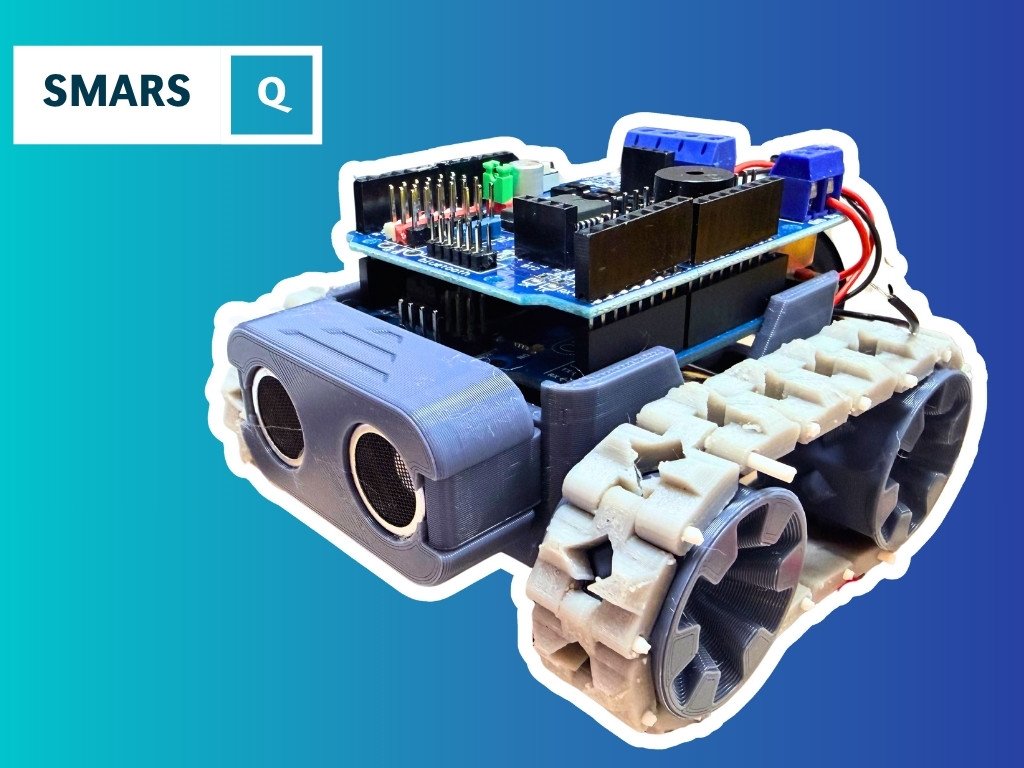
From there, the natural next step is building your own chassis from scratch. The SMARS robot is a great model to study: it is entirely 3D printed, but borrows the same iterative snap-and-test design philosophy that makes LEGO so effective.
Reacts well with
More Making & Design
- GrGears
- WhWheels
- Pr3D Printing
- CdCAD
- FuFusion 360
- FcFreeCAD
- LcLaser Cutting
- ChChassis Design
- TkTank Tracks
- WeWearables
Learn more on KevsRobots
Courses


Projects to build

Articles to read


Share this element
This page is awesome? Show some love!Did you find this content useful?
If you found this high quality content useful please consider supporting my work, so I can continue to create more content for you.
I give away all my content for free: Weekly video content on YouTube, 3d Printable designs, Programs and Code, Reviews and Project write-ups, but 98% of visitors don't give back, they simply read/watch, download and go. If everyone who reads or watches my content, who likes it, helps fund it just a little, my future would be more secure for years to come. A price of a cup of coffee is all I ask.
There are a couple of ways you can support my work financially:
If you can't afford to provide any financial support, you can also help me grow my influence by doing the following:
Thank you again for your support and helping me grow my hobby into a business I can sustain.
- Kevin McAleer
Comments