They All Gave Up on ROS and MicroPython — I Didn't
Every past attempt at running ROS 2 on MicroPython hit the same handful of walls — a recompile per message type, a custom Python fork, an agent bridge instead of a real node — and every one of them is now archived. Here's SnakeROS, a pure-Python client that speaks DDS-XRCE straight to a stock micro-ROS Agent, and the QwiicBot-to-VENTUNO-Q build (plus the firmware mistake that nearly sank it) that proves it out.
5 September 202622 minute read
By Kevin McAleer
Share this article on
Table of Contents
- Six ways to lose a weekend
- What is DDS-XRCE, anyway?
- The idea that makes a pure-Python client possible at all
- What .mpy actually is, and why it ships that way
- Ten minutes from nothing to a published topic
- The build: QwiicBot talking to a VENTUNO Q, over WiFi
- Why the Adafruit ESP32 Feather V2, specifically
- Wiring it up in code
- boot.py — the one file order that actually matters
- The teleop loop itself
- Where the ROS 2 side actually lives: the VENTUNO Q
- Gotchas — the mistake that nearly sank the demo
- Parts list
- Where this actually stands
They All Gave Up on ROS and MicroPython — I Didn't
Every past attempt at running ROS 2 on MicroPython hit the same handful of walls — a recompile per message type, a custom Python fork, an agent bridge instead of a real node — and every one of them is now archived. Here's SnakeROS, a pure-Python client that speaks DDS-XRCE straight to a stock micro-ROS Agent, and the QwiicBot-to-VENTUNO-Q build (plus the firmware mistake that nearly sank it) that proves it out.
Video
For every project I create, I often make a corresponding YouTube video. Sometimes, there might be more than one video for a single project. You can find these videos in this section.
Explore more through this this dedicated video.
Ahoy there makers!
Every ROS 2-on-MicroPython project I can find shares the same ending: a GitHub repo, a burst of activity, and then nothing for a couple of years. Not because ROS 2 stopped being useful, and not because MicroPython stopped being fun — but because the two were never actually compatible, they were bridged, forked and worked around, and every one of those workarounds eventually cost more than it gave back. I’ve spent the last stretch of my own time finding out whether that’s still true in 2026, and building SnakeROS — a ROS 2 client written entirely in Python, with no C, no forked interpreter and no bridge process to babysit — to answer it.
This post is the standalone write-up for the livestream: why every previous attempt stalled, what’s actually different about this one, the real code, the robot it runs on, and the mistake that nearly took the whole demo down before it started. If you want to watch it happen live, click here — everything you need to try it yourself lives here.
Six ways to lose a weekend
I went looking for why nobody had made ROS 2 and MicroPython genuinely stick, and the answer wasn’t one big blocker — it was six small ones, each individually survivable, that compound into “archive the repo.”
1. A new message type meant a recompile. ROS 2’s usual path — rosidl — generates serialisation code for every message type at build time. Want to publish a message you didn’t plan for on day one? Regenerate, rebuild, reflash. On a microcontroller, that’s not a pip install, it’s a full firmware cycle.
2. There’s no Python client library that actually runs on MicroPython. rclpy, the real ROS 2 Python client, leans on CPython C extensions for its DDS layer. MicroPython doesn’t have them, and building them means a custom fork of the interpreter itself — which is a maintenance burden that outlives most side projects.
3. Even the projects that got this far still needed an agent. micro-ROS speaks DDS-XRCE, not raw DDS, through a translation process called the micro-ROS Agent. That’s a legitimate design — more on why below — but every existing MicroPython attempt used it to avoid writing a client at all, which makes the board a bridge passenger, not a participant in the graph.
4. The toolchain tax. Docker, ESP-IDF, colcon, a distro-pinned build — all before your board blinks an LED. Every one of those is a reasonable engineering choice in isolation. Stacked together, they’re the reason a weekend project turns into a yak-shave.
5. The resource and model mismatch. Desktop DDS assumes discovery state that grows with your graph, with no real ceiling. A Pico W has roughly 190 KB of usable heap, full stop. Static memory, garbage-collector pauses landing wherever they like, no real threading — none of that maps cleanly onto what DDS was built to assume.
6. Bus factor of one. Almost every attempt I found was one person, one board, one ROS distro, built to prove a point rather than to last. When that person moved on, the repo stopped, and the next person started from zero rather than from where the last one left off.
None of those six is exotic. Any one of them is a Tuesday-afternoon problem. All six together is why the “ROS 2 on MicroPython” search results are a graveyard of green-then-grey GitHub activity charts.
What is DDS-XRCE, anyway?
It’s the wire protocol that micro-ROS uses to talk to the Agent. DDS is the Data Distribution Service, a standard for real-time publish/subscribe messaging. XRCE is the eXtremely Resource Constrained Environments profile of DDS, designed for devices with very limited memory and processing power. The micro-ROS Agent acts as a bridge between the constrained device and the full DDS network, allowing the device to participate in ROS 2 communication without needing to implement the full DDS stack itself.
The idea that makes a pure-Python client possible at all
Here’s the insight SnakeROS is actually built on, straight from its own architecture notes: the micro-ROS Agent is a standard DDS-XRCE agent — it does not care whether the client on the other end of the wire is C, Rust or Python, only that the bytes are right. SnakeROS ships no host-side software at all. No bridge, no relay node, nothing to install beside your existing ROS 2 system.
graph LR
  A["MicroPython board + SnakeROS"] --XRCE--> B["micro-ROS Agent"] --DDS--> C["ROS 2 graph"]
┌──────────────────┐         ┌───────────────────┐         ┌─────────────┐
│  MicroPython     │  XRCE   │  micro-ROS Agent  │  DDS    │  ROS 2      │
│  board           │ ──────► │  (stock, unmod'd) │ ──────► │  graph      │
│  + snakeros      │  UDP /  │                   │         │             │
└──────────────────┘  serial └───────────────────┘         └─────────────┘
And here’s the specific trick that makes point 1 (the recompile problem) go away entirely: XRCE creates entities from XML strings sent at runtime.
<dds><topic><name>rt/chatter</name>
<dataType>std_msgs::msg::dds_::String_</dataType></topic></dds>
Participant, topic, publisher, datawriter — all of it is a string, built and sent from the board at runtime rather than baked into a binary at build time. Supporting a new ROS 2 message type becomes string concatenation, not code generation. That’s the whole reason adding a message type never means rebuilding firmware, and it’s the reason a pure-Python client is even on the table: no compiler pass, no per-type native code, just a class that knows how to write its own field layout.
Worth being precise about why this doesn’t just re-invent the wheel: DDS’s own discovery protocol carries full type information over the wire, and reasoning about arbitrary wire types is exactly what drags you back toward on-device code generation — the friction that sank every earlier attempt. XRCE moves that graph-and-type bookkeeping to the Agent, so the client only ever holds a handful of 2-byte entity IDs. On a board with under 200 KB of heap, that’s not a nicety, it’s the difference between fitting and not.
One honesty note, straight from the project’s own README: SnakeROS is an independent project, not affiliated with or endorsed by micro-ROS, eProsima, or Open Robotics. It’s compatible with the stock micro-ROS Agent — a different, narrower claim, and the right one to make.
What .mpy actually is, and why it ships that way
If you’ve never met MicroPython’s packaging story, .mpy is worth fifteen seconds of explanation, because it’s genuinely why this can run on a memory-tight board at all. MicroPython can either run your .py source directly (parsing and compiling it on the device, every time) or run a pre-compiled .mpy bytecode file, made with mpy-cross ahead of time. Same code, same behaviour — the difference is entirely in when the compiling happens.
SnakeROS ships its .mpy build measured against .py, on real 32-bit MicroPython under a 190 KB heap cap — a realistic Pico W-sized target, not a 64-bit desktop:
.py |
.mpy |
||
|---|---|---|---|
| Flash / filesystem | ~137 KB | ~51 KB | ~37% |
| Import time | 78.7 ms | 18.6 ms | 4.2× faster |
| Peak heap dip during import | 128,848 B | 96,848 B | 32 KB less |
The peak is what matters more than the steady state. Parsing and compiling .py source needs working memory of its own, and that transient spike — not the settled figure afterwards — is what actually raises MemoryError on a constrained board. Shaving 32 KB off the peak, on a board that might only have 190 KB total, is the difference between a robot that boots and one that doesn’t. And because SnakeROS deliberately avoids @micropython.native, @micropython.viper and inline assembler, its .mpy files are pure bytecode — portable across an RP2040, an RP2350, an ESP32 or an STM32, with the same file. The only thing that has to match is the .mpy format version your firmware expects, not your board’s architecture.
Ten minutes from nothing to a published topic
Before the robot, the smallest possible version of this, straight from the project docs. Run the Agent — stock, unmodified, no SnakeROS-specific fork:
$ docker run -it --rm -p 8888:8888/udp microros/micro-ros-agent:jazzy udp4 --port 8888 -v4
Install SnakeROS on the board with mip:
import mip
mip.install('github:kevinmcaleer/snakeros')
Connect and publish:
from snakeros.board import connect_wifi
from snakeros import Node
from snakeros.msg.std_msgs import String

connect_wifi('my-wifi', 'secret')
node = Node('pico_node', agent='192.168.1.10')   # your PC's LAN address
pub = node.create_publisher(String, 'chatter')

while True:
    pub.publish(String(data='hello'))
    node.spin_once(10)
And on the ROS 2 side, that board is now just another node on the graph:
$ ros2 topic list
/chatter
$ ros2 topic echo /chatter
data: hello
No CMakeLists, no colcon workspace on the board’s side, no bridge to configure. That’s the whole loop.
The build: QwiicBot talking to a VENTUNO Q, over WiFi
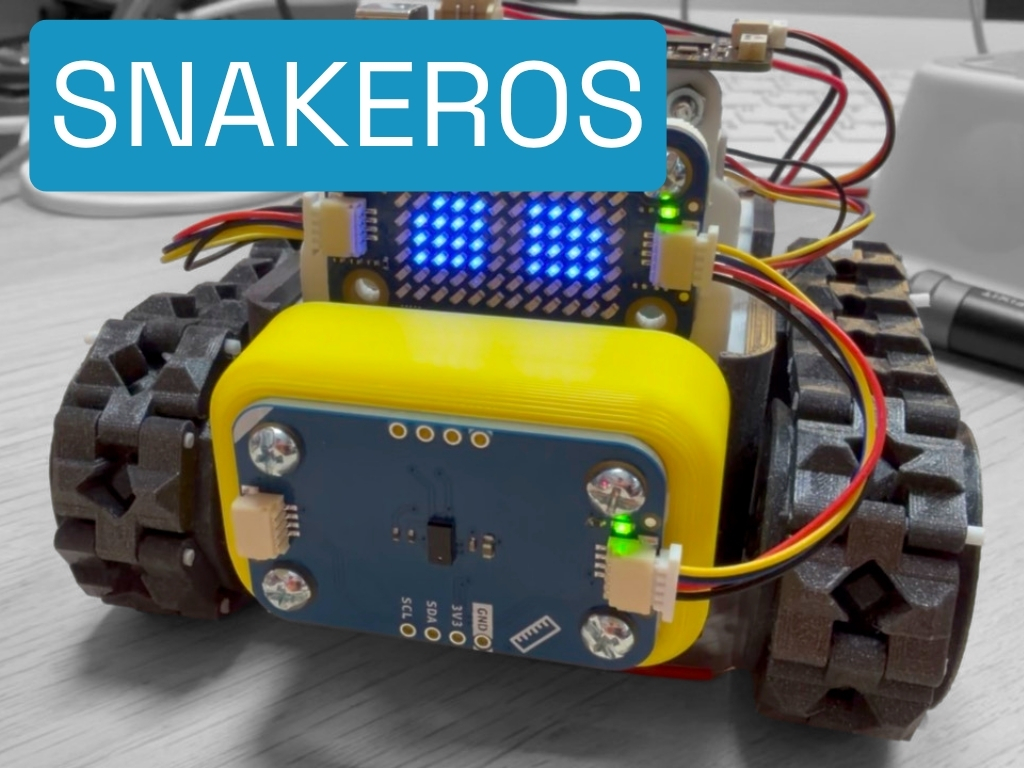
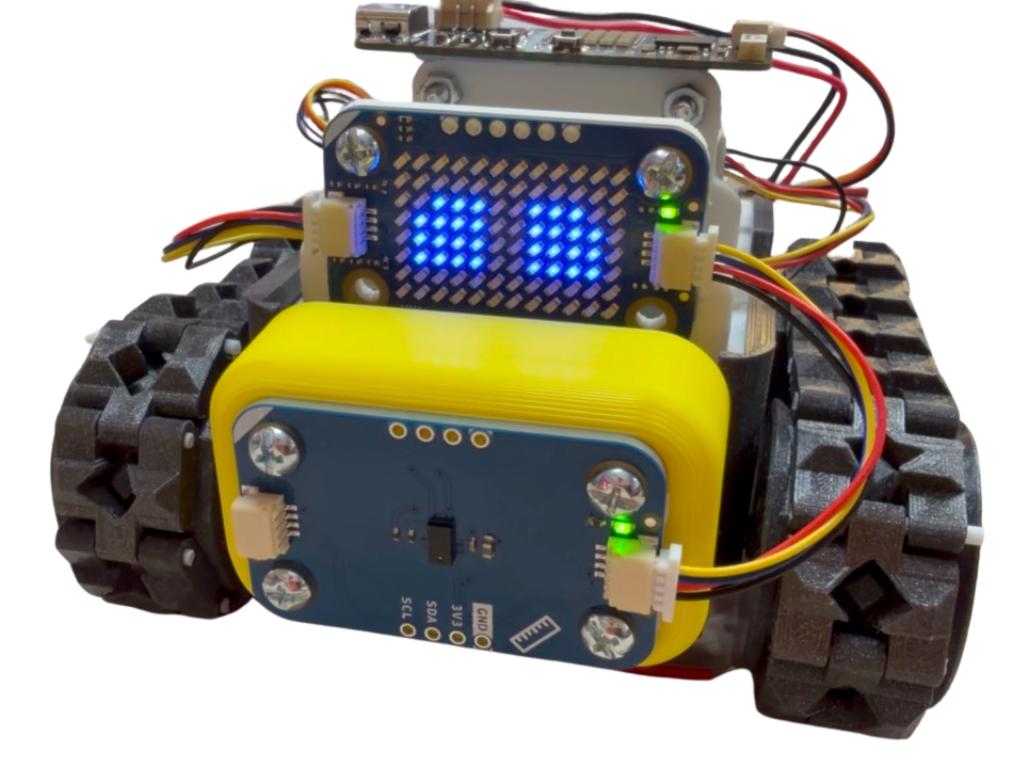
The demo robot for this stream is QwiicBot — the same SMARS chassis I built up as Modulino SMARS a couple of weeks ago, renamed now that ROS 2 is the point rather than the sensors. If you watched that build: same five Arduino Modulino modules, same screwless tracked chassis, same click-together Qwiic chain — the only thing that’s changed is what’s running on the brain, and what it’s talking to.
Five senses, five ROS 2 interfaces, no wiring diagram:
| Sense | Modulino | ROS 2 |
|---|---|---|
| Move | Motors | subscribes /cmd_vel — geometry_msgs/Twist |
| See | Distance | publishes /range — sensor_msgs/Range |
| Measure | Movement (IMU) | publishes /imu/data — sensor_msgs/Imu |
| Show | LED Matrix | subscribes /face — std_msgs/String |
| Hear/Speak | Buzzer | serves /beep — std_srvs/Trigger |
Why the Adafruit ESP32 Feather V2, specifically
The Modulinos will click into any I2C/Qwiic board, but SnakeROS needs more RAM than the classic hobby boards offer — an Arduino UNO R4’s RA4M1 has 32 KB of SRAM, nowhere near enough. The project’s own primary targets are a Pico 2 W or Pico W, wired to the Qwiic chain through the Modulinos’ breakout pins. I picked the Adafruit ESP32 Feather V2 instead, and it’s worth explaining why, because it’s genuinely useful buying advice if you’re assembling your own version of this:
- A JST-PH LiPo battery connector, with charging circuitry built onto the board, so the robot’s power story is one battery, one connector, no separate regulator board.
- A STEMMA QT connector — Adafruit’s name for the same JST-SH, 4-pin, 3.3V I2C standard as Arduino’s Qwiic and SparkFun’s Qwiic — so the whole Modulino chain clicks straight in with zero adapters, exactly as it did on the SMARS build.
- Built-in WiFi, which is the actual transport SnakeROS needs to reach the Agent — no separate radio module, no serial tether.
- 8 MB of flash and 2 MB of PSRAM on a dual-core 240 MHz Xtensa processor — genuinely more headroom than the plain ESP32 boards SnakeROS’s own documentation calls its tightest supported target.
That last point matters more than it looks, and it’s the whole reason the gotcha below happened at all.
Wiring it up in code
On the board, the STEMMA QT rail on this specific Feather isn’t live by default — its regulator sits behind a GPIO, and MicroPython (unlike CircuitPython and Arduino) doesn’t raise it for you automatically. This is documented directly in the SnakeROS repo, because it’s exactly the kind of thing that looks like a dead board:
# name -> (i2c power pin or None, sda, scl, active-high?)
BOARDS = {
    # STEMMA QT is on its own regulator behind GPIO 2. SCL is GPIO 20, which
    # MicroPython's hardware I2C does not accept on this chip -- hence SoftI2C.
    "feather_esp32_v2": (2, 22, 20, True),
    "generic_esp32": (None, 21, 22, True),
    "pico": (None, 4, 5, True),
}
from board_setup import setup_i2c, scan
from hardware import set_i2c

bus = setup_i2c("feather_esp32_v2")   # raises GPIO 2, builds SoftI2C on sda=22 scl=20
scan(bus)
set_i2c(bus)
Run that, and the console names every Modulino it finds on the chain before a single line of robot code runs:
[board] I2C power enabled on GPIO 2
[board] SoftI2C on sda=22 scl=20
[board] found 0x48  Motors
[board] found 0x29  Distance
[board] found 0x6A  Movement (IMU)
[board] found 0x3C  Buzzer
[board] found 0x72  LED Matrix
boot.py — the one file order that actually matters
Before any of that, one more real gotcha the project’s own examples build in as a fix rather than a footnote. MicroPython runs boot.py before main.py, and before any of your own imports — which matters because WiFi wants a large contiguous block of memory to bring its radio up, and if SnakeROS and its message packs are already sitting in the heap, that allocation can fail outright:
"""Bring up WiFi before anything else. Copy this to the device as boot.py."""

SSID = "your-wifi"
PASSWORD = "your-password"

import gc
import network
import time

wlan = network.WLAN(network.STA_IF)
gc.collect()
wlan.active(True)
if not wlan.isconnected():
    wlan.connect(SSID, PASSWORD)
    t0 = time.time()
    while not wlan.isconnected() and time.time() - t0 < 20:
        time.sleep(0.25)

gc.collect()
gc.threshold(gc.mem_alloc() + gc.mem_free() // 4)
That last line is doing real work: it tells the garbage collector to start reclaiming memory before the heap fills up, rather than growing until it can’t anymore — which on an ESP32 specifically protects a second, separate heap (more on that below) that your own Python code never touches directly.
The teleop loop itself
This is the real control code from examples/qwiicbot/robot.py — trimmed to the teleop path, which is what tomorrow’s demo actually runs:
CMD_TIMEOUT_S = 0.6   # stop if no command arrives within this long

def on_cmd_vel(self, msg):
    self.target_linear = msg.linear.x
    self.target_angular = msg.angular.z
    self._last_cmd = time.time()

def control_step(self):
    if time.time() - self._last_cmd > CMD_TIMEOUT_S:
        if self.drive.left or self.drive.right:
            self.drive.stop()
        return
    self._apply(self.target_linear, self.target_angular)

def _apply(self, linear, angular):
    """Differential-drive mixing, with an obstacle veto on forward motion."""
    sep = self.node.get_parameter("wheel_separation", 0.09)
    top = self.node.get_parameter("max_speed", 0.6)
    stop_d = self.node.get_parameter("stop_distance", 0.15)

    if linear > 0 and self.range.read() < stop_d:
        linear = 0.0   # forward is vetoed near an obstacle; reverse and turn stay free
    left = linear - angular * sep / 2.0
    right = linear + angular * sep / 2.0
    scale = max(1.0, abs(left), abs(right))
    self.drive.set(top * left / scale, top * right / scale)
Two independent safety nets sit underneath that loop, and the project is explicit that you want both rather than either: a command timeout (above — no /cmd_vel for 0.6 seconds and the robot stops on its own), and ResilientNode, because a UDP publish to a dead Agent succeeds silently — there’s no exception to catch, so Agent loss is only detectable by actively pinging for it:
def on_disconnect():
    if "r" in bot:
        bot["r"].stop()
        print("[qwiicbot] Agent lost -- motors stopped")

rn = ResilientNode(factory, setup=setup, on_disconnect=on_disconnect)
rn.connect()
rn.spin(10)
Every parameter in that control loop is live-tunable from the ROS 2 side while the robot is running, no reflash required — which is point 1 from the six failure modes, made concrete:
$ ros2 param set /qwiicbot stop_distance 0.25
$ ros2 topic pub /cmd_vel geometry_msgs/msg/Twist '{linear: {x: 0.5}}'
$ ros2 service call /beep std_srvs/srv/Trigger
Where the ROS 2 side actually lives: the VENTUNO Q
The other end of this is an Arduino VENTUNO Q — pairing a Qualcomm Dragonwing IQ8 running Ubuntu on its Linux side with an STM32H5 real-time MCU, and one I’d already spent a livestream getting real ROS 2 (Jazzy, in Docker) actually running on, a few days before this one, because Arduino’s own documentation for the board doesn’t cover ROS 2 beyond a single marketing sentence. That groundwork means the ROS 2 host for tomorrow’s demo isn’t a hopeful guess — it’s a machine I already know runs the real thing.
It’s worth being precise about the shape of this setup, because SnakeROS’s own architecture notes are honest that there are two different ways a dual-brain board like this could be used, and only one of them is proven. The board’s internal RPC bridge — the link between its Linux side and its own STM32 — is real and documented, but using it to run SnakeROS on the STM32 half, talking to the Agent over that internal link, is explicitly flagged as “plausible, not tested” — it would need a MicroPython port for that specific chip, which doesn’t exist yet. So this build doesn’t attempt that. Instead, the VENTUNO Q’s Linux side plays the same role any Linux ROS 2 machine on your network would: it runs your ROS 2 nodes and the stock micro-ROS Agent, and QwiicBot reaches it over ordinary WiFi/UDP, exactly like the architecture diagram further up this page. Simpler, and — critically — actually proven to work by the project’s own test suite.
QwiicBot                              VENTUNO Q
(Adafruit Feather ESP32 V2      XRCE   (Dragonwing IQ8, Ubuntu)
 + Modulinos + SnakeROS)  ─────UDP───► micro-ROS Agent + ros2 nodes
That’s teleop, over WiFi, via ordinary ROS 2 topics — /cmd_vel in, /range and /imu/data out — with nothing bridged, forked or reflashed to make it happen.
Gotchas — the mistake that nearly sank the demo
This is the section I’d want if I were reading someone else’s write-up, so here’s the honest version of what actually went wrong on my bench.
I flashed the wrong MicroPython build. The Adafruit ESP32 Feather V2 carries 2 MB of PSRAM — extra external RAM that’s a genuine asset on a board this tight, but only if the firmware knows to use it. MicroPython ships this as a separate firmware variant: ESP32_GENERIC for boards without extra RAM, and ESP32_GENERIC-SPIRAM for boards that have it. I flashed the plain, non-SPIRAM build by mistake, which meant that 2 MB of PSRAM simply sat there, switched off, while SnakeROS ran on internal SRAM alone — on a board the project’s own documentation already calls its tightest supported target even with the extra RAM active.
The result looked exactly like a library bug: intermittent MemoryErrors and ENOMEM failures on send, the same symptom class the project’s own troubleshooting docs describe for ESP32’s well-known two-heap trap (MicroPython’s own GC heap and the separate ESP-IDF heap that WiFi’s networking stack allocates from — the GC heap grows by claiming blocks from the IDF heap and never gives them back). I spent real time suspecting SnakeROS itself, checking message pack sizes, trimming imports — before realising the actual problem was one firmware file, chosen wrong, before any of that code ran at all. Reflash with the correct ESP32_GENERIC-SPIRAM build, and the exact same code just worked.
Why it’s an easy mistake to make, not just my own carelessness: MicroPython’s own firmware download page has no listing at all for “Adafruit ESP32 Feather V2” — it never has. The nearest match on the page is a generic “ESP32 / WROOM” entry, which surfaces the plain, non-SPIRAM build first. Picking the obvious option, for a board MicroPython doesn’t actually name, is exactly how you end up running with 2 MB of RAM switched off and no indication why.
That’s not a one-off complaint — it’s now a fixed problem. I updated the firmware flasher in Snakie, the MicroPython editor I’ve been building, so it can tell you a board has PSRAM and which build actually turns it on, fetch that build for you once it’s confirmed to exist (rather than composing a URL and guessing), and — for boards MicroPython genuinely doesn’t publish under their own name, like this exact Feather — carry a hand-written entry in its own board catalogue that names the right file directly, so nobody else loses a week finding it by hand.
A second, smaller gotcha, also directly documented in the project: the Feather V2’s STEMMA QT connector is dead by default under generic MicroPython firmware, because its regulator sits behind GPIO 2 and MicroPython doesn’t raise that pin automatically the way CircuitPython and Arduino do. An empty i2c.scan() and no LEDs on the Modulinos looks identical to a bad cable or a dead board. It isn’t — it’s one line of code (Pin(2, Pin.OUT).value(1), with time to let the rail settle), and board_setup.py above handles it for you on every run.
Parts list
The robot (QwiicBot):
- SMARS screwless tracked chassis — 7 printed parts, no screws
- 2× N20 150RPM micro gearmotors — the stock SMARS drivetrain
- Adafruit ESP32 Feather V2 — the brain, ~$19.95–$20.95
- Modulino Motors — MAX22211 dual H-bridge, ~€12.82
- Modulino Distance — VL53L4CD time-of-flight, ~€13.10
- Modulino Movement — LSM6DSOX 6-axis IMU, ~€13.30
- Modulino LED Matrix — 8×12 charlieplexed, ~€8.54
- Modulino Buzzer — piezo + onboard STM32C011, ~€7.30
- Qwiic/STEMMA QT 4-pin cables, daisy-chained — no soldering
- 2 custom 3D-printed parts (Modulino holder + Distance mount) — from the Modulino SMARS build
The ROS 2 host:
- Arduino VENTUNO Q — Qualcomm Dragonwing IQ8 + STM32H5, ~€299 / $299 introductory price, SKU ABX00181 (store listing; check current price and availability before buying)
Software:
- SnakeROS — the pure-Python ROS 2 client this whole build runs on
- Arduino Modulino MicroPython library —
mip.install("github:arduino/arduino-modulino-mpy") - Stock
micro-ROS Agent—docker run ... microros/micro-ros-agent:jazzy udp4 --port 8888 - Snakie — the free, open-source MicroPython editor (GitHub), now with a firmware flasher that finds the right build for boards like this one
Where this actually stands
Everything in the code sections above is real, verified against the project’s own test suite and documentation — SnakeROS’s own status page is upfront that it’s continuously checked against a stock, unmodified micro-ROS Agent, with ros2 topic echo, ros2 service call and ros2 param doing the asserting, not just eyeballed output. What I haven’t personally proven on this exact pair of boards, as I write this, is the full teleop demo running live end-to-end — that’s genuinely what tomorrow’s stream is for. If something breaks on air that isn’t in the gotchas above, that’s not me hiding a rough edge; it’s the actual next thing to fix, live, in front of you.
Six things sank every previous attempt at this. Message types needing a rebuild, no working Python client, an agent standing in for a real node, a toolchain you had to fight before your board even blinked, hardware that couldn’t hold what desktop DDS assumes, and nobody left to maintain it once the one person who built it moved on — that’s the whole list, and SnakeROS exists specifically because none of those six had to be true at once.
If you’ve got a board you think would break this in an interesting way, or a message type you want to see published from something smaller than a Feather, tell me in the comments — the best suggestion gets tried on stream. And if you want to watch this actually run, wrong firmware and all, .
I hope you enjoy this one, and I shall see you next time. Bye for now.
This page is awesome - Show some love!



Comments