Rovers are the classic wheeled robots that get you from “blinking an LED” to “actually driving a robot around the living room.” They are the natural destination for everything you’ve been learning.
What is a Rover?
A rover is a ground-based mobile robot that moves on wheels (or occasionally tracks). In robotics terms, it’s any self-contained wheeled platform that can be driven, either remotely by a human or autonomously under its own control.
The word conjures images of NASA’s Perseverance crawling across Martian rock, but your first rover is far more achievable than that. A basic rover needs just four things: a chassis to hold everything together, motors and wheels to move, a microcontroller to run your code, and a power source. That’s genuinely it. Everything else — sensors, cameras, wireless control, autonomy — is optional and can be added later.
Here’s that minimal rover as a block diagram. These four blocks get you a driving robot; the dashed extras are what you bolt on as you grow:
flowchart LR
    POWER["Power<br/>(battery)"] --> MCU["Microcontroller<br/>(your code)"]
    POWER --> DRV["Motor driver<br/>(H-bridge)"]
    MCU --> DRV
    DRV --> MOTORS["Motors + wheels"]
    MOTORS --> CHASSIS["Chassis<br/>(holds it all)"]
    SENSE["Sensors / camera"] -.->|"optional"| MCU
Typical beginner rovers use two DC motors in a differential drive arrangement: speed up the left motor and the robot turns right, reverse it and the robot spins on the spot. This simple geometry is surprisingly capable and very easy to program.
Typical beginner rovers use two DC motors in a differential drive arrangement: speed up the left motor and the robot turns right, reverse it and the robot spins on the spot. This simple geometry is surprisingly capable and very easy to program.
Why robot builders care
Rovers are where all the other skills in robotics come together for the first time. You’ll wire up motors, write motion code, think about power budgets, and confront the very real question of “why is it spinning in circles instead of going straight?” (Spoiler: motors are never perfectly matched — PID control is your friend.)
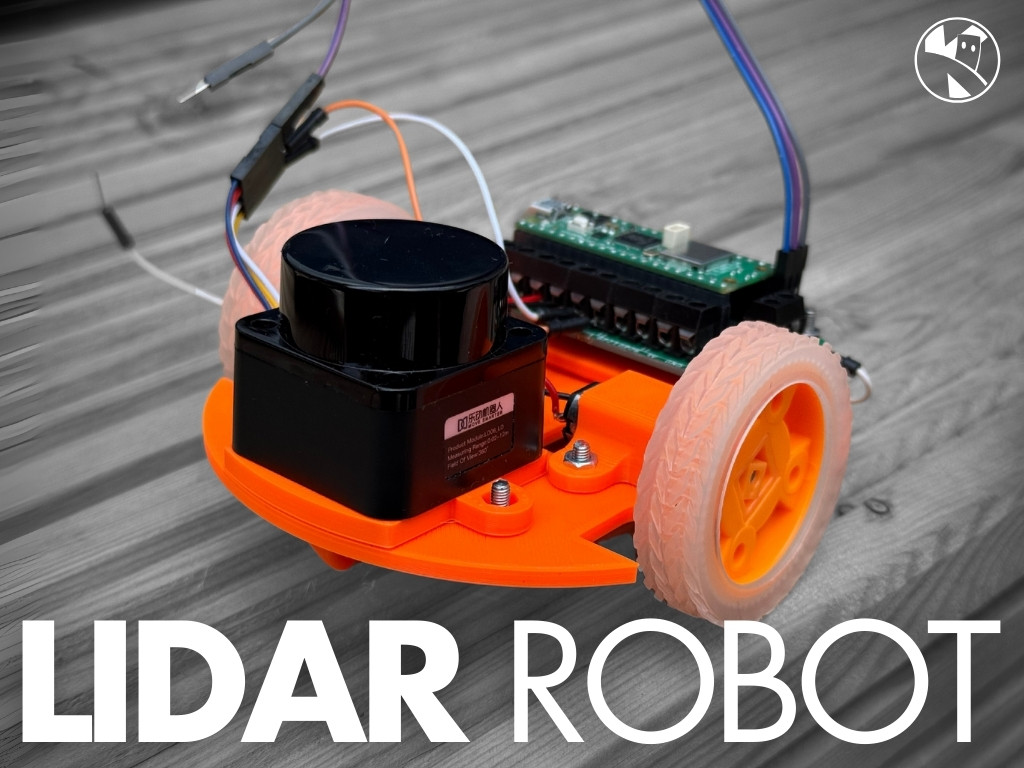
Rovers are also scalable. You can start with a £10 kit chassis and a Raspberry Pi Pico and end up with a LiDAR-equipped mapping robot running SLAM. The fundamental platform stays the same; you just keep adding capability.
They also connect naturally to real-world robotics careers. Delivery robots, warehouse AGVs, search-and-rescue bots — these are all rovers with better sensors and smarter software.
Get started
The best way to start is to build one. Kevin’s SMARS course walks you through 3D printing and assembling a Screwless, Modular, Assemble-able Robotic System — a compact, beginner-friendly rover chassis that’s been iterated on for years. It’s a brilliant first build.
If you want a more capable platform straight away, take a look at the Rover Mecanum build — a four-wheel mecanum drive robot that can strafe sideways as well as drive forward. It’s a step up in complexity but the results are genuinely impressive.
Once your rover moves reliably, the next challenge is making it think. The Viam SLAM write-up shows how you can use a Raspberry Pi-based rover with a LiDAR to map a room in real time — a proper taste of autonomous navigation.
For your very first rover, try this: grab a small chassis kit (or print the SMARS body), wire up two DC motors through an H-Bridge, and write a simple MicroPython script that drives forward for two seconds, turns 90 degrees, and repeats. It sounds basic, but the moment it moves the way you intended, you’ll be hooked.
Reacts well with
More Robots & Builds
- SmSMARS
- BbBurgerBot
- PcPicoCat
- DwDrawing Robots
- RaRobot Arms
- DrDrones
- HuHumanoids
- QdQuadrupeds
- HxHexapods
- PePet Robots
- CbCombat Robots
- RtRetro Robots
- HoHalloween Robots
Learn more on KevsRobots
Courses



Projects to build



Articles to read


Share this element
This page is awesome? Show some love!Did you find this content useful?
If you found this high quality content useful please consider supporting my work, so I can continue to create more content for you.
I give away all my content for free: Weekly video content on YouTube, 3d Printable designs, Programs and Code, Reviews and Project write-ups, but 98% of visitors don't give back, they simply read/watch, download and go. If everyone who reads or watches my content, who likes it, helps fund it just a little, my future would be more secure for years to come. A price of a cup of coffee is all I ask.
There are a couple of ways you can support my work financially:
If you can't afford to provide any financial support, you can also help me grow my influence by doing the following:
Thank you again for your support and helping me grow my hobby into a business I can sustain.
- Kevin McAleer
Comments