Hinges, Wheels and Sliders
Pick the right joint type in Snakie and set its axis and limits so the model moves like the real robot
By Kevin McAleer, 5 Minutes
Page last updated November 21, 2026

Four ways to connect two parts
Every block except the base has exactly one joint: the one that connects it to its parent. Right-click a block and choose Edit joint… to open it. You can also click the small joint icon beside the block’s name.
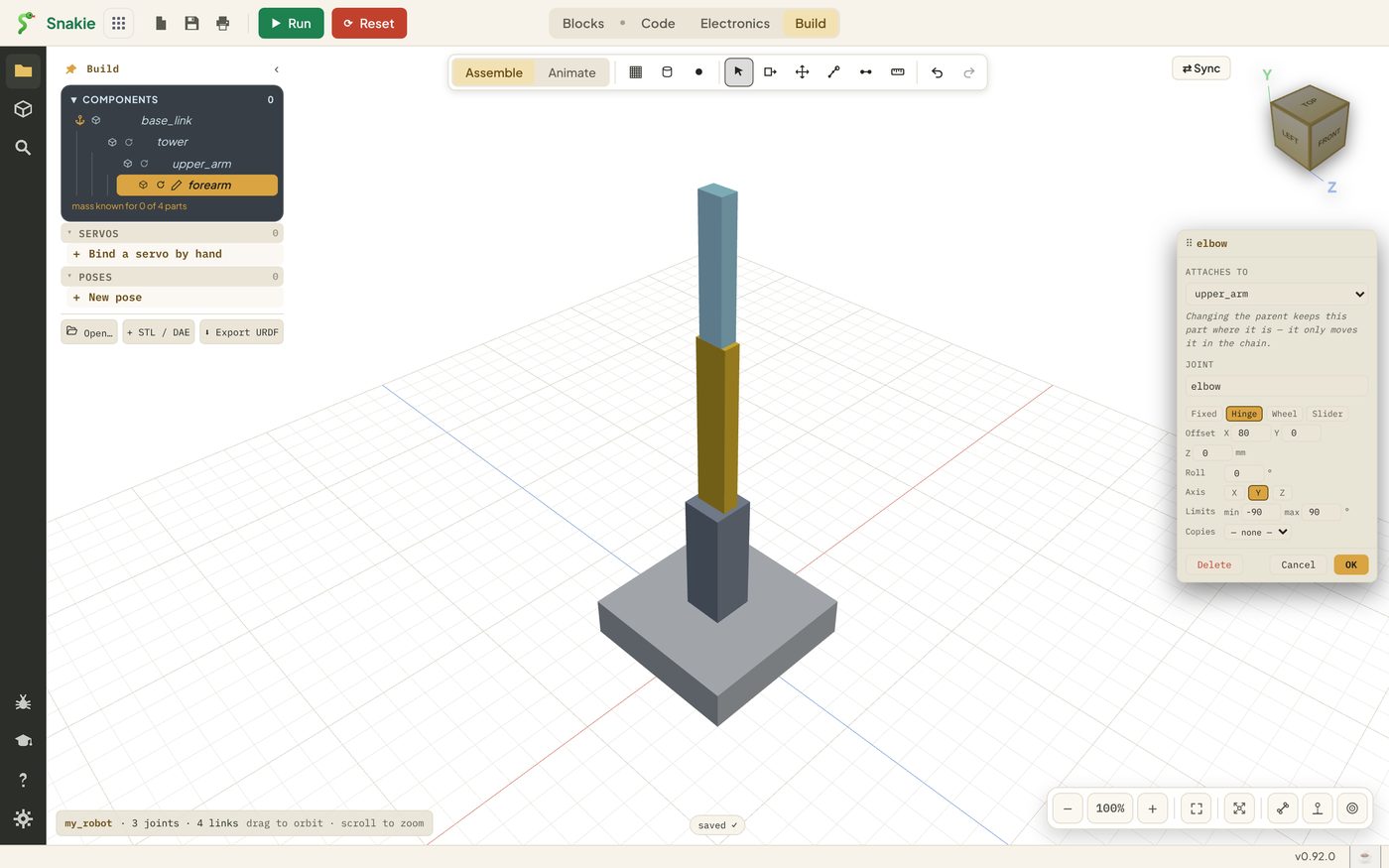
The four buttons under Joint are the four kinds.
| Kind | Moves how | Real-world part | URDF name |
|---|---|---|---|
| Fixed | Not at all | A bracket, a sensor mount | fixed |
| Hinge | Turns between two limits | A standard hobby servo | revolute |
| Wheel | Turns round and round | A wheel on a motor | continuous |
| Slider | Slides along a line | A lift, a gripper jaw | prismatic |
The joint tool in the last lesson used slightly different words. Static there is Fixed here, Rotation is Hinge and Linear is Slider.
Axis
A hinge turns around a line, and a slider slides along one. That line is the axis, and it’s one of X, Y or Z.
The axis is measured from the joint’s own point of view, which is why the quickest way to choose is to try it. Pick one, pose the joint (next lesson), and if the part moves the wrong way, come back and pick another.
Our arm uses:
| Joint | Kind | Axis | Movement |
|---|---|---|---|
waist |
Hinge | Z | The whole arm turns left and right |
shoulder |
Hinge | Y | The upper arm leans forward and back |
elbow |
Hinge | Y | The forearm bends |
Limits
A hobby servo can’t turn forever. Most manage about 180 degrees. Limits tell Snakie how far the joint may go, so the model can’t do anything the real robot can’t.
New hinges get -90 to 90 degrees: a quarter turn either way from where you built it. That matches a standard servo nicely, so leave the arm’s three joints alone.
Limits do three jobs later in the course:
- They set the ends of each joint’s slider when you pose the robot
- They stop a dragged pose from bending a joint backwards
- They set how joint angles are converted to servo angles
A Wheel has no limits at all. A Slider has limits in millimetres.
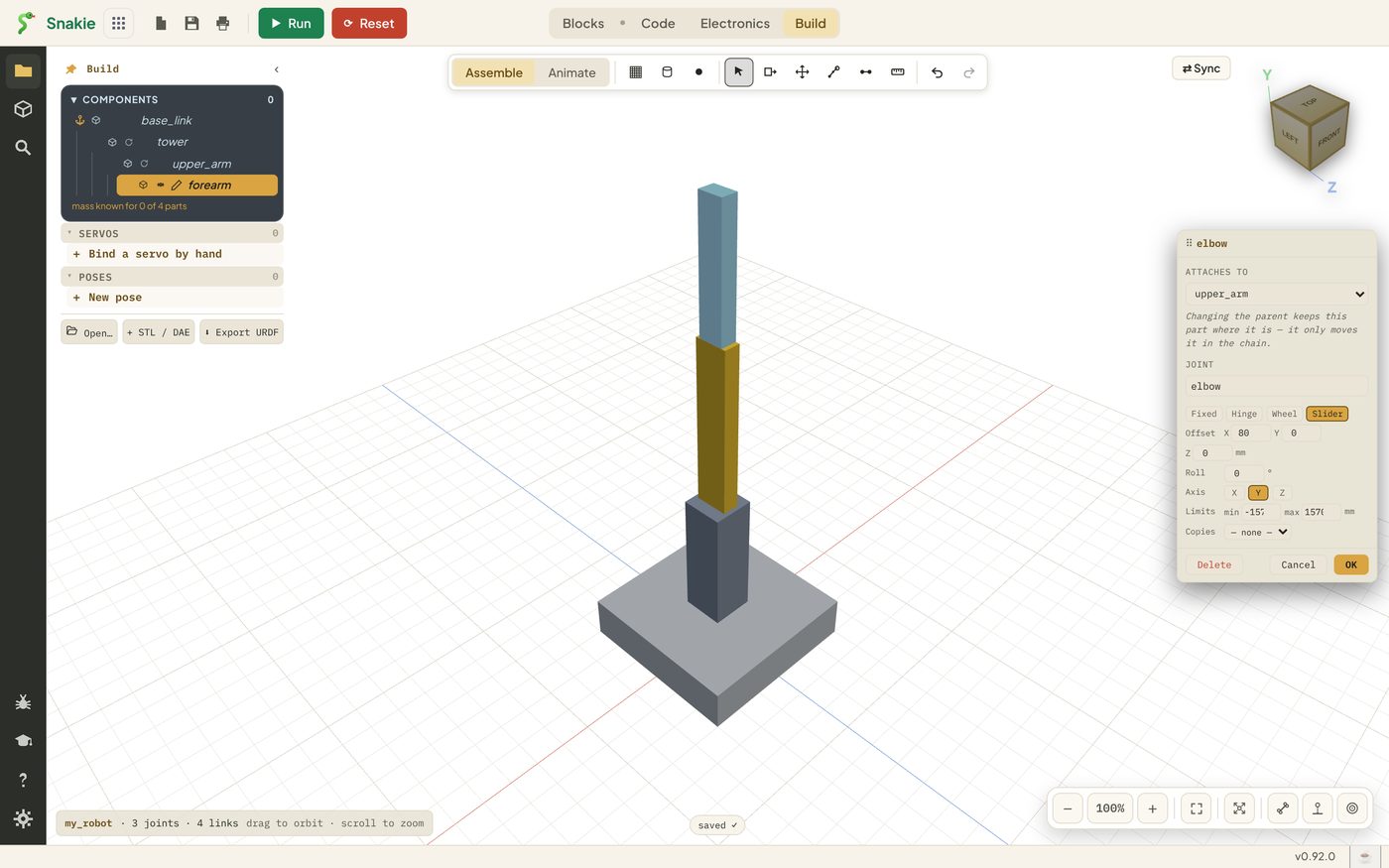
When you switch a hinge to a slider, check the limits. Snakie carries the old numbers across and they come out very large, so type the travel you really want, such as 0 to 30.
The other boxes
- Attaches to changes the block’s parent. The block stays where it is on screen. Only its place in the chain changes
- Offset moves the joint away from the parent’s centre, in millimetres
- Roll turns the block on the spot, around the line through the joint
- Copies makes this joint follow another one. Two gripper fingers that open together are the classic use: one finger copies the other
- Delete removes the joint and leaves the block loose
Rest position
The pose you build the robot in is its rest position. Every joint reads zero there. A shoulder limit of -90 to 90 means a quarter turn either side of how you built it.
That’s worth a moment’s thought on a real robot. Build the model in the pose where your servos sit at the middle of their travel, and both will have the same room to move each way.
Try it Yourself
- Open the
elbowjoint and switch it to Wheel. Notice the limits vanish - Switch to Slider and read the limits. Then click Cancel so nothing is saved
- Open the
waistjoint and check it says Hinge, axis Z, limits -90 to 90 - Open
robot.urdfin the Code workspace and find theshoulderjoint. Its limits are there too, in radians: 1.5708 is 90 degrees
Common Issues
Problem: My joint turns the wrong way round. Solution: Pick a different Axis. Why: The axis depends on how the block was snapped on, so the right letter isn’t always the one you’d guess.
Problem: The joint only moves a tiny bit. Solution: Check the Limits. For a hinge they’re degrees. For a slider they’re millimetres. Why: Switching kinds keeps the old numbers, which may not suit the new kind.
Problem: A part has come loose from the robot. Solution: Open its properties and choose its parent under Attaches to, or use the joint tool again. Why: Deleting a joint leaves the block with nothing holding it.
Check your understanding
Quick quiz 1 of 3
Which joint kind suits a standard hobby servo?
Quick quiz 2 of 3
What are a slider’s limits measured in?
Quick quiz 3 of 3
What does every joint read in the rest position?
You can use the arrows ← → on your keyboard to navigate between lessons.
Comments