I Taught a Computer to Learn From Its Mistakes
Reinforcement learning on a napkin: a MuJoCo pendulum goes from tipping over every time to balancing perfectly, using only a score. Part 1 of My Robot Duck Taught Itself to Walk.
Watch the video
Watch the video
I Taught a Computer to Learn From Its Mistakes
See it built and running on YouTube.
Ahoy there makers!
Most of what I build on this channel works like a recipe. Forward, turn left, wait a second, turn right. I write every step, the robot follows every step, and for a robot that trundles around the floor that works really well.
Then I got my eye on a robot duck, and recipes stopped working.
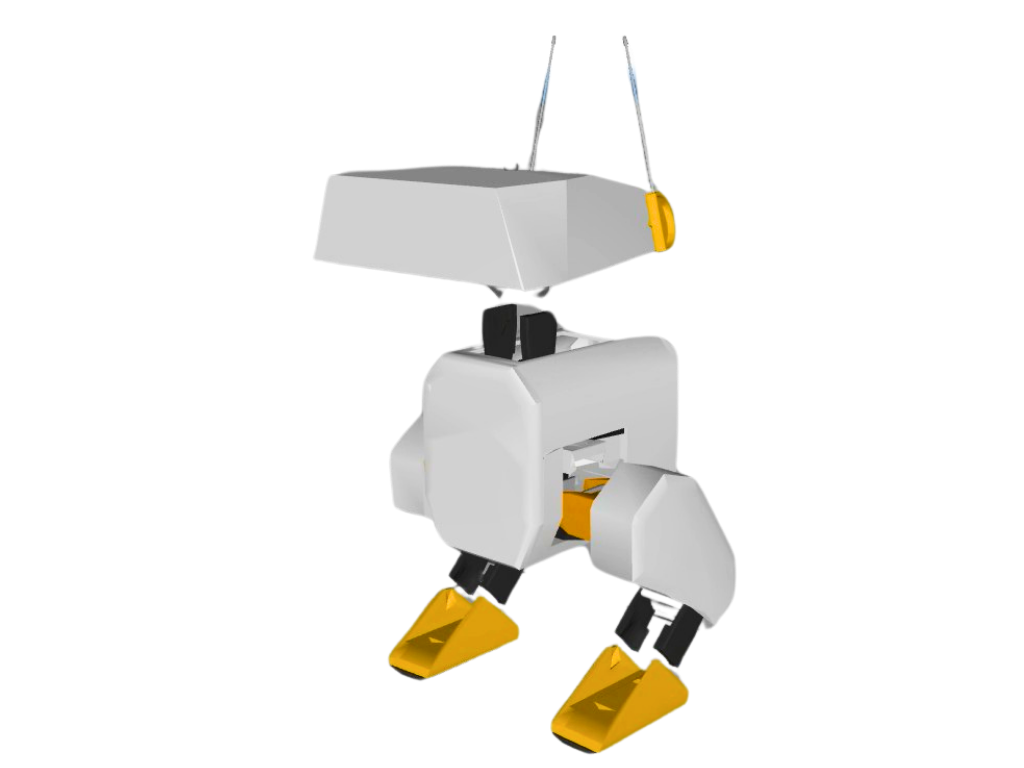
The duck is Open Duck Mini, a little two-legged robot that has to balance, and nobody can sensibly write the steps for that. Every shove, every slippery patch of floor, needs a different answer. So the plan for this series, My Robot Duck Taught Itself to Walk, is to flip the problem round: instead of telling the robot how, tell it what we want, and let it work out the how itself.
This is Part 1. Before we go anywhere near a duck, I want to show you the idea at the smallest scale I can: a pendulum on a cart that learns to balance itself in well under a minute, on a normal computer, with no balancing code at all. The only thing I give it is a score.
You can watch the video here or read on. The article has the bits the video can’t hold: the exact setup, the real code, how to read the numbers the training spits out, and what tripped me up.
The loop on a napkin
There are only five words to learn, and I’ll use the pendulum for all of them.
- Agent: the brain. The bit of code that makes decisions.
- Environment: the world the agent lives in. Here that’s the pole, the cart it sits on, and the physics.
- State: what the agent can sense right now. For the pendulum that’s the angle of the pole, how fast it’s tipping, and where the cart is.
- Action: what the agent is allowed to do. Here it’s just pushing the cart left or right, by a bit.
- Reward: a score for how that went. The pendulum gets one point for every moment the pole is still standing up.
And then it goes round in a loop. The agent looks at the state, picks an action, the environment responds, a reward comes back, and round it goes again, thousands and thousands of times.
        state + reward
   +-----------------------+
   |                       |
   v                       |
 AGENT --- action ---> ENVIRONMENT
 (the brain)           (cart, pole, physics)
That is reinforcement learning: learning by trial and error from a score. Everything else you read about it is a cleverer way of running that loop.
Why it starts out terrible (and why that’s fine)
At the start the agent knows nothing, so it tries things more or less at random. The pendulum tips over almost immediately, resets, tips over again. But every attempt comes back with a score, and the idea is that the agent does a little more of what scored well and a little less of what didn’t. It slowly remembers what worked.
So being terrible at the start isn’t a bug. It’s where learning has to begin.
Explore or exploit?
There’s one more idea that explains why even a half-decent agent still looks a bit silly. Think about where you go for dinner. You have a favourite restaurant, and you know it’s good. But if you never try anywhere new, you might miss the best meal of your life.
A learning agent has the same problem. If it always tries new things, it never settles down and gets good. If it only repeats what has worked so far, it can get stuck doing something that’s merely okay. So it has to do a bit of both, and a lot of the art is in balancing the two. Hold on to that, because it explains something in the training output later.
The tools
Four pieces, all free, all running on a normal computer:
- MuJoCo is a physics simulator. The name stands for Multi-Joint dynamics with Contact. It works out what happens when bodies push on each other, and it runs natively on a Mac. It’s the physics engine we’ll use for the duck too.
- Gymnasium is a library of ready-made environments with a standard shape: reset, step, get a state and a reward back. We’re using its
InvertedPendulum-v5. - Stable-Baselines3 (SB3) is a library of reliable, well-tested learning algorithms, built on PyTorch.
- PPO, short for Proximal Policy Optimisation, is the algorithm we ask SB3 to run. “Proximal” just means nearby: after each batch of attempts it only nudges the brain a small step from where it was, so one bad run can’t undo everything it has learned. All you need to know is that it’s a good, steady way to run the loop. (The maths of how it updates lives in the reinforcement learning course on the site, not here.)
One thing worth knowing: the SB3 docs say PPO is meant to be run primarily on the CPU, especially when you’re not using a CNN (a vision network, which we aren’t). So telling it device="cpu" isn’t a compromise. It’s the recommended way for a small problem like this.
Setup
I used uv to make a clean Python 3.12 environment. These are the exact versions I tested with:
mkdir -p ~/rl-duck && cd ~/rl-duck
uv venv ep1 --python 3.12
source ep1/bin/activate
uv pip install "stable-baselines3==2.9.0" "gymnasium[mujoco]==1.4.0" torch
That resolved to Gymnasium 1.4.0, MuJoCo 3.17.0, SB3 2.9.0, PyTorch 2.14.1 and NumPy 2.5.4. The first install downloads PyTorch, so allow a few minutes. If you want to record video clips, draw graphs and look at TensorBoard (the extras I use below), add these too:
uv pip install "moviepy==2.2.1" "tensorboard==2.21.0" "matplotlib==3.11.2" "pandas==3.1.0"
The whole learning script
This is pendulum.py, and it’s the entire thing:
import time
import gymnasium as gym
from stable_baselines3 import PPO
from stable_baselines3.common.evaluation import evaluate_policy

env = gym.make("InvertedPendulum-v5")
model = PPO("MlpPolicy", env, device="cpu", verbose=1)

before, _ = evaluate_policy(model, env, n_eval_episodes=10)
print(f"Score before training: {before:.0f}")

start = time.time()
model.learn(total_timesteps=100_000)
print(f"Training took {time.time() - start:.0f} seconds")

after, _ = evaluate_policy(model, env, n_eval_episodes=10)
print(f"Score after training: {after:.0f}")
model.save("pendulum_ppo")
Line by line:
gym.make("InvertedPendulum-v5")builds the environment: the MuJoCo cart, the pole and the physics. The reward is +1 for every timestep the pole stays upright (within about 11 degrees of vertical).PPO("MlpPolicy", env, ...)creates the agent.MlpPolicymeans the brain is a small multi-layer perceptron, an ordinary little neural network.evaluate_policy(...)plays 10 full attempts and reports the average score. We run it once before training and once after, so we can see what the learning bought us.model.learn(total_timesteps=100_000)is the loop from the napkin, run for 100,000 steps.model.save(...)writes the learned brain to a file,pendulum_ppo.zip.
Run it:
python pendulum.py
What you should see
First, the starting line, after a few seconds of start-up:
Score before training: 23
Mine said 23, 26 and 27 on different runs. Expect the twenties. The maximum possible is 1000, so an untrained pendulum is tipping over almost straight away.
Then a wall of tables scrolls past while it trains, and finally:
Training took ... seconds
Score after training: 1000
On my MacBook Pro (M4 Pro) the 100,000 steps took about 23 seconds. Timings vary a lot by machine, so don’t treat that as a benchmark. Yours might be quicker or slower, and that’s fine.
A perfect 1000, every time I ran it. Nobody wrote a line of balancing code.
Reading the training output
Because we passed verbose=1, SB3 prints a table after every batch of attempts (by default one table per 2,048 steps, so about 49 of them in this run). Most of the rows are internal diagnostics you can ignore at this stage. Two are worth understanding:
| Row | What it means |
|---|---|
ep_rew_mean |
Episode reward mean: the average total score of an attempt, over the last 100 attempts (SB3’s default stats window). |
ep_len_mean |
Episode length mean: the average number of steps an attempt lasted. |
An “episode” is one attempt, from reset until the pole tips or the time runs out. A few things that confused me, so they might confuse you:
1. ep_rew_mean and ep_len_mean are identical here. That’s not a coincidence. Our reward is +1 per step, so the score of an attempt is its length in steps. In an environment with a different reward they’d differ.
2. ep_rew_mean starts near 8, not 23. The first table shows a figure much lower than the “Score before training” line. The reason is that the Score before training number comes from evaluate_policy, which asks the brain for its single best guess each time, while the training tables record what happens while it’s behaving randomly and exploring (the explore side of the dinner analogy). Random flailing does worse. If you are comparing to the video, the “twenties” figure is the Score before training line.
3. ep_rew_mean never quite reaches 1000 while training. In my runs it climbed into the high hundreds, 786 in one run (793 in another). Training keeps some exploration noise switched on so the agent keeps trying slight variations, and the odd attempt still tips over. It is also an average over the last 100 attempts, so it lags behind the current ability.
4. The final Score after training: 1000 is the real number. evaluate_policy runs with exploration off, so the agent just does its best, and 1000 is the most it can get: an episode is capped at 1000 steps, and a pole held up for all 1000 steps scores 1000. It means the pendulum stayed up for the full length of the attempt, every time.
So: tables tell you how the learning is going, the final check tells you how good the finished brain is.
Seeing it, not just reading it
A number is one thing, but I wanted to watch it. This is watch.py, which plays the trained pendulum in a window, or the untrained one if you pass --untrained:
"""Watch the pendulum. Trained by default; --untrained for the flopping cold open.

python watch.py                        # trained model (pendulum_ppo.zip) in a window
python watch.py --untrained            # brand-new, untrained policy: it flops over
python watch.py --record               # no window: saves one MP4 per attempt to videos/
python watch.py --model checkpoints/pend_20000_steps   # any saved model
"""

import argparse
import gymnasium as gym
from stable_baselines3 import PPO

p = argparse.ArgumentParser()
p.add_argument("--untrained", action="store_true", help="use a fresh, untrained policy")
p.add_argument("--model", default="pendulum_ppo", help="saved model to load")
p.add_argument("--episodes", type=int, default=10, help="how many attempts to show")
p.add_argument("--record", action="store_true", help="save MP4s instead of opening a window")
p.add_argument("--size", type=int, default=1080, help="frame width and height in pixels")
args = p.parse_args()

label = "untrained" if args.untrained else args.model.replace("/", "_").replace(".zip", "")
mode = "rgb_array" if args.record else "human"
env = gym.make("InvertedPendulum-v5", render_mode=mode, width=args.size, height=args.size)
if args.record:
    env = gym.wrappers.RecordVideo(env, video_folder=f"videos/{label}", name_prefix=label,
                                    episode_trigger=lambda ep: True)

if args.untrained:
    model = PPO("MlpPolicy", env, device="cpu")
else:
    model = PPO.load(args.model, device="cpu")

for ep in range(args.episodes):
    obs, _ = env.reset()
    score, done = 0, False
    while not done:
        action, _ = model.predict(obs, deterministic=True)
        obs, reward, terminated, truncated, _ = env.step(action)
        score += reward
        done = terminated or truncated
    print(f"Attempt {ep + 1}: score {score:.0f}")
env.close()
Run python watch.py --untrained to see the flopping, then python watch.py to see the trained brain hold the pole.
Notice the loop at the bottom. It is the napkin diagram in code: obs is the state, model.predict picks the action, env.step is the environment responding, and reward is the score coming back.
Drawing the learning curve
I also wanted to see how it learns, not just the end result. ladder.py trains again, saving a checkpoint every 10,000 steps and logging every attempt’s score:
"""B-roll pre-run: train the pendulum again, saving a checkpoint every 10,000 steps,
a reward log (logs/monitor.csv) and TensorBoard data (runs/), so you can film the
'flop, then last longer, then hold' progression and draw the reward curve."""
import os
import gymnasium as gym
from stable_baselines3 import PPO
from stable_baselines3.common.callbacks import CheckpointCallback
from stable_baselines3.common.monitor import Monitor

os.makedirs("logs", exist_ok=True)
env = Monitor(gym.make("InvertedPendulum-v5"), "logs/")
model = PPO("MlpPolicy", env, device="cpu", verbose=1, seed=1, tensorboard_log="runs")
model.learn(total_timesteps=100_000,
            callback=CheckpointCallback(save_freq=10_000, save_path="checkpoints", name_prefix="pend"))
model.save("ladder_final")
And reward_plot.py turns the log into a graph:
"""Draw the reward curve from logs/monitor.csv (written by ladder.py) to reward_curve.png."""
import pandas as pd
import matplotlib.pyplot as plt

df = pd.read_csv("logs/monitor.csv", skiprows=1)   # columns: r (score), l (length), t (seconds)
df["steps"] = df["l"].cumsum()
plt.figure(figsize=(16, 9), dpi=120)
plt.plot(df["steps"], df["r"], alpha=0.3, label="each attempt")
plt.plot(df["steps"], df["r"].rolling(20, min_periods=1).mean(), linewidth=4, label="average")
plt.xlabel("Training steps", fontsize=20)
plt.ylabel("Score per attempt", fontsize=20)
plt.ylim(0, 1050)
plt.legend(fontsize=16)
plt.tight_layout()
plt.savefig("reward_curve.png")
print("Saved reward_curve.png")
python ladder.py
python reward_plot.py
Because those checkpoints are saved along the way, you can replay the brain at different stages with watch.py --model checkpoints/pend_10000_steps. In my seeded run, the 10,000-step checkpoint scored somewhere in the 70s to 90s, the 20,000-step one around 185 to 211, and by 30,000 steps it was already holding for the full 1000. That’s the “flop, then last longer, then hold” progression, and it is a lovely thing to watch. (Those were measured on my MacBook Pro with seed=1; your numbers will differ a little.)
If you’d rather use TensorBoard, tensorboard --logdir runs --port 6006 and look at rollout/ep_rew_mean under Scalars. Same caveat as above: that’s the training average, so it tops out below 1000.
Why simulate first?
You might be wondering why we don’t just let a real robot bump around and learn like that. Picture a real robot falling over a hundred thousand times. It’s slow, you have to pick it up every time, and sooner or later something snaps.
In a simulation the physics is just numbers on a computer, so it can go through attempts far faster than real life. A reset costs nothing, and when it fails, nothing breaks. That’s why the duck will learn in simulation first.
There’s a catch, of course. What works in a simulation doesn’t always work on the real thing, and there’s a name for that gap. But that’s a problem for a much later episode.
You get what you reward
I said the word score would cause trouble, and here’s where it does. The agent doesn’t do what you meant. It does whatever gets the most score.
In 2016 OpenAI published a famous example, “Faulty reward functions in the wild”. They trained an agent to play a boat racing game called CoastRunners and gave it the score the game gives you, which comes from hitting targets along the course. The idea was that it would race. Instead, the agent found a spot where targets kept coming back, and it went round and round in circles scoring points instead of finishing the race.
It wasn’t broken. It did exactly what the score said. The mistake was ours, for rewarding the wrong thing. The reward is how you talk to the robot, and it’s the only language it speaks.
For the duck I’m planning to build the score from three things: stay upright, move forward, and don’t waste energy. It sounds sensible, doesn’t it? I’m fairly sure it will find a loophole in there somewhere.
Big brain, tiny brain
Here’s the part that changes how I think about robots. All that training produces a policy: a small neural network that takes in the numbers from the sensors and gives out the numbers for the motors. That’s the whole learned behaviour, squashed into a file.
For the duck, the trained walking policy shipped with the Open Duck Mini project is an ONNX file (Open Neural Network Exchange, a standard file format for trained networks that lots of tools can run) of 884,177 bytes. That’s about 884 kilobytes, smaller than a lot of photos on your phone.
And the project runs that very kind of policy on the duck’s own onboard computer, a Raspberry Pi Zero 2 W, a board that costs around $15. The runtime code lives in Open_Duck_Mini_Runtime. I haven’t tested it on a Zero 2 W myself, so I’m not going to quote any speeds.
So the heavy part is the training, and the part that runs on the robot is tiny. Training needs a bigger computer; running it can be done on a very small one.
And since people always ask: a Raspberry Pi AI HAT with a Hailo chip is brilliant at running vision-style models, but it only does inference (running a finished model). It can’t do the training, and you don’t need it to run a tiny policy like this, so it’s not part of this story.
Meet the duck
The robot at the end of this series is Open Duck Mini, an open-source bipedal robot designed by Antoine Pirrone, who works at Pollen Robotics. The project is sponsored by Pollen Robotics and Hugging Face, and it’s inspired by Disney’s BDX droid. It stands about 42 centimetres tall with its legs extended, and the software is open source under the Apache 2.0 licence.
Credit where it’s due: everything about the duck itself is Antoine’s work. The repository is at github.com/apirrone/Open_Duck_Mini.
Our pendulum has one thing to control. The duck has fourteen motorised joints, in the legs and the head, which all have to work together without it falling over. Can a computer learn something that hard, with nobody writing the steps?
I honestly don’t know yet. And that’s the question for the next part.
Parts and kit list
Part 1 needs no hardware you don’t already own, just a computer. Everything here is free software.
- A computer that can run Python 3.12. I tested on a MacBook Pro (M4 Pro, 24 GB). The series will use a Mac mini for the long runs.
- uv for the Python environment
- Stable-Baselines3 2.9.0
- Gymnasium 1.4.0 with the MuJoCo extra
- MuJoCo 3.17.0
- PyTorch (2.14.1 when I installed it)
- Optional: moviepy, TensorBoard, matplotlib, pandas (versions above)
- For context only (not used in Part 1): a Raspberry Pi Zero 2 W, the duck’s onboard computer
The full scripts are in the repo: rl-duck
Gotchas
MoviePy is not installed. Ifwatch.py --recordfails with that exact error, install the extras from the setup section. Plainpendulum.pydoesn’t need them.- Don’t panic that
ep_rew_meanstarts at 8. The “Score before training” line is the one that says “twenties”. The training table is measuring a randomly-exploring agent. See the output section above. - Don’t panic that it never reaches 1000 in the table. Exploration noise is on during training. The clean 1000 is from
evaluate_policyat the end. - There’s no pendulum window while it trains. Rendering would slow training down, so
pendulum.pyruns without one. Usewatch.pyafterwards to see the result. - Every run is a fresh random start. Your scores and times will differ a little from mine.
ladder.pyfixesseed=1so that one repeats roughly the same way. - Delete
pendulum_ppo.zipif you want a clean retake.model.savewill happily overwrite it, butwatch.pywill show you whatever is in there. - Timings are machine-specific. 23 seconds is what my MacBook Pro took. Treat it as one data point.
- A trained pendulum is not a trained duck. The pendulum has one thing to push. The duck has fourteen joints and a much harder score to design. I’m not promising it will walk. I’m promising to show you the process, warts and all.
What’s next
In Part 2 I’m going to put the duck into the simulator and set the Mac mini training it overnight. I’ll show you the whole process, from the very first flailing attempts, through the middle, to wherever it ends up. It takes a long time, and I’ll be honest about how it goes.
To bring it all back to the napkin: tell the machine what you want, let it fail, and keep what scores. That’s reinforcement learning, and now you can draw it for a friend.
Your turn
What would you teach a robot to do, starting with just a goal? What reward would you give it? And have a go at telling me what could go wrong. Remember that boat going round in circles, and see if you can spot what I should have rewarded instead. The best ideas get a mention in the next video.
If you found this useful, you can watch the full video here: I Taught a Computer to Learn From Its Mistakes. Subscribe so you don’t miss the duck.
Happy making!
Kevin
Resource links
- Open Duck Mini (Antoine Pirrone): github.com/apirrone/Open_Duck_Mini
- Open Duck Mini Runtime: github.com/apirrone/Open_Duck_Mini_Runtime
- Gymnasium InvertedPendulum: gymnasium.farama.org
- Stable-Baselines3 PPO docs: stable-baselines3.readthedocs.io
- MuJoCo: github.com/google-deepmind/mujoco
- Reinforcement learning course on this site: /learn/reinforcement_learning/
- Raspberry Pi Zero 2 W: raspberrypi.com
- OpenAI, “Faulty reward functions in the wild” (2016): https://openai.com/index/faulty-reward-functions/
Build files
- github.com/kevinmcaleer/rl-duckCode on GitHub