Coding Faster in Snakie
Learn the editor tools in Snakie that make MicroPython faster to write and safer to change, from autocomplete and linting to refactors, packages and Git
By Kevin McAleer, 3 Minutes
Page last updated November 21, 2026

Overview
You can write MicroPython in any text editor. What makes Snakie different is that its editor knows MicroPython. It knows PWM has a duty_u16() method. It knows a float in time.sleep() costs memory on a Pico. It knows which modules are already inside your board’s firmware.
This course is a tour of those tools. None of them write your robot for you. All of them remove a little friction: a typo caught before you press Run, an answer without leaving the editor, a change you can undo next week.
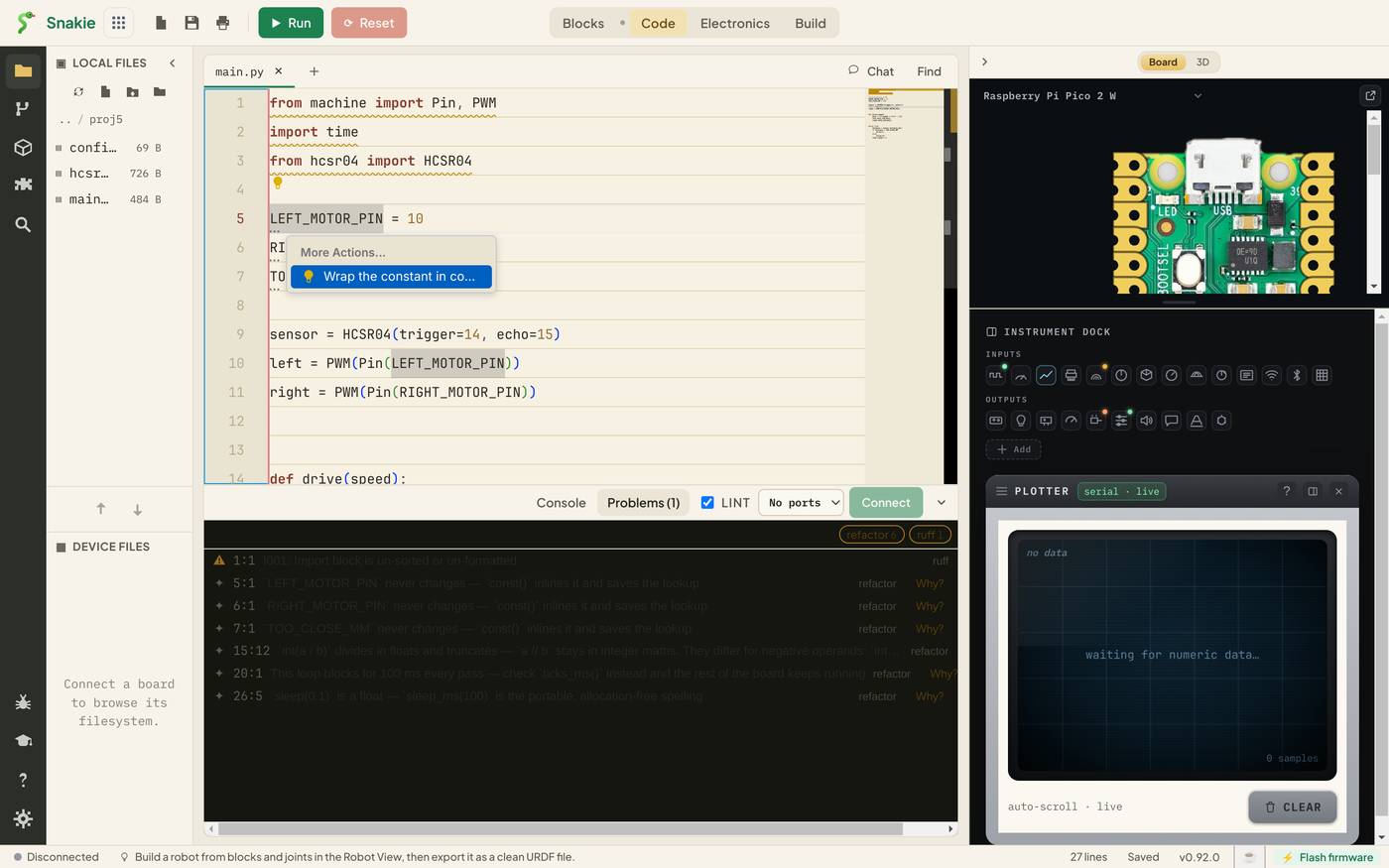
By the end you’ll have used every one of them on a real job: a driver for an ultrasonic distance sensor, checked, tidied, compiled and saved in Git.
Course Content
- Autocomplete and signature help that know MicroPython
- Hover help, Help for symbol and jumping to a definition
- Find and Replace
- Linting with ruff and the Problems panel
- MicroPython refactoring hints, quick fixes and Tidy this file
- YAML and JSON validation
- Installing packages with mip
- The Modules shelf: what’s on the board and what’s built in
- Compiling
.pyfiles to.mpy - Version control with the built-in Git panel
- The AI chat pane and ghost-text suggestions
- Menus and keyboard shortcuts
- Project: a tidy, compiled, version-controlled sensor driver
Key Results
After this course you will be able to:
- Write MicroPython with fewer trips to the documentation
- Read the Problems panel and fix what it finds
- Apply a refactoring safely, with a preview of every change
- Decide whether a library needs installing or is already on the board
- Shrink a module by compiling it
- Commit your work and see exactly what changed since
What you’ll need
- Snakie. Most lessons work in the browser
- The Snakie desktop app for four lessons: Python linting, Git, the AI chat and the full menus. Each lesson says so at the top
- No hardware. A Raspberry Pi Pico is useful for the packages lesson but not required
| Feature | Browser | Desktop app |
|---|---|---|
| Autocomplete, hover, Go to Definition | Yes | Yes |
| Find and Replace | Yes | Yes |
| MicroPython refactoring hints | Yes | Yes |
| YAML and JSON validation | Yes | Yes |
| Packages and Modules | Yes | Yes |
| Python linting with ruff | No | Yes |
| Source Control (Git) | No | Yes |
| AI chat | No | Yes |
How the course works
Each lesson covers one tool, with screenshots and a short task. We use the same small project throughout: a two-wheeled robot’s main.py and its distance sensor driver, hcsr04.py.
Where a lesson has code to run, it’s in a live Snakie box. Screenshots are from Snakie 0.92 on the desktop, using the Ctrl key. On a Mac, read Ctrl as Cmd.
Every lesson ends with things to try, fixes for common problems and a short quiz.
Prerequisites
This is an intermediate course. You should be able to write a short MicroPython program with functions and a loop.
- Getting Started with Snakie covers the basics of the app
- Learn MicroPython - The basics covers the language
- Wire It Up - Electronics in Snakie builds the robot this course’s code belongs to
Let’s start with the tool you’ll use every few seconds.
You can use the arrows ← → on your keyboard to navigate between lessons.
Comments