Getting Started with Snakie
Meet Snakie, the robotics-first MicroPython editor, and see what you will build in this course
By Kevin McAleer, 3 Minutes
Page last updated November 20, 2026

Watch the video first
Kev introduced Snakie on a livestream. Watch it to see the whole app in action, then use these lessons to try each part yourself.
Overview
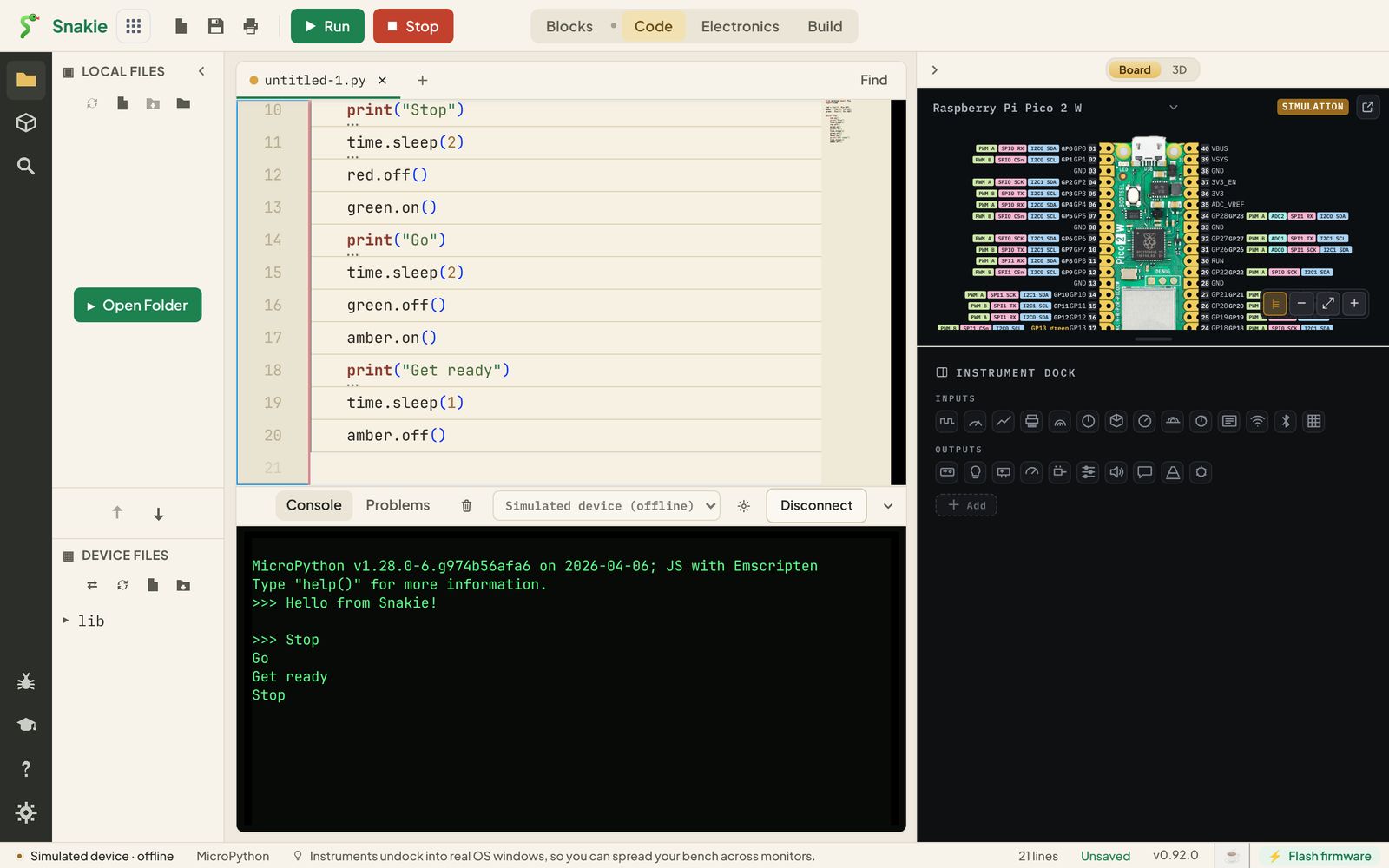
Snakie is a MicroPython editor built for people who make robots. It does the things you’d expect from an editor (write code, run it on a board, browse files) and then goes further: it draws your board and the pins your code uses, it has an oscilloscope, a multimeter and a plotter built in, and it comes with a simulator so you can run MicroPython with no hardware at all.
In this course you’ll get to know Snakie from the very beginning. You’ll run your first programs on the simulator, then move to a real Raspberry Pi Pico: find your board, flash MicroPython onto it, connect, and build a working traffic light.
Course Content
- Choosing between the web app and the desktop app
- A tour of the four workspaces: Blocks, Code, Electronics and Build
- Writing and running your first program on the simulator
- Talking to MicroPython directly with the REPL
- Seeing the pins your code uses in the Board view
- Finding your board in the Board Finder
- Flashing MicroPython firmware
- Connecting a board, and using Run, Stop and Reset
- Working with files on your computer and on the board
- Project: a traffic light on the simulator and on a real Pico
Key Results
By the end of this course you will be able to:
- Open Snakie in a browser or install it on your computer
- Write, run and stop a MicroPython program
- Use the REPL to try out one line at a time
- Put MicroPython onto a new board
- Save a program to a board so it runs every time the board powers up
What you’ll need
For the first half of the course, nothing but a computer. The simulator runs everything.
For the hardware lessons and the project:
- A Raspberry Pi Pico. Any of the Pico family will do; the examples use a Pico 2 W
- A USB data cable (a charge-only cable will not work)
- A breadboard, three LEDs (red, amber and green), three 330 ohm resistors and four jumper wires
- Chrome or Edge if you use the web app, because they can talk to USB boards
How the course works
Each lesson is short and has one job. Code appears in a live Snakie box like the one below. Press Run to try it right here in the page, change it, and press Open in Snakie to carry on in the full app.
Each lesson ends with a Try it Yourself challenge and a quick quiz. Your quiz score and progress are kept in the lesson sidebar.
Prerequisites
None. If you have never written Python before, that’s fine. When you want to learn the language itself, Learn MicroPython - The basics pairs well with this course.
You can use the arrows ← → on your keyboard to navigate between lessons.
Comments