Your First Program on the Simulator
Write and run your first MicroPython program in Snakie using the built-in simulator, with no hardware
By Kevin McAleer, 3 Minutes
Page last updated November 20, 2026

Time to write some code. You don’t need a board for this lesson, because Snakie has one built in.
The simulated device
When Snakie opens, it connects to the Simulated device (offline). This is real MicroPython, running inside Snakie instead of on a chip. You can see it in the status bar at the bottom left, and in the device list above the console.
It behaves like a real board: it runs your programs, it has pins you can switch on and off, and it even has its own little filesystem. The one difference is that it forgets everything when you disconnect.
Write the program
- Click the New file button in the toolbar. A tab called
untitled-1.pyopens. - Type this one line:
print("Hello from Snakie!")
- Press the green Run button.
Look at the Console at the bottom. Your message appears after the >>> prompt.
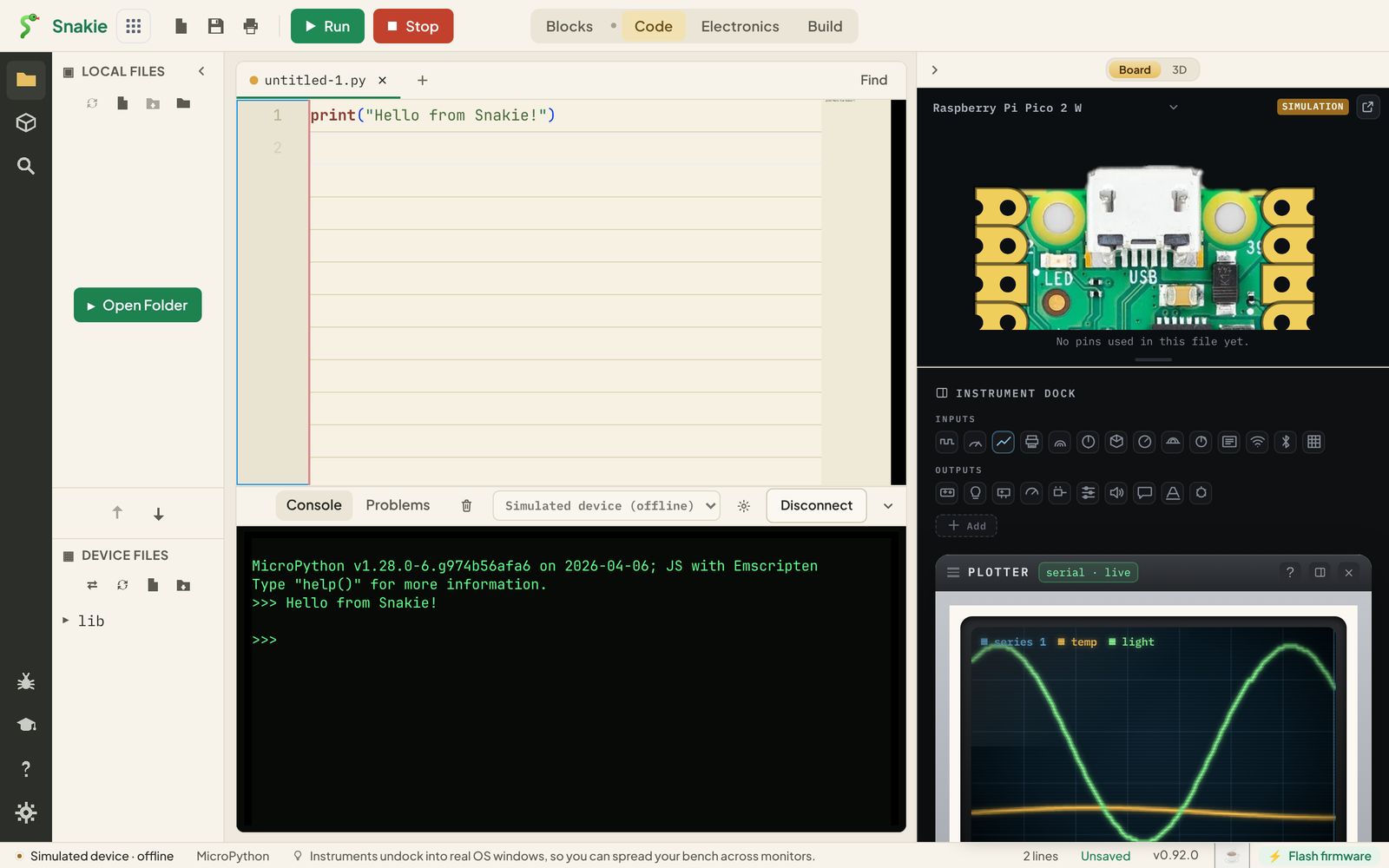
print() shows whatever you put between the brackets. Text goes inside quote marks; that’s called a string.
Try it right here
You can run the same program in this page. Press Run, then change the message and run it again.
A program with a few more lines
Robots repeat things, so let’s count. Replace your code with this:
Here’s what each line does:
import timebrings in MicroPython’s timing toolsfor count in range(5, 0, -1):repeats the indented lines withcountset to 5, 4, 3, 2, then 1time.sleep(1)waits one second- The last line isn’t indented, so it runs once, after the loop has finished
Run, Stop and the keyboard
While a program is running, the red button says Stop. Press it to end the program early. On the simulator, stopping also restarts the simulated board, and the console says so.
In the desktop app you can press Ctrl+R to run (⌘+R on a Mac).
Try it Yourself
- Change the countdown to start from 10.
- Make it count twice as fast.
- Challenge: make it count up from 1 to 5 instead. You’ll need to change all three numbers in
range().
Common Issues
Problem: SyntaxError: invalid syntax
Solution: Check that every ( has a ), every " has a partner, and the for line ends with a colon.
Why: Python needs these to know where things start and end.
Problem: IndentationError
Solution: The lines inside the loop must all start with the same four spaces.
Why: Indentation is how Python knows which lines belong to the loop.
Check your understanding
Quick quiz 1 of 2
Where does the output of print() appear in Snakie?
Quick quiz 2 of 2
What is the Simulated device?
You can use the arrows ← → on your keyboard to navigate between lessons.
Comments