MicroPython Refactors
Use Snakie's MicroPython refactoring hints, quick fixes with a preview, and Tidy this file to make code smaller and faster without changing what it does
By Kevin McAleer, 6 Minutes
Page last updated November 21, 2026

Refactoring means changing how code is written without changing what it does. Snakie has a set of refactorings written specifically for microcontrollers. They know things a general Python tool has no reason to care about, like how much memory a float costs on a Pico.
Hints
Open the program below in the full app and click the Problems tab. It runs perfectly well. Snakie still has four things to say about it.
The rows marked ✦ and refactor are hints. For this file:
| Line | Hint |
|---|---|
| 4, 5 | LEFT_MOTOR_PIN never changes. const() inlines it and saves the lookup |
| 12 | int(a / b) divides in floats and truncates. a // b stays in integer maths |
| 20 | sleep(0.1) is a float. sleep_ms(100) is the portable, allocation-free spelling |
None of these is a bug. Each is a small cost, paid every time round a loop, on a chip with very little to spare.
Why?
Most hint rows end with a Why? link. Click one.
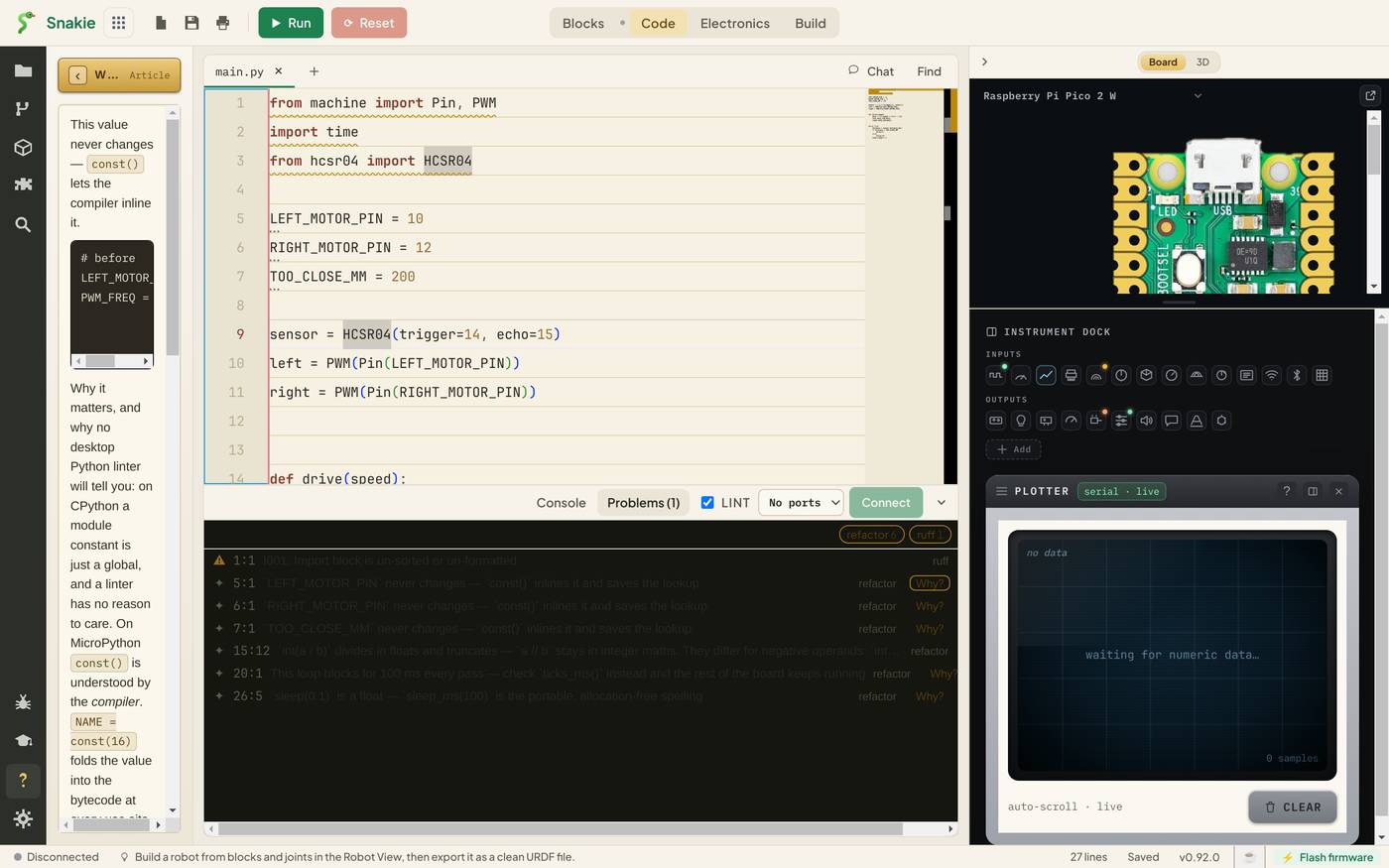
The Help panel opens with an article on that exact refactoring: a before and after, why it matters on MicroPython, and when Snakie will and won’t offer it. This is where the learning is. The const() article explains that on desktop Python a constant is just a global variable, but MicroPython’s compiler understands const() and folds the value straight into the bytecode, so the name lookup disappears from every loop.
Read the article the first time you meet each hint. After that you’ll recognise the pattern yourself.
Applying a fix
Put the cursor on line 4. A lightbulb appears at the start of the line. Click it, or press Ctrl+.
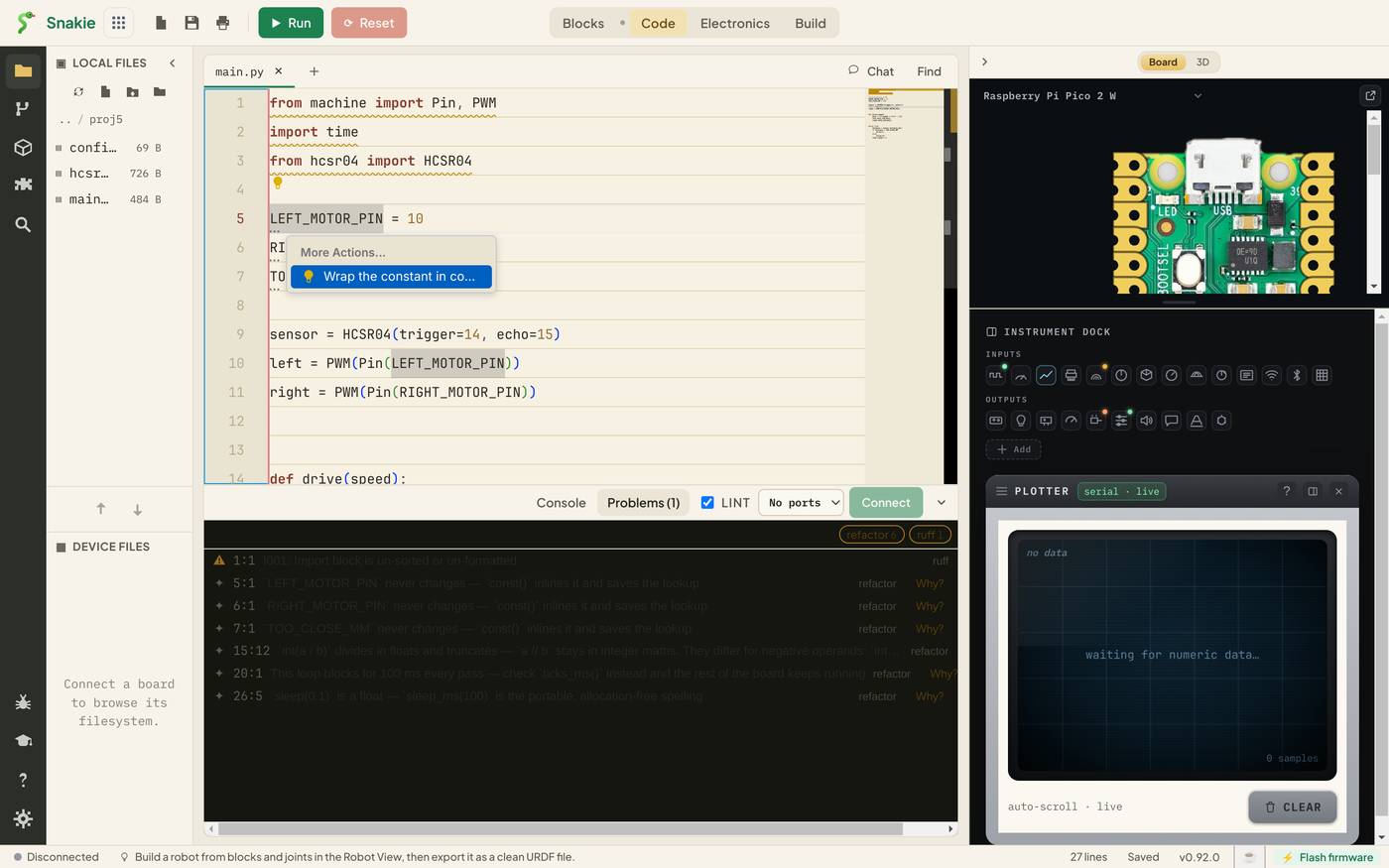
Choose Wrap the constant in const(). Snakie doesn’t change your file yet. It shows you what it’s about to do.
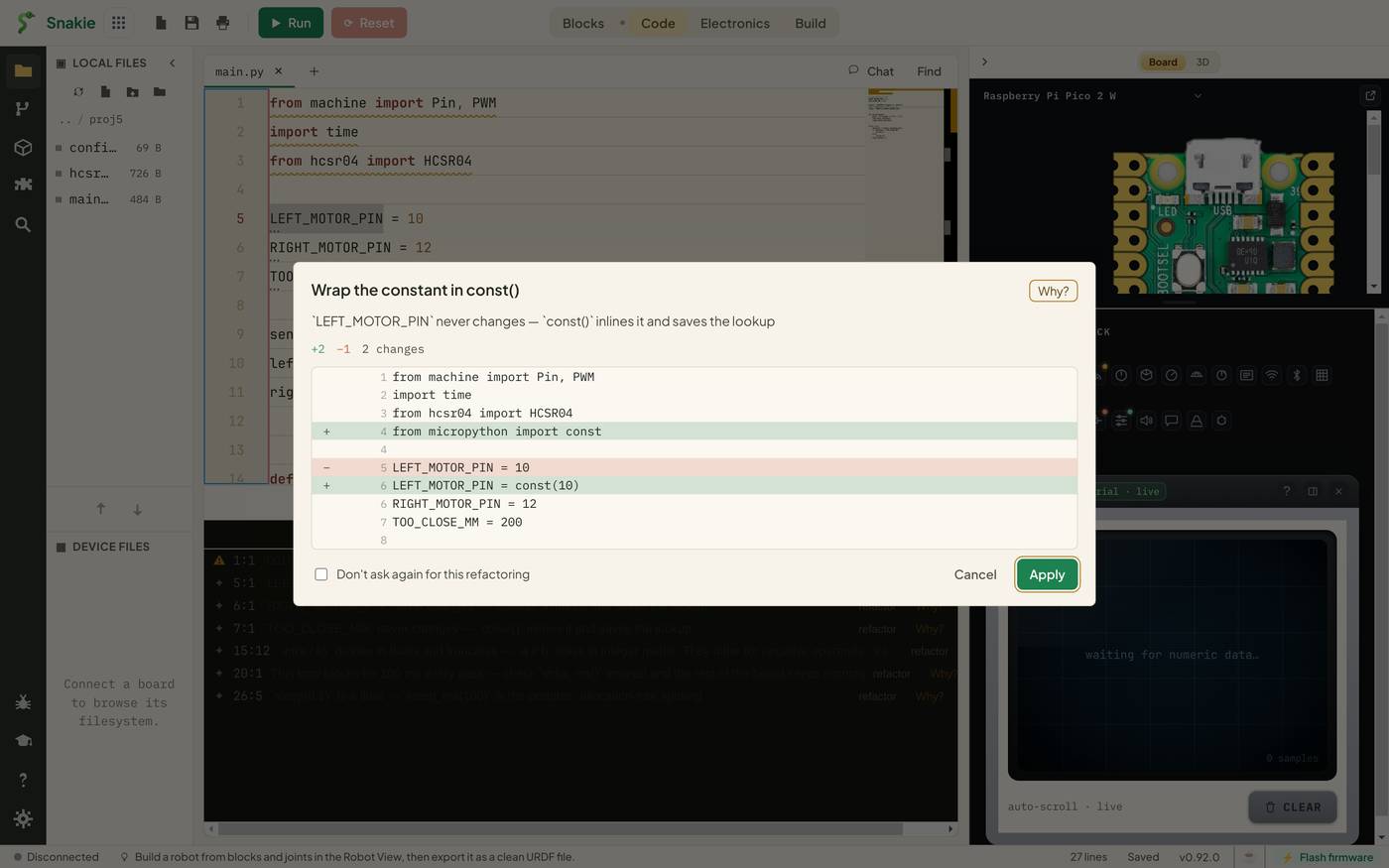
Red lines go, green lines arrive. Here that’s +2 −1: the assignment is rewritten, and an import is added because the file didn’t have one.
from micropython import const

LEFT_MOTOR_PIN = const(10)
Apply makes the change. Cancel leaves the file alone. Either way you saw it first, and Ctrl+Z undoes it afterwards.
Tidy this file
Fixing hints one at a time teaches you the most. Once you know them, there’s a faster way. Right-click anywhere in the editor and choose Tidy this file (Snakie).
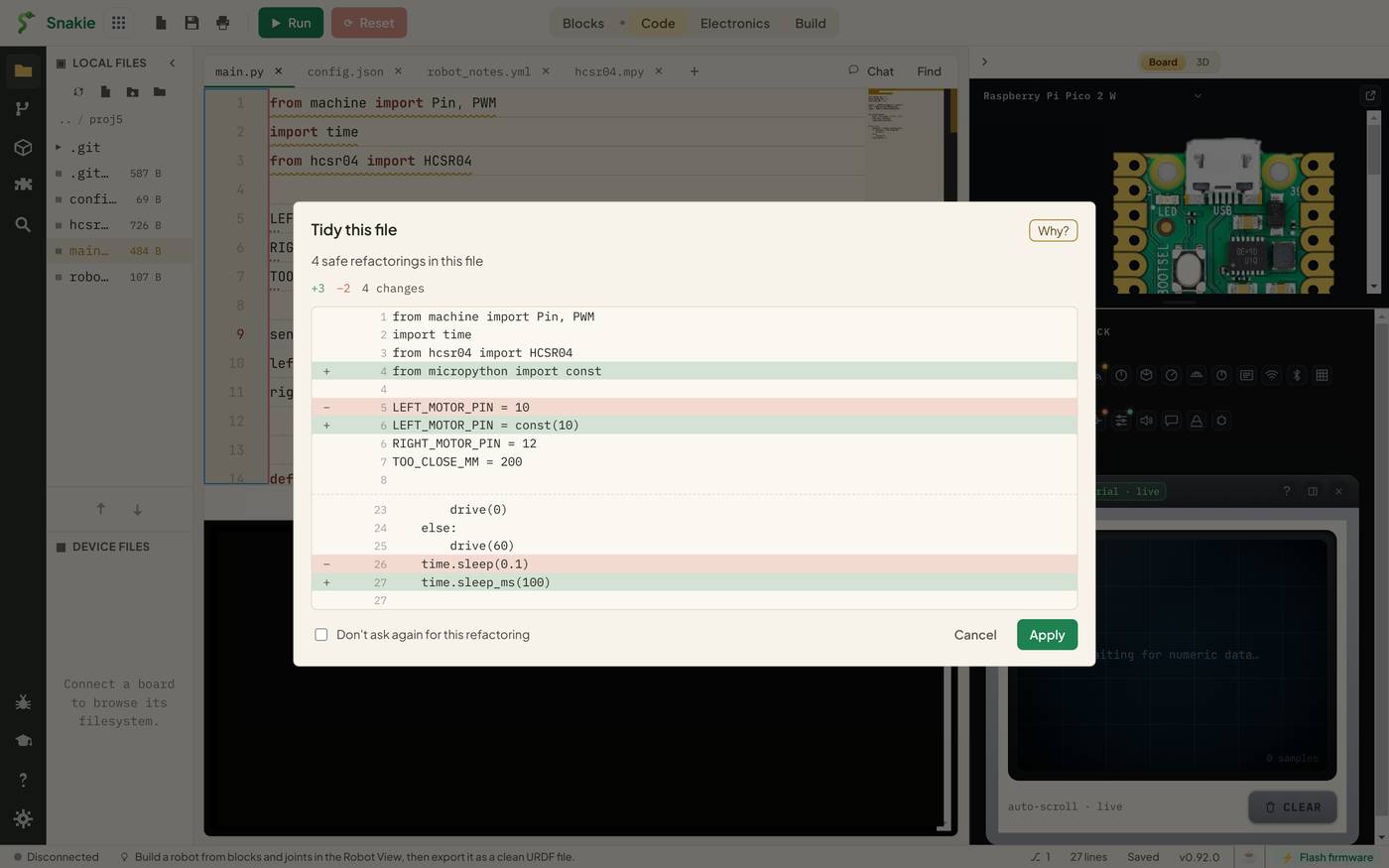
Snakie gathers the refactorings it considers safe, meaning it can prove they don’t change behaviour, and previews them as one change. Press Apply and they’re all done.
If some hints remain afterwards, run Tidy again. It applies changes that don’t overlap, so a file with several constants can take more than one pass.
The hints it won’t fix
Look back at the robot’s main.py from the last lesson. One hint said:
This loop blocks for 100 ms every pass. Check
ticks_ms()instead and the rest of the board keeps running
There’s no lightbulb for that one. Turning a sleeping loop into a non-blocking one depends on what else your program needs to do, and only you know that. Snakie points and explains. You decide. We’ll make exactly this change by hand in the project.
Asking for more
The right-click menu also has Refactor… (Snakie), Ctrl+Shift+R. It lists every refactoring available at the cursor, including ones that aren’t shown as hints. If nothing applies there, it says No refactorings available.
Two settings control how much you see. Open Settings, then Editor, and find Refactoring hints:
- Show style suggestions in Problems adds general Python advice, such as guard clauses, simpler loops and names for magic numbers. The MicroPython hints are always shown
- Always preview a refactoring before applying it keeps the preview step. Leave it on while you’re learning
Try it Yourself
- Apply the
const()fix to one constant using the lightbulb, then use Tidy for the rest. Run the program to confirm it behaves the same. - Read the Why? article for the
sleep_mshint. What does “allocation-free” mean? - Change
int(speed * 65535 / 100)to use//, then think: when wouldint(a / b)anda // bgive different answers?
Common Issues
Problem: There’s no lightbulb on a hinted line. Solution: Read the hint and its Why? article, and make the change by hand. Why: Some hints need a decision only you can make, so Snakie explains instead of rewriting.
Problem: My program broke after const().
Solution: Undo it, and check whether the name is changed anywhere else, including from another file.
Why: A const is fixed at compile time. Snakie only offers it when the file never reassigns the name, but it can’t see other files that might.
Problem: Tidy changed more than I expected. Solution: Press Ctrl+Z, then apply the fixes one at a time from the lightbulb. Why: Tidy applies every safe refactoring at once. The preview lists them all, so read it before pressing Apply.
Check your understanding
Quick quiz 1 of 3
What does refactoring change?
Quick quiz 2 of 3
What happens when you choose a fix from the lightbulb?
Quick quiz 3 of 3
Why doesn’t Snakie rewrite a blocking loop for you?
You can use the arrows ← → on your keyboard to navigate between lessons.
Comments