Hover Help and Definitions
Read documentation by hovering, open a full help article for any symbol and jump straight to where a function is defined in Snakie
By Kevin McAleer, 4 Minutes
Page last updated November 21, 2026

Reading code is harder than writing it. These tools answer the two questions you ask most when reading: what is this? and where did it come from?
Hover
Rest the mouse on any name. Here it’s on PWM in line 10 of the robot’s main.py.
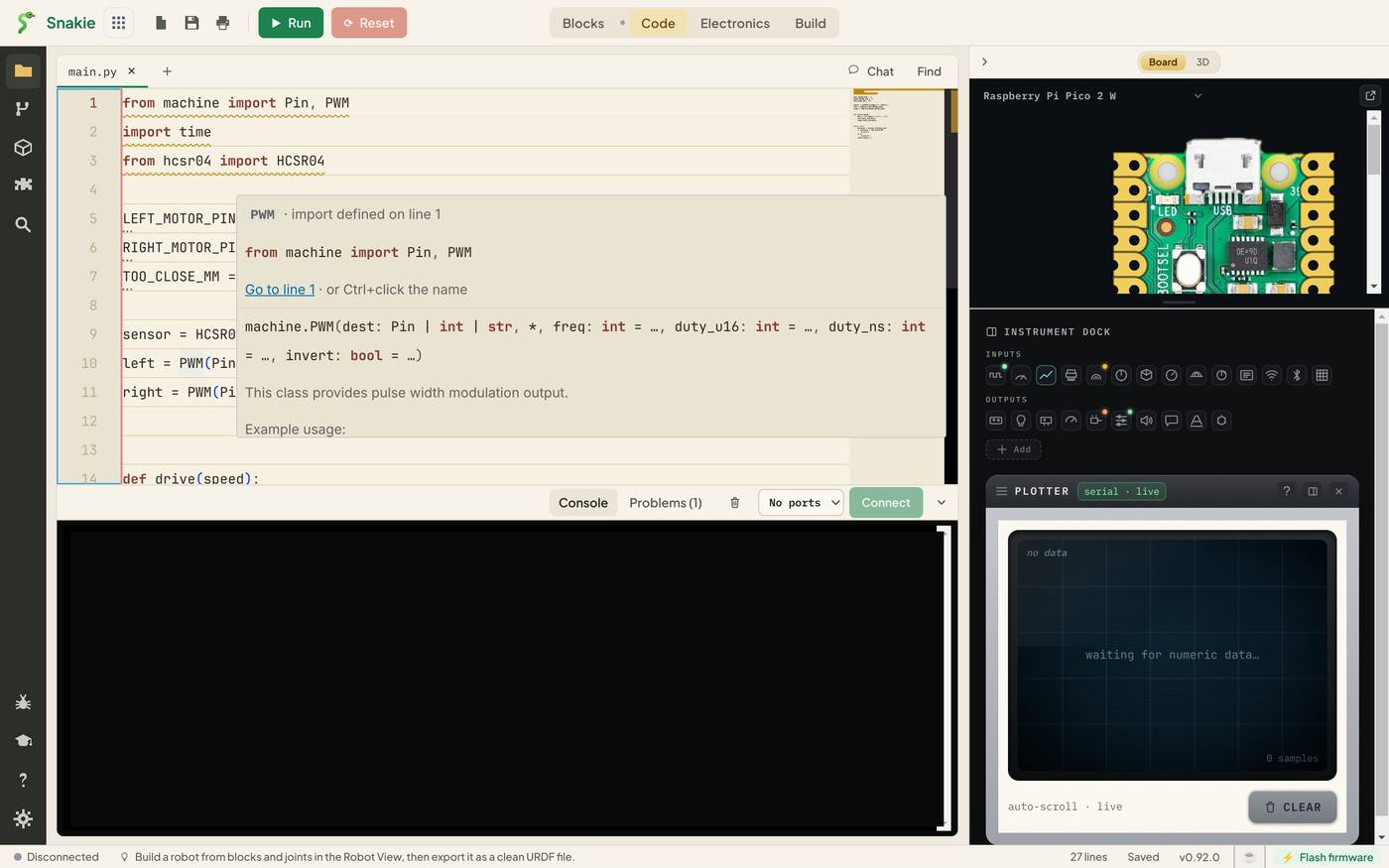
The card tells you three things:
- Where the name came from. import defined on line 1, with the line itself
- How to get there. A Go to line 1 link
- What it is. The signature of
machine.PWMand its description from the MicroPython documentation
Hover over a wavy underline and you get the reason for it, which we’ll use a lot in lesson 4.
Help for symbol
A hover card is a summary. For the full story, right-click a name.
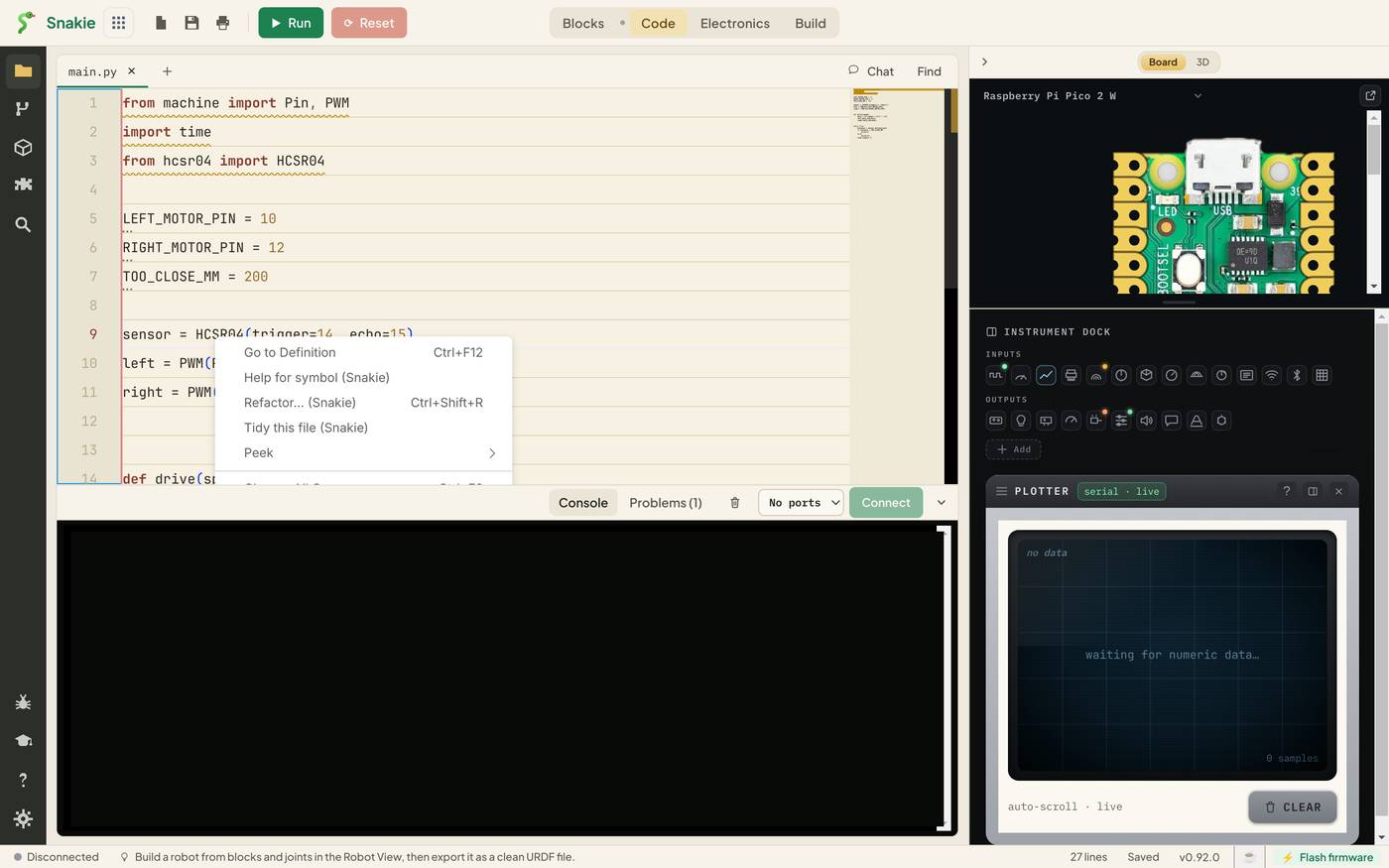
Choose Help for symbol (Snakie). The Help panel opens on the left with an article about that name.
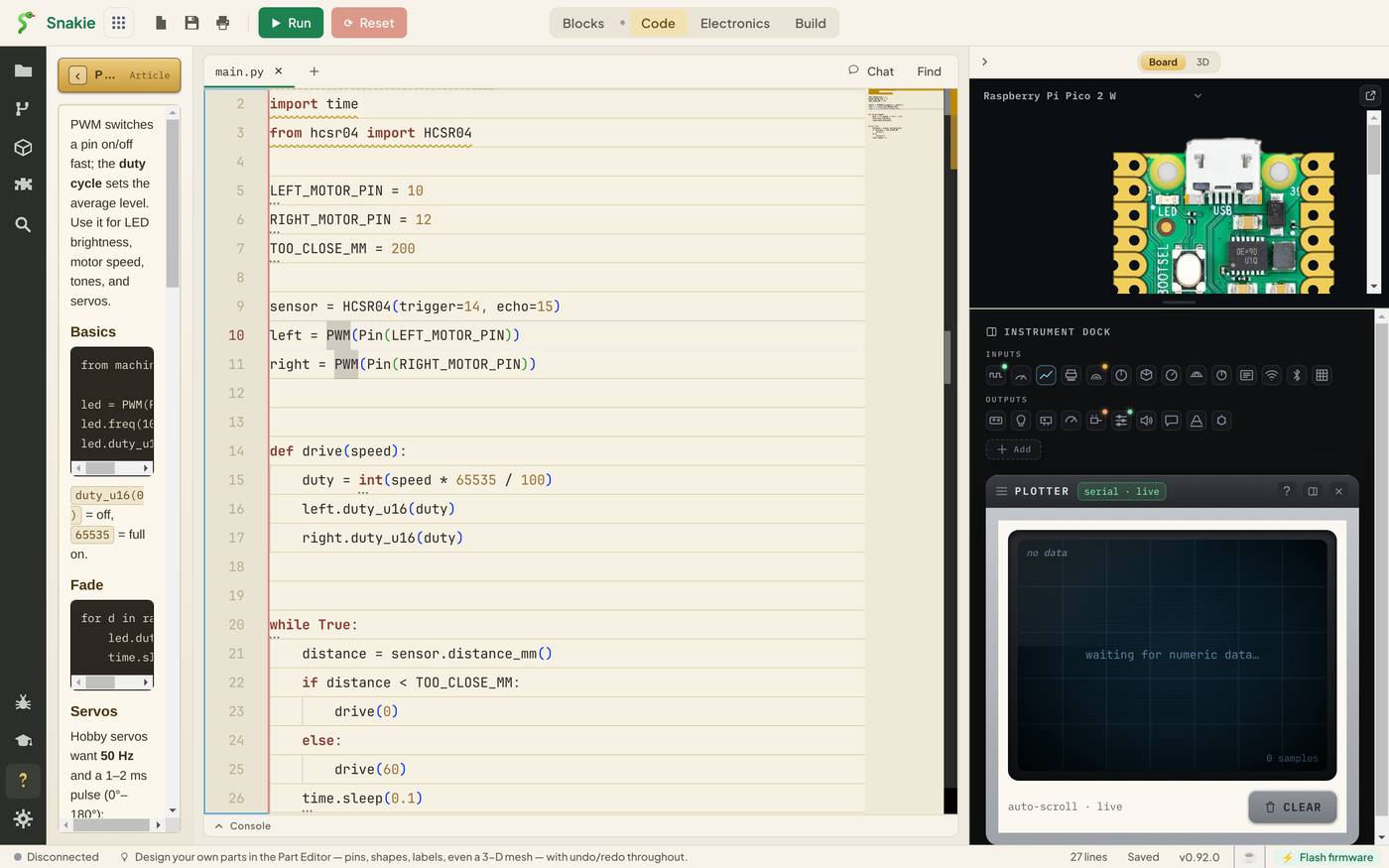
For PWM you get the basics, a fade example and how to drive a servo, with code you can copy. It’s the same reference as the Help button in the activity bar, opened at the right page.
Go to Definition
Somewhere near the bottom of main.py is a call to drive(60). To see what drive does, put the cursor on the name and press F12. The editor jumps to the def drive(speed): line.
There are three ways to do it:
| How | Where |
|---|---|
| F12 | With the cursor on the name |
| Ctrl+click | Hold Ctrl and the name becomes a link |
| Right-click, Go to Definition | From the menu |
It works for functions, classes, variables and imports in the file you’re in. For a class imported from another of your files, such as HCSR04, it takes you to the import line. Open that file from the Files panel to read the class itself.
To find your way back afterwards, use the outline below.
The outline
Click Inspect in the activity bar. The top of the panel lists every constant, variable and function at the top level of the file, each with its line number.
For a long file this is a table of contents. LEFT_MOTOR_PIN 5, sensor 9, drive (speed) 14. With a board connected, the lower half of the same panel shows the live values of the board’s global variables.
Try it Yourself
- Hover over
timeinimport time, then oversleepintime.sleep(0.1). How do the two cards differ? - Use Help for symbol on
Pin. Find the section on pull-ups. - Put the cursor on
TOO_CLOSE_MMwhere it’s used in theif, and press F12. Where do you land?
Common Issues
Problem: Nothing appears when I hover. Solution: Hold the mouse still on the name for a moment, and check it’s a name and not a number or a bracket. Why: The card waits briefly so it doesn’t flash up as you move across the code.
Problem: F12 does nothing. Solution: Click on the name first so the cursor is in it. On some laptops you need the Fn key for function keys, or use Ctrl+click. Why: Go to Definition acts on the name under the cursor.
Problem: Help for symbol opens a general page.
Solution: Right-click directly on the name you want, such as PWM, not on the variable it’s assigned to.
Why: Articles exist for MicroPython’s classes and functions, not for your own variable names.
Check your understanding
Quick quiz 1 of 3
What does hovering over an imported name show?
Quick quiz 2 of 3
Which key jumps to a function’s definition?
Quick quiz 3 of 3
Where is the list of a file’s top-level functions and variables?
You can use the arrows ← → on your keyboard to navigate between lessons.
Comments