Dimensions
Place a hole exactly where you want it with dimensions and sums, then resize a BetterCad sketch by editing one number
By Kevin McAleer, 5 Minutes
Page last updated November 20, 2026

A dimension is a constraint with a number in it. It’s how you tell BetterCad “this hole is 25 mm from that edge” and have it stay true. In this lesson you’ll put a screw hole in the 50 × 30 mm plate from the last lesson.
Add a circle
With the plate sketch still open:
- Press C for Circle.
- Click somewhere inside the rectangle, then move the pointer away a little.
- Type
3.4and press Enter. Press Esc.
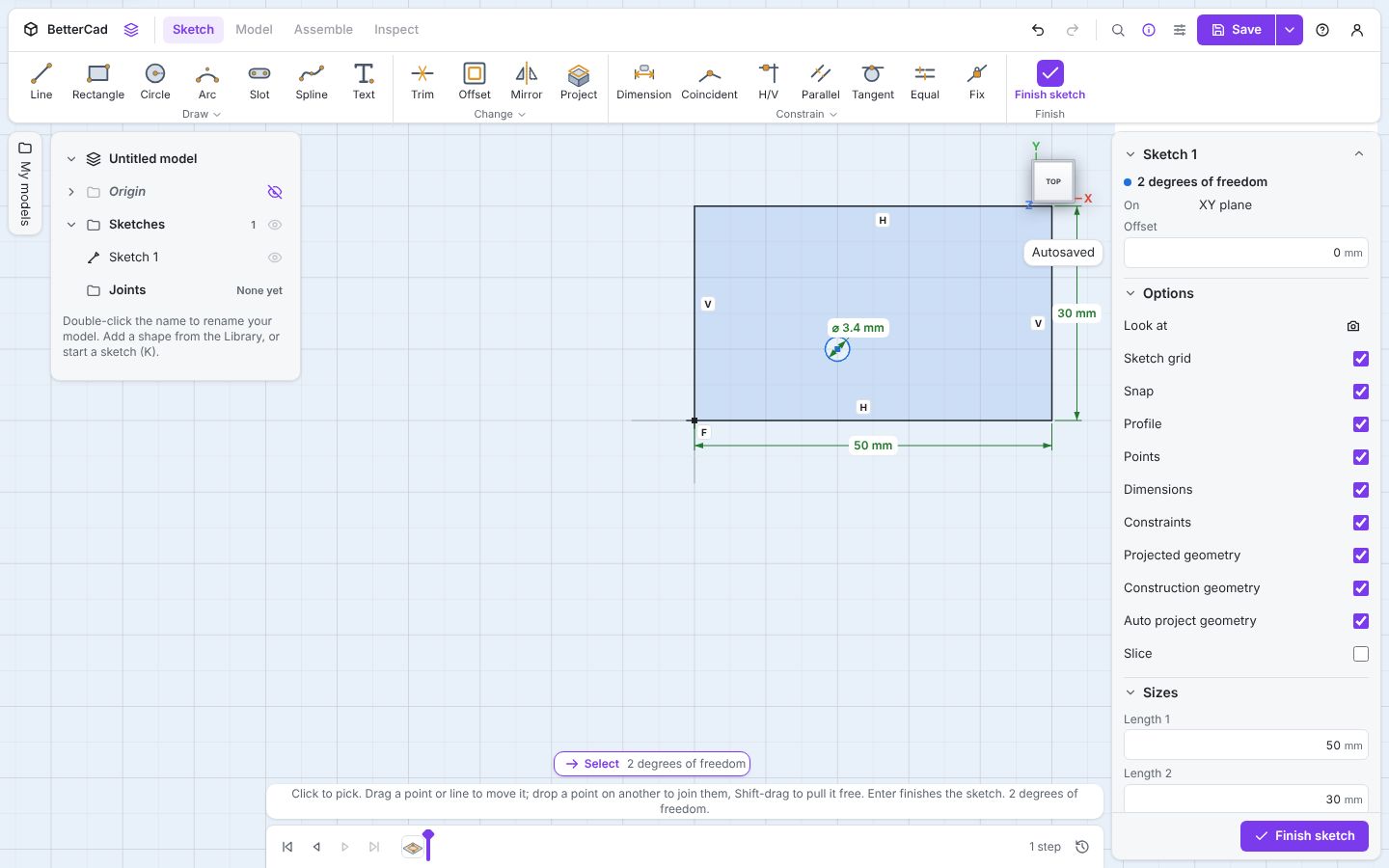
The circle is blue while the rectangle stays black. Its size is set (3.4 mm is a comfortable printed hole for an M3 screw) but its position isn’t. Properties says 2 degrees of freedom: left-right and up-down.
Say how far across
- Press D for Dimension.
- Click the corner of the rectangle on the origin.
- Click the centre of the circle.
- Move the pointer below the rectangle. The dimension previews as a distance across.
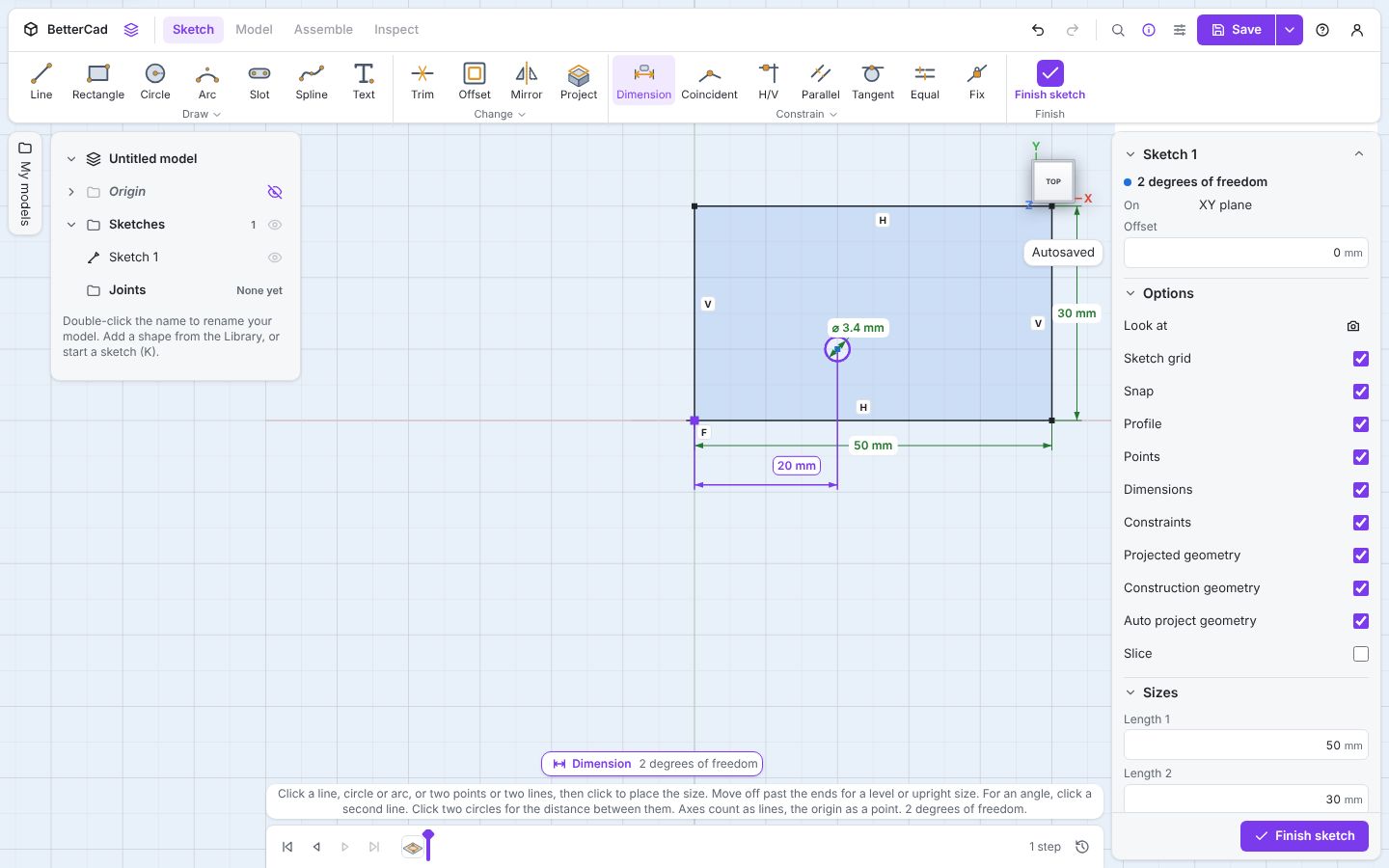
- Click to place it, then type
50 / 2and press Enter.
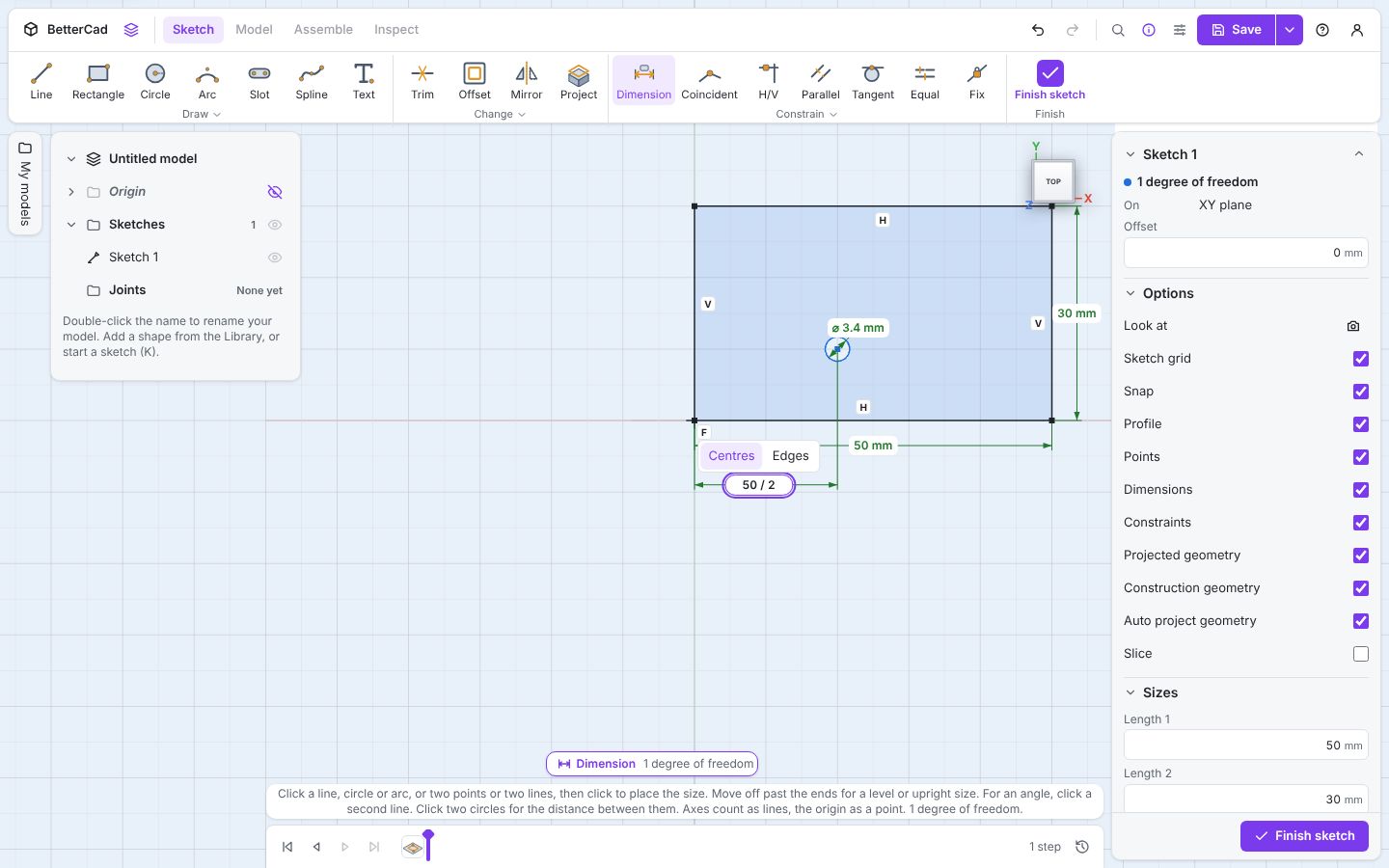
Yes, you can type a sum. Any size box in BetterCad takes +, -, *, / and brackets, so you never need a calculator to find the middle of something.
Where you move the pointer before you click decides which distance you get:
| Pointer goes | You get |
|---|---|
| Above or below the two points | The distance across |
| Left or right of them | The distance up |
| Off at an angle, beside the line between them | The straight-line distance |
Say how far up
The Dimension tool is still on.
- Click the origin corner again, then the centre of the circle.
- Move the pointer to the left of the rectangle and click.
- Type
30 / 2and press Enter. Press Esc.
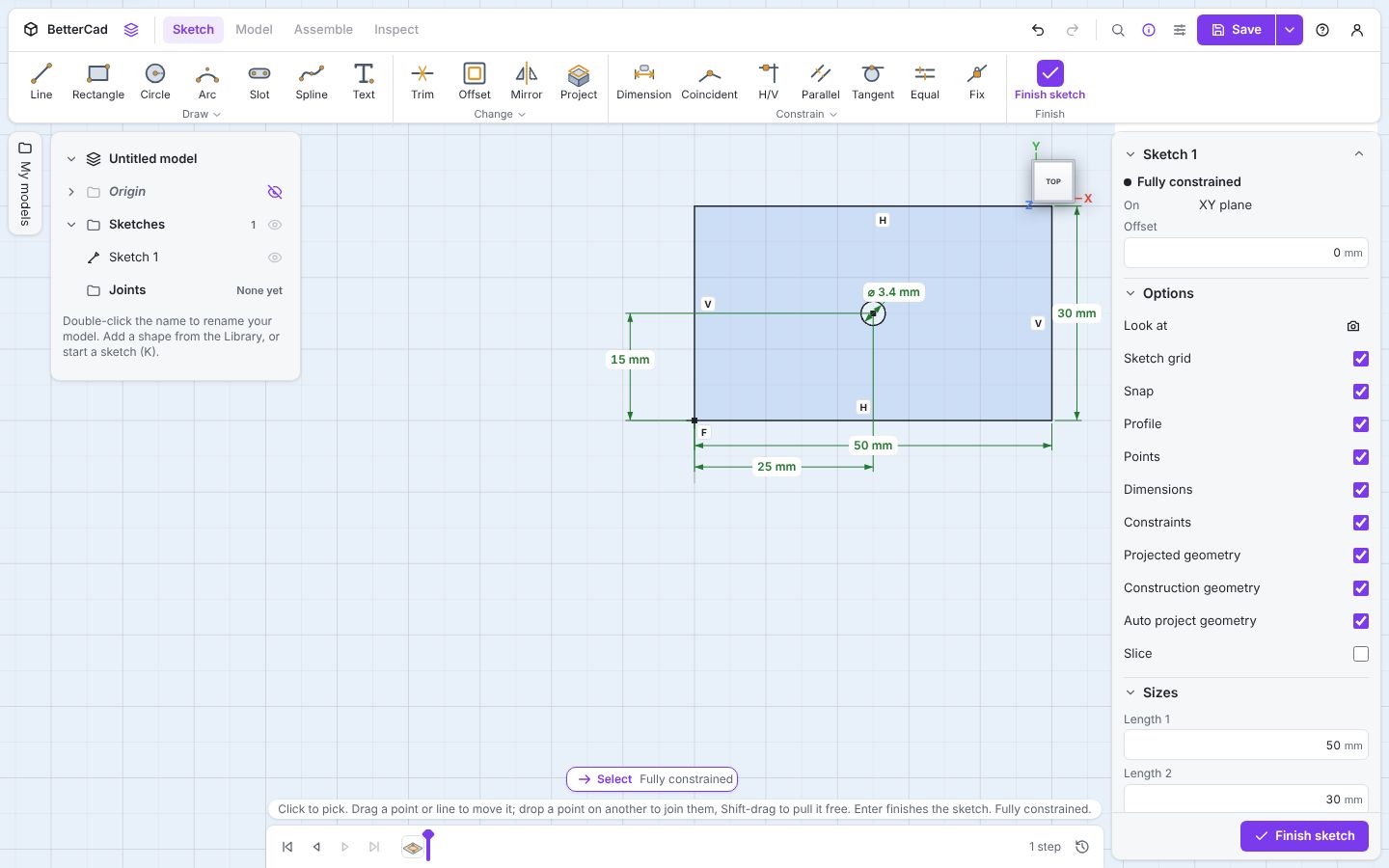
Everything is black, and Properties says Fully constrained. The hole is 25 mm across and 15 mm up, the dead centre of the plate.
Change your mind
Here’s the payoff. Double-click the 50 mm dimension, type 80 and press Enter.
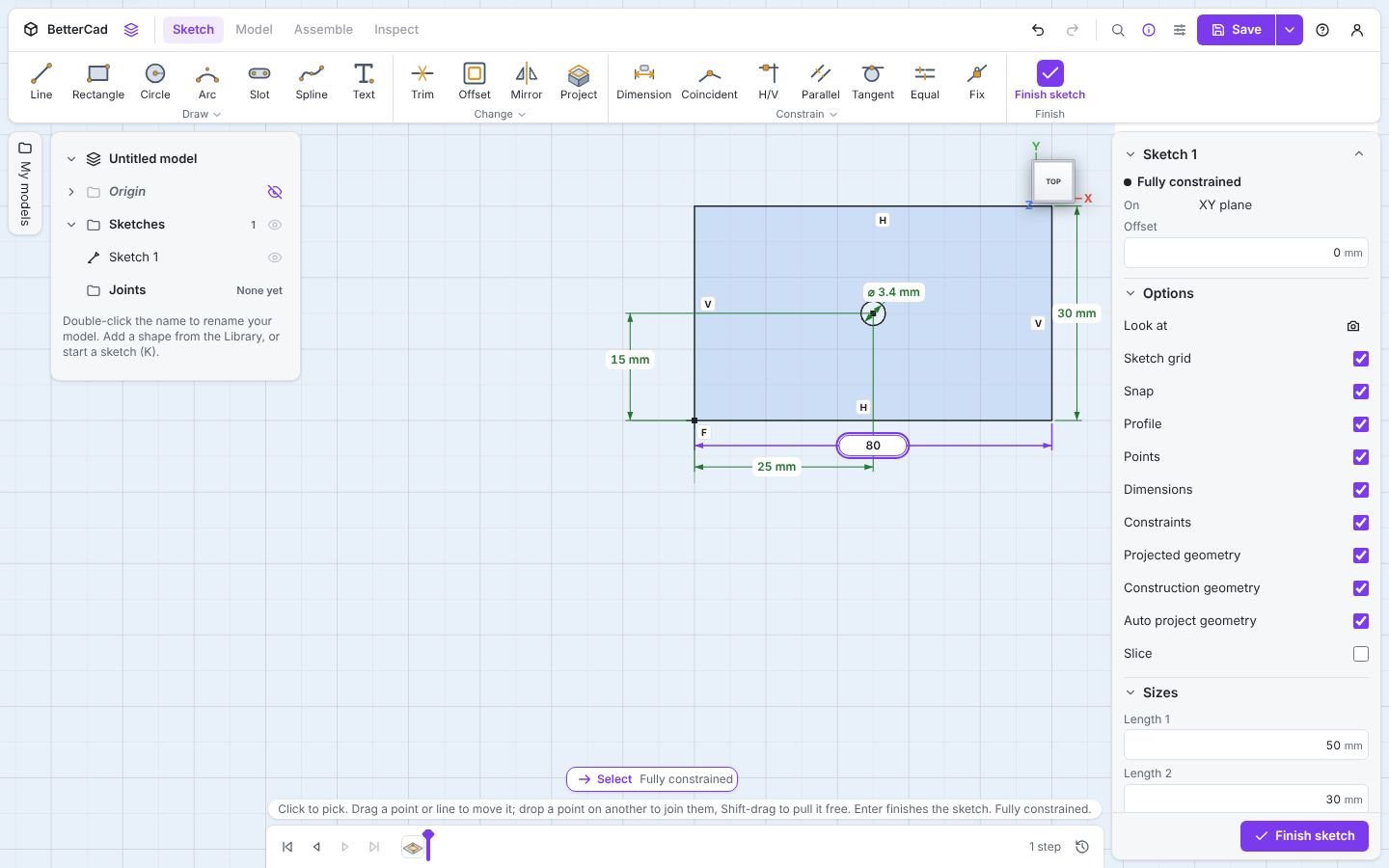
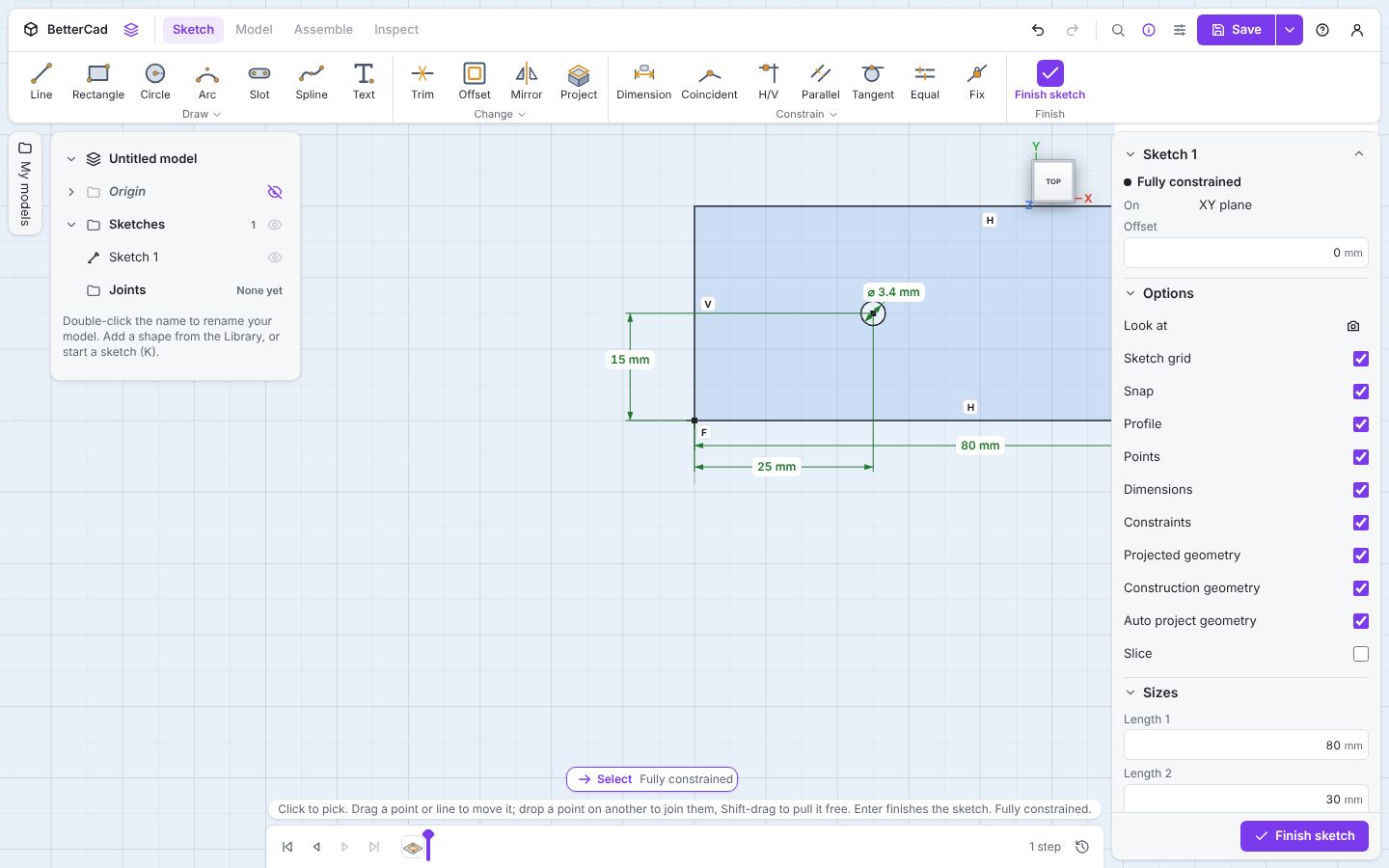
The plate stretches to 80 mm. Every rule still holds: the corners are square, the hole is still 3.4 mm, and it’s still 25 mm from the left edge and 15 mm up.
Look closely, though. The hole is no longer in the middle. You typed 50 / 2, BetterCad worked that out as 25, and 25 is what it remembers. It did exactly what you asked.
To make a hole that stays in the middle, the dimension has to refer to the width by name, not repeat its value. That’s what parameters are for, and you’ll meet them in lesson 9. Until then, a Midpoint or Symmetric constraint does the same job without any numbers.
Press Enter to finish the sketch. If you’d like to keep the plate, extrude it 3 mm: BetterCad sees the circle inside the rectangle and leaves it as a hole.
Dimensioning well
- Dimension from the thing that matters. If a hole must line up with an edge, measure from that edge, not from the far side
- Fewer is better. Use Equal, Midpoint and Symmetric where you can, and save numbers for sizes you actually care about
- Don’t say it twice. A sketch that is already black doesn’t need another dimension
Try it Yourself
- Change the 25 mm dimension to
80 / 2. Is the hole central again? - Add a second 3.4 mm hole 10 mm in from the right-hand edge. Which two things do you click for the dimension?
- Challenge: delete the 15 mm dimension and use a Midpoint constraint between the circle’s centre and the left-hand line. Now change the height to 40.
Common Issues
Problem: I clicked a line but BetterCad picked the axis. Solution: Click the line away from where it crosses an axis. Why: The axes count as lines you can dimension to, and where two overlap the axis wins.
Problem: I got a diagonal distance when I wanted the distance across. Solution: Press Ctrl+Z, pick the two points again, and move the pointer straight below them before you click. Why: The pointer position chooses between across, up and straight-line.
Problem: The size box won’t take my sum.
Solution: Check for a missing bracket or a stray letter.
Why: Sums can use numbers, + - * /, brackets and parameter names, and nothing else.
Check your understanding
Quick quiz 1 of 3
You type 50 / 2 into a dimension. What does BetterCad store?
Quick quiz 2 of 3
How do you choose between a distance across and a distance up?
Quick quiz 3 of 3
How do you change a dimension you’ve already placed?
You can use the arrows ← → on your keyboard to navigate between lessons.
Comments