Checking Your Wiring
Use Snakie's Electrical Rules Check to catch short circuits and clashing power supplies before you build, and learn what it can't check
By Kevin McAleer, 5 Minutes
Page last updated November 20, 2026

Snakie has been quietly reading your wiring all along. Every time you add a wire it runs an Electrical Rules Check, or ERC, and the badge at the top right shows the result.
The green tick
With the robot wired as in lesson 4, the badge reads ERC ✓. Click it.
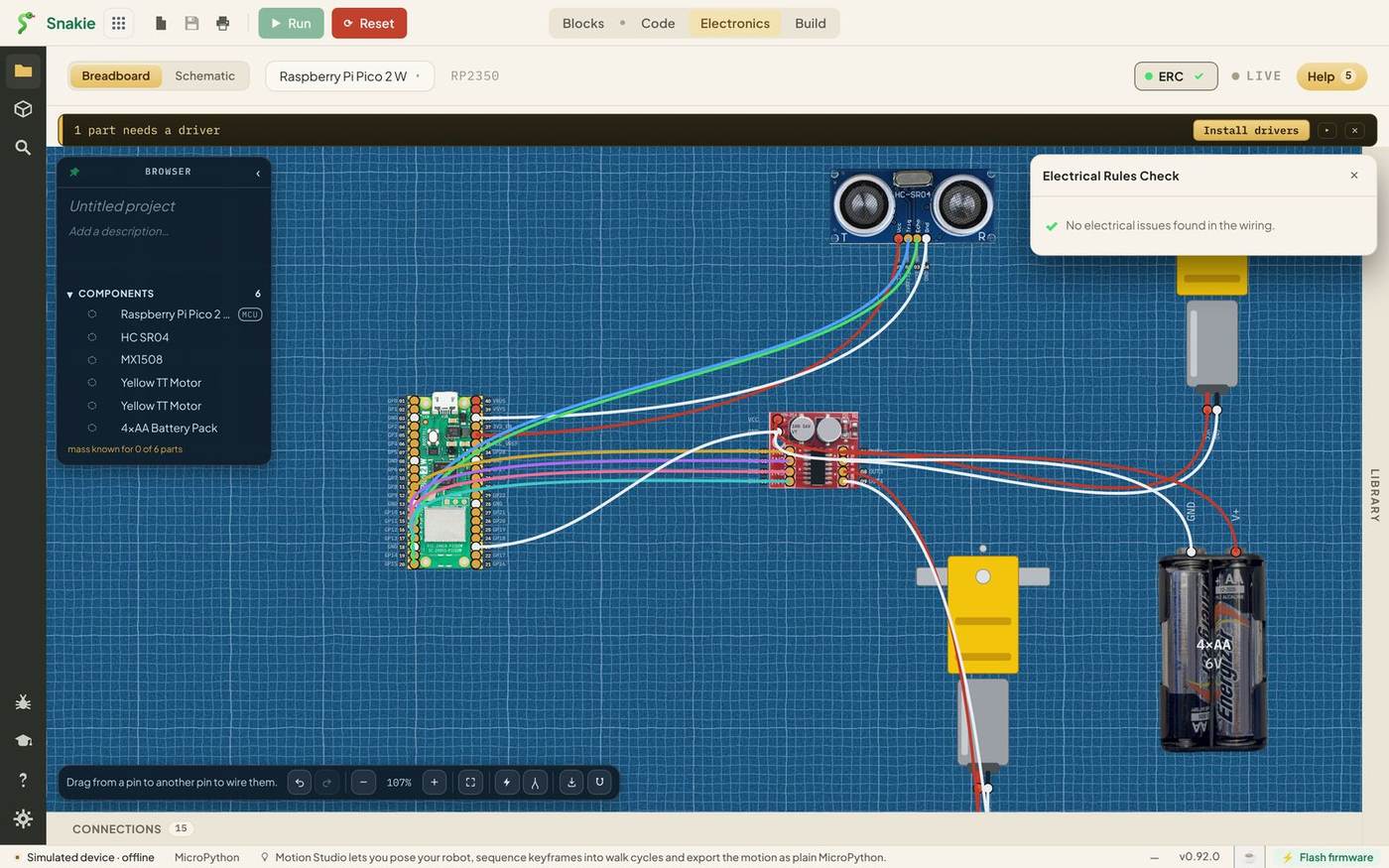
No electrical issues found in the wiring. That’s what you want to see before you pick up a real wire. Close the panel with its ✕.
Now let’s break things on purpose. It’s the best way to learn what the check does, and on screen it’s free.
Mistake 1: a short circuit
Drag a wire from the battery’s V+ to any GND pin on the Pico.
The badge turns red and shows ✕ 1. Click it.
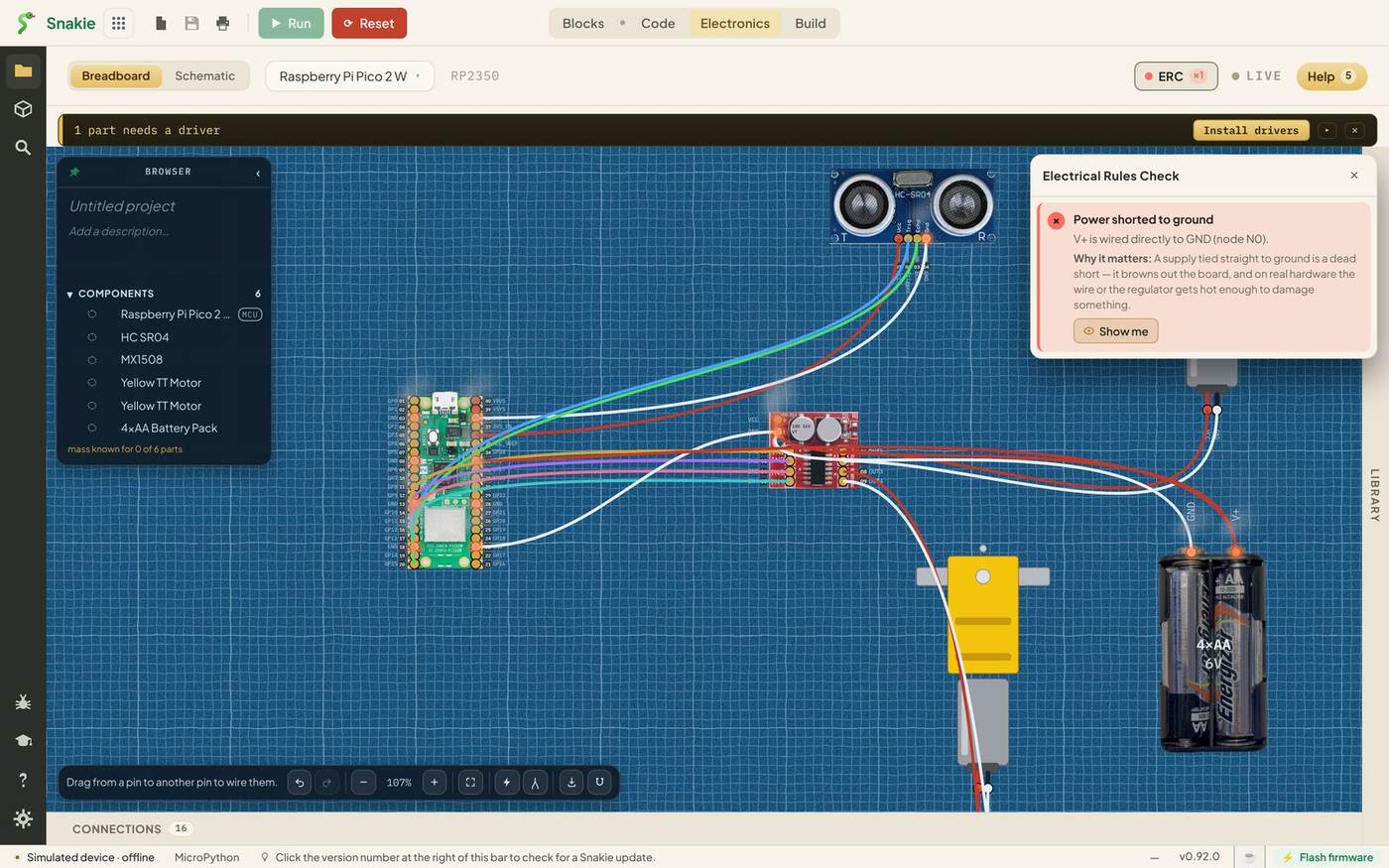
Power shorted to ground. V+ is wired directly to GND.
Why it matters: A supply tied straight to ground is a dead short. It browns out the board, and on real hardware the wire or the regulator gets hot enough to damage something.
Every finding has a Why it matters line. Snakie doesn’t only say what’s wrong, it explains what would happen, which is how you stop making the mistake.
Click Show me.
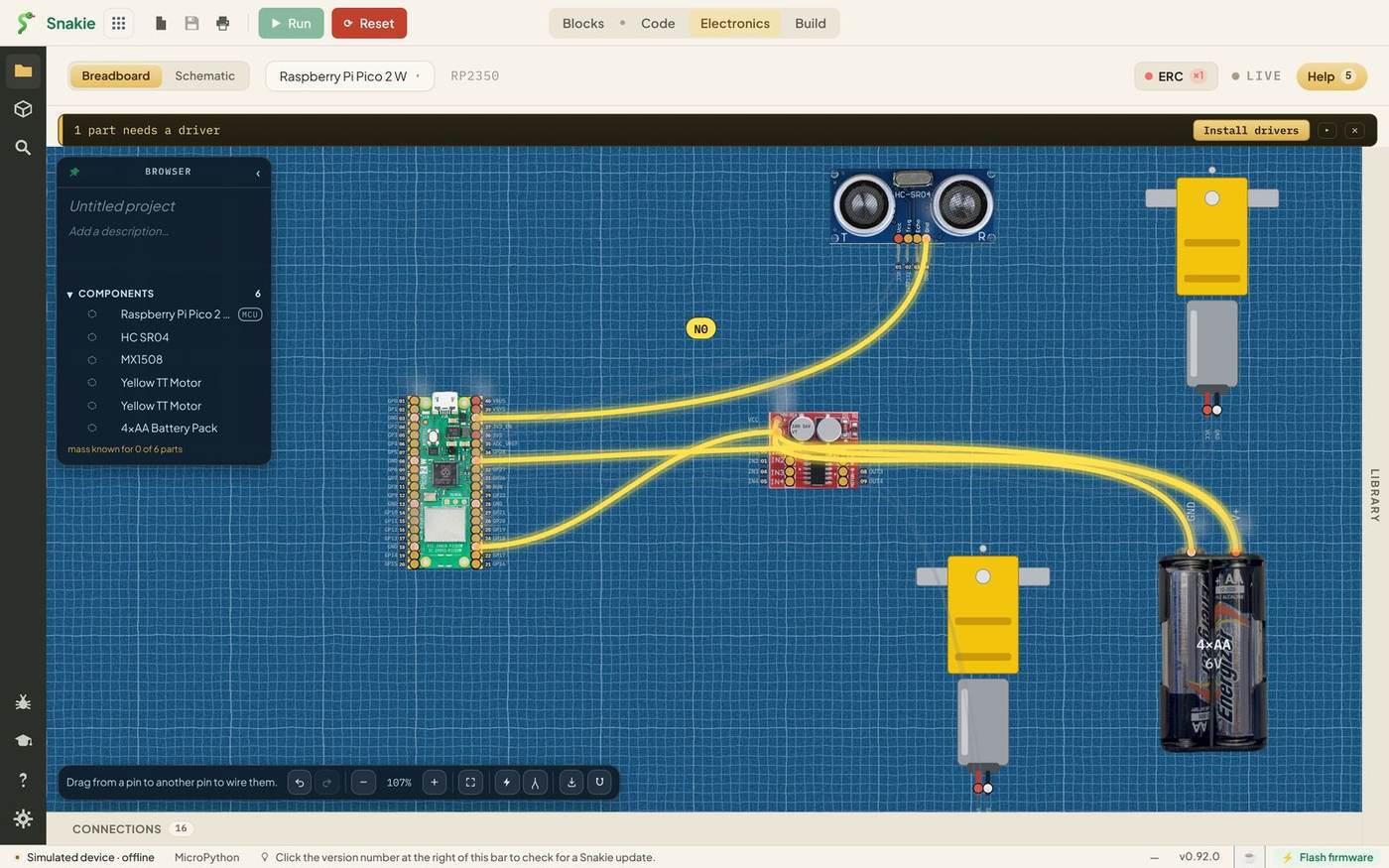
Every wire that’s part of the problem lights up, and the rest fade back. In a big circuit that saves a lot of squinting. Click the canvas to clear the highlight.
Press Ctrl+Z to remove the bad wire. The badge goes green again.
Mistake 2: two supplies on one pin
Here’s a subtler one. The sensor’s VCC is wired to the Pico’s 3V3 pin. Suppose you forget that and wire it to VBUS as well, thinking it needs 5 V.
Drag a wire from the Pico’s VBUS (pin 40) to the sensor’s VCC.
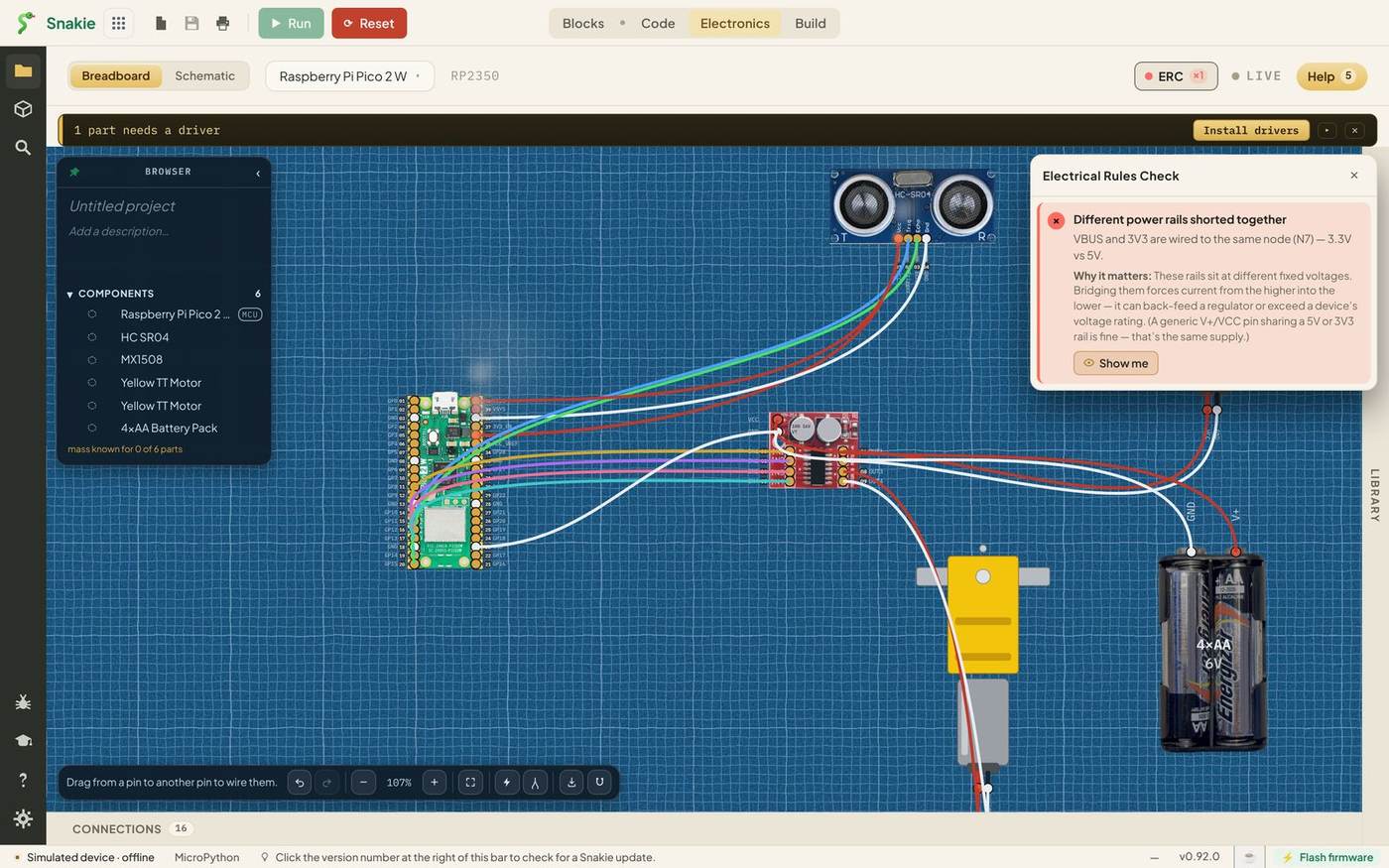
Different power rails shorted together. VBUS and 3V3 are wired to the same node, 3.3V vs 5V.
Why it matters: These rails sit at different fixed voltages. Bridging them forces current from the higher into the lower. It can back-feed a regulator or exceed a device’s voltage rating.
Nothing would smoke straight away with this one. The board would just behave oddly, perhaps for weeks, and you’d blame your code. The check catches it in a second.
Undo the wire.
What the check looks for
| Rule | What it means |
|---|---|
| Power shorted to ground | A supply pin wired straight to ground |
| Different power rails shorted together | Two supplies at different voltages joined |
| LED has no current-limiting resistor | An LED wired with nothing to limit its current |
| I²C bus may have no pull-up resistors | An I²C bus that might not have the resistors it needs |
| Part is on too high, or too low, a supply | A part powered outside the voltage it’s made for |
Findings come in three strengths: errors, warnings and info notes. The badge counts each kind and takes the colour of the worst one, so a red badge always means an error.
What it can’t check
The ERC is a safety net, not a guarantee. It knows about electricity, not about your intentions.
It won’t notice if Trigger and Echo are swapped, because both are valid signal wires. It won’t notice a missing shared ground, because a circuit with a wire missing isn’t breaking a rule, it just doesn’t work. And it only knows as much about a part as the library does.
So treat a green tick as “nothing obviously dangerous”, and still read your wiring through once before you build. The Connections table in lesson 8 makes that easy.
Try it Yourself
- Wire the MX1508’s VCC straight to its own GND. What does the check say? Undo it.
- Make the short circuit again and use Show me. Which wires are highlighted, and why are there so many?
- Swap the Trigger and Echo wires. Does the badge change? Put them back.
Common Issues
Problem: The badge is red and I don’t know which wire is wrong. Solution: Open the panel and click Show me on the finding. Why: Show me highlights exactly the wires and pins involved.
Problem: Clicking the canvas does nothing after Show me. Solution: Click once more. Why: The first click after a highlight only clears the highlight.
Problem: The check is green but my real circuit doesn’t work. Solution: Compare your build with the Connections table, one wire at a time. Why: The check finds electrical faults, not wires in the wrong place.
Check your understanding
Quick quiz 1 of 3
What does a short circuit mean?
Quick quiz 2 of 3
What does Show me do?
Quick quiz 3 of 3
The ERC badge is green. What does that tell you?
You can use the arrows ← → on your keyboard to navigate between lessons.
Comments