Exporting for Your Slicer
Choose between STL, 3MF and STEP, pick a resolution and export one file or many from BetterCad
By Kevin McAleer, 6 Minutes
Page last updated November 20, 2026

The checks pass and the settings are saved. The last step in BetterCad is to write a file your slicer can open. There are a few choices to make, and each has a right answer most of the time.
The Export dialog
Press Ctrl+E, or open the menu beside Save and choose Export….
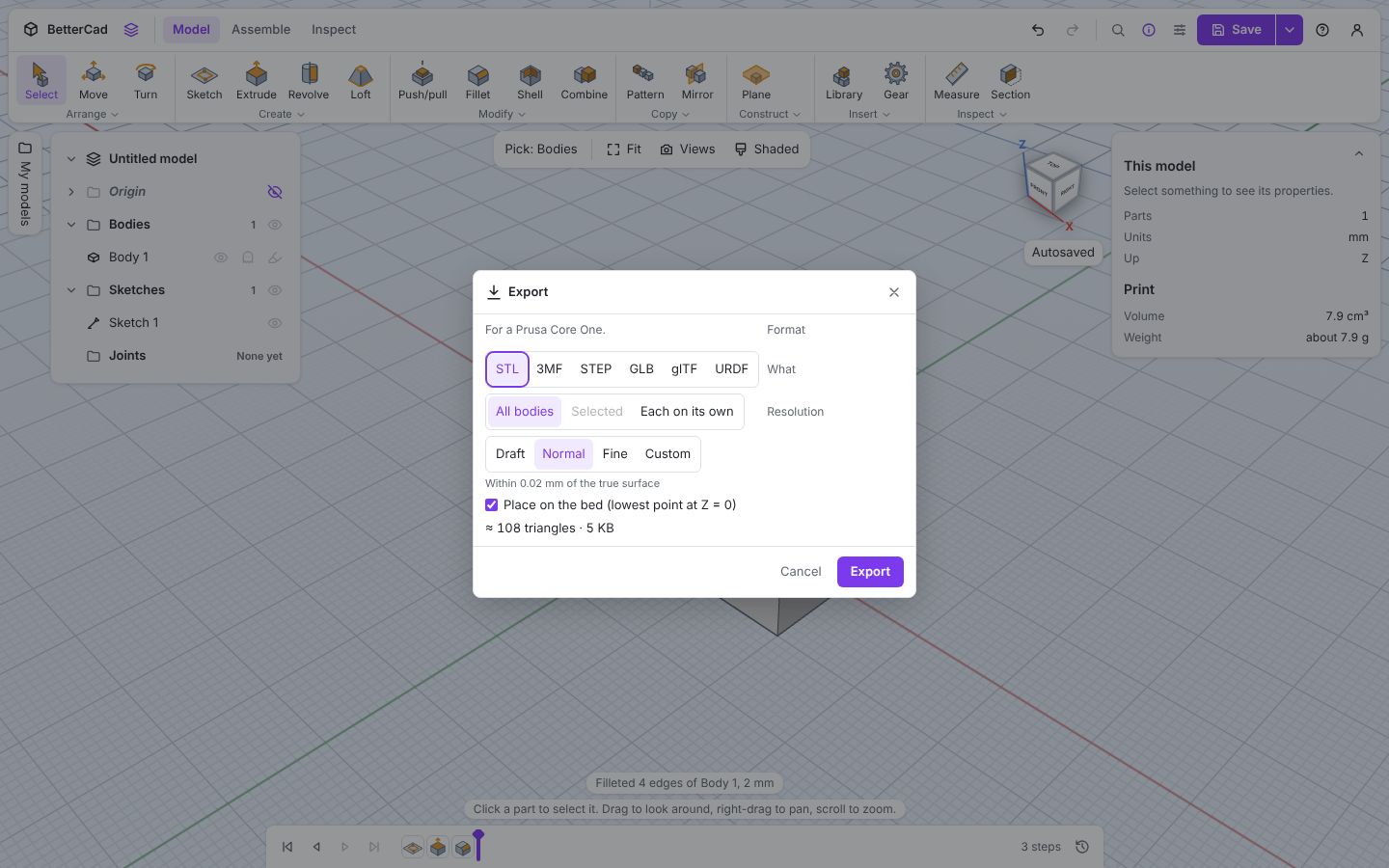
The first line reminds you which printer the model is set up for, and warns you there if it doesn’t fit.
Choose a format
| Format | Send it to | What’s in it |
|---|---|---|
| STL | Any slicer ever made | Triangles, and nothing else. No units, no names |
| 3MF | Modern slicers: PrusaSlicer, Bambu Studio, OrcaSlicer, Cura | Triangles in millimetres, with the model’s title and each part named |
| STEP | Other CAD tools: Fusion, FreeCAD, Onshape. Also CNC | The exact shape, with true curves, each part named |
| GLB, glTF | Web pages, game engines and 3D viewers | The model as it looks, for showing off |
| URDF | Robot simulators | A robot description. That’s a course of its own |
For printing, use 3MF. It knows it’s in millimetres, so it never opens a thousand times too small, and it keeps a multi-part model as separate named parts in one file.
Use STL when something only accepts STL.
Use STEP when someone wants to edit your design in another CAD program. It’s exact geometry, so a round hole is still a round hole when they open it. It has no resolution setting.
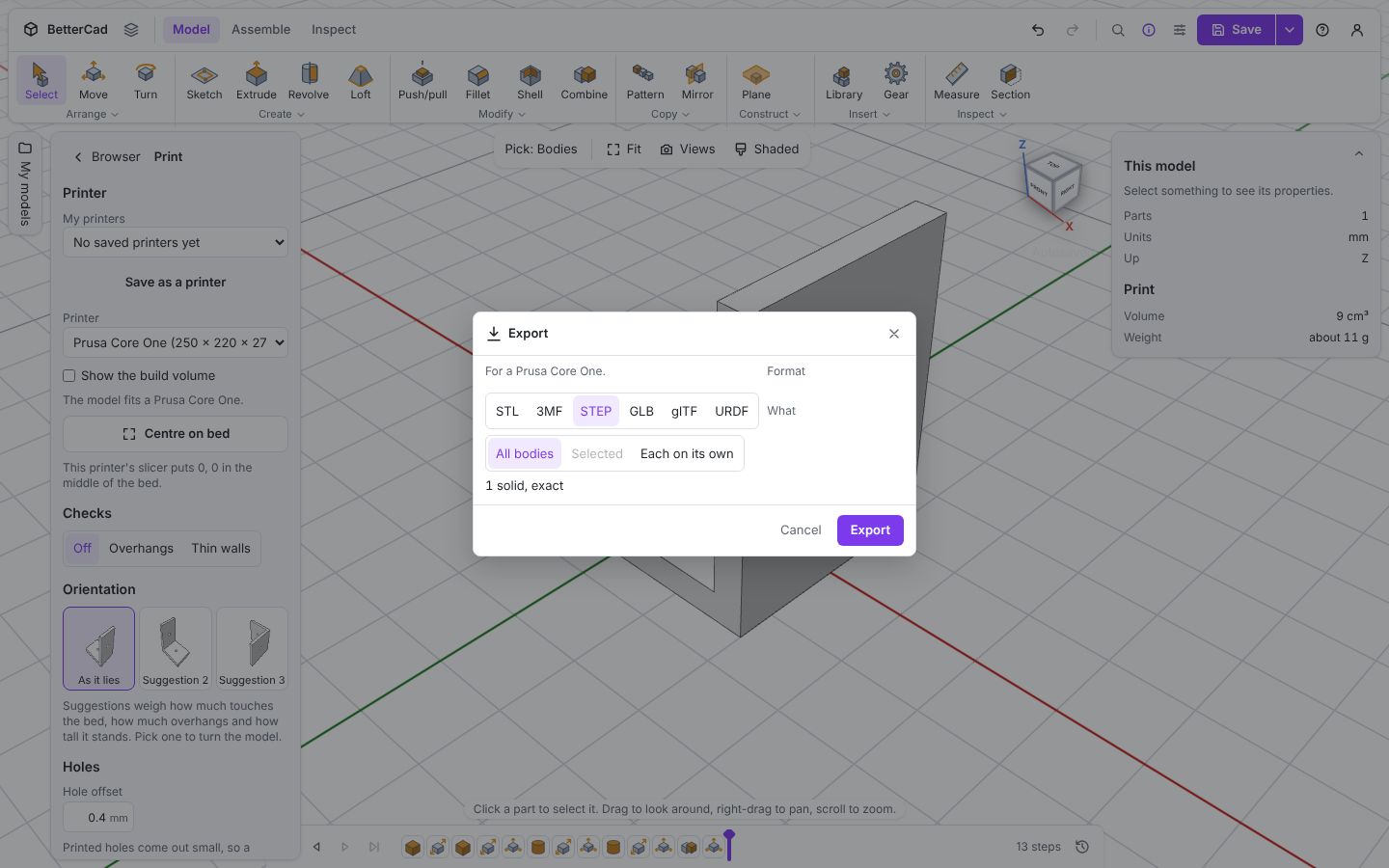
And keep the .bcad. None of these formats holds your timeline or parameters.
Choose what to export
| What | You get |
|---|---|
| All bodies | Everything in one file |
| Selected | Only the parts you had selected when you opened the dialog |
| Each on its own | One file per part |
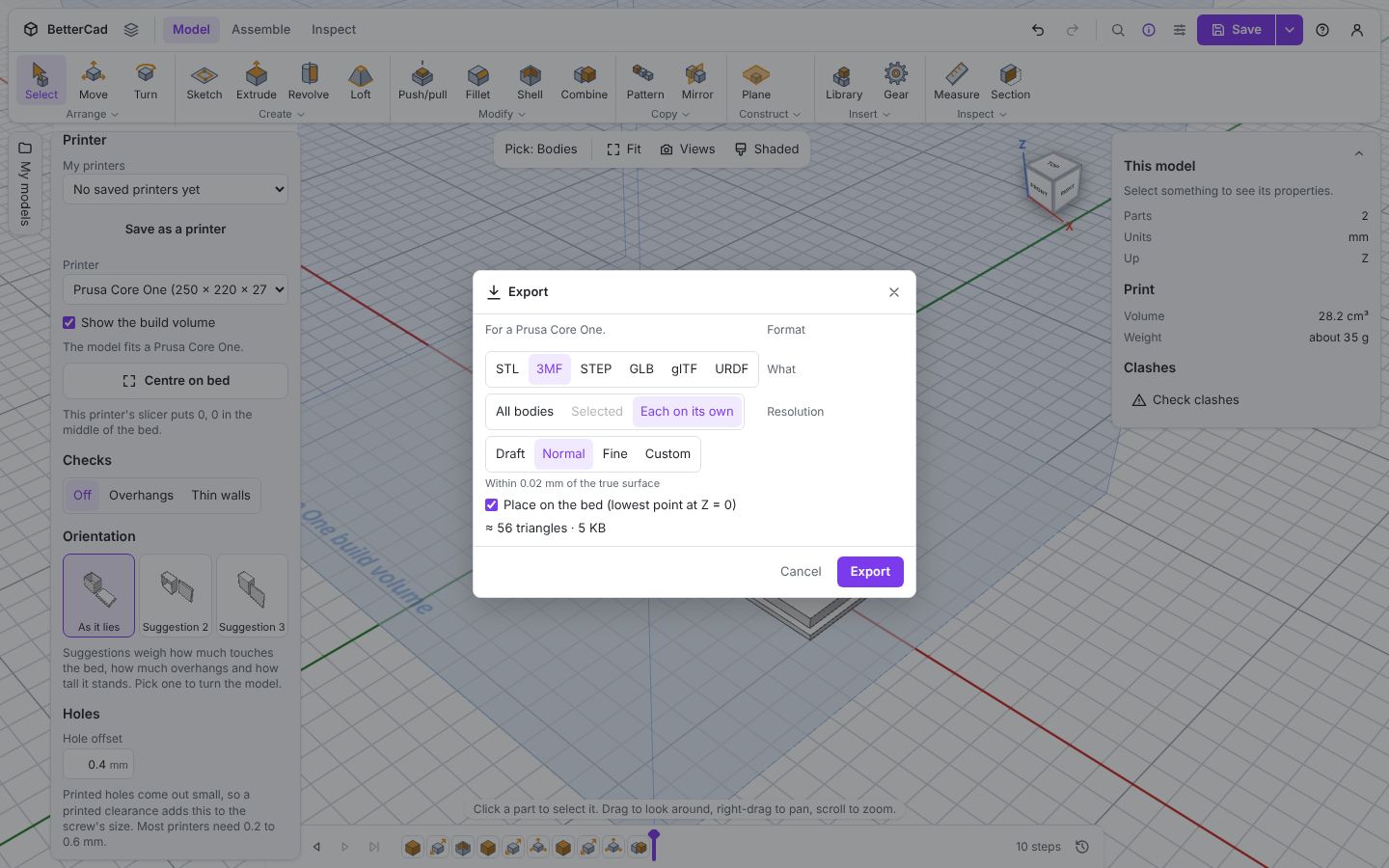
Each on its own suits parts that print in different colours, materials or orientations. In Chrome and Edge you pick a folder and the files appear in it. In other browsers each file downloads separately.
Hole shapes that haven’t been grouped with a solid are left out, with a warning and a Group them now button. A hole on its own isn’t a thing you can print.
Choose a resolution
STL and 3MF are made of flat triangles, so curves are approximated. Resolution says how far the triangles may stray from the true surface.
| Resolution | Within | Use it for |
|---|---|---|
| Draft | 0.1 mm | Quick test prints and big simple shapes |
| Normal | 0.02 mm | Almost everything |
| Fine | 0.005 mm | Lenses, threads, and curves you’ll look at closely |
| Custom | You choose | Special cases |
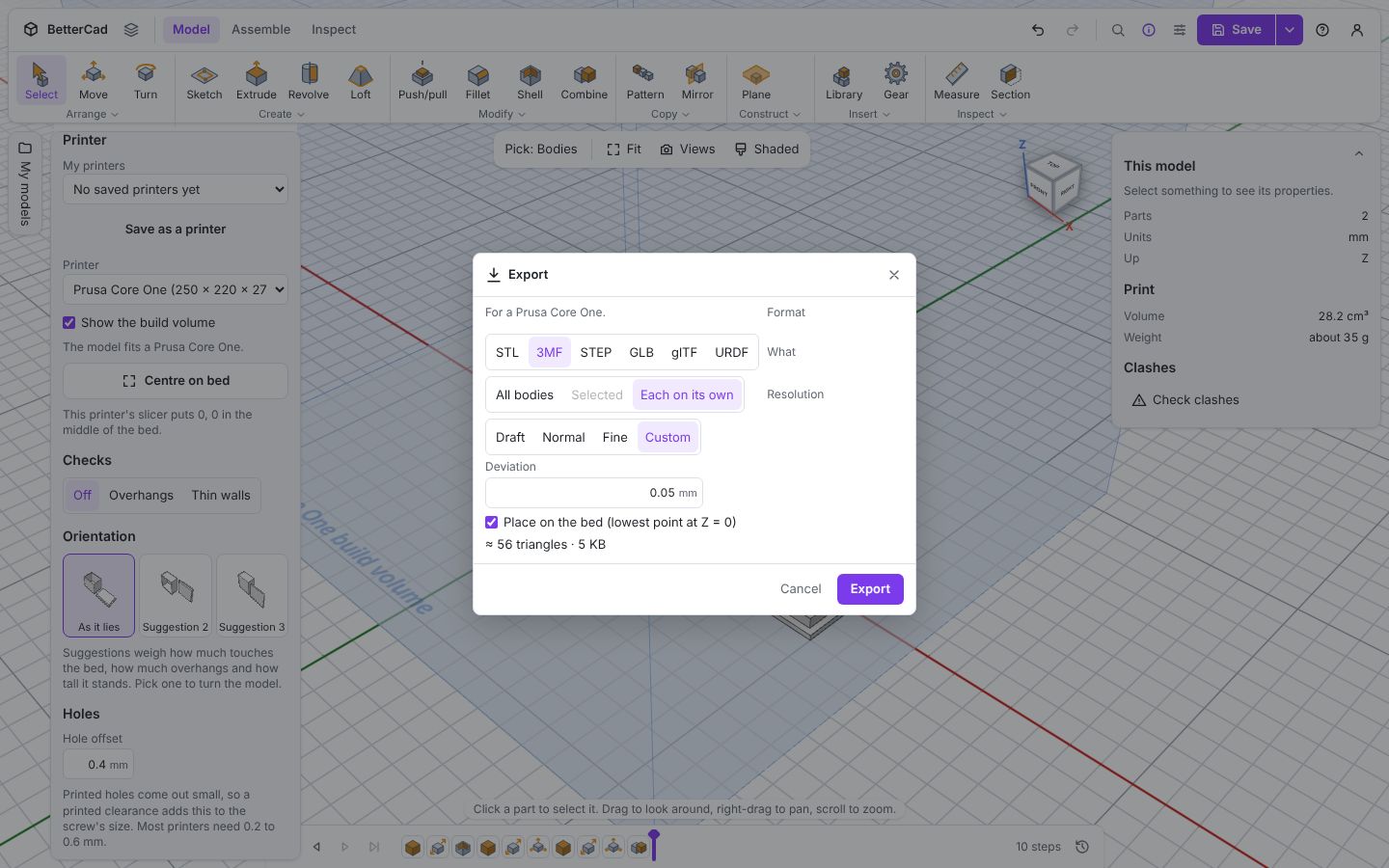
It’s an absolute distance, so a small part and a large part get the same accuracy. The dialog shows an estimate of the triangle count and file size before you commit.
Normal is already finer than a printer can reproduce. A 0.4 mm nozzle can’t show a 0.02 mm error. Fine makes bigger files and slower slicing for no visible gain on most prints, and on a detailed model it can take a while to produce.
If you can see flat facets on a printed curve, the cause is more often the slicer’s own resolution setting or a very coarse Draft export.
Place on the bed
Leave Place on the bed ticked. It moves everything so the lowest point is at Z = 0, and the part arrives in the slicer sitting on the plate.
Untick it only when the position matters, such as when several files have to line up with each other in another program.
In the slicer
A short checklist on the other side:
- The part should arrive the right size. If an STL looks tiny, the slicer has guessed inches. Tell it millimetres
- Check the orientation is the one you chose
- Set the infill you used for the estimate
- Look at the layer preview. This is where a missing thin wall or an unexpected support shows up
Try it Yourself
- Export the Bracket sample as STL at Draft, Normal and Fine. Compare the triangle counts in the dialog.
- Open the Box with a lid sample and export Each on its own as 3MF. What are the files called?
- Export a STEP file and open it in another CAD program if you have one. Are the holes still true circles?
Common Issues
Problem: The part opens tiny in my slicer. Solution: Export 3MF, or set the slicer’s import units to millimetres. Why: STL files don’t record units, so slicers guess.
Problem: A part is missing from the exported file. Solution: Check it isn’t hidden, and that it isn’t a hole shape waiting to be grouped. Why: Hidden bodies and loose holes aren’t exported.
Problem: Export is slow at Fine. Solution: Use Normal. Why: Fine makes many more triangles, and on a filleted part that takes time.
Check your understanding
Quick quiz 1 of 3
Which format is the best default for 3D printing?
Quick quiz 2 of 3
A friend wants to modify your part in Fusion. What do you send?
Quick quiz 3 of 3
What does the Resolution setting control?
You can use the arrows ← → on your keyboard to navigate between lessons.
Comments