Set Up Your Printer
Pick your printer in BetterCad, see its bed around your model, check the part fits and save the settings for next time
By Kevin McAleer, 5 Minutes
Page last updated November 20, 2026

Every check in the Print panel depends on knowing what you’re printing on. So the first job is to tell BetterCad about your printer.
Pick your printer
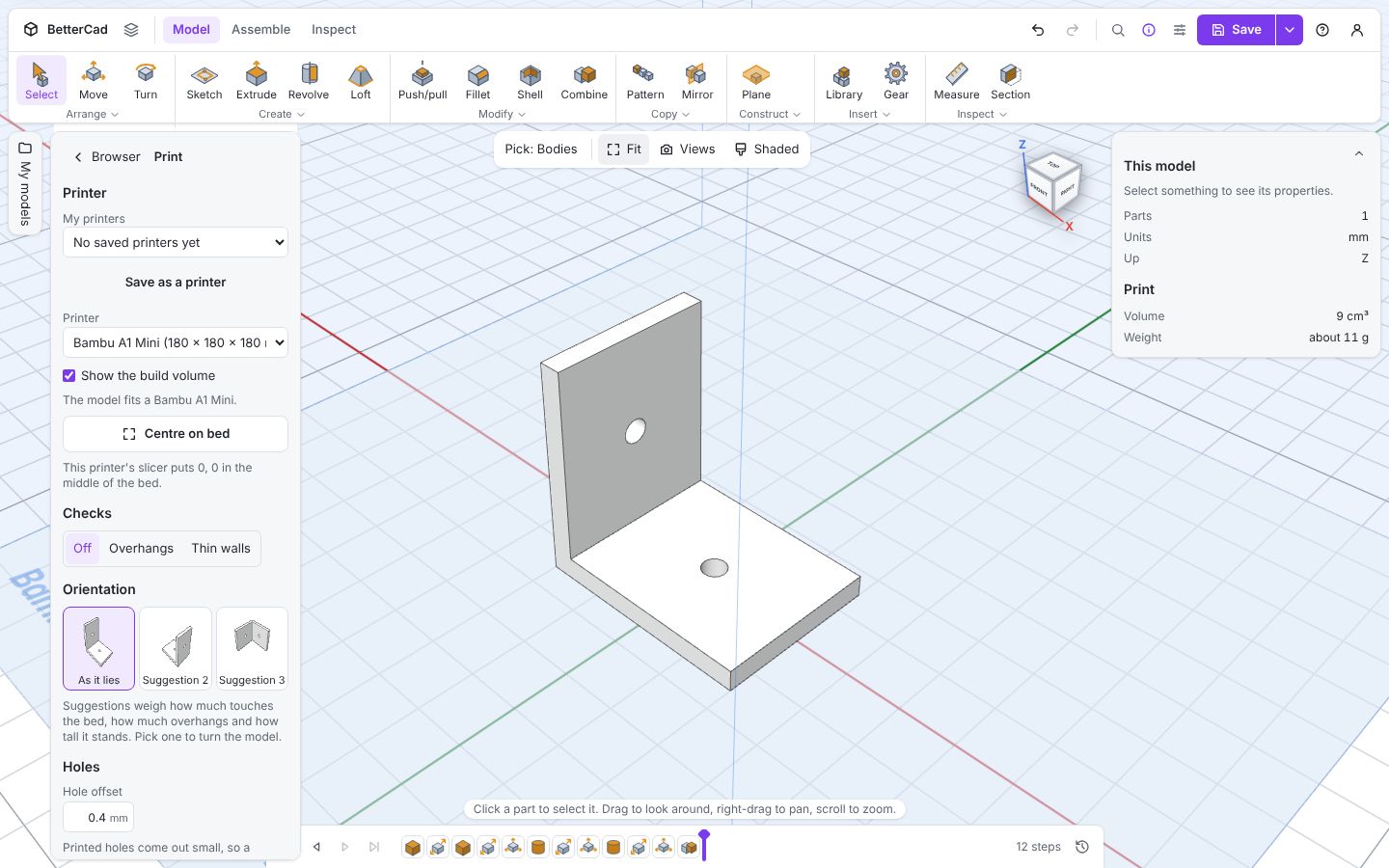
Open the Bracket sample, then open Print settings from the account menu. Under Printer, choose yours from the list.
| Printer | Build volume (mm) |
|---|---|
| Bambu A1 Mini | 180 × 180 × 180 |
| Bambu A1, P1 or X1 | 256 × 256 × 256 |
| Prusa Core One | 250 × 220 × 270 |
| Prusa Core One L | 300 × 300 × 330 |
| Prusa MK4 | 250 × 210 × 220 |
| Prusa Mini | 180 × 180 × 180 |
| Ender 3 | 220 × 220 × 250 |
| Elegoo Neptune 4 | 225 × 225 × 265 |
With Show the build volume ticked, the bed is drawn under your model with the printable space as a faint box, and its name written along the edge. The panel confirms: The model fits a Bambu A1 Mini.
Not on the list? Choose Custom and type your bed’s X, Y and Z.
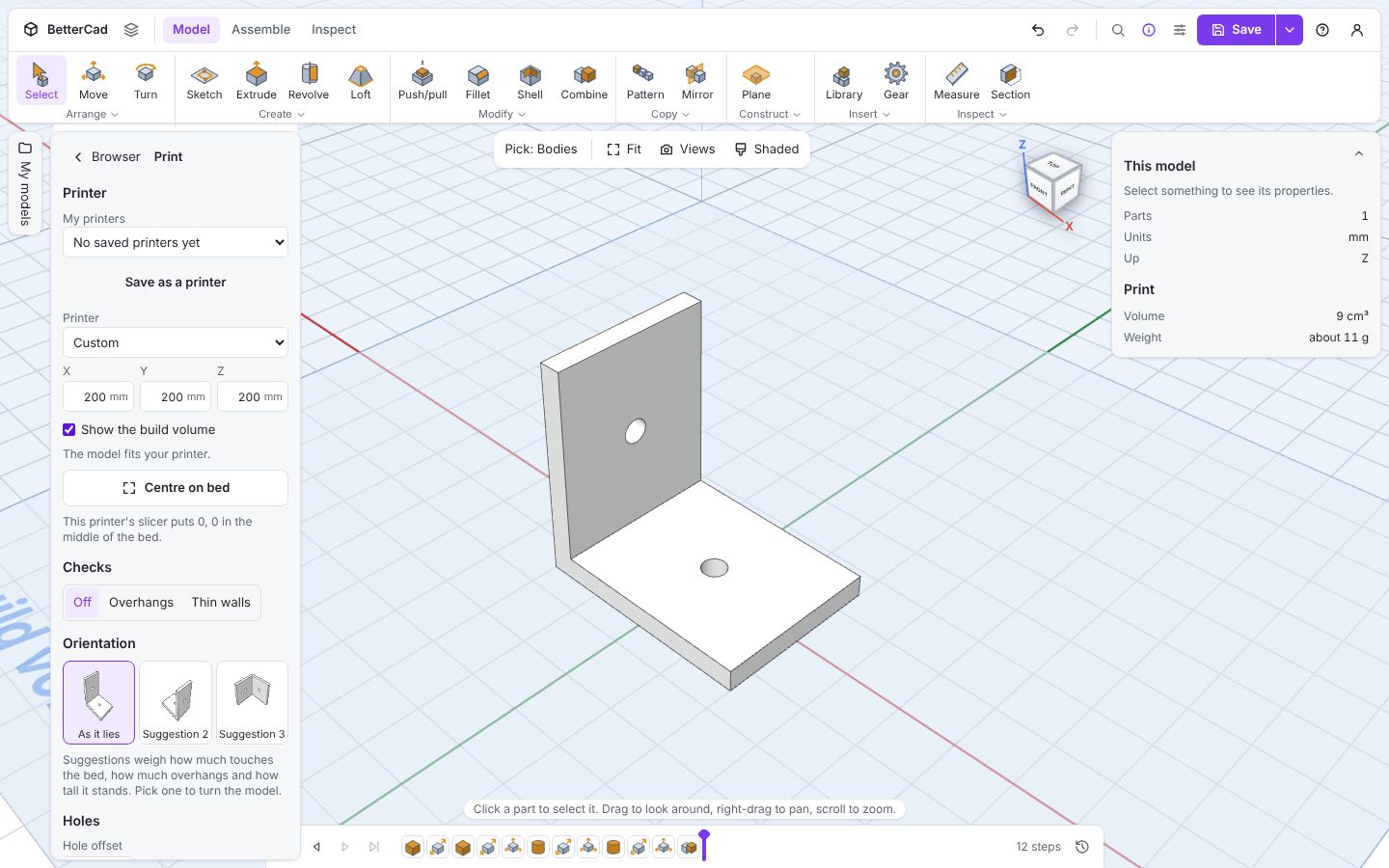
Where is zero?
Slicers disagree about where the middle of the world is, and BetterCad tells you which kind yours is.
- Bambu and Prusa slicers put 0, 0 in the middle of the bed
- Ender and Elegoo slicers put it at the front-left corner, which BetterCad marks with a small cross
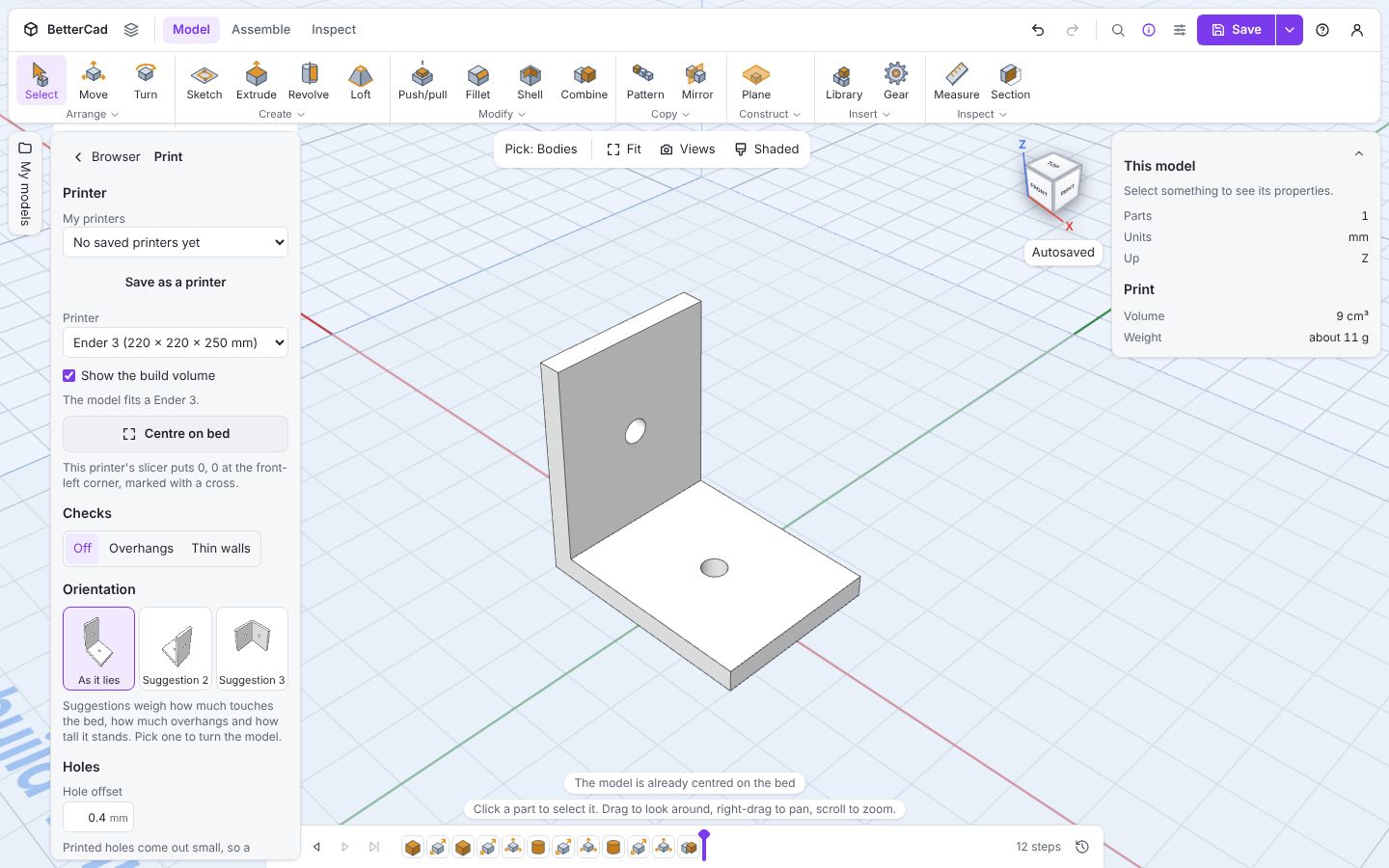
Click Centre on bed and the model moves to the middle of the plate with its lowest point resting on it. That’s one step on the timeline, so Ctrl+Z undoes it.
When it doesn’t fit
Here’s a 300 mm bar on a printer with a 180 mm bed.
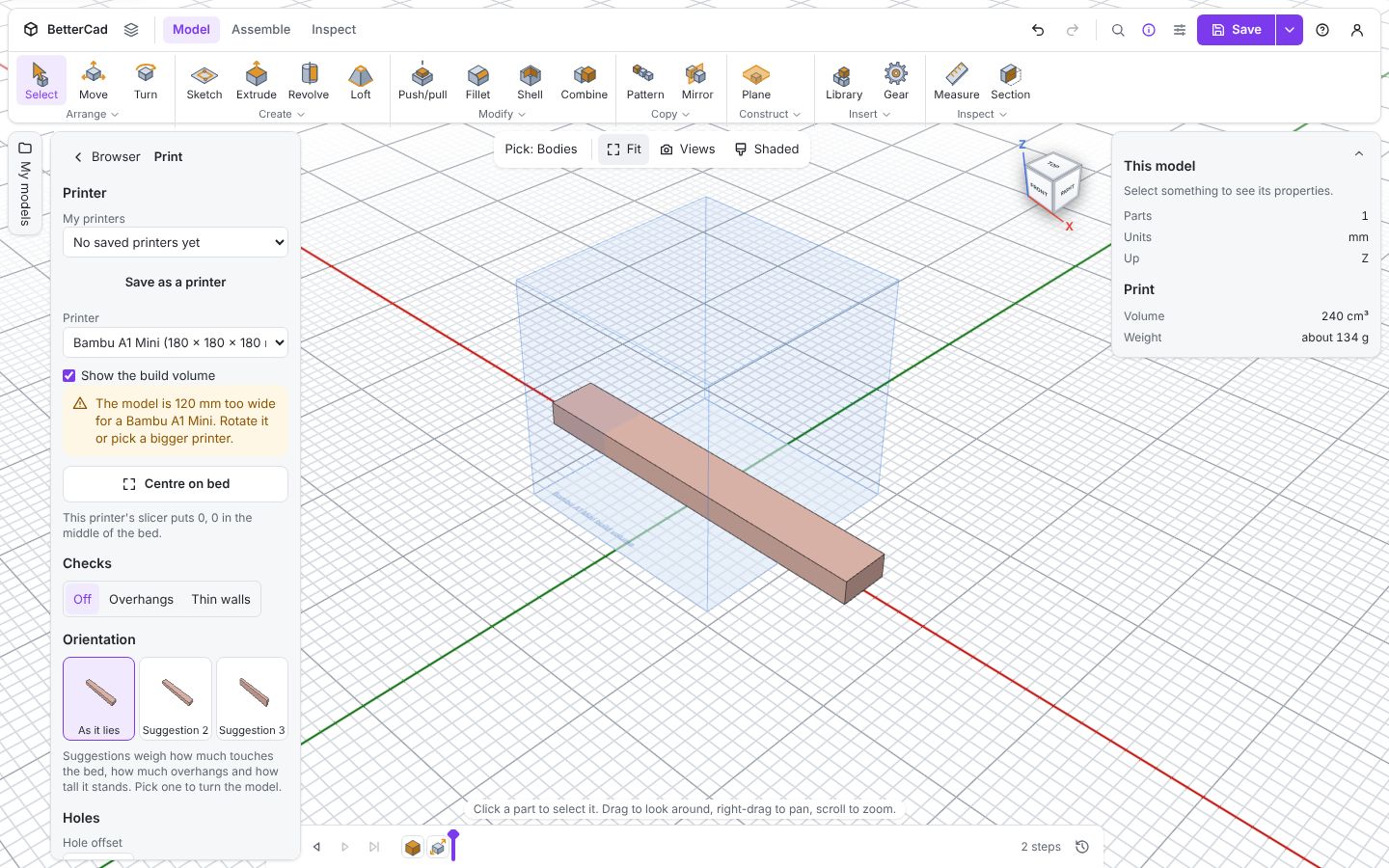
The part is tinted, and the warning is specific: The model is 120 mm too wide for a Bambu A1 Mini. Rotate it or pick a bigger printer. The same warning appears at the top of the Export dialog, so you can’t miss it on the way out.
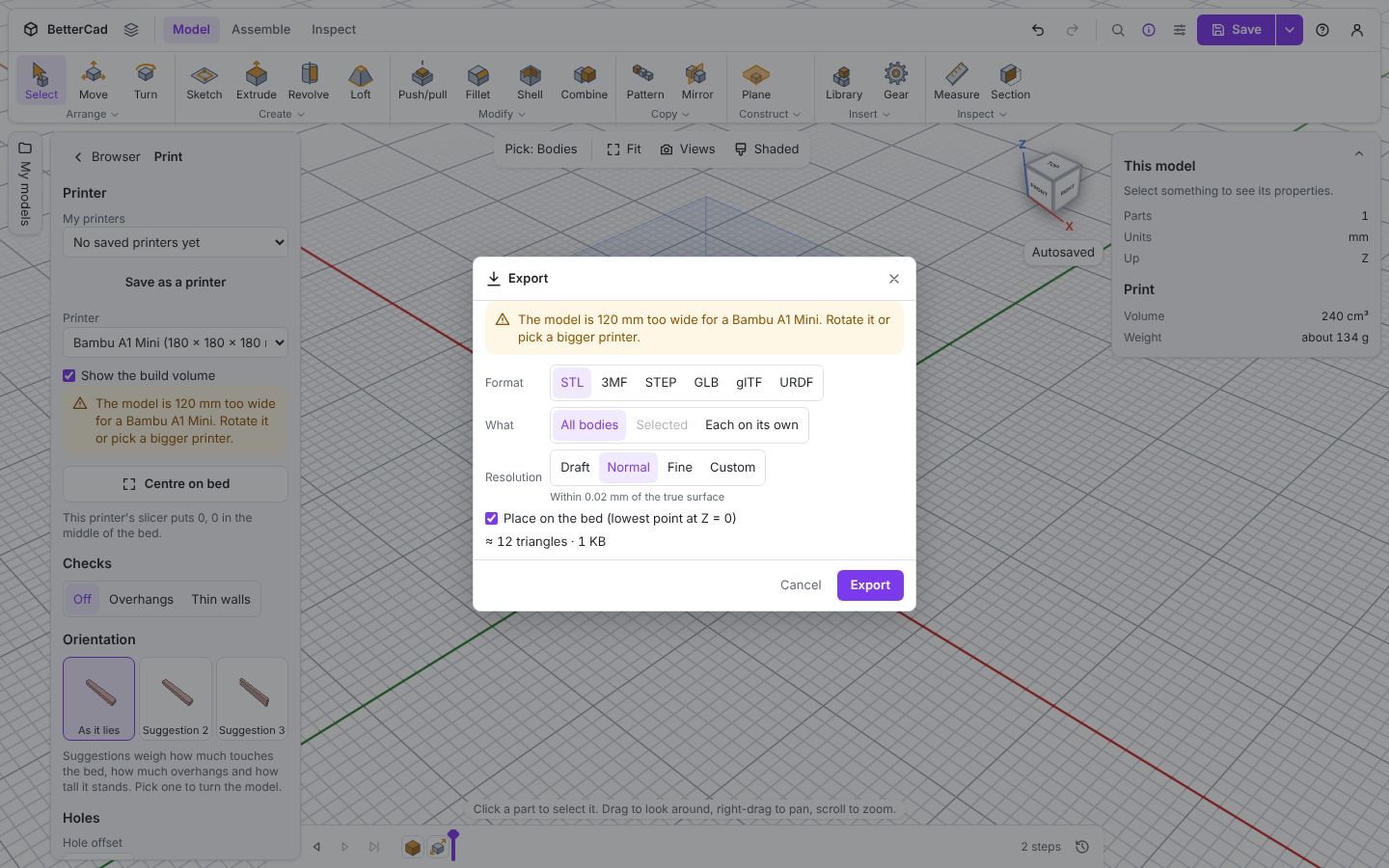
You have three ways out: turn the part so its long side runs diagonally or upright, split it into pieces that join, or make it smaller.
Save it as your printer
The bed, and the hole and fit settings you’ll tune later in this course, are stored in the model. That’s useful when you share it, because the other person sees the same bed. But you don’t want to set them up again for every new design.
- Click Save as a printer.
- Type a name, such as “My A1 Mini”.
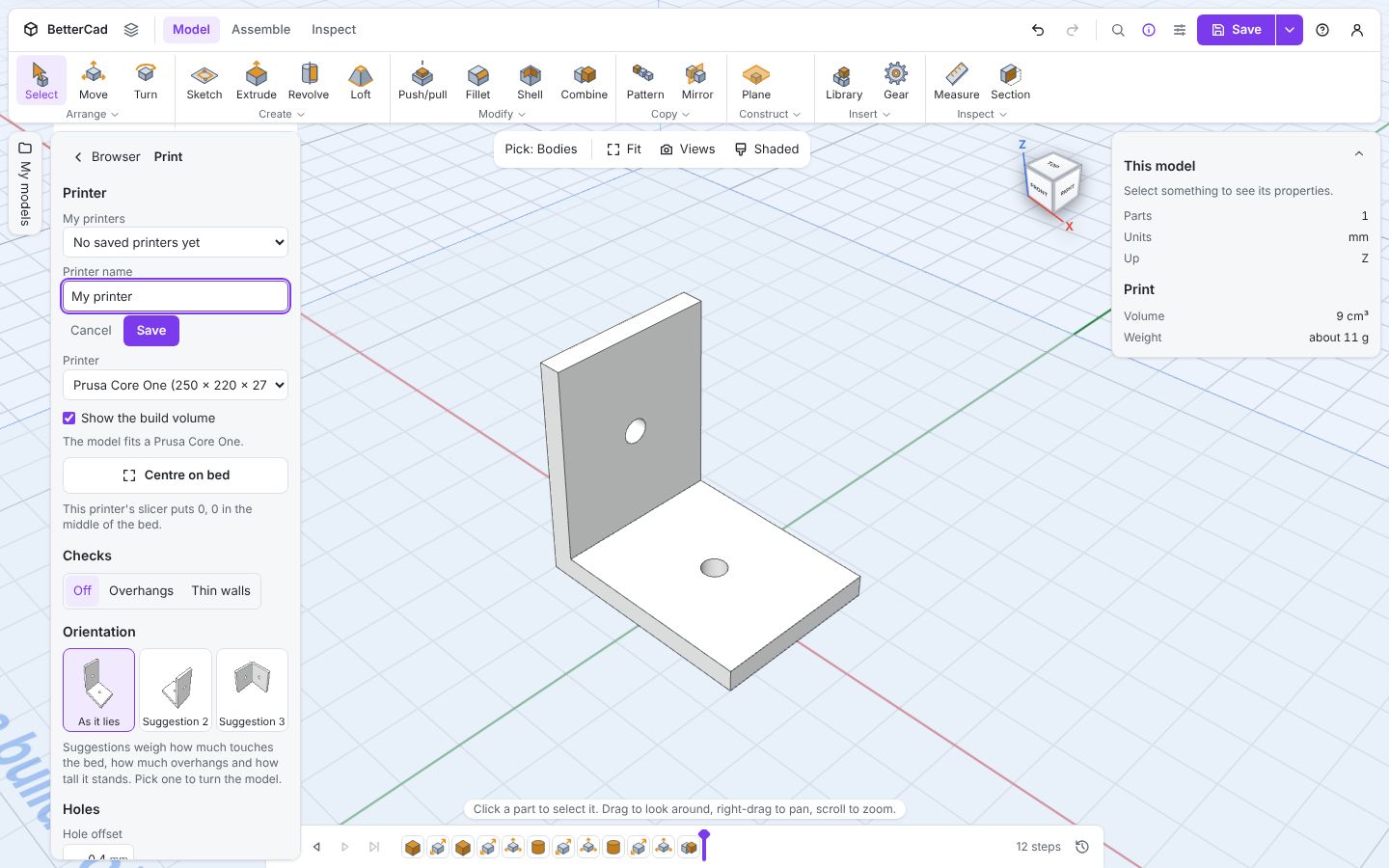
- Click Save.
From now on, pick it from My printers at the top of the panel in any model and all its values are copied in. Saved printers are kept in your browser, and in your account too if you sign in, so they follow you to another computer.
If you change a setting later, the panel offers Save to that printer.
Try it Yourself
- Pick your own printer, or enter it as Custom, and save it with a name.
- Add a Box from the Library and make it 10 mm longer than your bed. Read the warning, then set its Rotation Z to
45. Does it fit now? - Untick Show the build volume. What changes in the view?
Common Issues
Problem: The bed isn’t drawn. Solution: Tick Show the build volume. Why: The setting is remembered by your browser, and it may have been switched off earlier.
Problem: My model is nowhere near the bed. Solution: Click Centre on bed. Why: Models are built around the origin, which for a corner-origin printer is the front-left of the plate.
Problem: I set up my printer but a new model doesn’t have it. Solution: Choose it from My printers. Why: Settings live in each model. A saved printer copies them in when you pick it.
Check your understanding
Quick quiz 1 of 3
Where does an Ender 3’s slicer put 0, 0?
Quick quiz 2 of 3
What does Save as a printer keep?
Quick quiz 3 of 3
A part is 20 mm too long for the bed. What’s a quick thing to try?
You can use the arrows ← → on your keyboard to navigate between lessons.
Comments