Mass and Balance
Read the mass and centre of mass of each moving part in BetterCad and enter datasheet masses for servos and boards
By Kevin McAleer, 6 Minutes
Page last updated November 21, 2026

A servo doesn’t care how nice your arm looks. It cares how heavy the arm is and how far that weight sits from the shaft. Get it wrong and the shoulder servo buzzes, gets hot, and drops the arm when you switch it on.
BetterCad works out the weight of every moving part for you.
A part’s mass
- Click Home, then click the Forearm.
- Scroll Properties down to the Mass section.
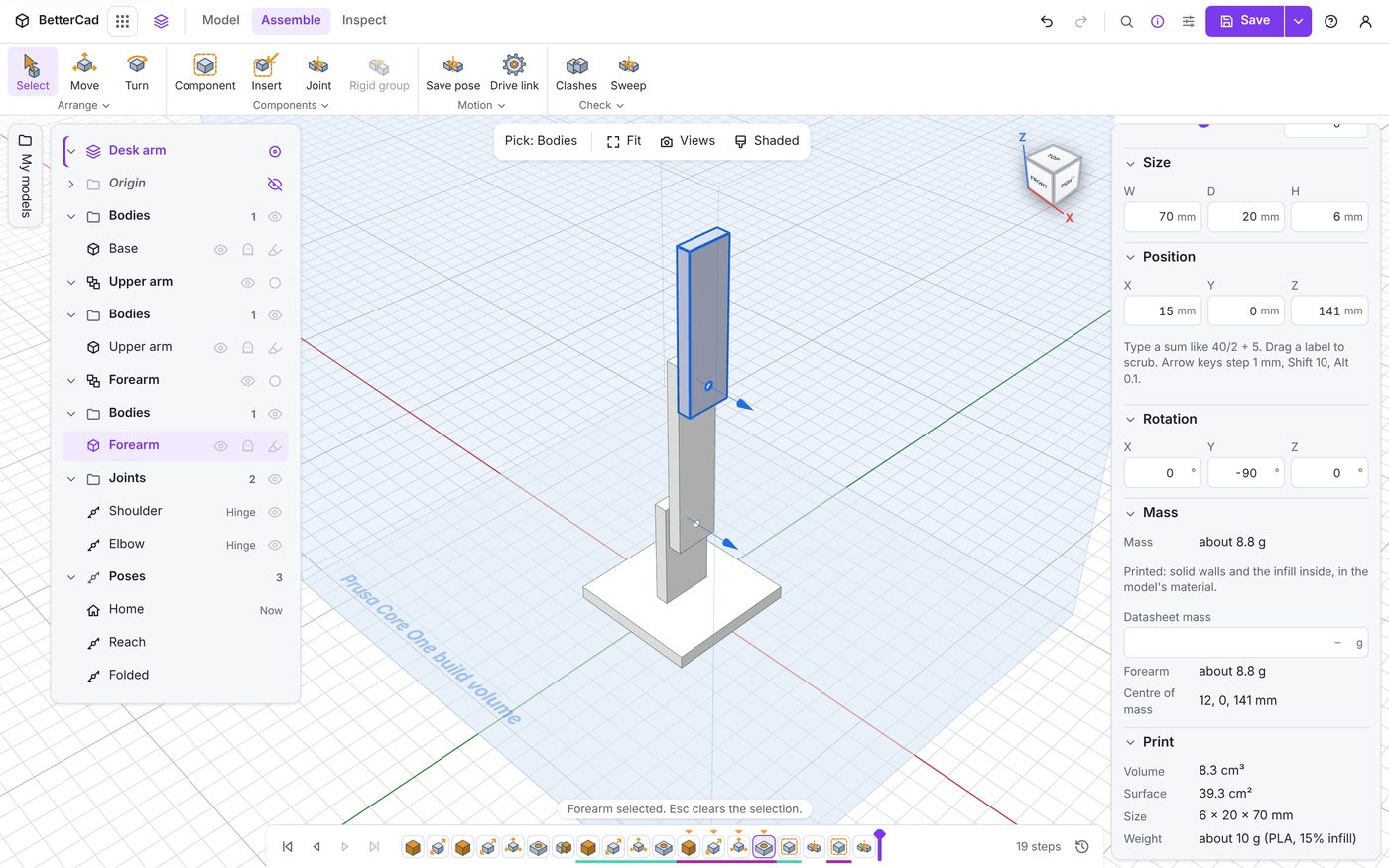
| Row | What it tells you |
|---|---|
| Mass | The body’s weight as printed. The forearm is about 8.8 g |
| The note under it | How the number was worked out. “Printed: solid walls and the infill inside, in the model’s material.” |
| Datasheet mass | A box for typing the real weight of a bought part |
| Forearm | The mass of the whole moving part, which may be several bodies |
| Centre of mass | The balance point of that moving part |
The printed estimate is more careful than volume times density. A print is a solid skin with mostly-empty infill inside, and BetterCad allows for that, using the material set for the model.
Bought parts
A servo isn’t printed, so the printed estimate is wrong for it. That’s what Datasheet mass is for.
Parts from the robot catalogue come with theirs filled in. Select the SG90 on the servo deck and its Mass row reads “about 9 g”, with the note “From its datasheet, spread evenly.”
For a part you modelled or imported yourself, select it, type its weight in grams into Datasheet mass and press Enter. Kitchen scales are accurate enough.
Nine grams is more than our whole forearm, which is why bought parts matter so much to the sums.
Centre of mass
The centre of mass is the point a part would balance on. For the forearm on its own, it’s the middle of the bar.
To see it in the view:
- Press Ctrl+K, type
centres of massand press Enter.
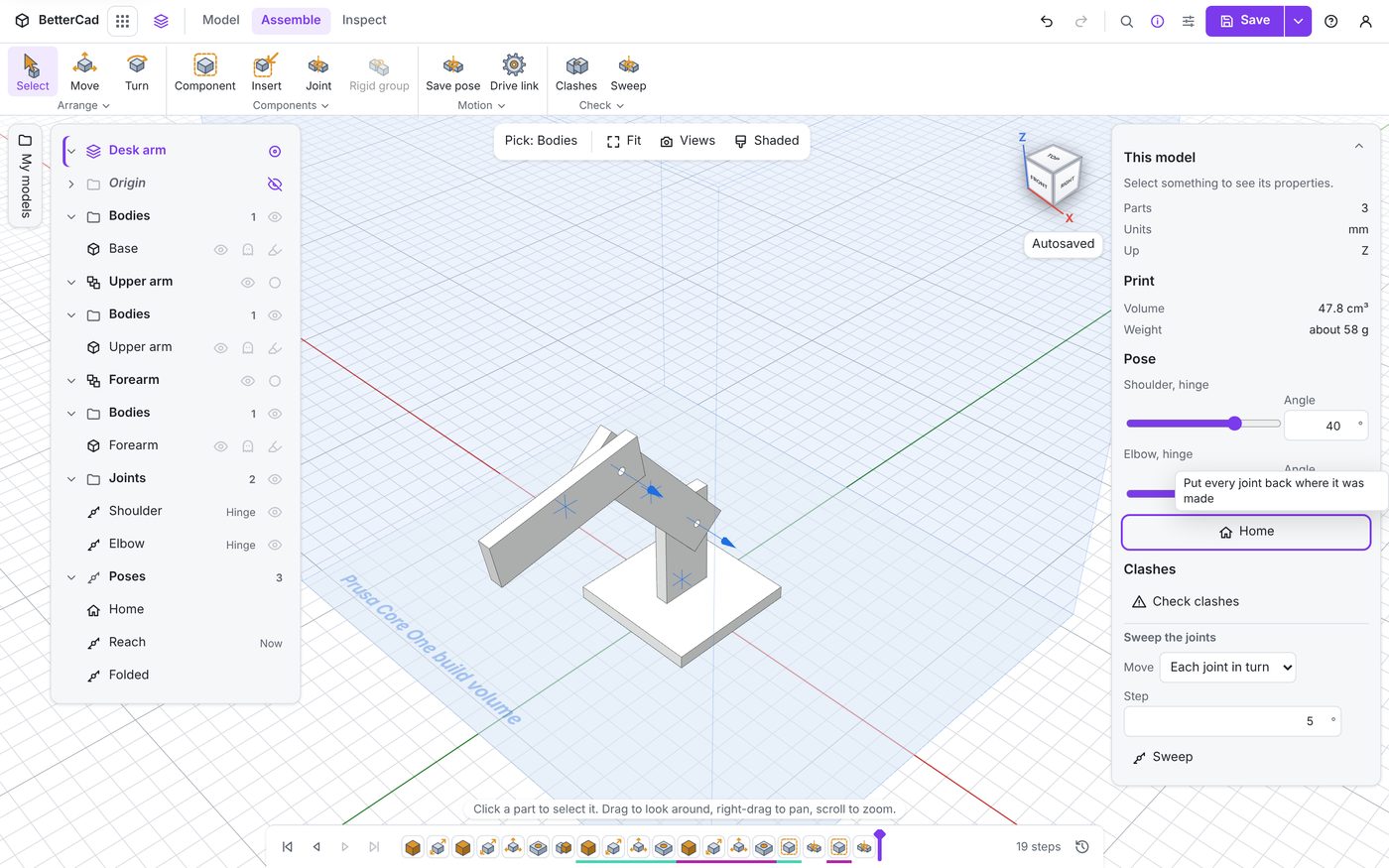
A mark appears on each moving part. Pose the arm and the marks move with their parts. Run the same command again to hide them.
What a servo feels
The turning force on a joint is the weight beyond it multiplied by how far out that weight sits, measured sideways from the axle.
Here it is as a few lines of Python you can run anywhere:
# Torque on the elbow from the forearm, with the forearm held level.
mass_g = 8.8          # forearm mass from BetterCad, in grams
distance_mm = 25      # elbow axle to the forearm's centre of mass

# Servo torque is usually quoted in kg cm, so convert.
mass_kg = mass_g / 1000
distance_cm = distance_mm / 10

torque = mass_kg * distance_cm
print(f"Elbow holds {torque:.3f} kg cm")
That prints Elbow holds 0.022 kg cm. An SG90 is rated around 1.8 kg cm, so the bare forearm is no trouble at all.
Now hang a 9 g servo and a 20 g gripper on the end, 60 mm out:
load_g = 9 + 20       # a servo and a gripper at the tip
load_mm = 60

torque = (8.8 / 1000) * 2.5 + (load_g / 1000) * (load_mm / 10)
print(f"Elbow holds {torque:.3f} kg cm")
That’s 0.196 kg cm: nine times as much, and the shoulder has it worse because it carries the upper arm and everything past it at a longer reach. A common rule of thumb is to keep the load under about half the servo’s rating, so it can move the arm as well as hold it.
The level pose is the worst case. That’s when the weight sits furthest out sideways.
Where the numbers go next
Each link’s mass and centre of mass are written into the URDF export, along with its inertia. A physics simulator needs all three to make the arm swing and settle the way the real one will.
Try it Yourself
- Click the Upper arm and the Base and compare their masses. Which is heaviest?
- Turn on the centre of mass marks and go to your Reach pose. Is the forearm’s mark in front of the base plate, or over it? An arm whose weight hangs past the edge of its base wants to tip.
- Add a 10 x 10 x 10 mm Library box at the tip, move it into Forearm, and read the Forearm’s mass and centre of mass again. Delete it afterwards.
Common Issues
- Problem: The mass looks too low for a solid part
- Solution: It’s meant to be. Check your slicer’s weight estimate against it
-
Why: A print is mostly infill. The estimate is for the printed part, not a solid block
- Problem: There’s no Mass section
- Solution: Select a body. With nothing selected, Properties shows the whole model’s weight under Print
-
Why: Mass belongs to a body and the moving part it’s in
- Problem: The note says “Printed, estimated evenly”
- Solution: Nothing to do
- Why: BetterCad couldn’t work out the walls for that shape, so it spread the weight evenly through it
Check your understanding
Quick quiz 1 of 3
Why enter a datasheet mass for a servo?
Quick quiz 2 of 3
In which pose does an arm load its shoulder servo most?
Quick quiz 3 of 3
What three things about each link does the URDF export carry for a physics simulator?
You can use the arrows ← → on your keyboard to navigate between lessons.
Comments