Animating the Face
Write an animation loop that makes the eyes blink and glance around at random so the face feels alive
By Kevin McAleer, 5 Minutes
Page last updated November 21, 2026
Animation is a loop
Every animation, from a blinking eye to a video game, is the same four steps on repeat:
- Clear the buffer
- Draw the new picture
- Show it
- Wait a moment
Your face function already does the first three. Add a wait and a list of frames and you have a blink.
A blink
Start a new file, blink.py:
import time
from simscreen import SimScreen
import eye

OPEN, HALF, CLOSED, LEFT, RIGHT = 0, 1, 2, 3, 4

screen = SimScreen()


def face(i):
    screen.fill(0)
    screen.blit(eye.frame(i), 40, 24)
    screen.blit(eye.frame(i), 72, 24)
    screen.show()


def blink():
    for i in [HALF, CLOSED, HALF, OPEN]:
        face(i)
        time.sleep(0.06)


face(OPEN)
time.sleep(1)
blink()
Run it. The eyes open, wait a second and blink.
The blink is a sequence: half, closed, half, open. Three of your five frames, in an order the Sprite editor never played them in. That’s the point of treating frames as ingredients.
A glance
Looking sideways is a sequence too, with a pause in the middle:
def glance(direction):
    face(direction)
    time.sleep(0.5)
    face(OPEN)
Add it under blink, then try glance(LEFT) at the bottom of the file.
Why fixed loops look robotic
Replace the last three lines with this and run it:
while True:
    time.sleep(1)
    blink()
It blinks exactly once a second, forever. Watch it for a while. It looks like a machine, and not in a charming way. Press Stop when you’ve seen enough.
Living things aren’t regular. People blink every two to ten seconds, and their eyes wander. A little randomness fixes it.
Add some life
Here is the whole program with a random loop. Change blink.py so it reads:
import time
import random
from simscreen import SimScreen
import eye

OPEN, HALF, CLOSED, LEFT, RIGHT = 0, 1, 2, 3, 4

screen = SimScreen()


def face(i):
    screen.fill(0)
    screen.blit(eye.frame(i), 40, 24)
    screen.blit(eye.frame(i), 72, 24)
    screen.show()


def blink():
    for i in [HALF, CLOSED, HALF, OPEN]:
        face(i)
        time.sleep(0.06)


def glance(direction):
    face(direction)
    time.sleep(0.5)
    face(OPEN)


face(OPEN)
while True:
    time.sleep(random.uniform(0.4, 1.2))
    choice = random.randint(0, 3)
    if choice == 0:
        glance(LEFT)
    elif choice == 1:
        glance(RIGHT)
    else:
        blink()
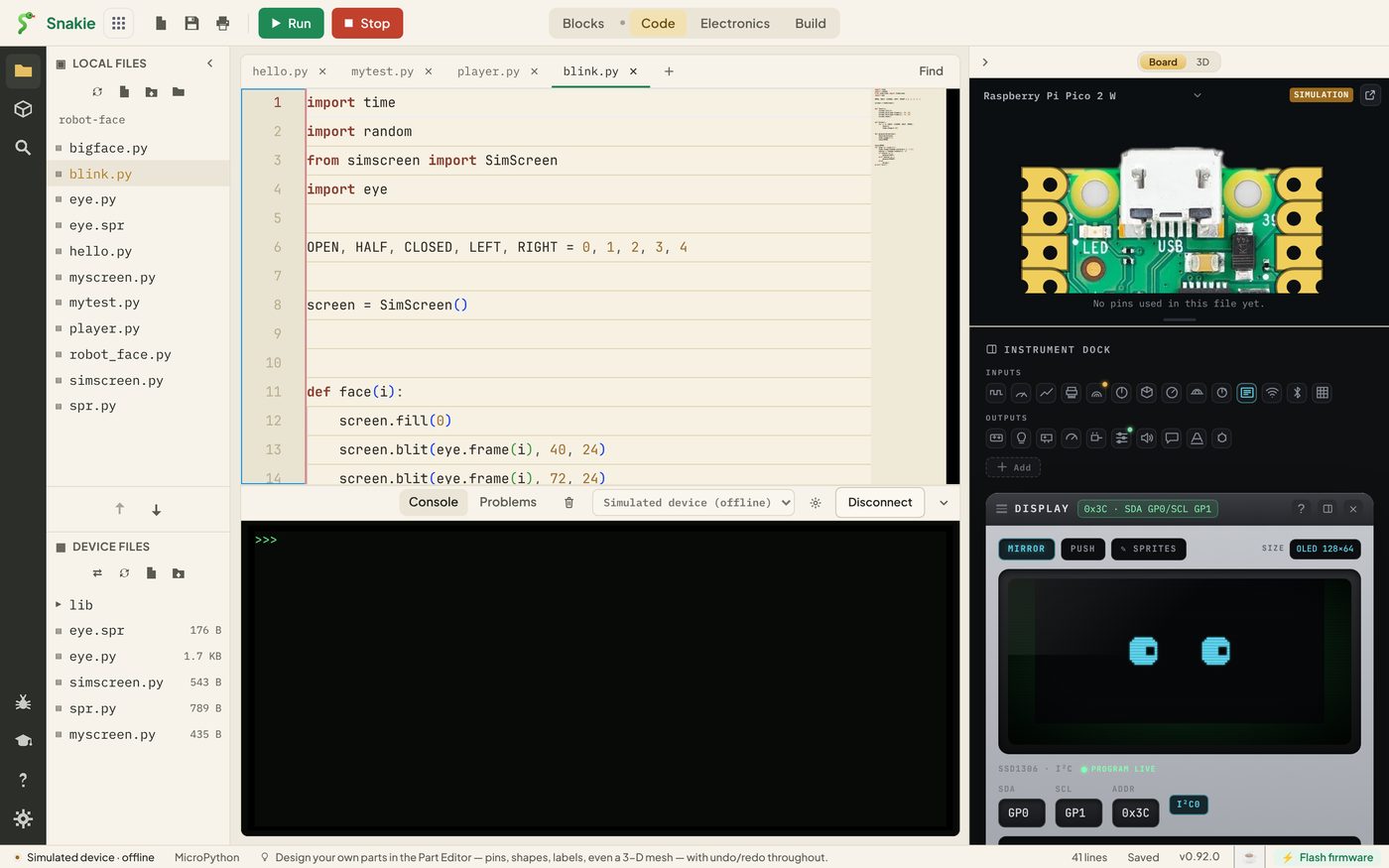
Two lines do the work:
random.uniform(0.4, 1.2)picks a wait somewhere between 0.4 and 1.2 seconds, different every timerandom.randint(0, 3)picks 0, 1, 2 or 3. One in four is a glance left, one in four a glance right, and the other two are blinks
The waits here are short so you can see plenty happening. For a calmer robot, try random.uniform(2, 6).
Design the behaviour in text first
You can try out the “what happens next” part without a screen. This box runs the same decision loop and prints what the face would do:
Run it a few times. Then change the odds: make glances rare by using random.randint(0, 9).
Try it Yourself
- Add a
double_blink()that blinks twice quickly, and give it a one-in-ten chance - Make a
sleepy()state: showHALFfor two seconds, thenCLOSEDfor three - Make the robot look left, then right, then blink, as if it’s crossing the road
- Slow the blink down to 0.2 seconds per frame. At what speed does it stop looking like a blink?
Common Issues
Problem: The program never ends and I can’t run anything else.
Solution: Press Stop in the toolbar.
Why: while True: runs until you stop it. That’s what you want on a finished robot, and what Stop is for while you’re building.
Problem: The blink is so fast I can’t see it.
Solution: Increase the time.sleep inside blink.
Why: Each frame needs to be on screen long enough for your eye to register it. Below about 0.03 seconds frames start to be missed.
Problem: The face always does the same thing in the same order.
Solution: Check you’re calling random.randint inside the loop, not once above it.
Why: A choice made before the loop is made only once.
Check your understanding
Quick quiz 1 of 3
What are the four steps of an animation loop?
Quick quiz 2 of 3
Why does the blink sequence end with OPEN?
Quick quiz 3 of 3
What makes the face feel alive rather than mechanical?
You can use the arrows ← → on your keyboard to navigate between lessons.
Comments