Frames and Animation
Add frames to make the eye blink and look left and right, using duplicate, onion skin and the filmstrip
By Kevin McAleer, 5 Minutes
Page last updated November 21, 2026

Five frames
One drawing is a picture. Several drawings shown in turn are an animation. Your eye needs five frames:
| Frame | Name | What it shows |
|---|---|---|
| 1 | open | The eye you’ve already drawn |
| 2 | half | The top half hidden, as the lid comes down |
| 3 | closed | A single line |
| 4 | left | Open, with the pupil moved left |
| 5 | right | Open, with the pupil moved right |
Keep the order exactly as shown. Your code will ask for frames by number, so frame 3 needs to be the closed one.
Frame 2: half closed
The quickest way to make a frame that’s nearly the same as another is to copy it.
- With frame 1 selected in the filmstrip, press Duplicate
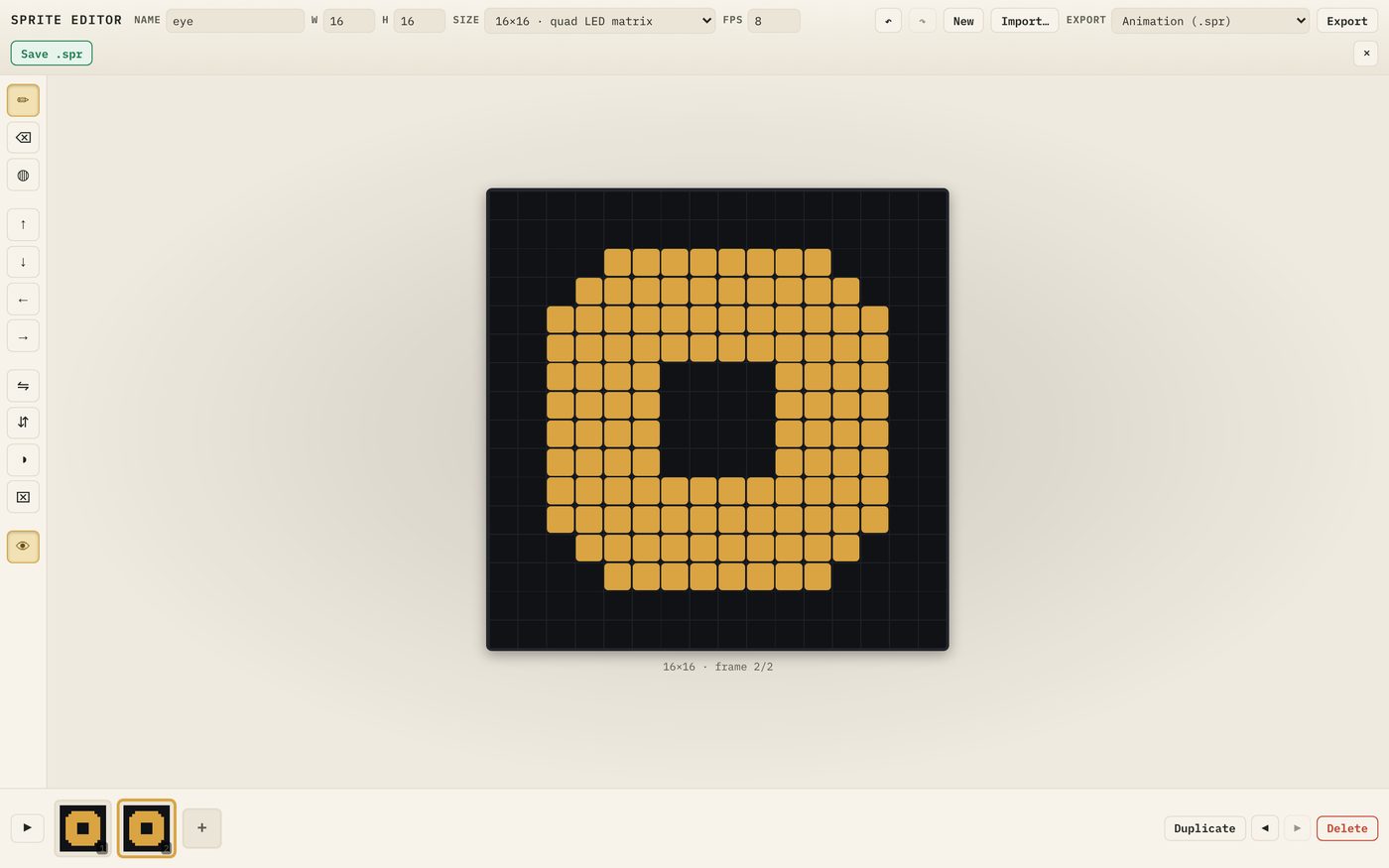
- Frame 2 is selected for you. Pick Erase and wipe out the top five rows of the eye, so the top edge is now flat and sits one row above the pupil
- The new top edge has a hole in it where the pupil was. Pick Draw and fill in those four pixels, so the pupil is left as a 4×2 slot
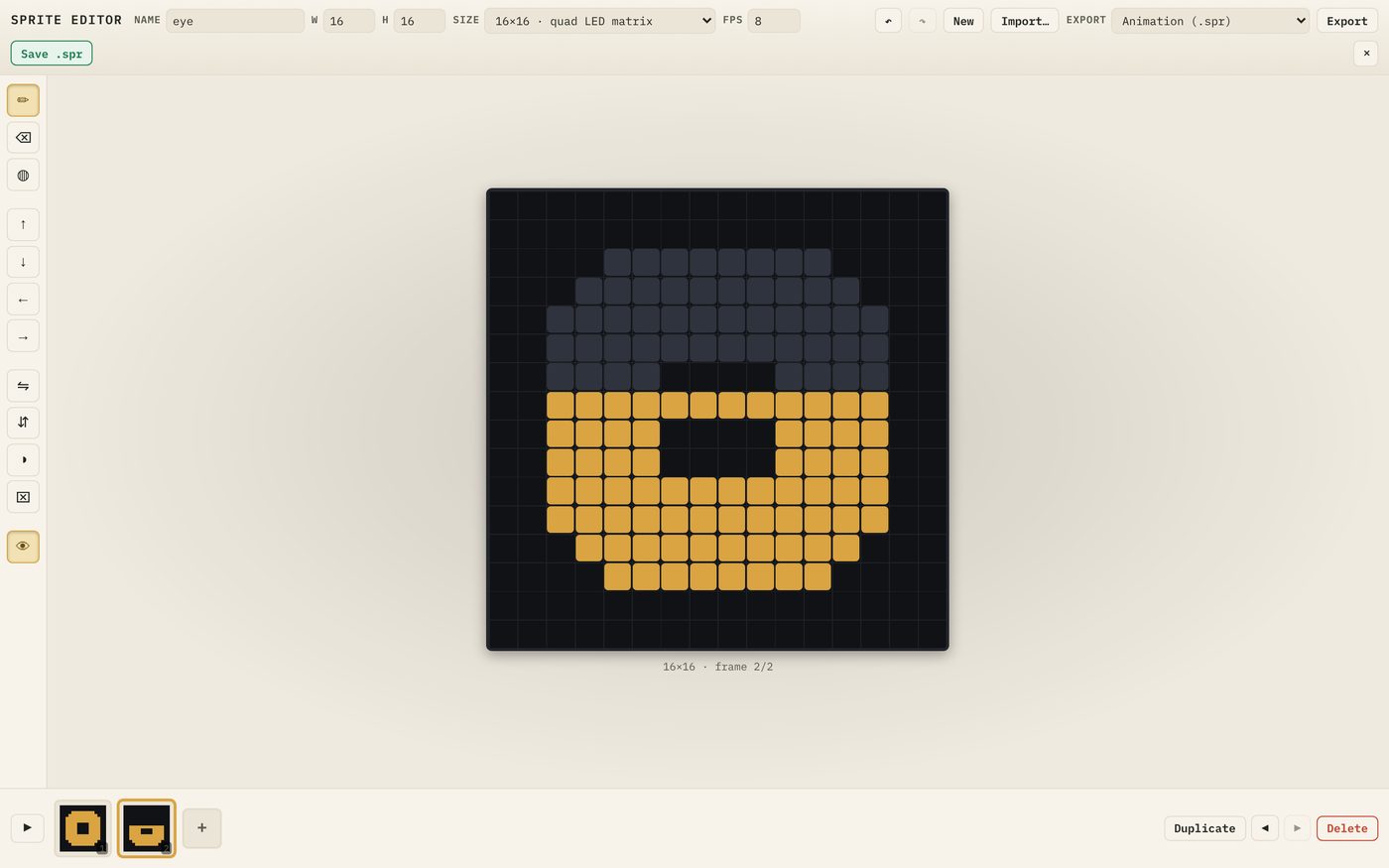
It should look like this:
................
................
................
................
................
................
................
..############..
..####....####..
..####....####..
..############..
..############..
...##########...
....########....
................
................
Don’t worry about matching it pixel for pixel. If it reads as a half-shut eye, it’s right.
Frame 3: closed
A closed eye is one line, so start from nothing.
- Press + in the filmstrip to add a blank frame after the current one
- Make sure Onion skin is on (the eye button at the bottom of the toolbar). You’ll see a faint ghost of frame 2
- With Draw, drag a line 12 pixels long across the middle, in row 8
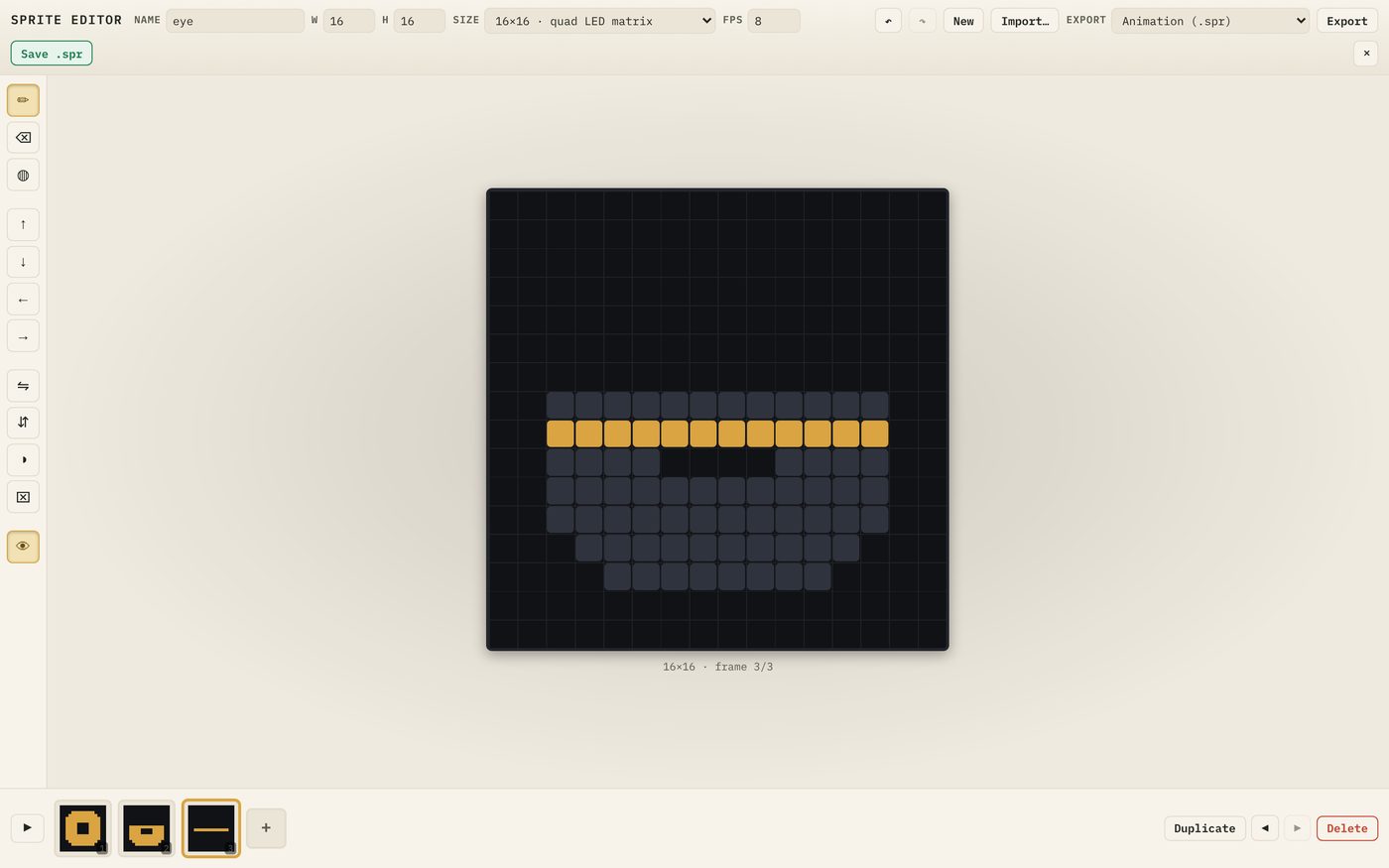
The ghost is only a guide. It isn’t part of the frame and won’t be saved.
Frames 4 and 5: looking around
- Click frame 1 and press Duplicate. The copy appears as frame 2, which is the wrong place
- Press the move later arrow (next to Duplicate) until the copy is the last frame
- Fill in the old pupil with Draw, then Erase a new 4×4 pupil three columns further left, so there’s one lit column between the pupil and the edge of the eye
- Duplicate that frame. In the copy, move the pupil to the right-hand side the same way
Here’s a shortcut for step 4: duplicate the left-looking frame and press Flip horizontally. Done.
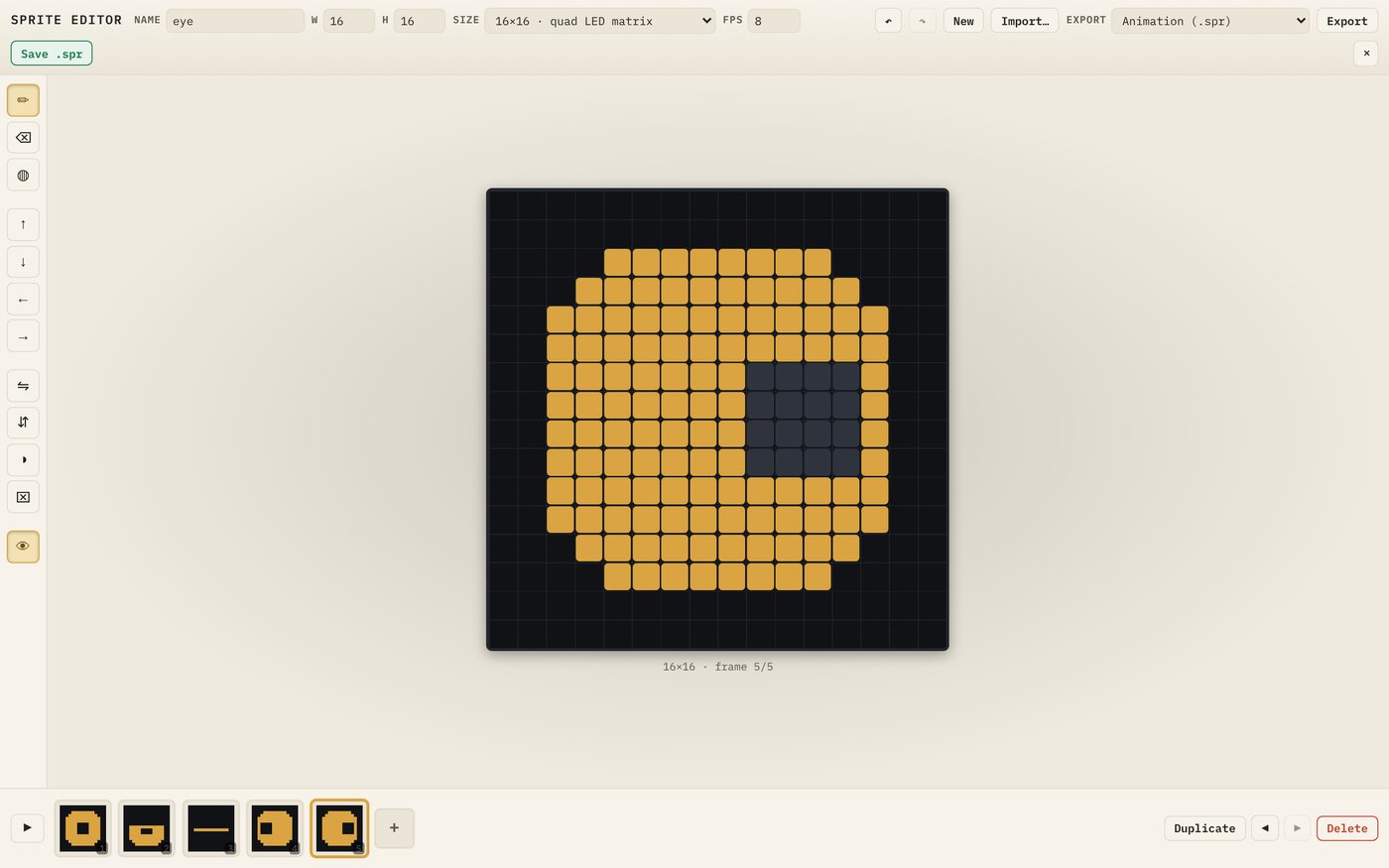
Check the filmstrip reads open, half, closed, left, right.
Play it
Set FPS to 6 and press play.
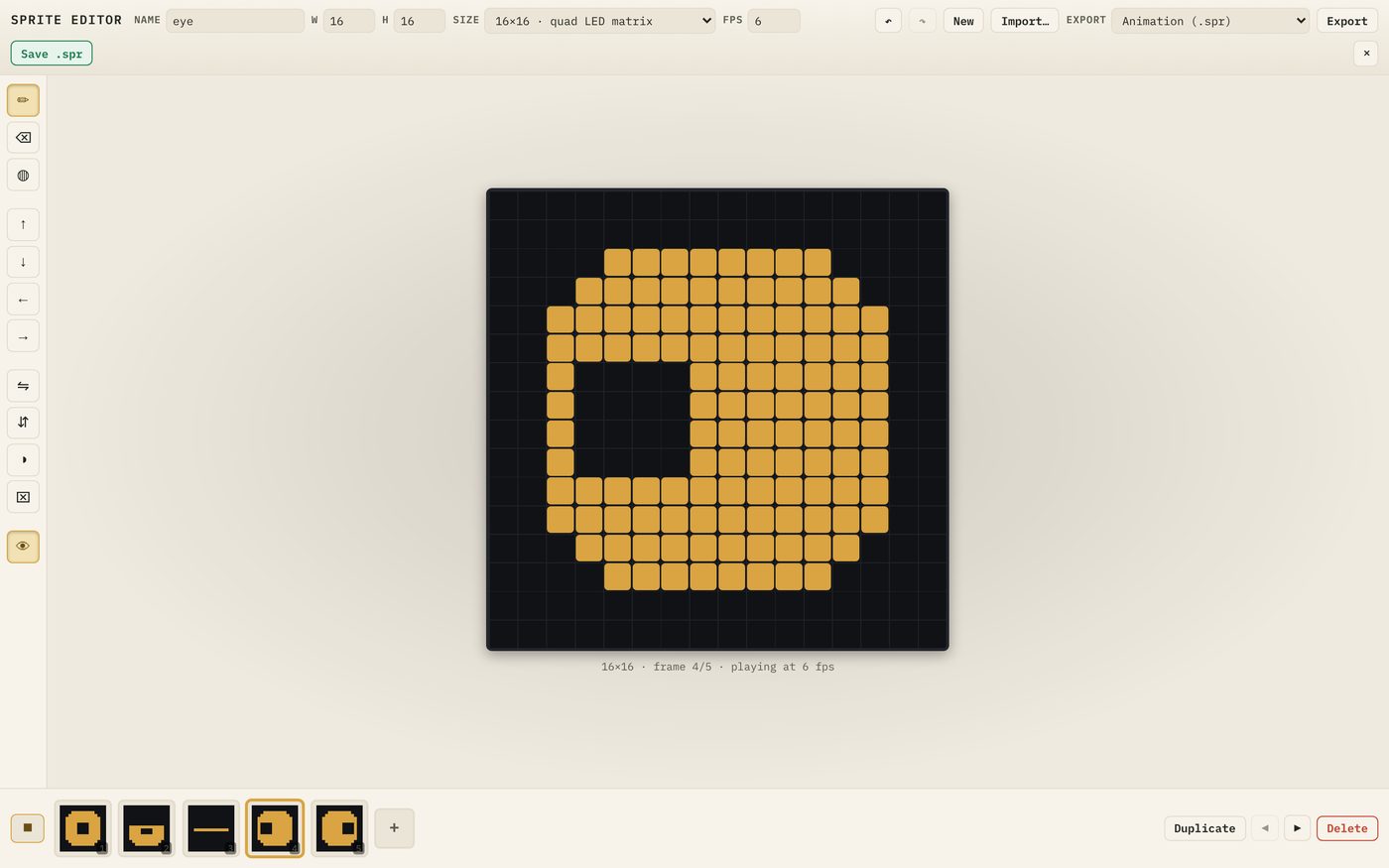
It looks odd, doesn’t it? The eye blinks, then darts left and right, over and over. That’s because the editor plays the frames in order, and real eyes don’t work to a fixed loop.
That’s fine. These five frames are ingredients. In lesson 9 your code will choose which frame to show and when, and the eye will start to feel alive.
How fast is a blink?
A real blink takes roughly a third of a second. With three frames in it (half, closed, half), each frame should last about a tenth of a second, which is 10 FPS. Anything from 6 to 12 looks natural.
For a pure loop, such as a spinning radar or a walking robot, FPS matters much more, because the editor’s speed is the speed you’ll get.
Try it Yourself
- Play the animation at 2, 6 and 20 FPS
- Add a sixth frame: a wide-open, surprised eye with a smaller 2×2 pupil
- Turn Onion skin off and on while stepping through the frames. Which do you prefer for drawing?
- Use the move arrows to put your surprised frame last, so the first five keep their numbers
Common Issues
Problem: My new frame appeared in the middle of the filmstrip. Solution: Select it and use the move arrows to put it where it belongs. Why: Duplicate and + both insert straight after the selected frame.
Problem: I can see faint pixels I didn’t draw. Solution: That’s the onion skin. Turn it off with the eye button if it’s distracting. Why: Onion skin overlays the previous frame as a drawing guide.
Problem: I deleted the wrong frame. Solution: Press Undo straight away. Why: Undo covers frame changes as well as pixels.
Check your understanding
Quick quiz 1 of 3
What’s the fastest way to make a frame that’s almost the same as the last one?
Quick quiz 2 of 3
Why does frame order matter in this project?
Quick quiz 3 of 3
Where does a duplicated frame appear?
You can use the arrows ← → on your keyboard to navigate between lessons.
Comments