The Multimeter
Read a sensor voltage on Snakie's on-screen Multimeter with minimum, maximum and average while your MicroPython loop keeps running
By Kevin McAleer, 4 Minutes
Page last updated November 20, 2026

A plot shows the shape of a signal. Sometimes you just want the number. That’s a multimeter’s job.
Volts from a pin
A Pico has three analog input pins: GP26, GP27 and GP28. In MicroPython you read one with an ADC object (analog to digital converter), and you get back a number from 0 to 65535. Nobody thinks in those units, so the first thing most programs do is turn it into volts.
inst.read_adc() does three jobs in one call:
- Reads the pin
- Converts the reading to volts and sends it to the Multimeter
- Returns the volts, so your program can use them
Open the Multimeter in the dock and run this in the full app.
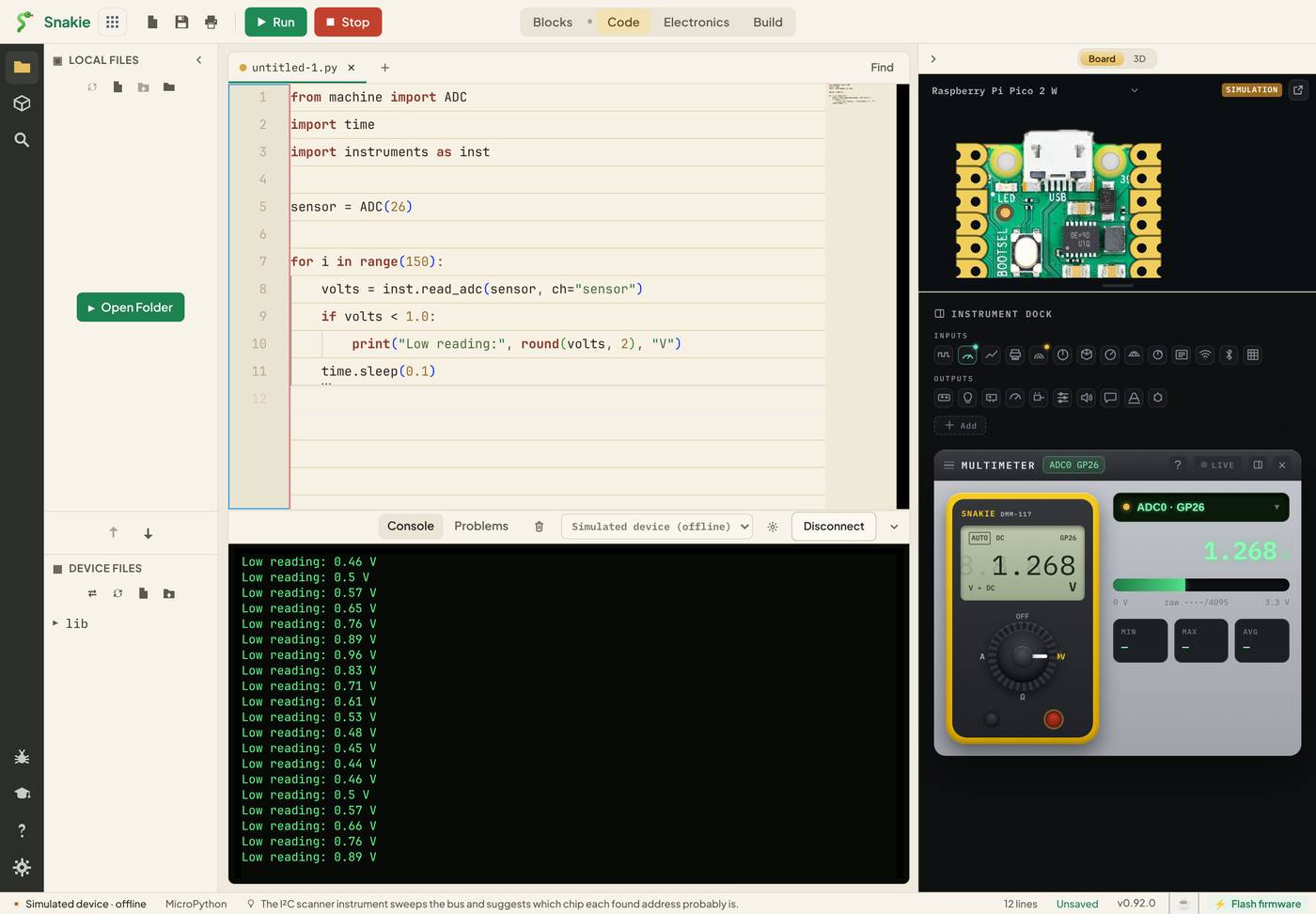
On the simulated device, GP26 gives a slow wave so there’s something to watch. On a real Pico you’d see whatever is wired to the pin.
Reading the meter
- The big digits are the latest reading in volts
- The bar fills from 0 to full scale, like the needle on an analog meter. It’s the quickest way to see movement
- MIN, MAX and AVG track the lowest, highest and average reading since the meter started
MIN and MAX are the quiet heroes here. Run your robot for a minute, then look at them. If a battery sagged to 2.9 V for a split second while the motors started, MIN caught it, even though you were looking the other way.
Your program still works
Look at the console in the picture. The program is printing Low reading messages at the same time as the meter updates. That’s the difference from LIVE mode: telemetry rides along with a running program.
And because read_adc() returns the volts, measuring costs you nothing. The line you’d have written anyway now feeds an instrument too.
Naming the channel
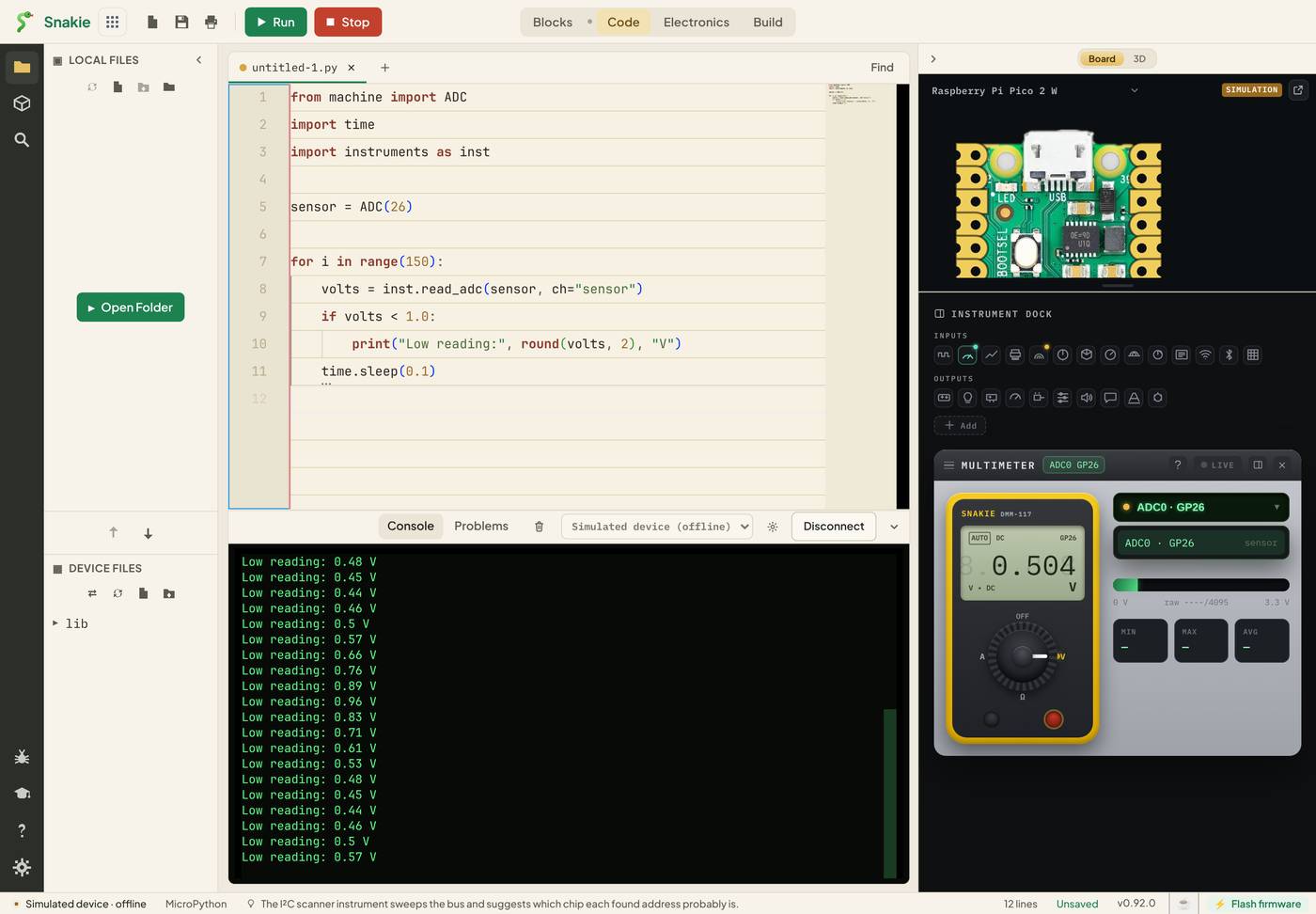
ch="sensor" names the channel. With one sensor it hardly matters. With two it matters a lot:
battery = inst.read_adc(batt_pin, ch="battery")
light = inst.read_adc(light_pin, ch="light")
The drop-down at the top of the Multimeter picks which channel is on the display.
Sending any value
Not every reading comes from an ADC. inst.meter() sends any number you like, with a unit:
inst.meter(21.5, ch="room", unit="C")
Use it for a temperature from an I²C sensor, a current you’ve calculated, or a distance.
Try it Yourself
- Change the threshold from
1.0to2.0. Use the MIN and MAX readings to predict how often the message will print, then check. - Add
inst.plot(volts=volts)to the loop and open the Plotter too. Which instrument is better for spotting the lowest point? - Use
inst.meter()to show the reading as a percentage of 3.3 V, withunit="%".
Common Issues
Problem: The reading on a real Pico wanders about with nothing connected. Solution: Connect the pin to something. For a test, wire it to GND (0 V) or 3V3. Why: An unconnected input “floats” and picks up stray electrical noise.
Problem: The meter shows a different reading from the one I’m sending. Solution: Check the source drop-down at the top of the meter. Why: The simulator has a demo channel of its own, and the meter shows one channel at a time.
Problem: My reading is stuck at 3.3 V. Solution: Check the sensor’s output never goes above 3.3 V. Why: A Pico’s ADC measures 0 to 3.3 V. Anything higher reads as full scale, and can damage the pin.
Check your understanding
Quick quiz 1 of 3
What does inst.read_adc(sensor) give back to your program?
Quick quiz 2 of 3
Why is the MIN reading useful?
Quick quiz 3 of 3
What’s the highest voltage a Pico’s ADC pin should be given?
You can use the arrows ← → on your keyboard to navigate between lessons.
Comments