Telemetry and LIVE
Understand the two ways a reading reaches a Snakie instrument, telemetry lines printed by your program and LIVE polling by Snakie itself
By Kevin McAleer, 5 Minutes
Page last updated November 20, 2026

An instrument is only as good as the readings it’s given. There are two ways to get a reading to one, and knowing which is which saves a lot of confusion.
Way one: your program tells Snakie
Your program already has a way to talk to your computer: print(). Snakie’s instruments listen to that same stream. When a printed line starts with SNK, Snakie treats it as a reading and passes it to an instrument.
Don’t take our word for it. This program doesn’t import anything special. It just prints.
Run it in the full app with the Plotter open, and a sawtooth called count draws itself.
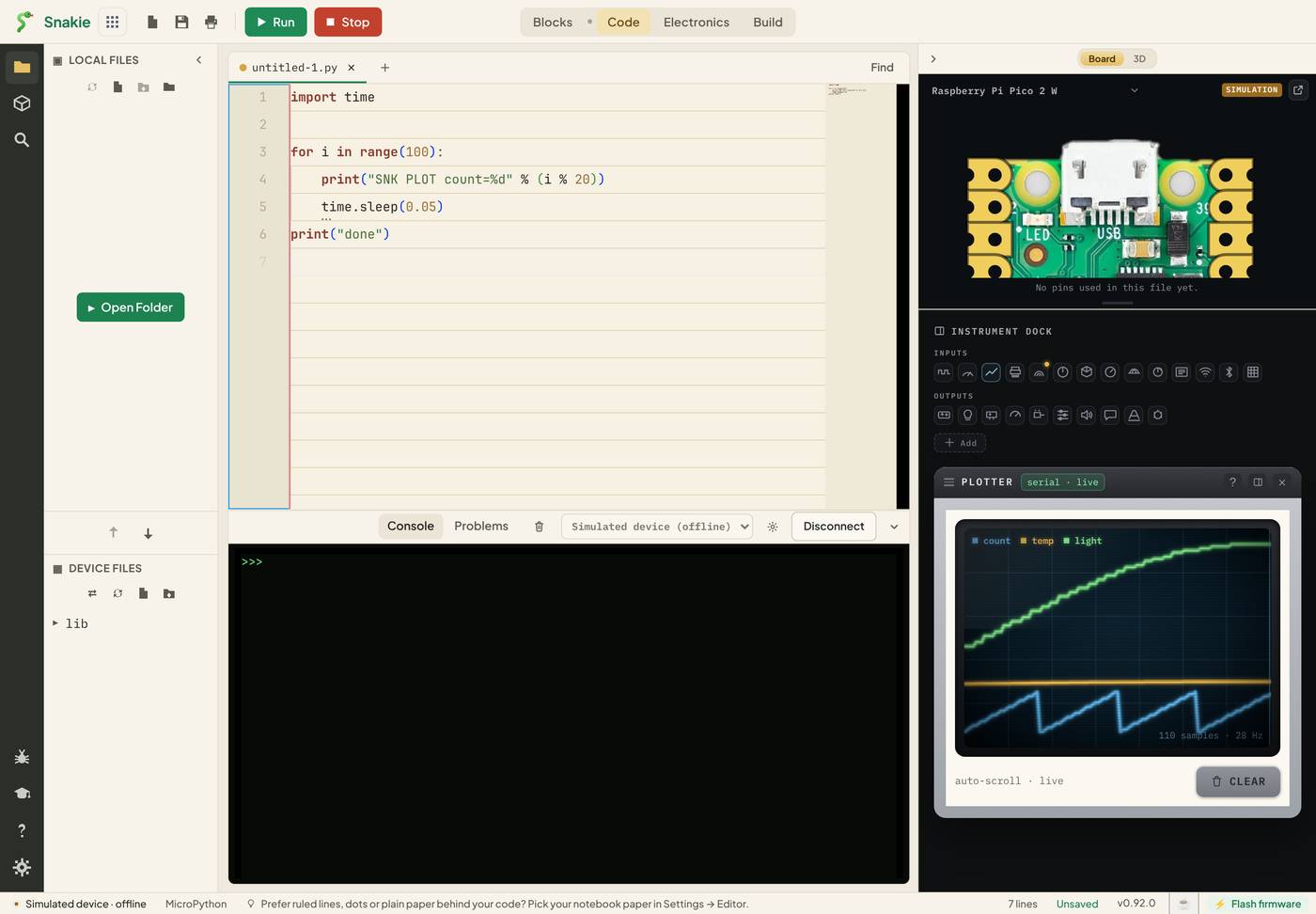
Notice the console in the picture. It’s empty. Snakie hides SNK lines from the full app’s console so your own messages don’t get buried. (The little box on this page isn’t that clever, so there you see them raw.)
These lines are called telemetry: measurements sent from a distance. There are four you’ll meet in this course.
| Line | Goes to |
|---|---|
SNK PLOT name=value |
Plotter |
SNK METER channel value unit |
Multimeter |
SNK SCOPE channel value |
Oscilloscope, as a point on the trace |
SNK PWM channel frequency duty |
Oscilloscope, as a PWM signal |
The instruments library
Nobody wants to type those lines by hand. The instruments library does it for you.
import instruments as inst

inst.plot(count=3)        # prints: SNK PLOT count=3
By convention we import it as inst. Over the next lessons you’ll use these helpers:
| Helper | What it sends |
|---|---|
inst.plot(name=value) |
A point on the Plotter |
inst.meter(value) |
A reading for the Multimeter |
inst.scope(value) |
A point on the Oscilloscope |
inst.read_adc(adc) |
Reads an ADC pin, sends the volts to the Multimeter, and returns them |
inst.read_pwm(pwm) |
Sends a PWM output’s frequency and duty to the Oscilloscope |
On the simulated device the library is already there. On a real board, the first time you run a program that imports it Snakie shows a notice, The Snakie instrument library isn’t on your board, with a Download & install button. Click it once and the library is saved to /lib/instruments.py on the board.
Way two: Snakie asks the board
The Oscilloscope and Multimeter have a LIVE button. Hover over it while it’s off:
LIVE off — instruments show static readings. Click to start live polling (interrupts a running program).
With LIVE on, Snakie itself keeps asking the board for pin values. No code needed. That’s perfect for a quick check: is this pin high? What’s on the ADC right now?
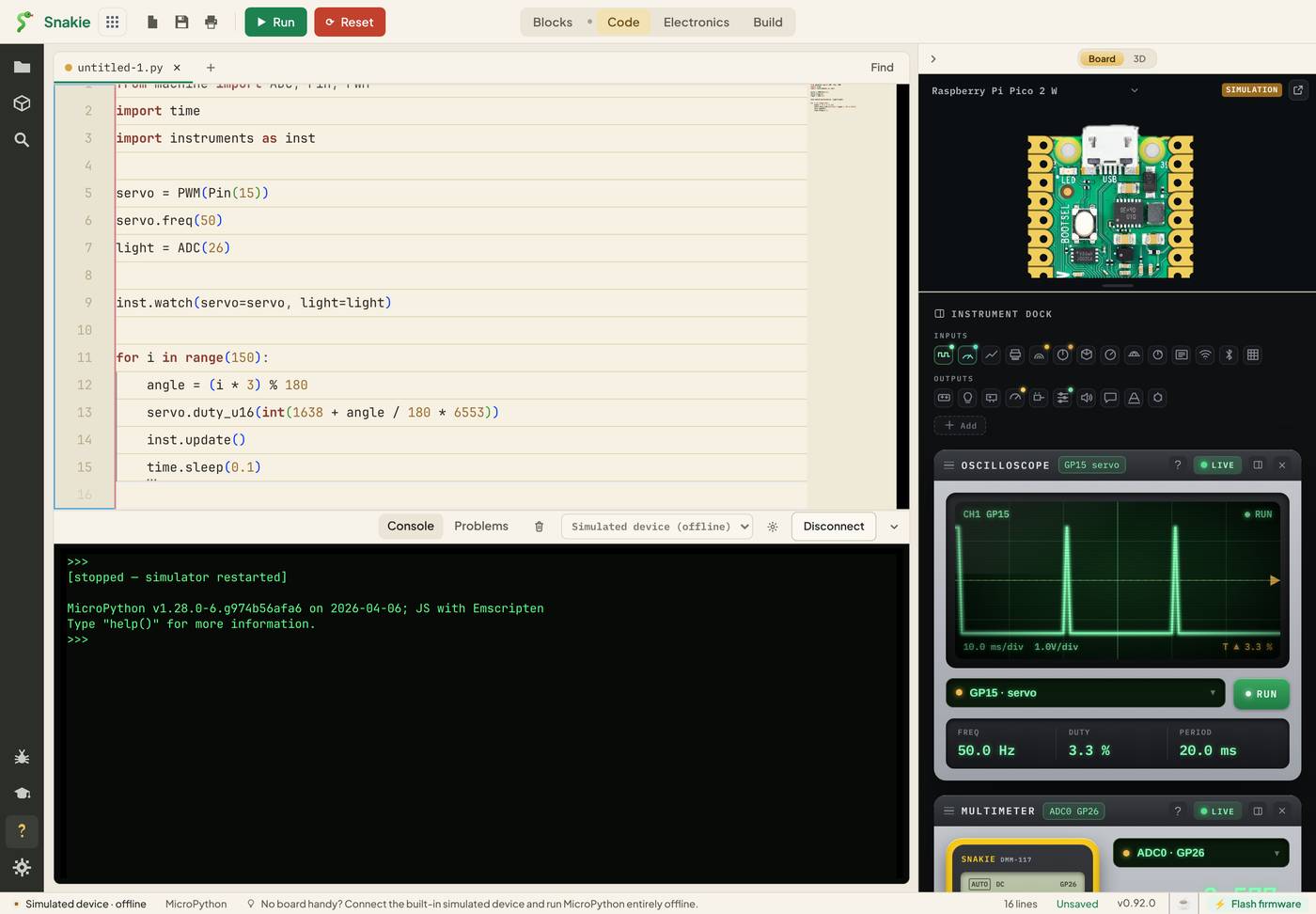
The catch is in the brackets. A board can only do one thing at a time, so LIVE stops your program to ask its questions.
Which should I use?
| Telemetry | LIVE | |
|---|---|---|
| Needs code? | One line | None |
| Works while your program runs? | Yes | No, it interrupts it |
| Best for | Watching a program work | Checking a pin at the bench |
For the rest of this course we use telemetry, because we want to watch programs while they run.
Try it Yourself
- Change
countto your own name in the program above and watch the legend change. - Add a second value to the same line:
"SNK PLOT count=%d half=%d" % (i % 20, i % 10). How many lines are drawn now? - Replace the
printwithinst.plot(count=i % 20). Remember the import. Does anything look different?
Common Issues
Problem: My program stopped when I clicked LIVE. Solution: Click LIVE again to turn it off, then press Run. Why: LIVE polling interrupts whatever the board was doing.
Problem: ImportError: no module named 'instruments' on a real board.
Solution: Use the Download & install button in the notice Snakie shows.
Why: The library is a file that has to be on the board. Only the simulator has it built in.
Problem: I print SNK PLOT lines but nothing is drawn.
Solution: Check the spelling and spacing: capitals, single spaces, and name=value with no spaces around the equals sign.
Why: Snakie only recognises lines in exactly that shape. Anything else is ordinary console text.
Check your understanding
Quick quiz 1 of 3
How does a telemetry reading travel from the board to Snakie?
Quick quiz 2 of 3
What happens to a running program when you turn LIVE on?
Quick quiz 3 of 3
Why can’t you see SNK lines in the full app’s console?
You can use the arrows ← → on your keyboard to navigate between lessons.
Comments