Simple and Advanced Blocks
Switch on the advanced blocks in Snakie for lists and more, and use the grey Python blocks when the block you need does not exist
By Kevin McAleer, 6 Minutes
Page last updated November 20, 2026

Snakie starts you with a small set of blocks so the toolbox isn’t overwhelming. When you’re ready, there’s a lot more behind one switch.
Two tiers
A fresh Snakie shows the simple blocks. Under the toolbox is a switch called Show advanced blocks. Turn it on and the drawers grow.
| Tier | What you get |
|---|---|
| Simple | Everything used so far in this course |
| Advanced | Classes, try, files, slices, bitwise maths, global, and the grey Python blocks |
Two things stay the same whichever way the switch is set:
- A program that uses advanced blocks still opens and runs with the switch off. The switch changes what you can reach for, not what Snakie understands
- The Python pane always shows everything
Lists
A list holds several values in order. A tune is a list of notes. A route is a list of moves.
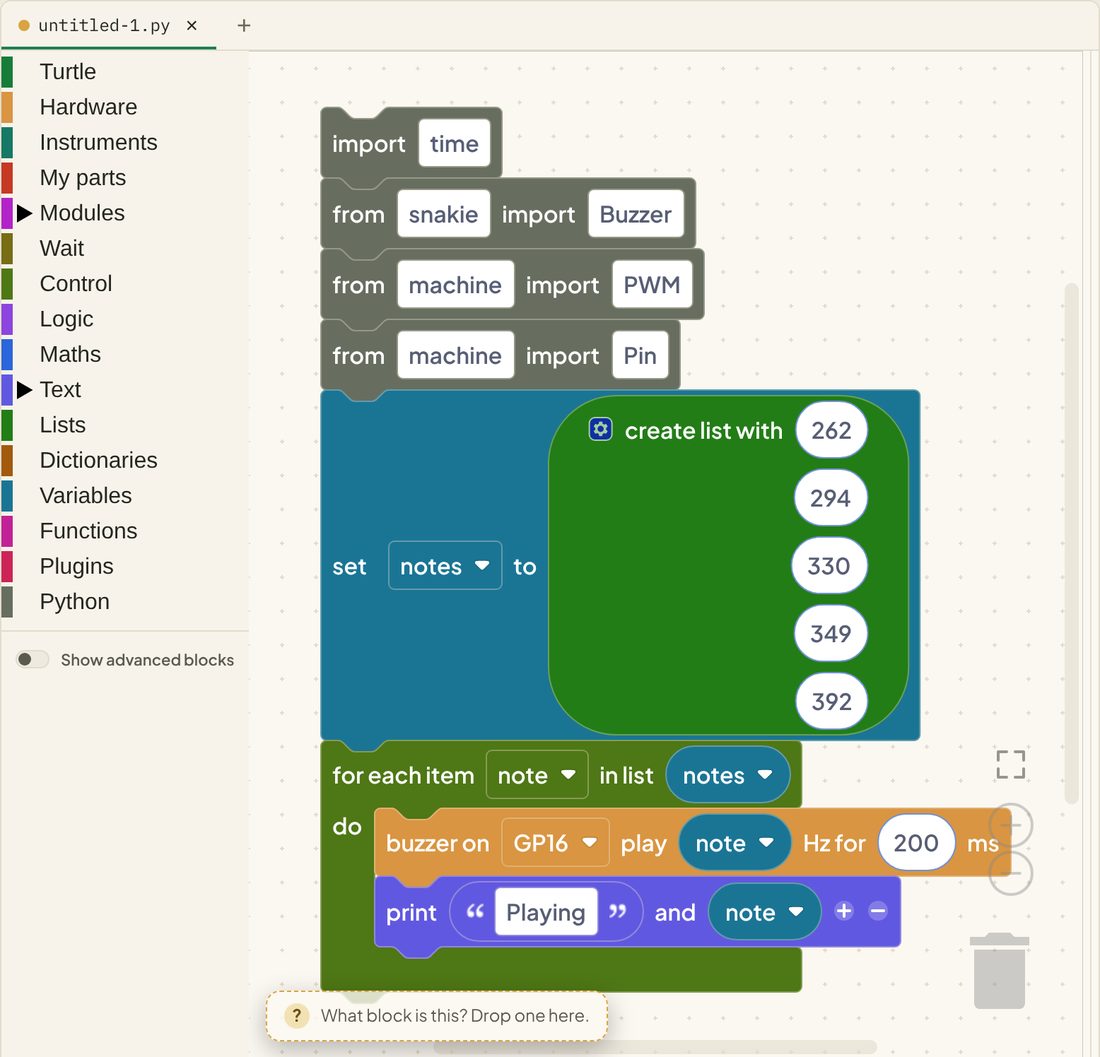
The create list with block has a gear for adding more slots. The for each item in list loop then runs once for every item.
notes = [262, 294, 330, 349, 392]is the list. Square brackets, commas between the itemsfor note in notes:takes each item in turn and calls itnote
Compare that to five separate buzzer blocks. To change the tune, you change one line.
When the block you need doesn’t exist
At the bottom of the toolbox is the Python drawer. With advanced blocks off, it tells you how to switch them on:
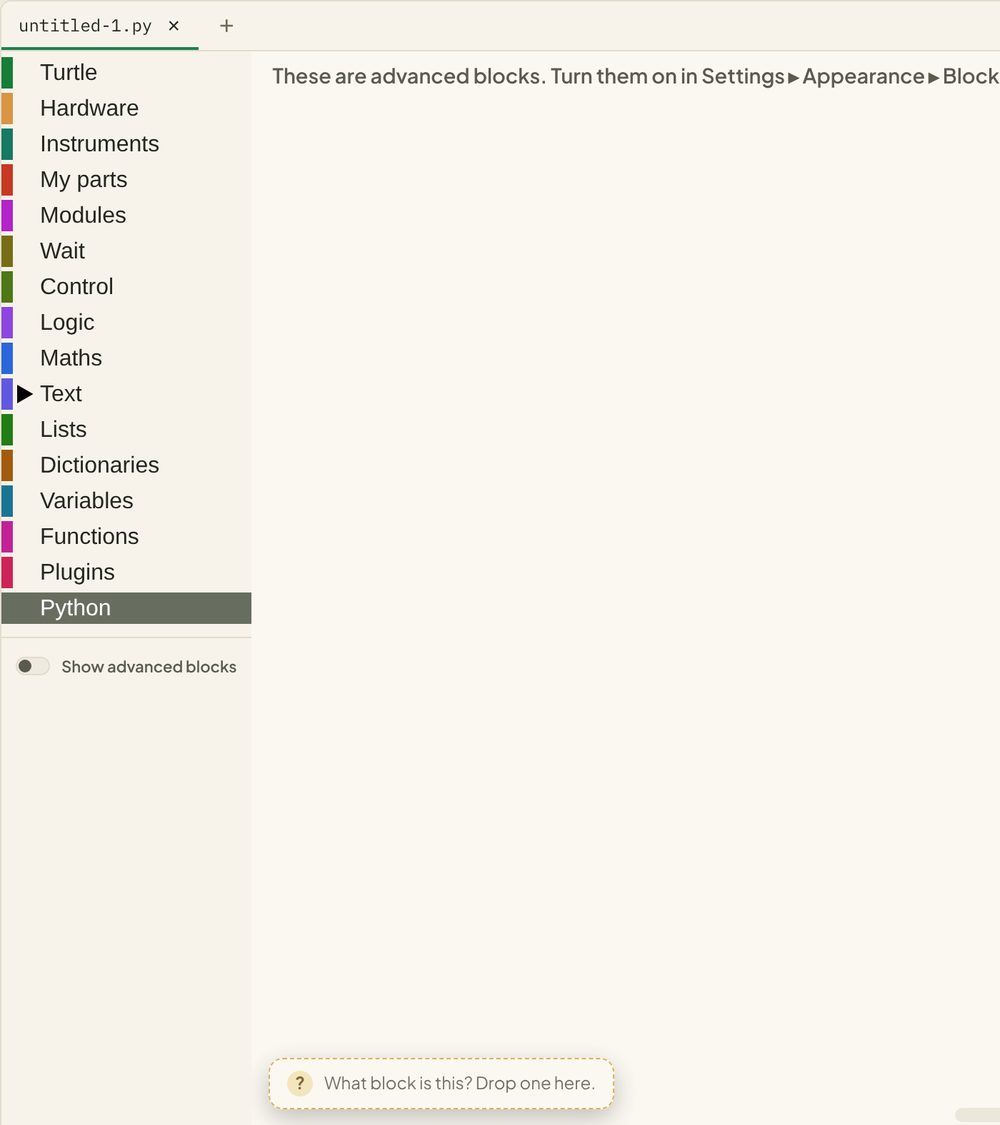
With them on, you get the grey blocks:
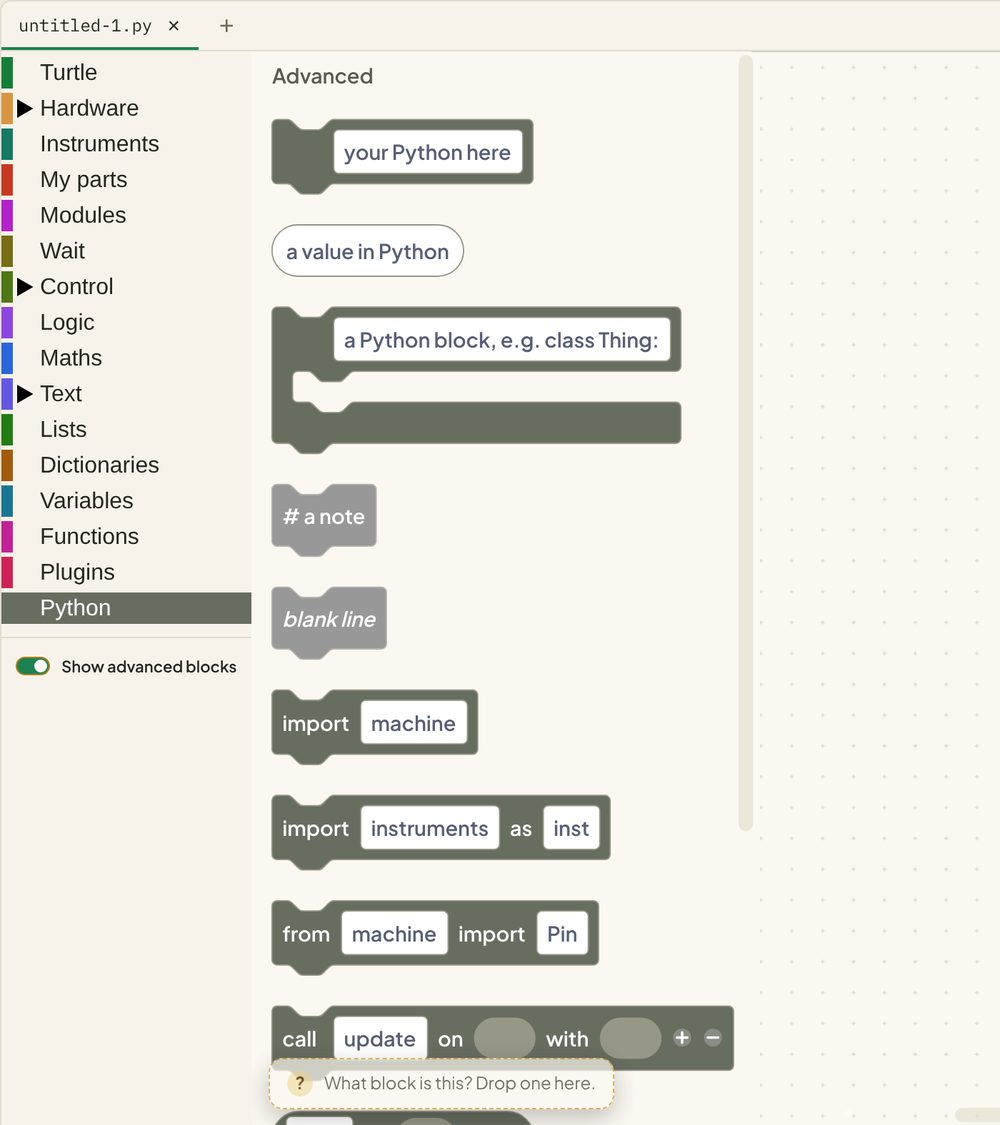
Grey blocks are grey because they are code. Whatever you type in one goes into the program exactly as written.
| Block | What it’s for |
|---|---|
| your Python here | One line of Python, in the stack |
| a value in Python | A piece of Python that works out a value, for a socket |
| a Python block | A line that ends in a colon, with a mouth for the lines inside it |
| # a note | A comment |
| import | Bring in a module |
Click into one and a small code editor opens, with autocomplete. Type machine. and the list of choices appears.
This means nothing is impossible in blocks. A sensor nobody has made blocks for, a line from a tutorial, a module you found online: all of it works.
A sensor with a grey block
Here’s a light sensor on GP26 sending its readings to Snakie’s plotter. The coloured blocks do the loop and the wait. A grey block does the one line that didn’t have a block to hand.
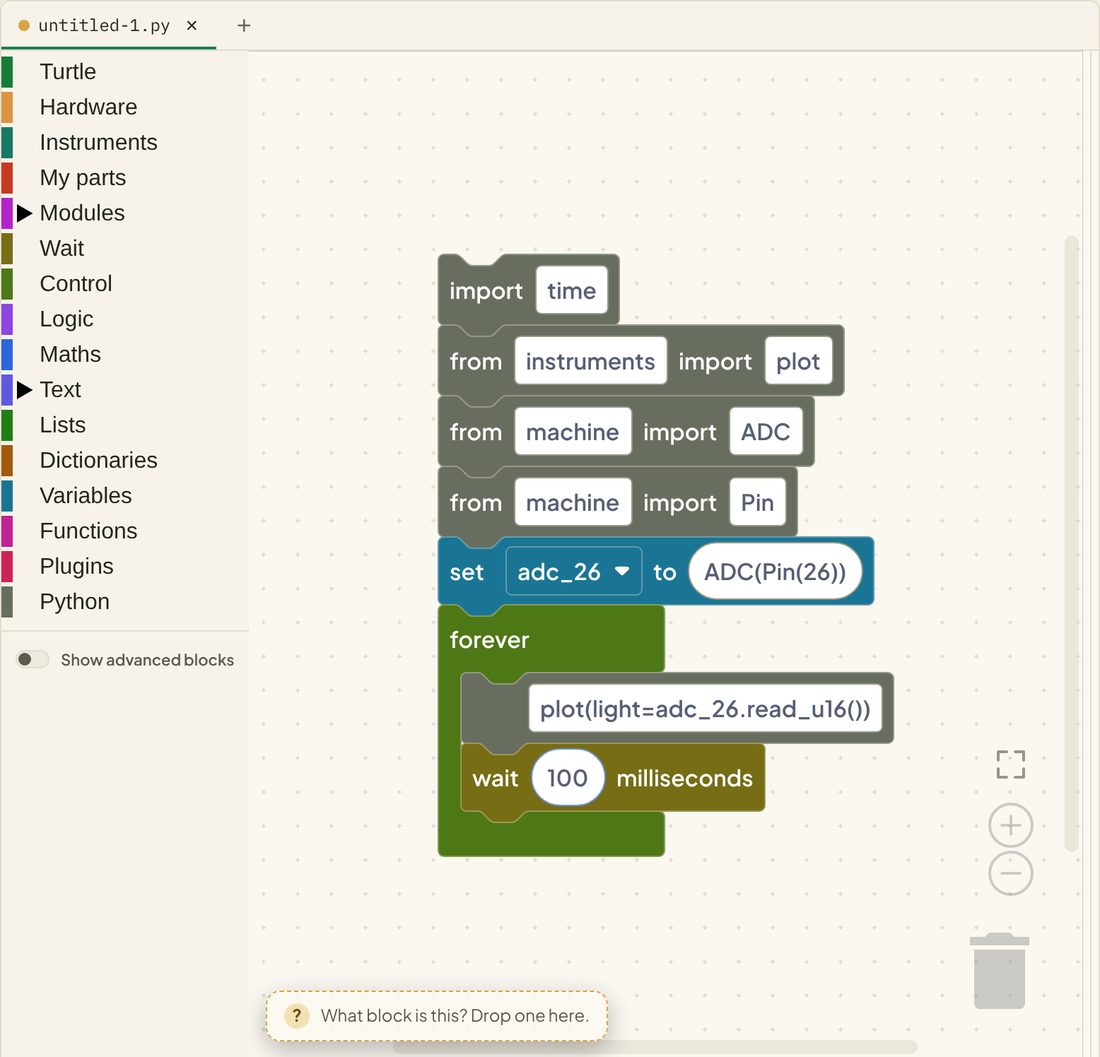
ADC(Pin(26))sets GP26 up to measure a voltageadc_26.read_u16()reads it, as a number from 0 to 65535plot(light=...)draws it on the plotter instrument, on a line labelledlight
Run it in the box and the readings scroll past in the console as SNK PLOT lines. To see them as a graph, click Open in Snakie, run it there, and open the Plotter from the instrument dock.
Rules for grey blocks
- One line per block. Paste several lines and you get one block for each
- Lines that need indenting go inside a Control block or a grey Python block with a mouth, just as Python would indent them
- Snakie checks what you type and puts a note on the block if something looks wrong, such as This round bracket ( is never closed. It’s advice. The code is written either way
Try it Yourself
- Turn Show advanced blocks on and see which drawers have grown.
- Add three more notes to the list to finish the scale: 440, 494, 523.
- Drag out a # a note block and describe what your program does.
- Challenge: use a your Python here block to add
print(len(notes))and find out whatlendoes.
Common Issues
Problem: The Python drawer has no blocks in it. Solution: Turn on Show advanced blocks. Why: The grey blocks are part of the advanced set.
Problem: A grey block has a warning on it. Solution: Read the sentence. It usually names the missing bracket or quote. Why: Snakie checks the line as you type.
Problem: IndentationError after adding a grey block.
Solution: Put one line in each block, and put lines that belong to a loop inside the loop block.
Why: The blocks do the indenting. Typed spaces at the start of a line confuse it.
Check your understanding
Quick quiz 1 of 3
What happens to a program with advanced blocks when the switch is off?
Quick quiz 2 of 3
What goes in a grey “your Python here” block?
Quick quiz 3 of 3
What does for note in notes: do?
note holds the next item from notes.
You can use the arrows ← → on your keyboard to navigate between lessons.
Comments