Variables, Maths and Loops
Use variable and maths blocks in Snakie to make a turtle spiral, and see how they become Python assignments
By Kevin McAleer, 4 Minutes
Page last updated November 20, 2026
A square is the same every time round the loop. To draw something that changes as it goes, the program needs to remember a number. That’s a variable.
What is a variable?
A variable is a named box that holds a value. A robot might keep its speed in one, or a game might keep the score. You can look in the box, and you can put something new in it.
Make one
Open the Variables drawer. The first thing in it is Create variable…. Click it and type size.
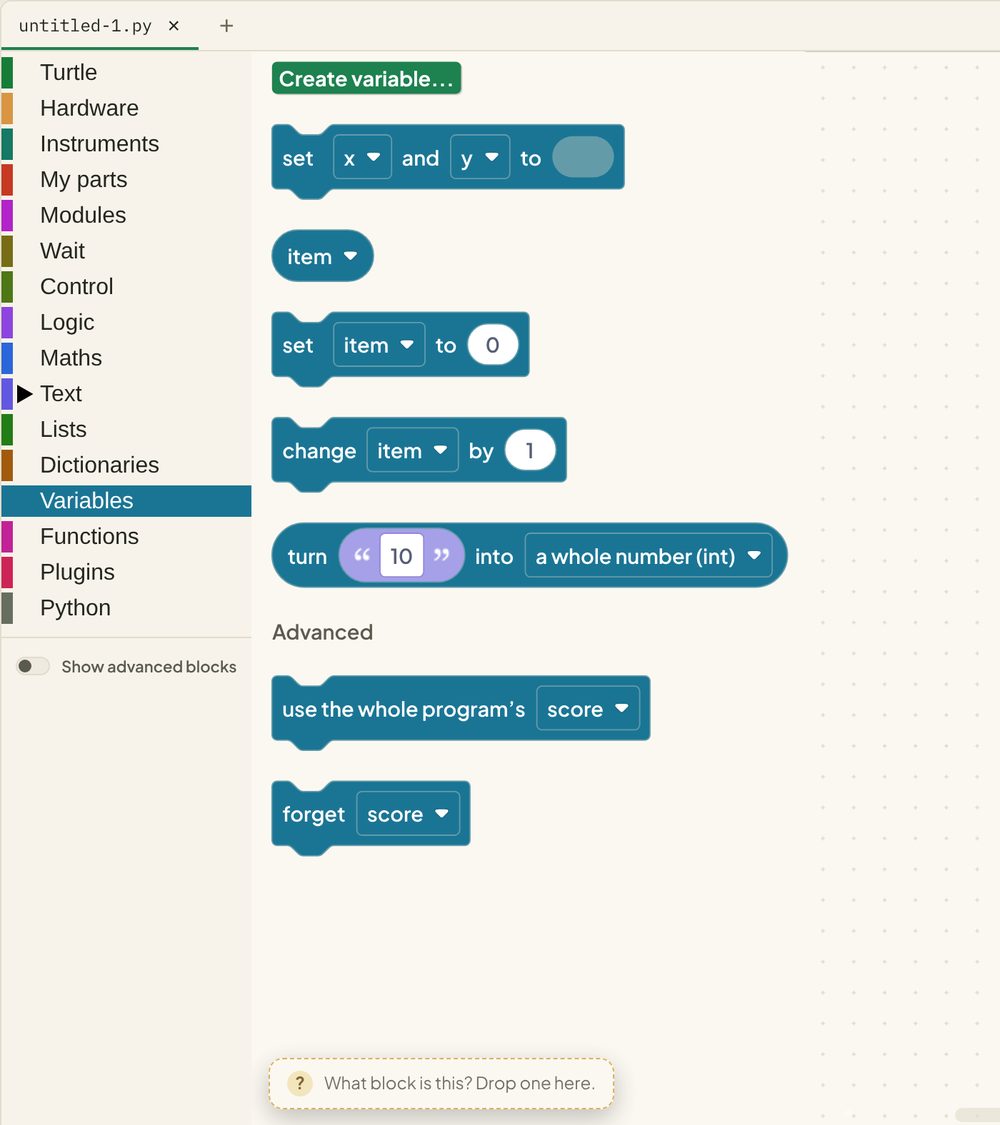
Three new blocks appear on the shelf:
- size, a round block that reads the value
- set size to, which puts a value in the box
- change size by, which adds to what’s already there
Every variable you create gets its own blocks here, so you never have to hunt through a dropdown.
Build a spiral
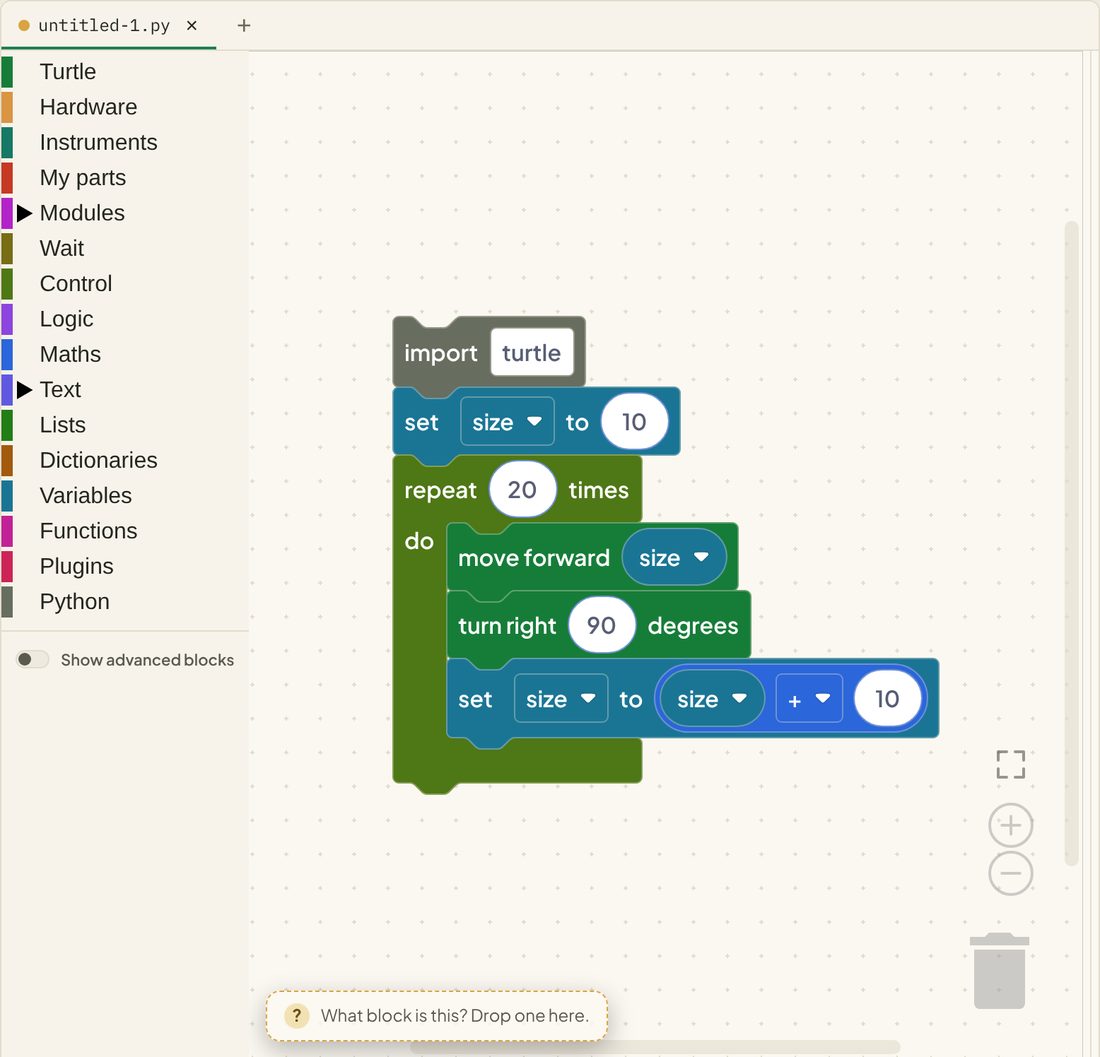
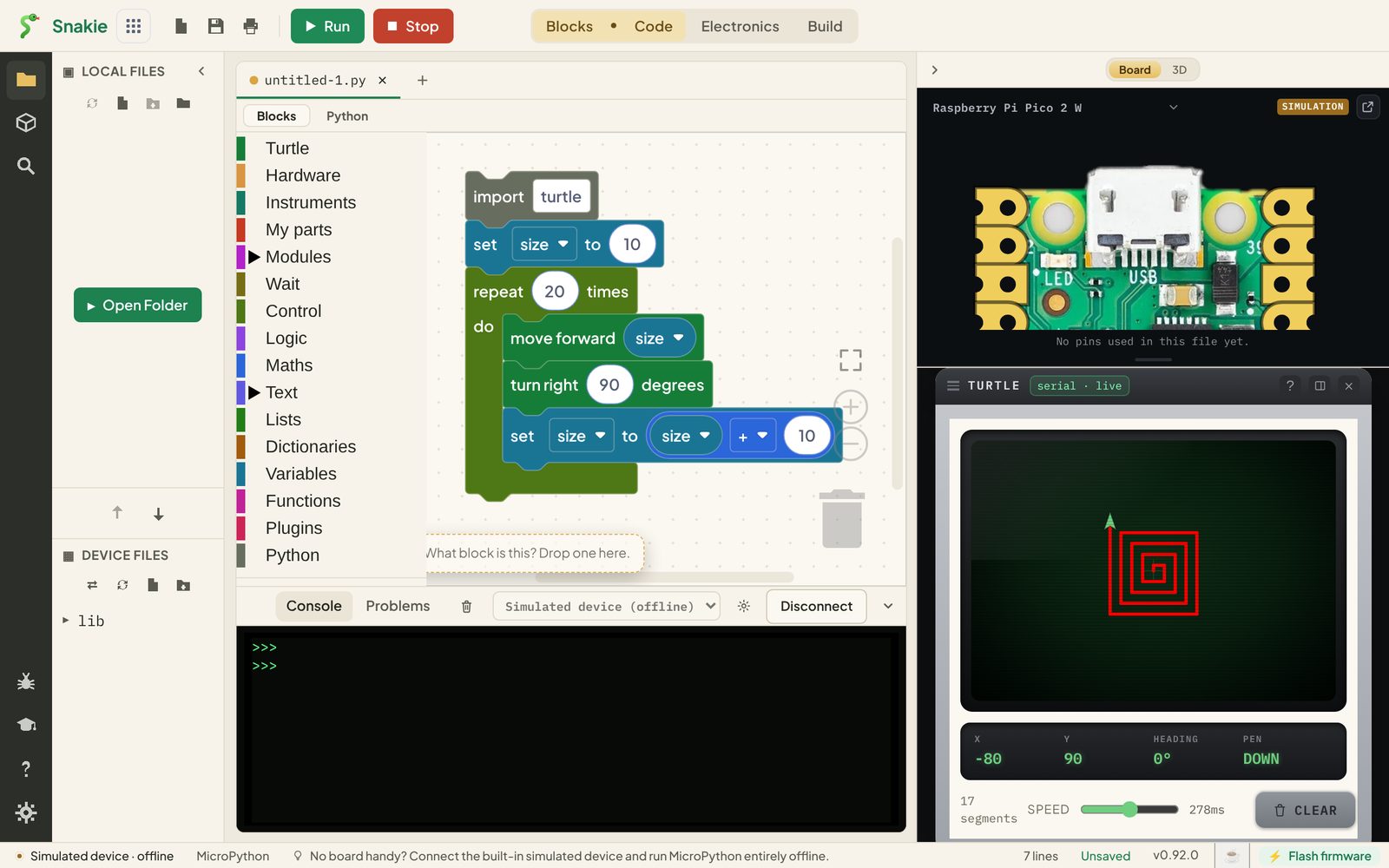
A spiral is a square where every side is a bit longer than the last.
- Drag set size to onto the canvas and set it to
10. - Add a repeat 20 times block under it.
- Inside the repeat, add move forward, then drop the round size block into its number socket.
- Add turn right 90 degrees.
- Add another set size to. Into its socket goes a Maths block:
size + 10.
Reading the Python
size = 10is set size to 10. In Python a single=means “put this value in the box”turtle.forward(size)uses whatever is in the box right nowsize = size + 10looks odd if you read it as maths. Read it as an instruction: work outsize + 10, then store the answer back insize
Each time round the loop, size goes 10, 20, 30, and the sides get longer.
Round blocks and jigsaw blocks
You’ve now used both shapes of block:
| Shape | Job | Example |
|---|---|---|
| Jigsaw (notch on top, bump below) | Does something. Stacks with others | move forward, set size to |
| Round | Is a value. Fits into a socket | size, 10, size + 10 |
| Pointed | Is true or false. Fits into a pointed socket | size > 100 |
If a block won’t go where you want, it’s usually the wrong shape for that socket. That’s the blocks stopping a mistake before it happens.
The Maths drawer
Maths has the sums (+, -, ×, ÷), random integer, round, and more. The + block has a dropdown, so one block can do any of the four sums.
Try it Yourself
- Change the turn from
90to91. What happens to the spiral? - Make the sides grow by 5 instead of 10, and repeat 40 times.
- Create a second variable called
angleand use it for the turn. - Challenge: make the spiral start big and shrink towards the middle.
Common Issues
Problem: NameError: name 'size' isn't defined
Solution: Put set size to above the loop, so the variable exists before it’s used.
Why: Python reads from the top. It can’t look in a box that hasn’t been made yet.
Problem: The spiral is just a square.
Solution: Check the last block in the loop sets size to size + 10, and that it’s inside the repeat.
Why: If size never changes, every side is the same length.
Check your understanding
Quick quiz 1 of 3
What does size = size + 10 do?
size.Quick quiz 2 of 3
What shape is a block that gives a value?
Quick quiz 3 of 3
Where do you make a new variable?
You can use the arrows ← → on your keyboard to navigate between lessons.
Comments