Making Decisions
Use if and else blocks with comparisons in Snakie to make a dice game, and learn the Python they write
By Kevin McAleer, 4 Minutes
Page last updated November 20, 2026

Robots have to decide things. Is the wall too close? Is the button pressed? In blocks and in Python, decisions are made with if.
The if block
Open Control. The if block has a pointed socket for a question and a mouth for the blocks to run when the answer is yes.
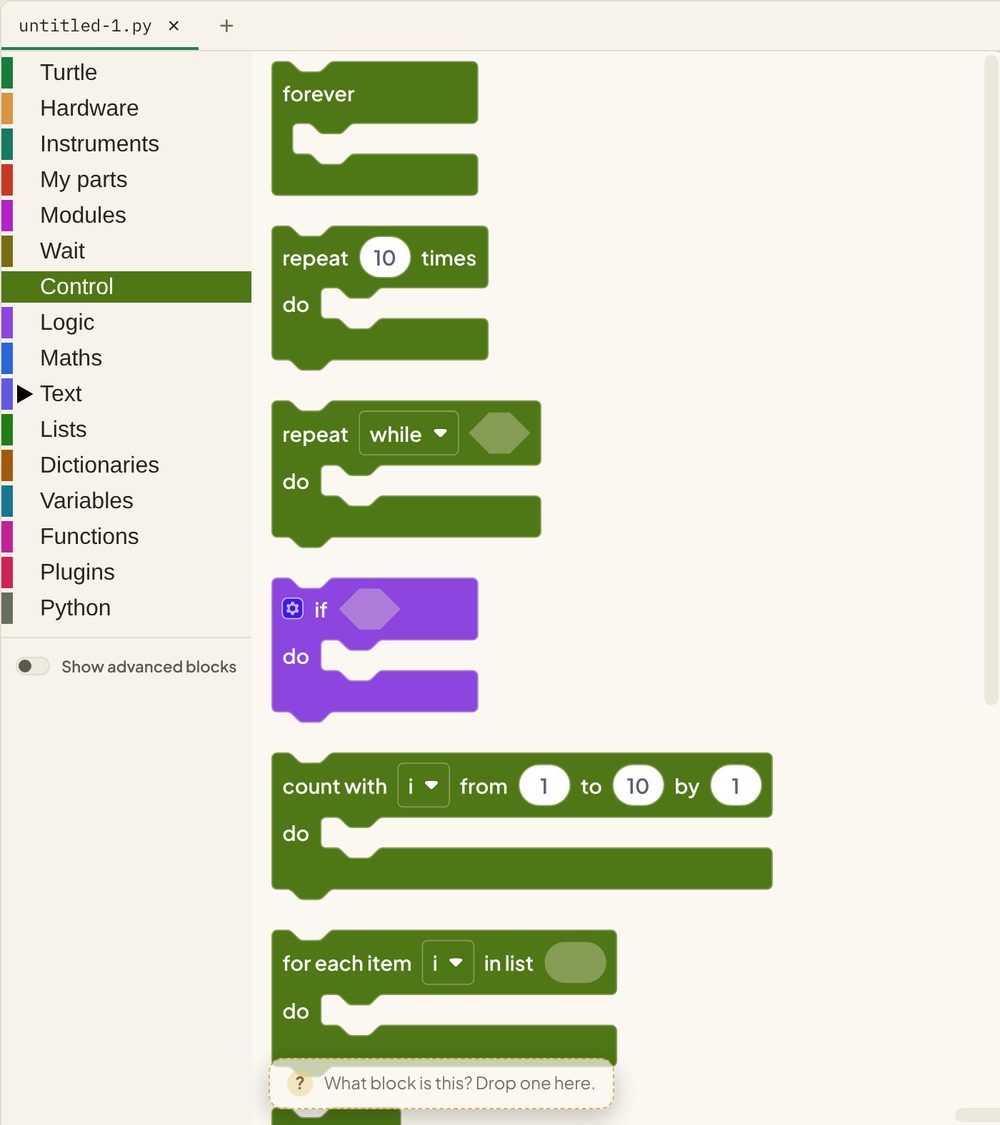
Questions come from the Logic drawer. The comparison block asks things like “is this equal to that?” or “is this less than that?”, and its answer is always True or False.
Build a dice game
- Create a variable called
roll. - Drag set roll to onto the canvas. From Maths, drop random integer from 1 to 6 into it.
- From Text, add a print block. Type
You rolledin it, press its + and drop therollvariable into the new socket. - Add an if block. Click its blue gear and add an else part.
- From Logic, drop a comparison block into the if’s socket and build
roll = 6. - Put a print in each mouth:
You win!for the if,Try againfor the else.
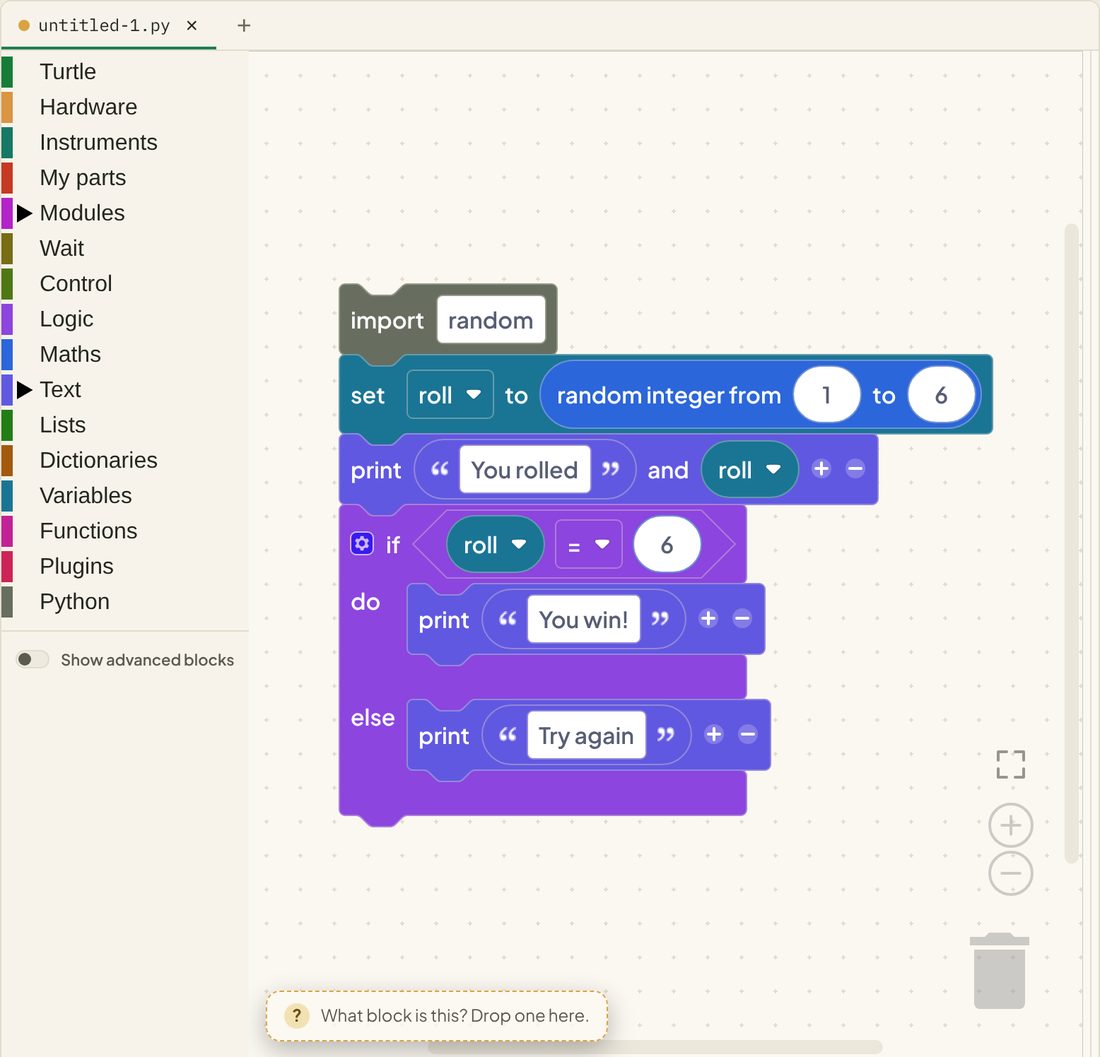
Run it a few times. The answer is in the console.
Reading the Python
random.randint(1, 6)picks a whole number from 1 to 6if roll == 6:is the question. Notice the two equals signselse:is what happens when the answer is no
One equals or two?
This catches everyone once. The block says =, but the Python says ==.
| Python | Means | Block |
|---|---|---|
roll = 6 |
Put 6 in the box called roll | set roll to 6 |
roll == 6 |
Is roll equal to 6? | roll = 6 (pointed) |
Blocks can use one symbol for both because the shape tells them apart. Python needs two different spellings.
More questions
The comparison block’s dropdown has six questions:
| Block | Python | True when |
|---|---|---|
| = | == |
Both sides are the same |
| ≠ | != |
They are different |
| < | < |
The left is smaller |
| ≤ | <= |
The left is smaller or the same |
| > | > |
The left is bigger |
| ≥ | >= |
The left is bigger or the same |
You can join questions with the and / or block, and flip one with not.
Try it Yourself
- Change the game so you win on a 5 or a 6.
- Use the if block’s gear to add an else if that prints
So close!for a 5. - Put the whole game inside a repeat 10 times block.
- Challenge: create a
winsvariable and count how many times you win in 10 rolls.
Common Issues
Problem: The comparison block won’t fit in the print block. Solution: Put it in the if block’s pointed socket. Why: Pointed blocks are true-or-false answers, and they belong in question-shaped sockets.
Problem: I typed if roll = 6: in the code pane and got a SyntaxError.
Solution: Use == to compare.
Why: A single = stores a value. Python won’t let you do that inside a question.
Problem: It prints both messages. Solution: Make sure the second print is inside the else mouth, not underneath the if block. Why: Blocks under the if block run every time, whatever the answer was.
Check your understanding
Quick quiz 1 of 3
Which Python asks “is roll equal to 6?”
Quick quiz 2 of 3
When do the blocks inside “else” run?
Quick quiz 3 of 3
What can random.randint(1, 6) give you?
You can use the arrows ← → on your keyboard to navigate between lessons.
Comments