Functions
Make your own blocks in Snakie with functions and inputs, and see how they become Python def statements
By Kevin McAleer, 4 Minutes
Page last updated November 20, 2026

You’ve drawn a square, a triangle and a hexagon. Each time you rebuilt nearly the same blocks. A function lets you build something once, give it a name, and use it as often as you like.
Make your own block
Open the Functions drawer.
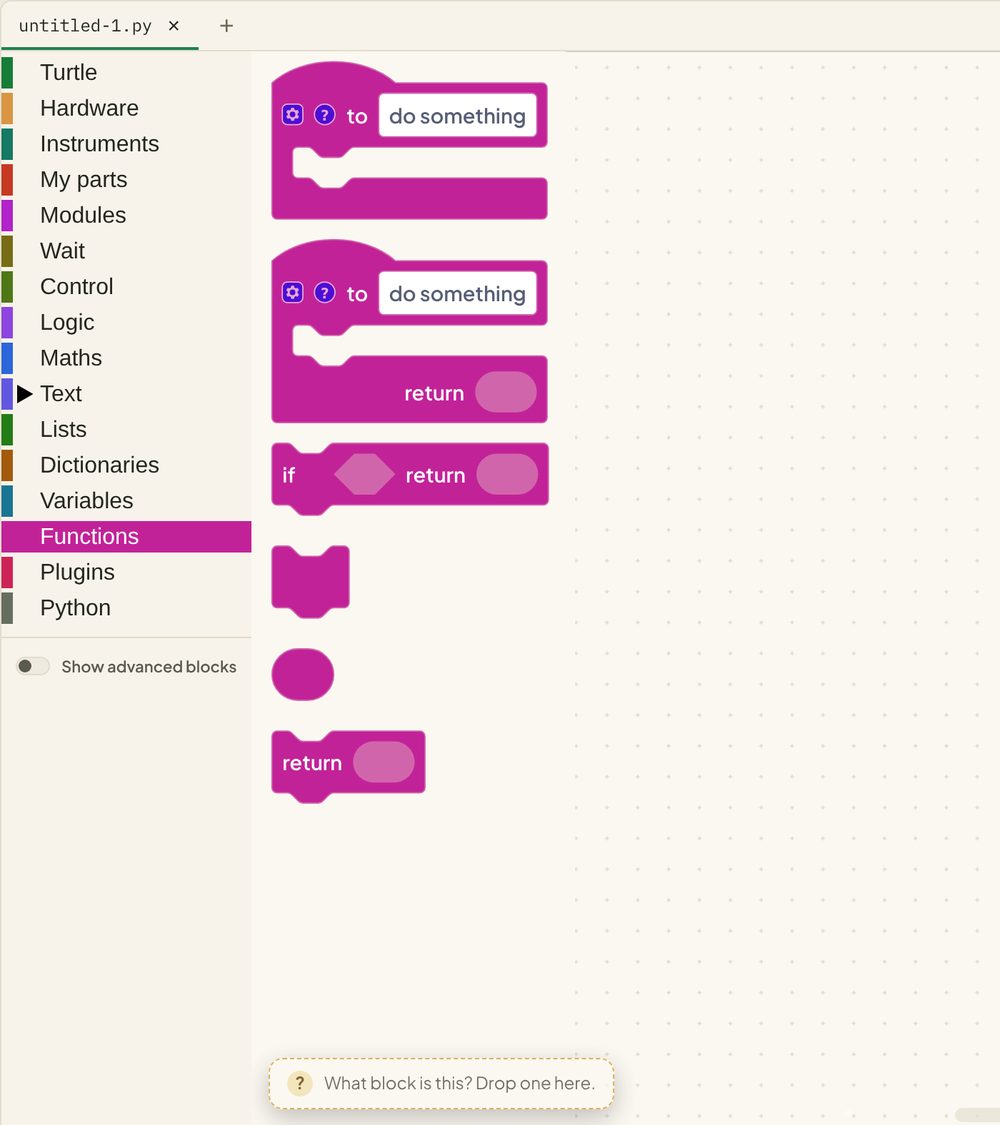
Drag out the first block, to do something. Click the name and change it to polygon. Whatever you put in its mouth becomes the body of your function.
Now open Functions again. There’s a new block in the drawer called polygon. You just made a block.
Give it inputs
A function gets really useful when you can hand it values. Click the blue gear on your function block and drag in two inputs. Name them sides and size.
The inputs become variables you can use inside the function. Build this:
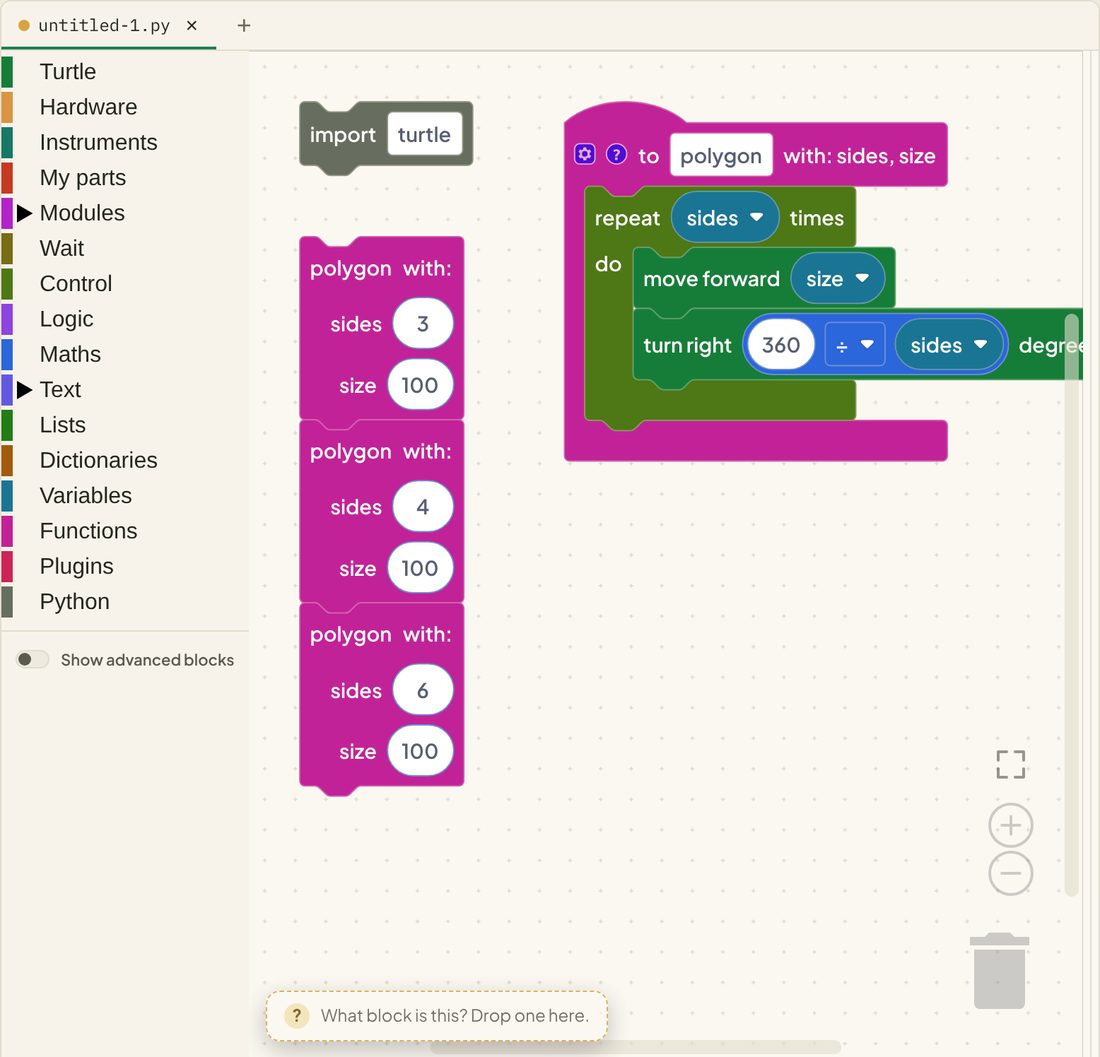
On the left are three calls to the function. On the right is the definition, the recipe they all share.
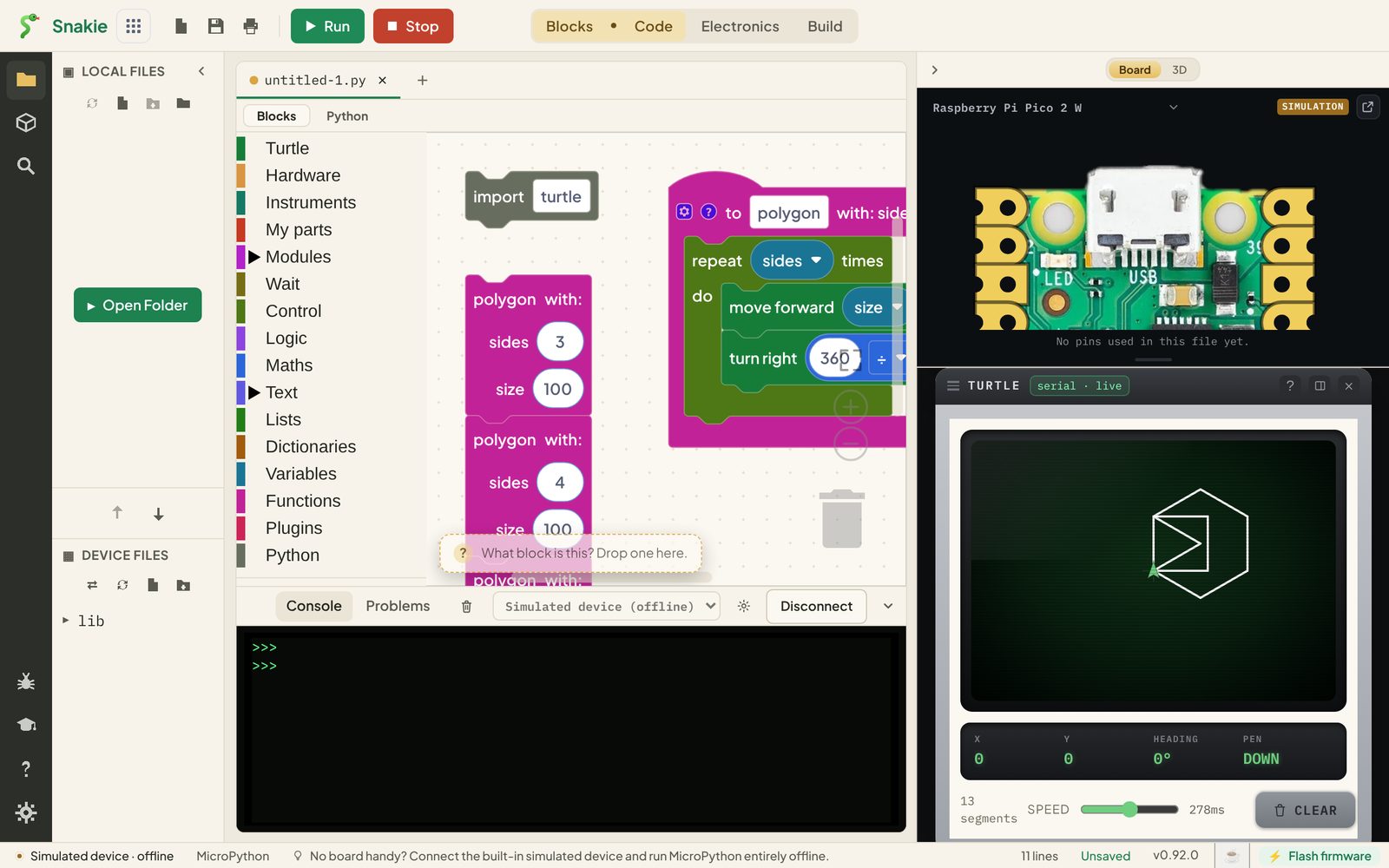
Reading the Python
def polygon(sides, size):defines the function.defis short for define. Nothing is drawn yet- The indented lines are the body
polygon(3, 100)calls it, withsidesset to 3 andsizeset to 100360 / sidesis the sum from the turtle lesson, now done by the program
Three calls, three shapes, one recipe. If you want every shape drawn with a thicker pen, you change one place.
Functions that give something back
Some functions work out an answer. The second block in the drawer has a return socket for that. Here’s one a robot might use:
You met that sum in the last lesson. Wrapped in a function, it has a name that says what it’s for.
Why bother?
| Without functions | With functions |
|---|---|
| The same blocks copied again and again | One definition, many calls |
| Fix a bug in every copy | Fix it once |
| A long stack that’s hard to read | Short stacks with names that explain themselves |
Try it Yourself
- Add a call that draws an octagon.
- Add a third input,
colour, and set the pen colour inside the function. - Write a
beep(times)function that plays a short tone that many times. - Challenge: put a call to
polygoninside a repeat block, turning 10 degrees after each one. What do you get?
Common Issues
Problem: Nothing happens when I run it.
Solution: Add a call block. A definition on its own does nothing.
Why: def only teaches Python the recipe. Calling it is what cooks the meal.
Problem: TypeError: function takes 2 positional arguments but 1 were given
Solution: Fill in every socket on the call block.
Why: The function needs a value for each of its inputs.
Problem: I renamed the function and the calls broke. Solution: Rename it on the definition block. The call blocks follow. Why: The calls are tied to the definition, so one rename updates them all.
Check your understanding
Quick quiz 1 of 3
What does def polygon(sides, size): do?
def stores the recipe. Nothing runs until the function is called.Quick quiz 2 of 3
In polygon(6, 100), what is sides?
sides is 6 and size is 100.Quick quiz 3 of 3
What does return do?
You can use the arrows ← → on your keyboard to navigate between lessons.
Comments