Turtle Blocks - Draw a Square
Build your first Snakie blocks program by drawing a square with the turtle, then change it into other shapes
By Kevin McAleer, 4 Minutes
Page last updated November 20, 2026
Your first blocks program draws a square. No wires, no board.
Meet the turtle
The turtle is a little arrow that carries a pen. Tell it to move and it draws a line behind it. Tell it to turn and it faces a new way. That’s nearly all there is to it.
Build it
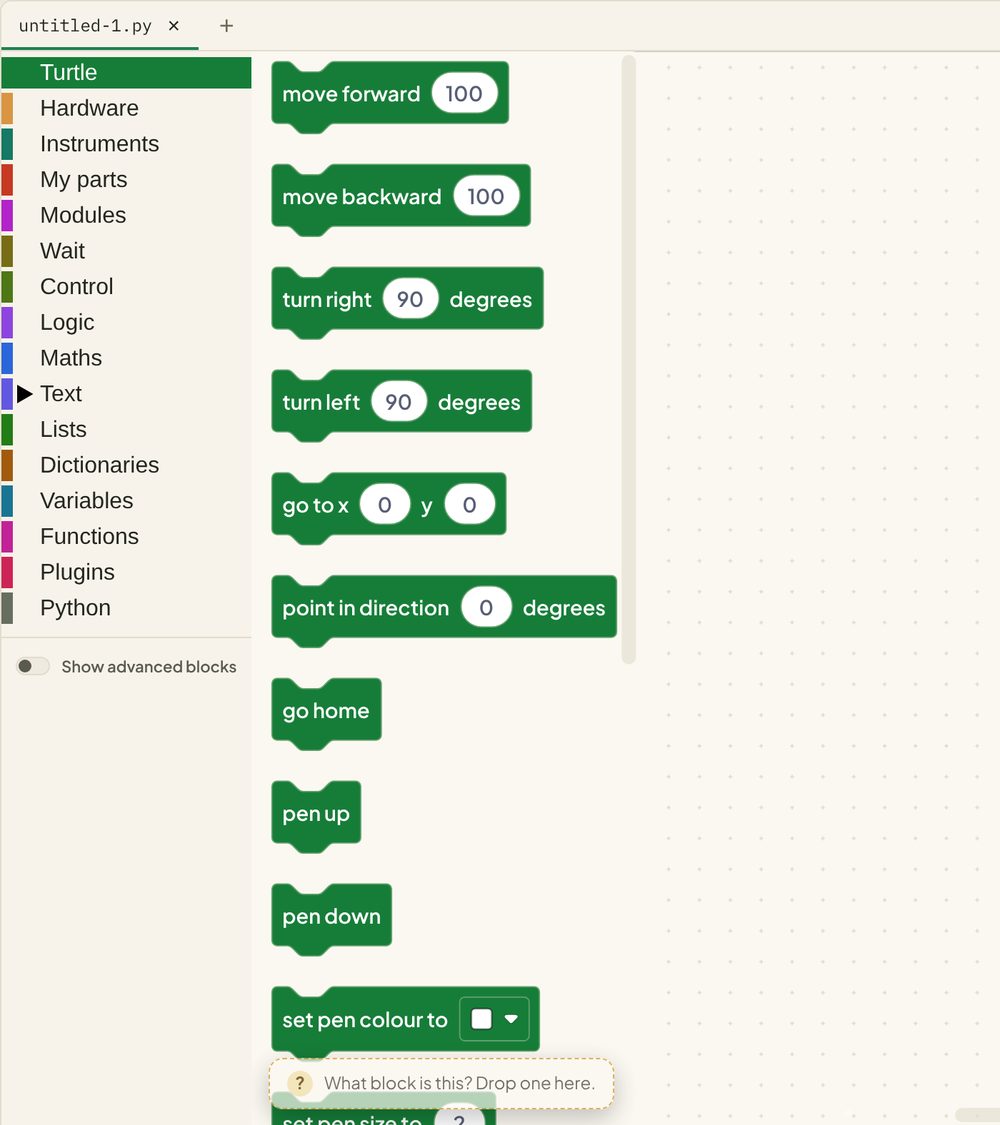
- Open the Blocks workspace and start a new file.
- Open Control and drag repeat 10 times onto the canvas. Change
10to4. - Open Turtle and drag move forward 100 inside the repeat block.
- Drag turn right 90 degrees underneath it, still inside the repeat.
- Press Run.
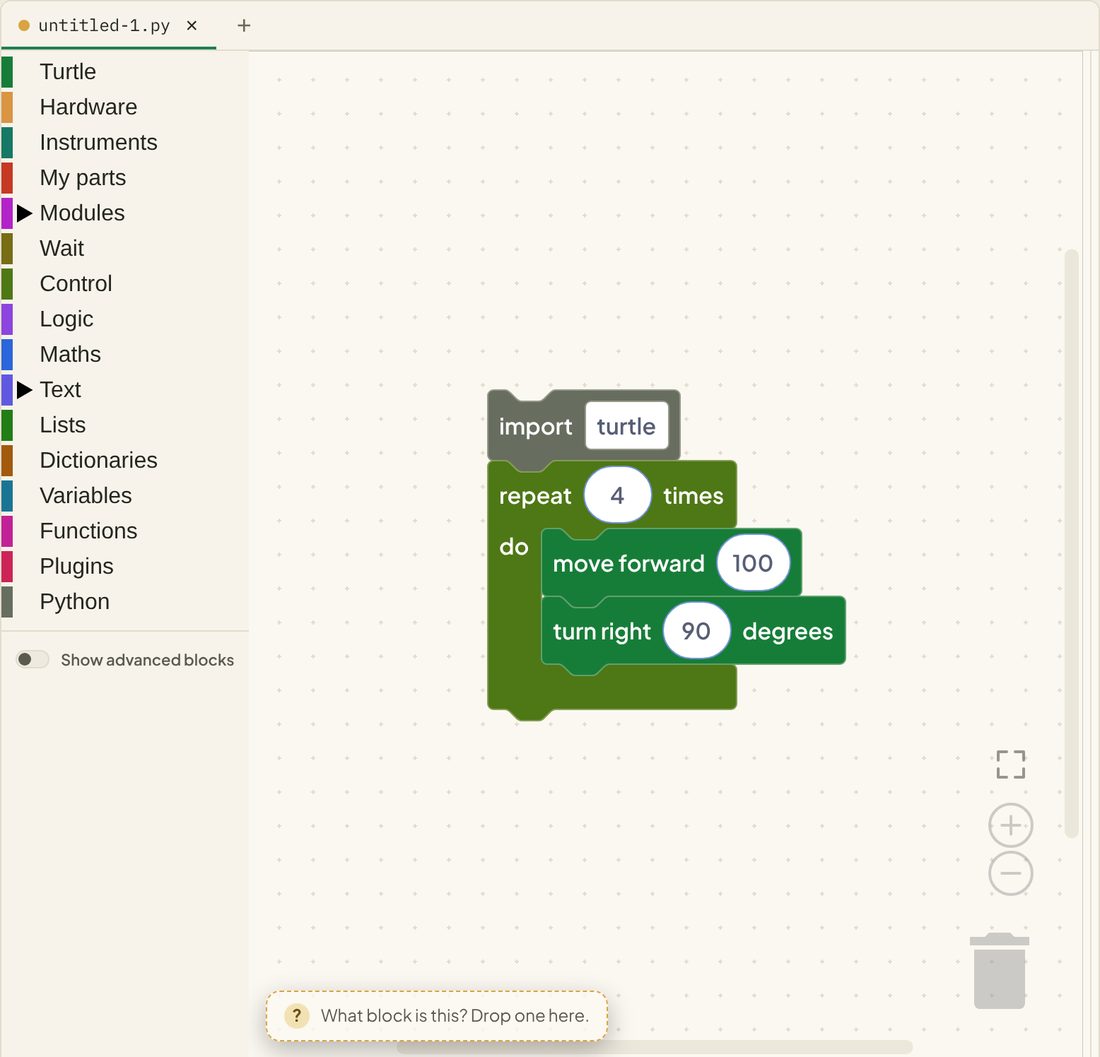
The Turtle instrument opens on the right and the turtle draws your square.
Shortcut: on an empty Blocks canvas, Snakie offers a Draw a square starter that builds this program for you.
What the blocks wrote
Here’s the same program in a live box. Look at the Python on the right.
Line by line:
import turtleloads the turtle. Snakie added this for you the moment you used a turtle blockfor _ in range(4):is the repeat 4 times blockturtle.forward(100)andturtle.right(90)are the two blocks inside it. They’re indented, which is how Python shows they are inside the loop
Note: the boxes on this page show the blocks and the Python, but they have nowhere to draw. Press Run here and you’ll see the turtle’s moves listed in the console as lines starting
SNK TURT. To watch the drawing itself, click Open in Snakie under the box and press Run there.
Why 90 degrees?
A square has four corners, and the turtle has to turn all the way round by the time it gets back: 360 degrees. So each turn is 360 ÷ 4 = 90.
That one sum unlocks every regular shape:
| Shape | Sides | Turn |
|---|---|---|
| Triangle | 3 | 120 |
| Square | 4 | 90 |
| Hexagon | 6 | 60 |
| Circle (nearly) | 36 | 10 |
Add some colour
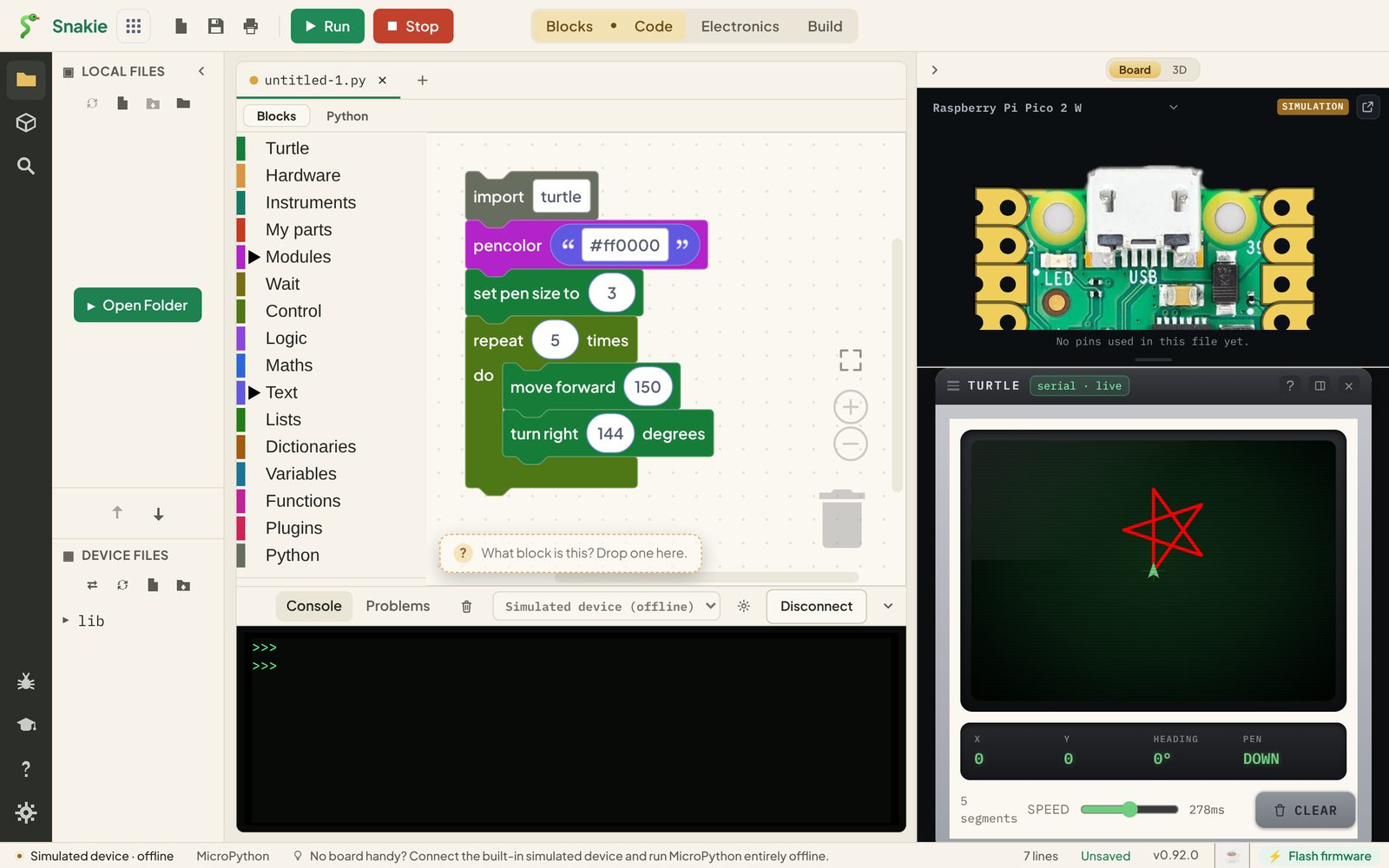
Stars are fun because the turtle turns more than it needs to. Five points, turning 144 degrees each time:
Try it Yourself
- Change the square into a triangle, then a hexagon.
- Make the star blue and thicker.
- Use pen up and pen down to draw two squares with a gap between them.
- Challenge: draw a circle. How many sides does it need before it looks round?
Common Issues
Problem: The turtle draws one line and stops. Solution: Make sure both turtle blocks are inside the repeat block’s mouth. Why: Only the blocks inside the repeat are repeated. A block underneath it runs once, afterwards.
Problem: Nothing appears when I press Run. Solution: Check the Turtle instrument is open on the right. Press Clear on it and run again. Why: The drawing goes to the Turtle instrument, not the console.
Problem: The shape doesn’t close up. Solution: Check that sides × turn = 360. Why: The turtle must turn a full circle in total to end up facing the way it started.
Check your understanding
Quick quiz 1 of 3
What Python does the “repeat 4 times” block write?
for loop over range(4).Quick quiz 2 of 3
How far should the turtle turn at each corner of a hexagon?
Quick quiz 3 of 3
Who added the import turtle line?
You can use the arrows ← → on your keyboard to navigate between lessons.
Comments