KevsRobots Learning Platform
Getting Started
Designing the SMARS Base
Exporting for 3D Printing
Summary
Motor Holder
Create the final structural feature - motor mounting tabs and retention cutouts
By Kevin McAleer, 6 Minutes
What We’re Building
The motor holder is the final structural feature of the SMARS base. It consists of:
- Floor mounting pads - Raised areas on the base floor where motors sit
- Side retention cutouts - Small slots that grip motor tabs to hold them in place
| Feature | Purpose |
|---|---|
| Floor pads | Elevate motors to align shafts with wheel stubs |
| Retention cutouts | Lock motor tabs without screws |
| Symmetric design | Holds both motors identically |
Understanding the Motor Mounting System
Why This Design?
SMARS uses N20 gear motors, which have small tabs on their sides. Instead of screws, we:
- Raise the motor slightly off the floor with pads
- Create slots in the side walls that grip the motor tabs
- Friction fit holds everything in place
This is the “screwless” part of SMARS - assembly without tools!
The Components
- 8 floor rectangles - Create the raised mounting surface
- 4 side cutouts - 2 per side wall, grip motor tabs
- 1.5mm depth - Just enough to grip without weakening walls
Step-by-Step: Create Floor Mounting Pads
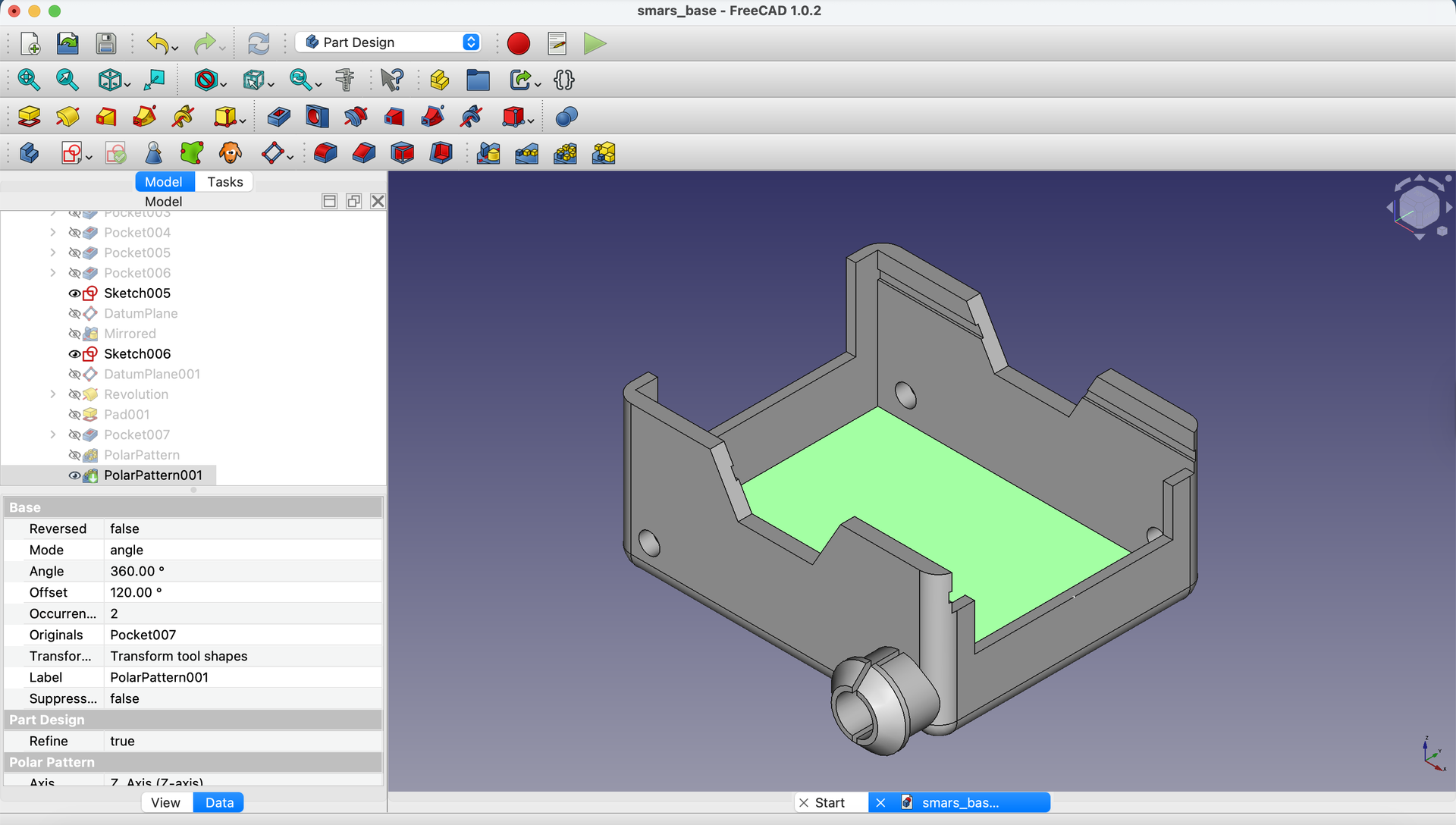
1. Start a Sketch on the Floor
Create a new sketch on the floor (inside bottom) face of the base.
2. Draw the Mounting Pad Rectangles
Using the Rectangle tool, draw 8 rectangles - these form the mounting pads where the motors will sit.
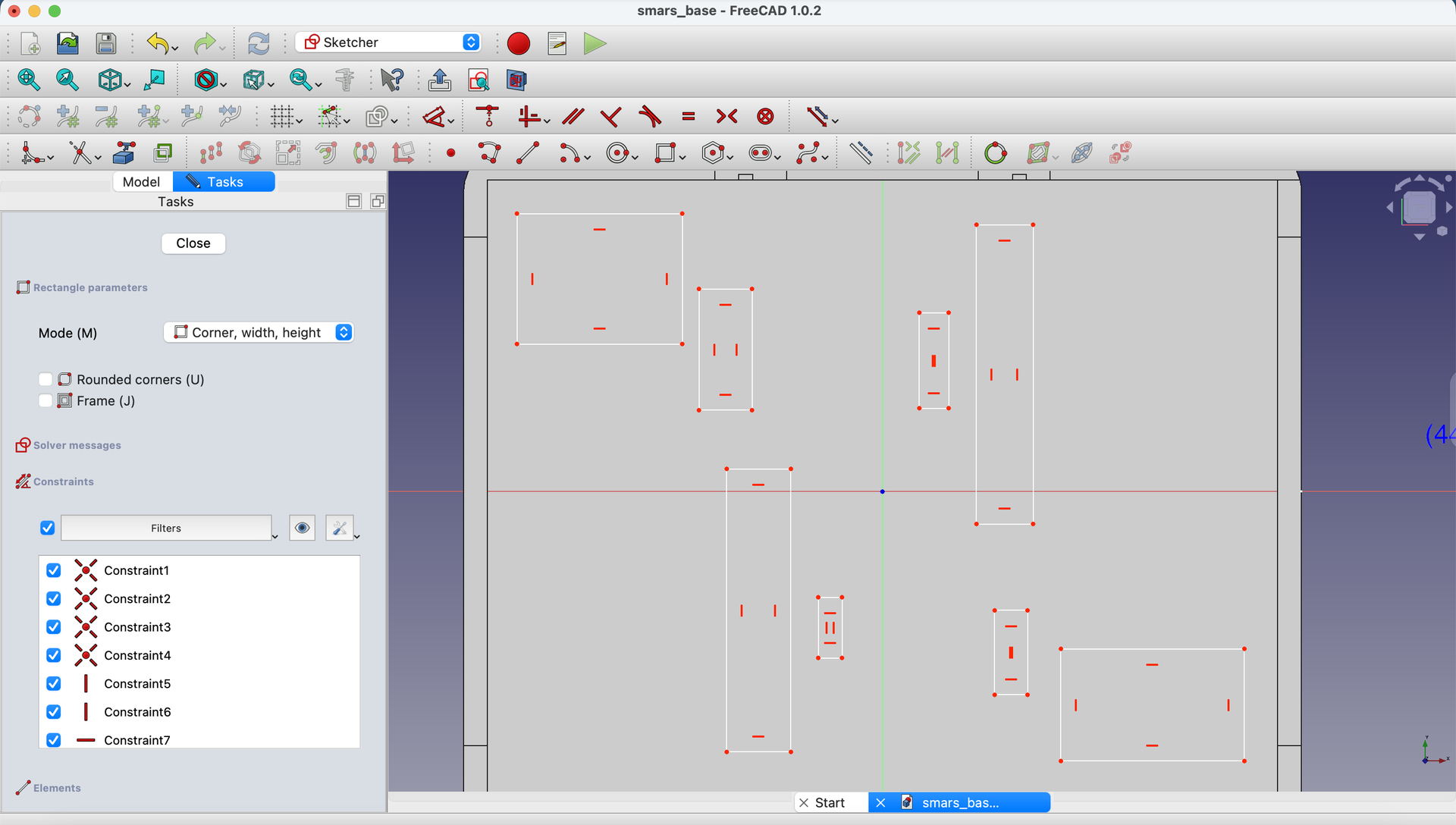
3. Add Dimensions and Constraints
Add dimensions to position the rectangles correctly. Follow the dimensions shown - these align the pads with where the N20 motors will rest.

Design note: The pad positions are calculated from:
- Motor body width
- Shaft position relative to motor center
- Clearance for motor wires
4. Close and Pad
Close the sketch and use the Pad tool to extrude the mounting pads upward by a small amount (typically 1-2mm).
Step-by-Step: Create Side Retention Cutouts
Now we need to create the cutouts in the side walls that grip the motor tabs.
5. Sketch on Right Inside Face
Create a new sketch on the inside of the right wall.

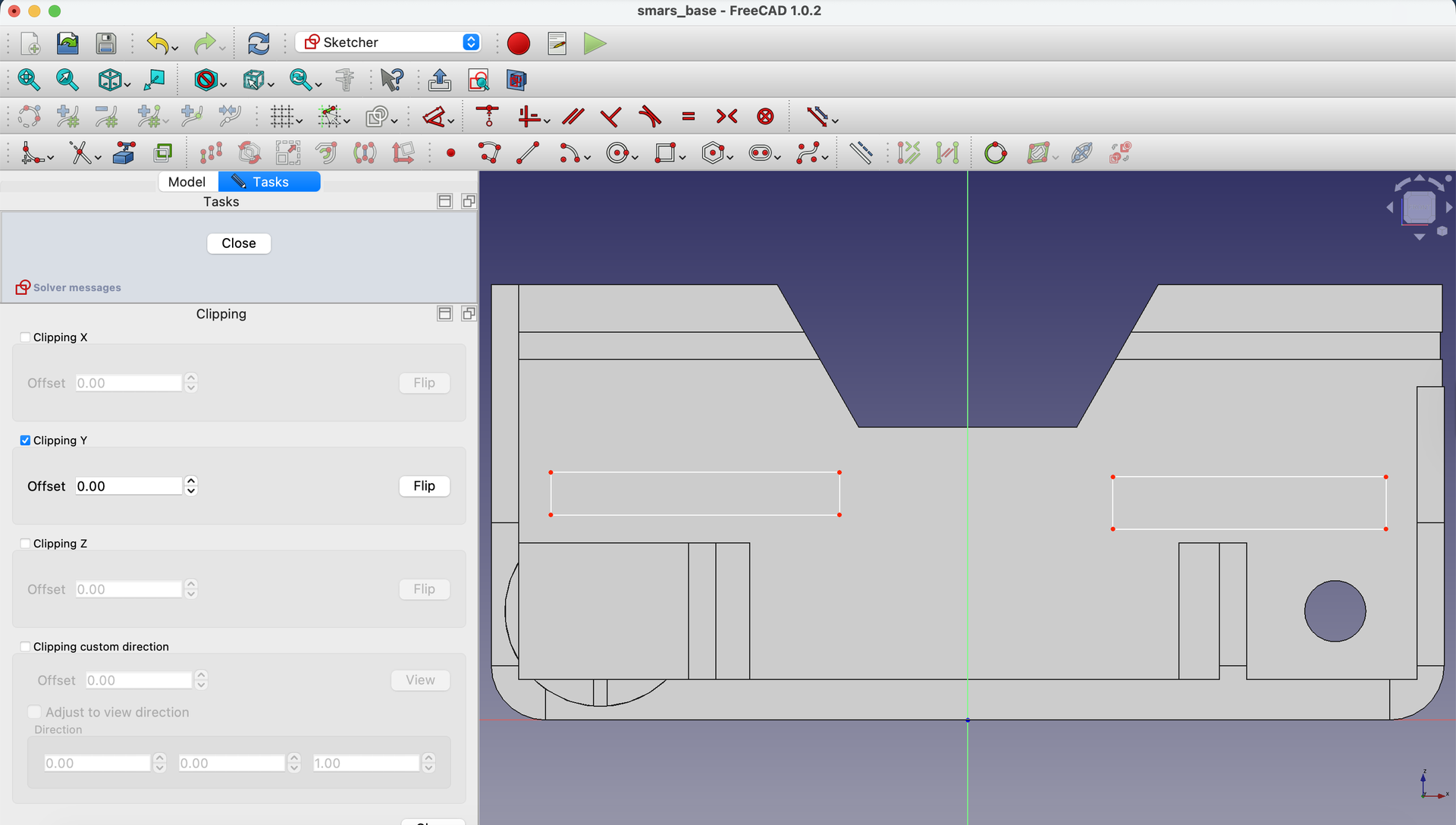
6. Enable Clipping View
Use View → Clipping plane and click Clipping Y to see the interior surface.

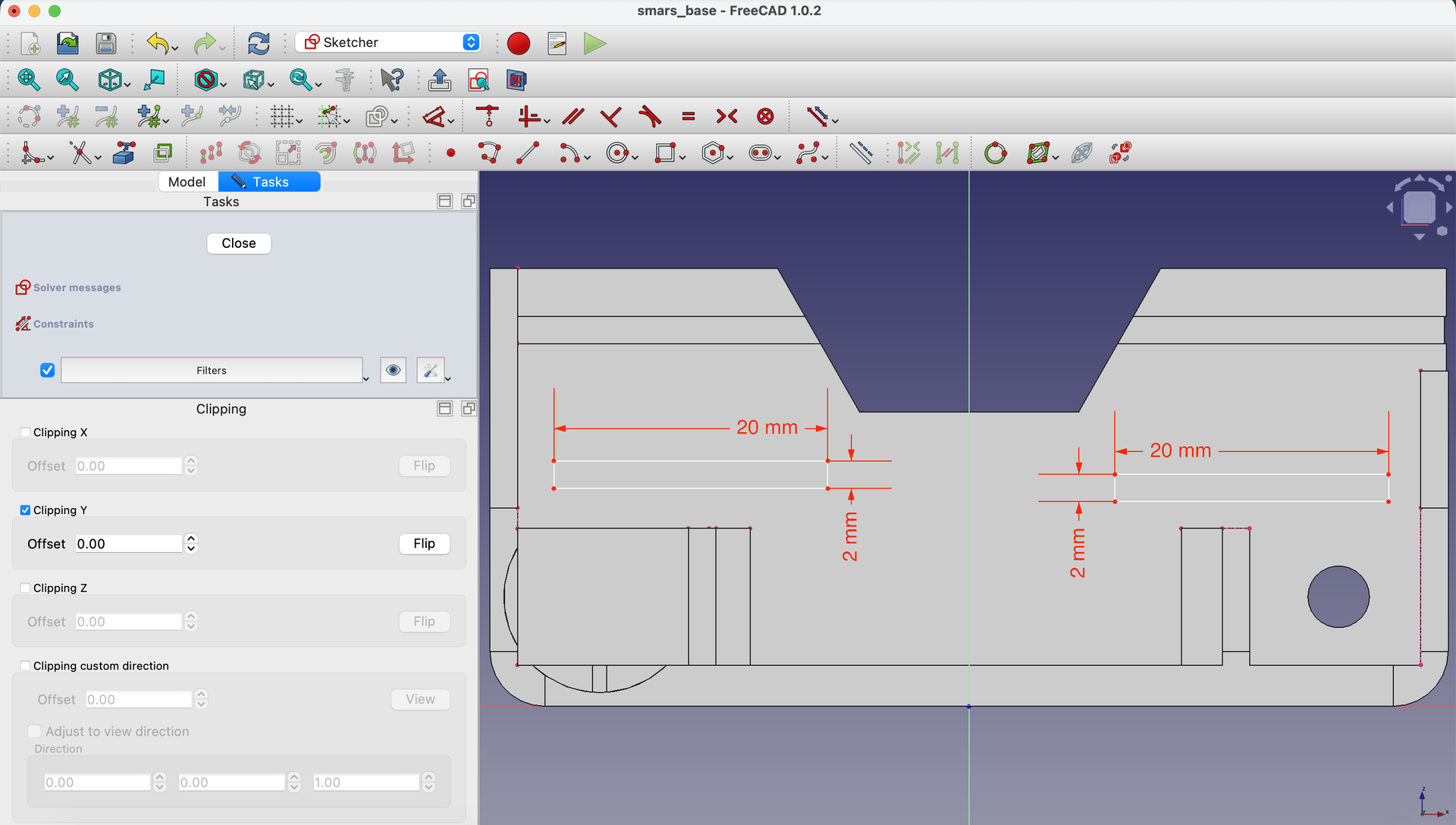
7. Draw Two Retention Rectangles
Using the Rectangle tool, draw two small rectangles - these will become the cutouts for motor tabs.
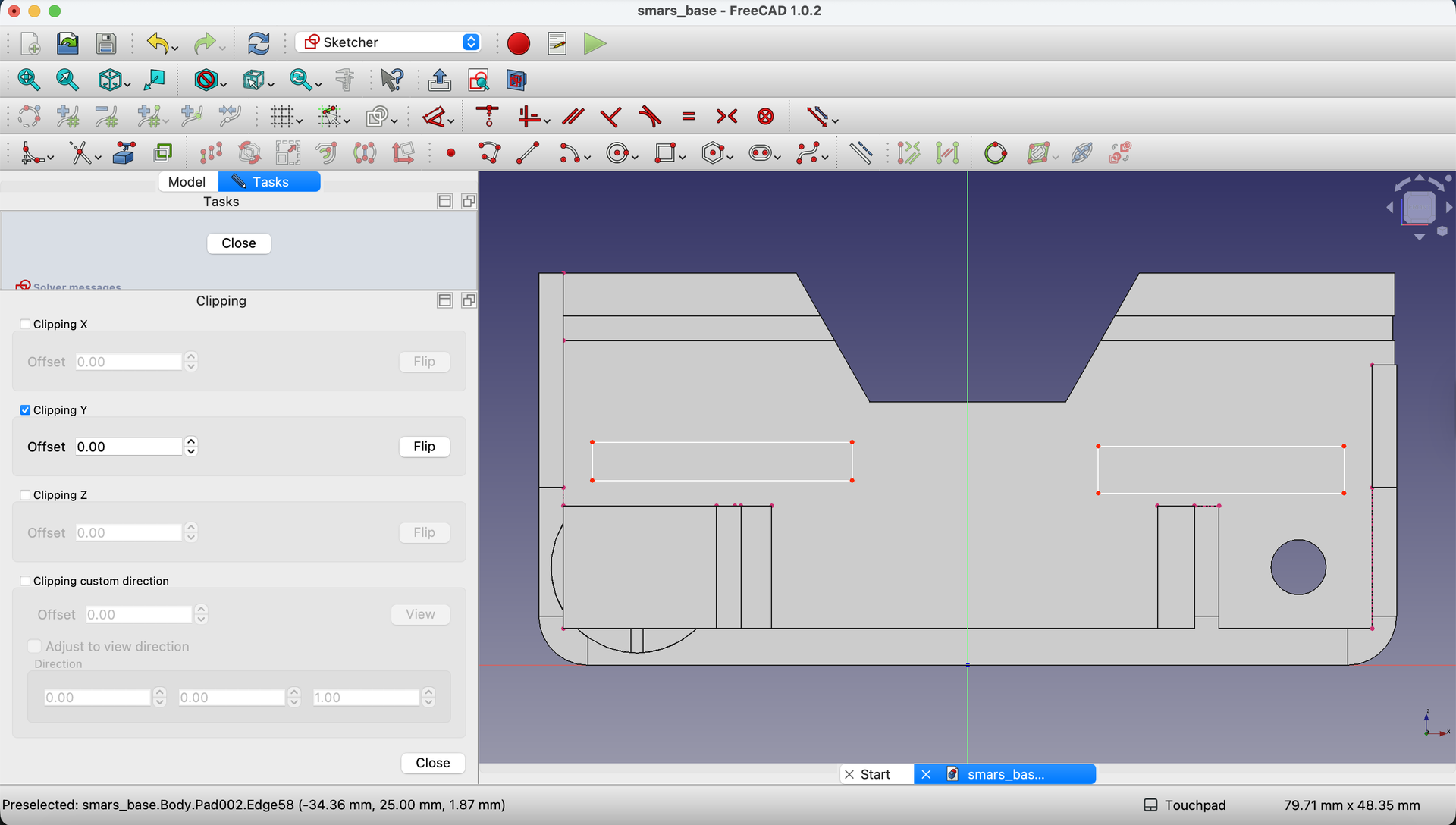
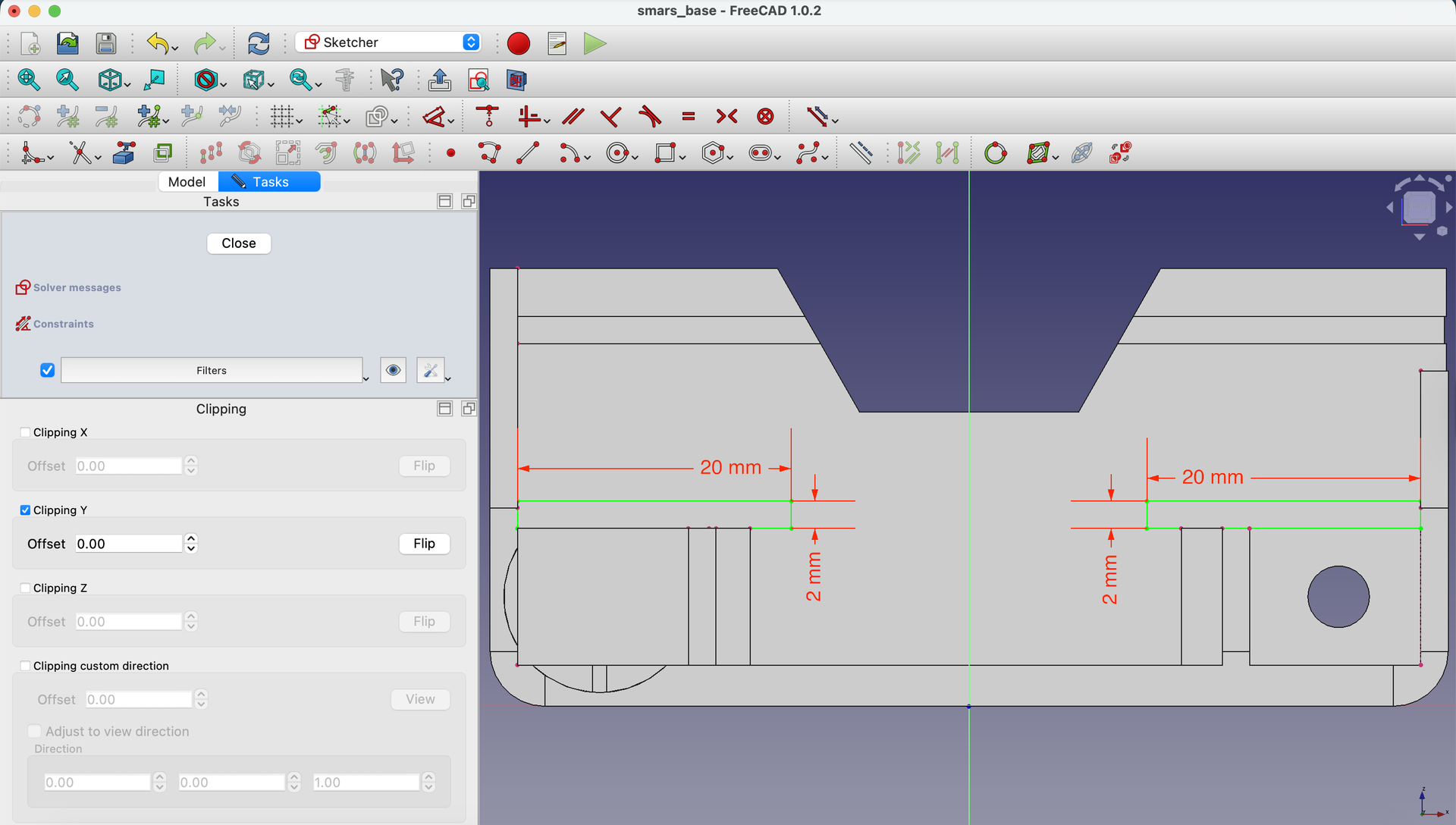
8. Project Reference Geometry
Use Create external geometry to project the inner edges of the base into the sketch.
9. Add Dimensions
Dimension the rectangles to match motor tab positions and sizes.
10. Constrain to Inner Edge
Use Constrain Coincident to attach the bottom edges of the rectangles to the projected inner edge of the base.
11. Close the Sketch
Click Close.
Also close the clipping plane if it’s still active.
Create Cutouts on Both Sides
12. Replicate on Left Side
Create a new sketch on the inside of the left wall.
Draw and dimension the same rectangle pattern as the right side.
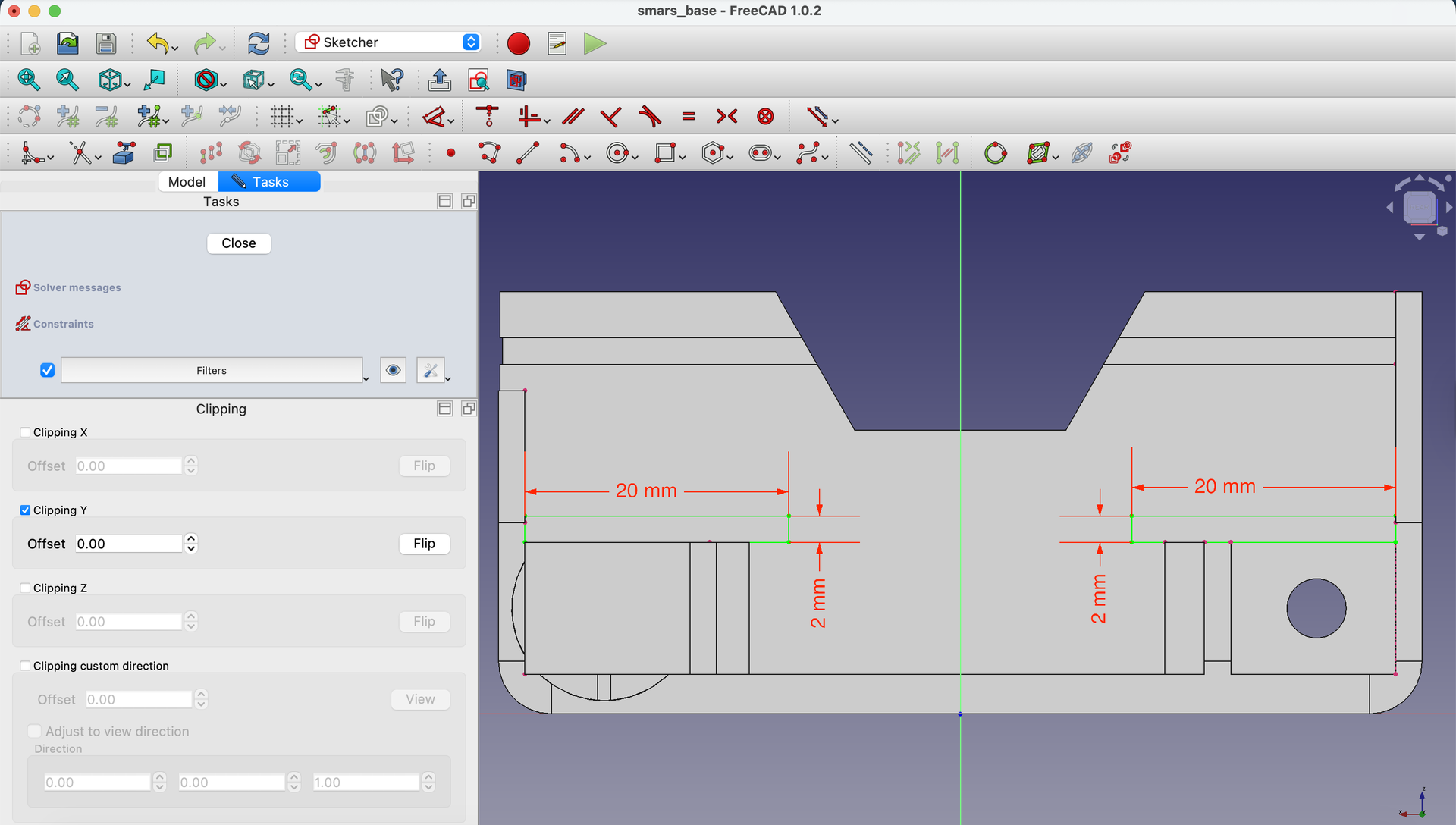
Close the sketch when done, and close the clipping plane.
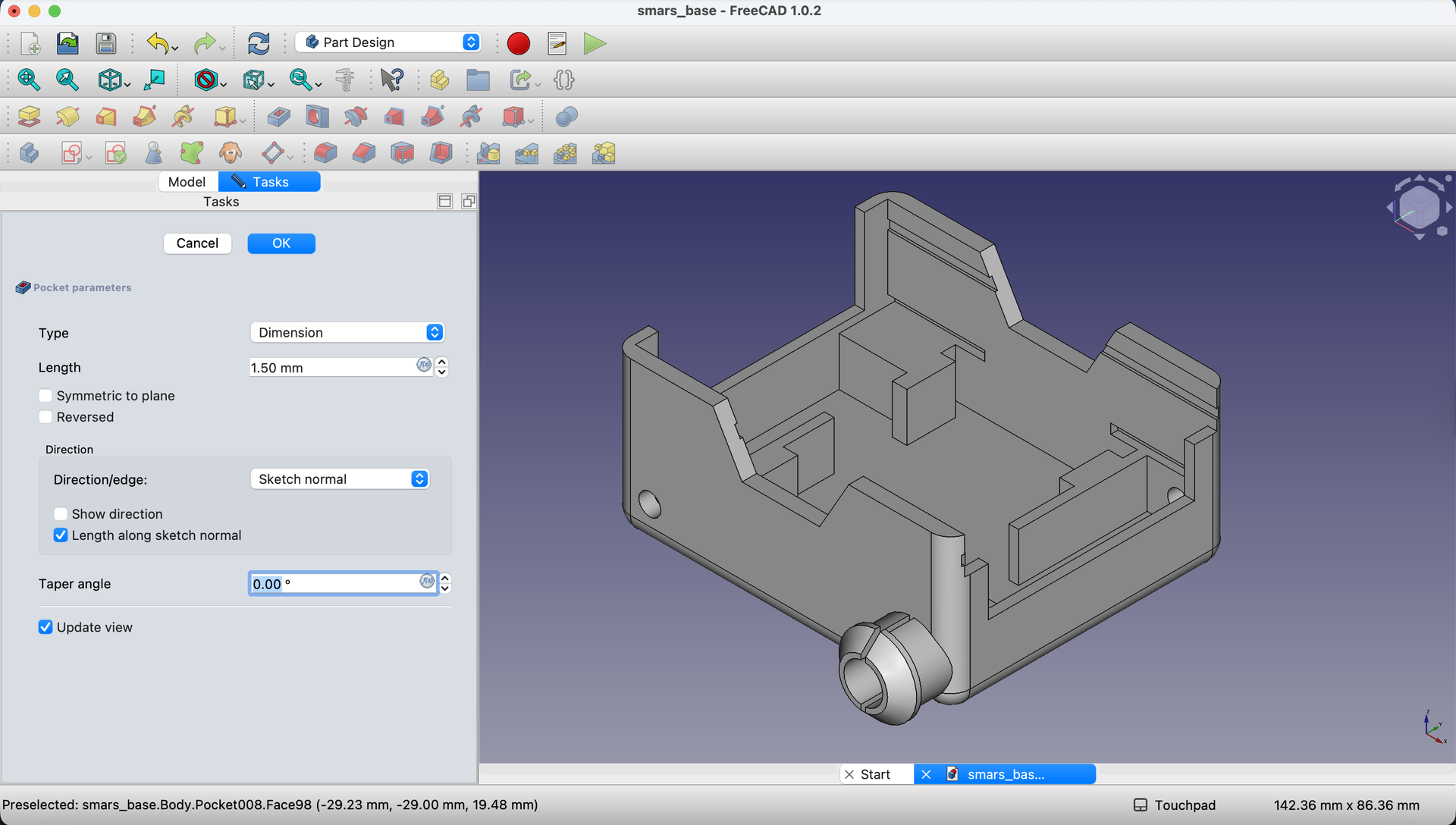
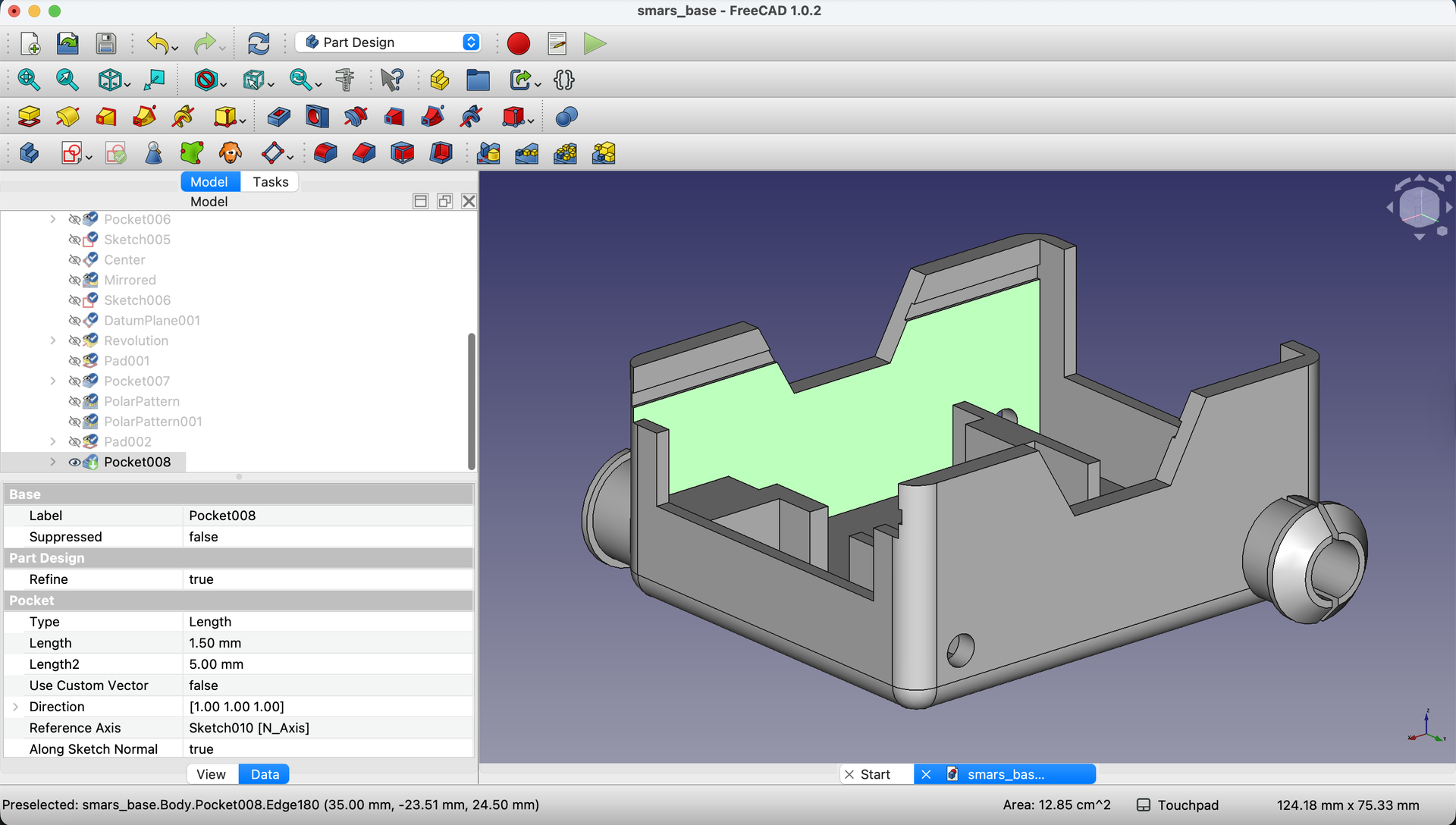
13. Pocket the Retention Cutouts
Select the first sketch (right side) in the Model tree and click Pocket.
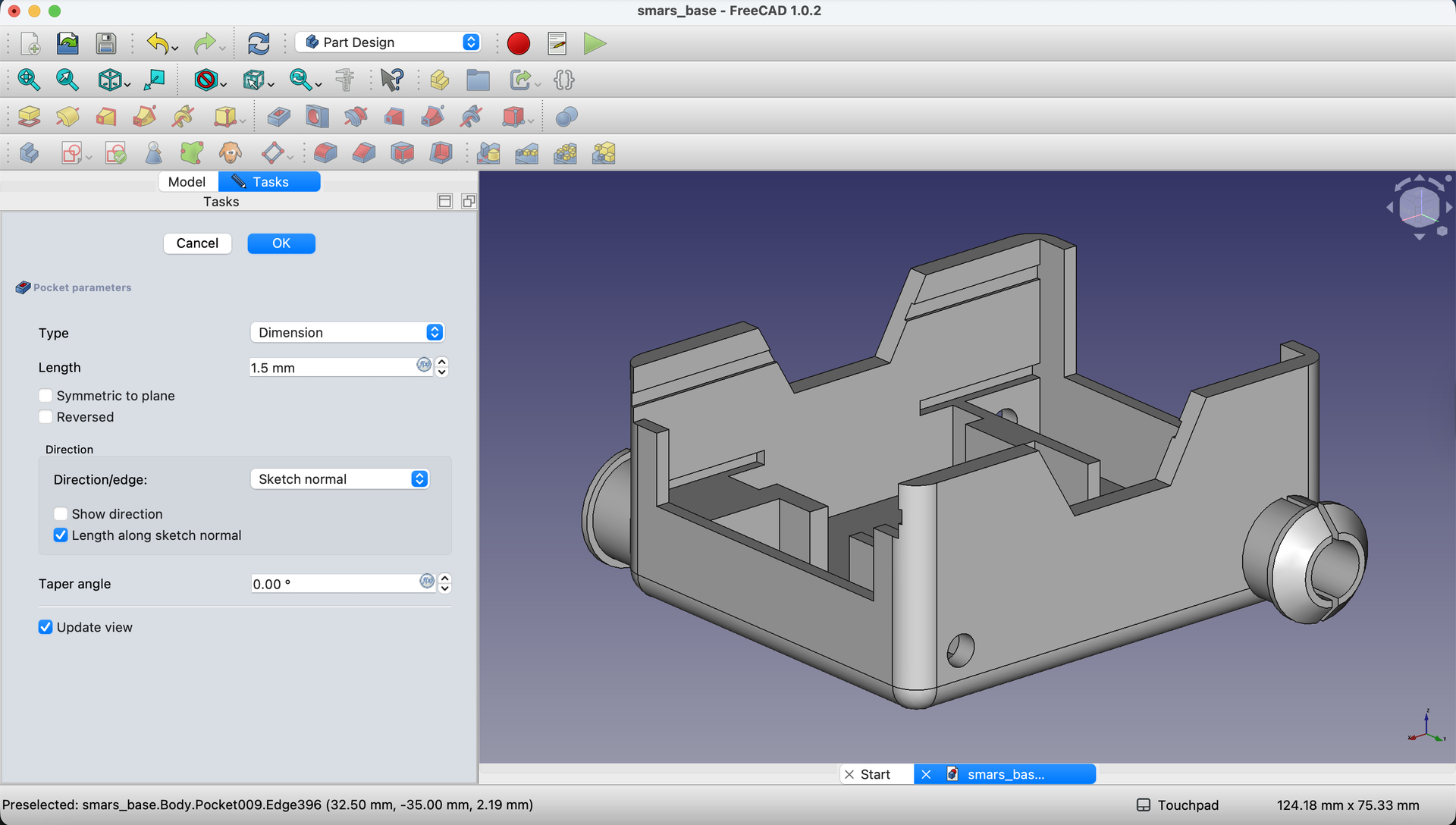
Set the depth to 1.5mm - just enough to create a grip without weakening the wall.
Click OK.
14. Repeat for Left Side
Select the left side sketch and apply the same Pocket operation with 1.5mm depth.
Verify the Motor Holder
15. Final Inspection
Your SMARS base should now have:
- Raised mounting pads on the floor
- Retention cutouts on both inner walls
- Perfect alignment for N20 motors
Rotate the view to verify all features are present and symmetric.
Understanding the Complete Motor System
The motor mounting works as a system:
| Component | Function |
|---|---|
| Motor shaft holes | Allow shaft to pass through wall |
| Wheel stubs | Connect to wheels on outside |
| Floor pads | Elevate and position motor |
| Retention cutouts | Lock motor tabs in place |
When assembled:
- Motor slides into position on floor pads
- Shaft passes through the 4.5mm holes
- Tabs snap into retention cutouts
- Wheels attach to stubs on the outside
No screws, no glue - just clever geometry!
Try It Yourself
- Visualize assembly: Imagine sliding an N20 motor into position. Does everything align?
- Check symmetry: Both sides should have identical cutout positions
- Measure clearances: Are the pads the right height? Do cutouts match tab dimensions?
Common Issues
“Clipping plane won’t close”
Problem: The clipping view stays active. Solution: Go to View → Clipping plane and toggle the active clipping axis. On Mac, the close button may be off-screen - double-click the title bar.
“Pockets cut in wrong direction”
Problem: Cutouts go outward instead of into the wall. Solution: Check the “Reversed” option in the Pocket dialog, or verify you selected the correct (interior) face.
“Rectangles aren’t aligned”
Problem: Left and right cutouts are at different heights. Solution: Use the same dimensions for both sides. Consider using Mirror instead of creating separate sketches.
“Floor pads don’t appear”
Problem: After padding, the floor looks unchanged. Solution: The pad might be very small. Verify your pad height is at least 1mm. Also check you selected the correct sketch.
What You Learned
In this lesson, you mastered:
- Multiple features per face - Creating several rectangles in one sketch
- Interior wall work - Using clipping planes for visibility
- System design - Understanding how parts work together
- Friction fit design - Creating screwless assemblies
Next Up
The design is complete! In the next lesson, we’ll export the model as an STL file for 3D printing, with tips for optimal print settings.
You can use the arrows ← → on your keyboard to navigate between lessons.
Comments