KevsRobots Learning Platform
Getting Started
Designing the SMARS Base
Exporting for 3D Printing
Summary
Wheel Stubs
Create rotational features with Revolve and duplicate them with Polar Pattern
By Kevin McAleer, 7 Minutes
What We’re Building
The wheel stubs are circular posts that connect to SMARS wheels. Each stub has:
- A cylindrical shaft that inserts into the wheel
- A keyed slot that prevents wheel spin (the wheel locks to the stub)
| Feature | Purpose |
|---|---|
| Circular profile | Creates a round stub when revolved |
| 135° chamfer | Easy wheel insertion |
| Keyed slot | Prevents wheel from spinning on shaft |
| Polar pattern | Creates both stubs from one design |
Understanding Revolve and Polar Pattern
The Revolve Tool
Pad pushes a shape straight out. Revolve spins a shape around an axis - perfect for round parts!
Think of a pottery wheel: your sketch is the profile, and revolving spins it into a 3D shape.
Polar Pattern
Like Mirror creates a copy across a plane, Polar Pattern creates copies around a center point. Perfect for:
- Multiple holes in a circle (like bolt patterns)
- Symmetric features on opposite sides
- Any rotational repetition
Step-by-Step: Create the Wheel Stub Profile
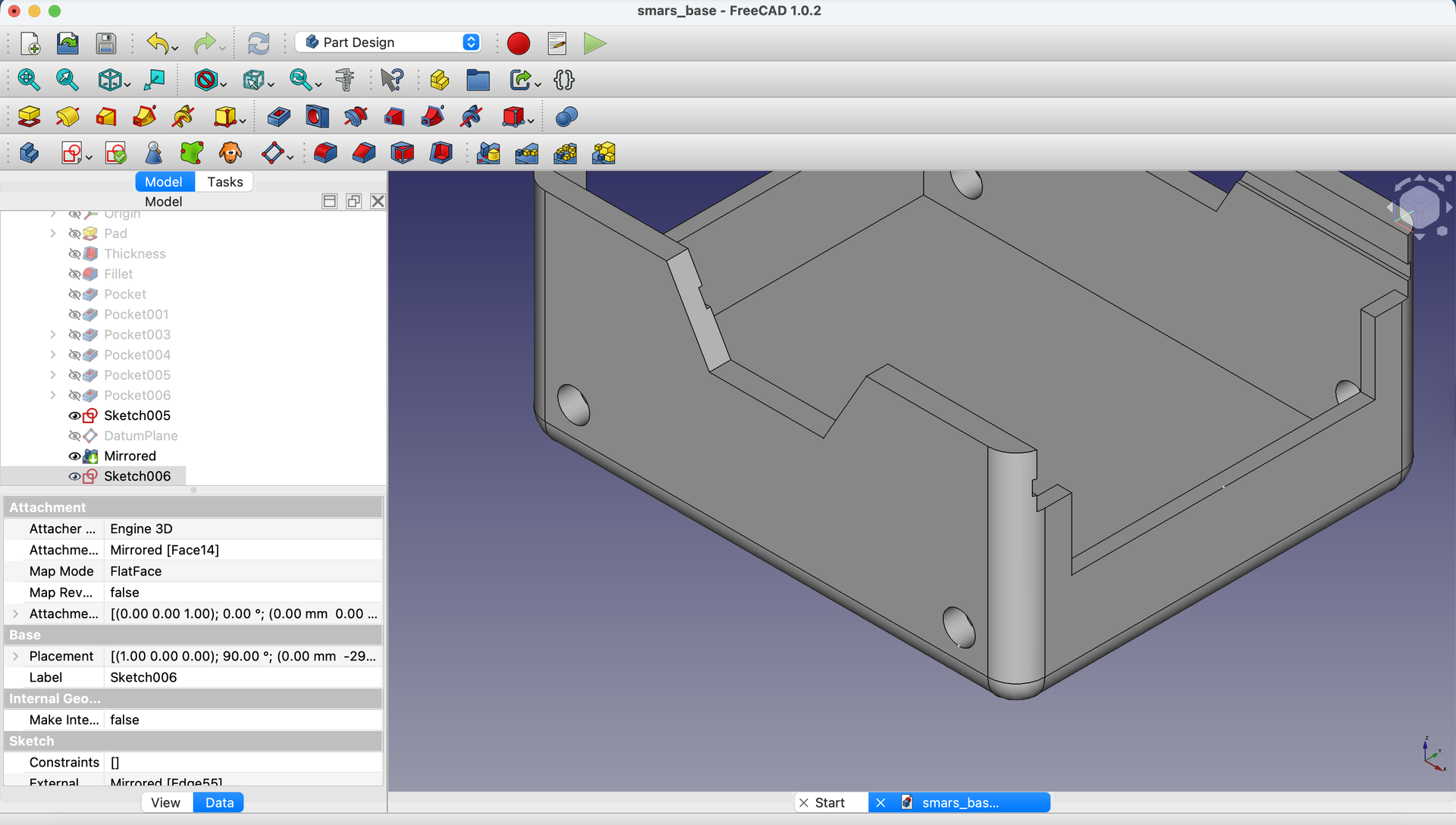
1. Start a Sketch on the Left Side Face
Click on the left face of the base, then click Create Sketch.

2. Project the Motor Holes
Using External Geometry, project both circular motor holes into the sketch.
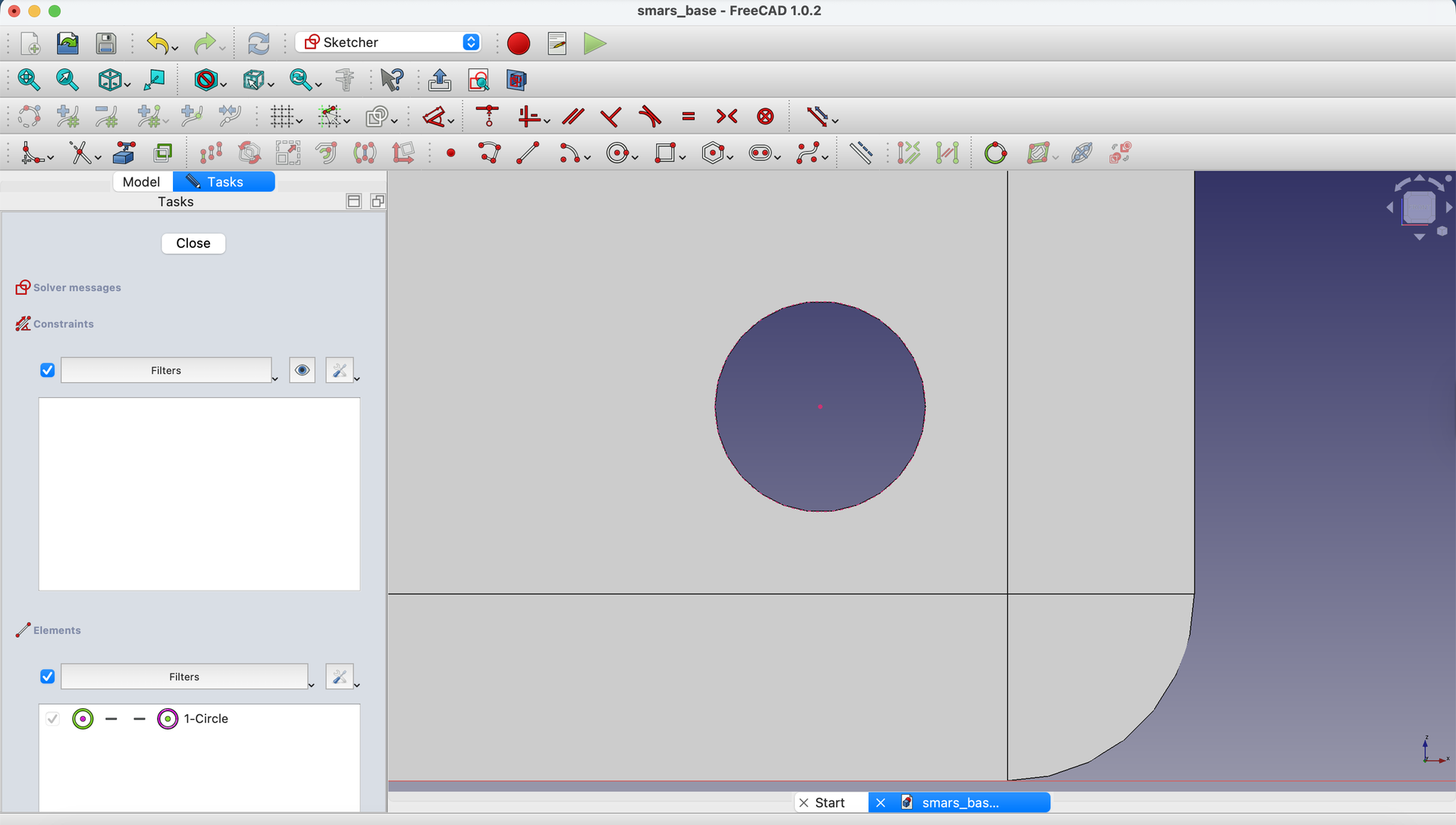
3. Create Reference Points
Using the Point tool, create a point at the bottom of each projected circle. The cursor shows a red indicator when you’re at the tangent point.

4. Draw a Vertical Reference Line
Using the Line tool, draw a vertical line between these two points.
Select the line and make it construction geometry.
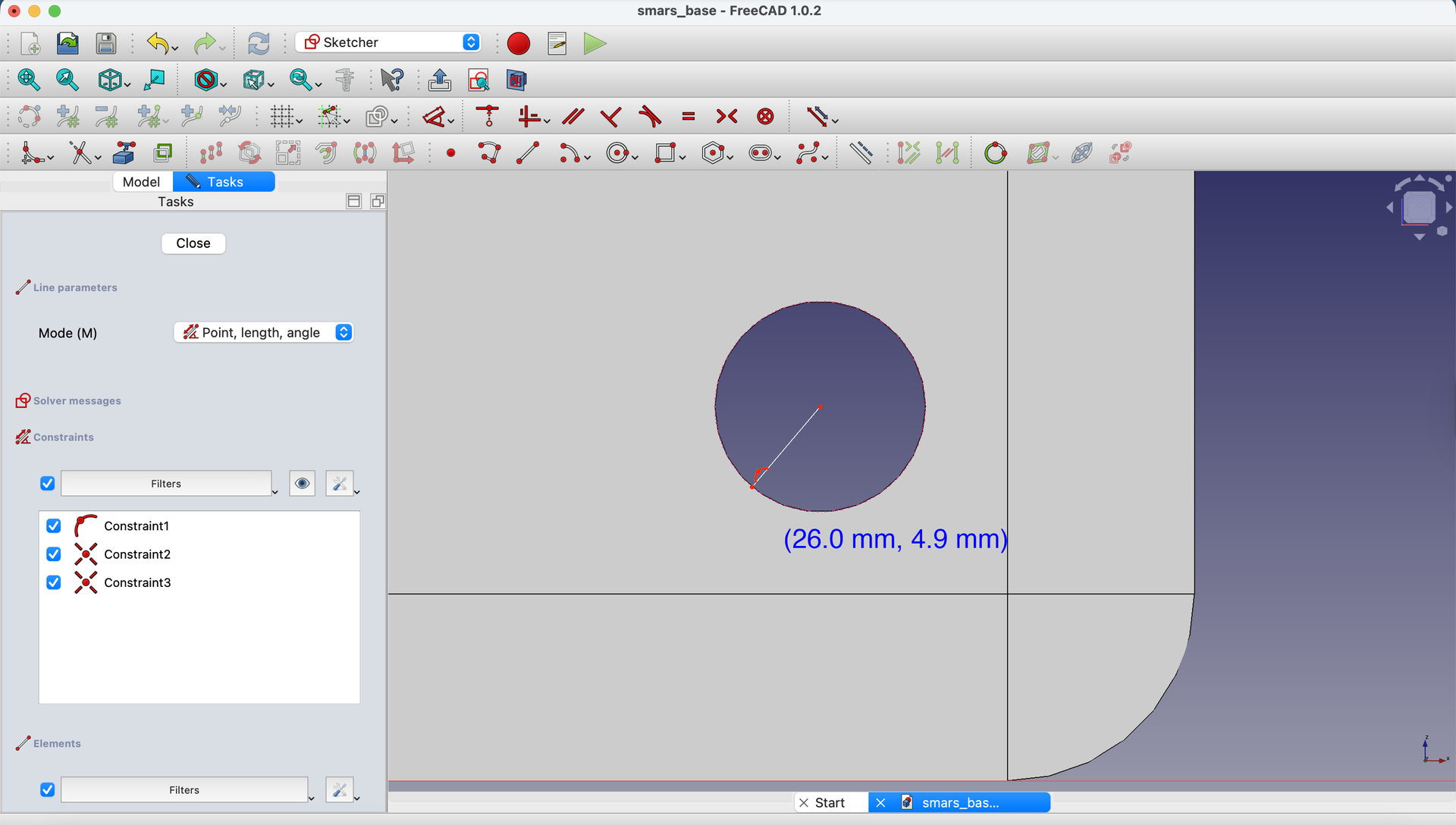
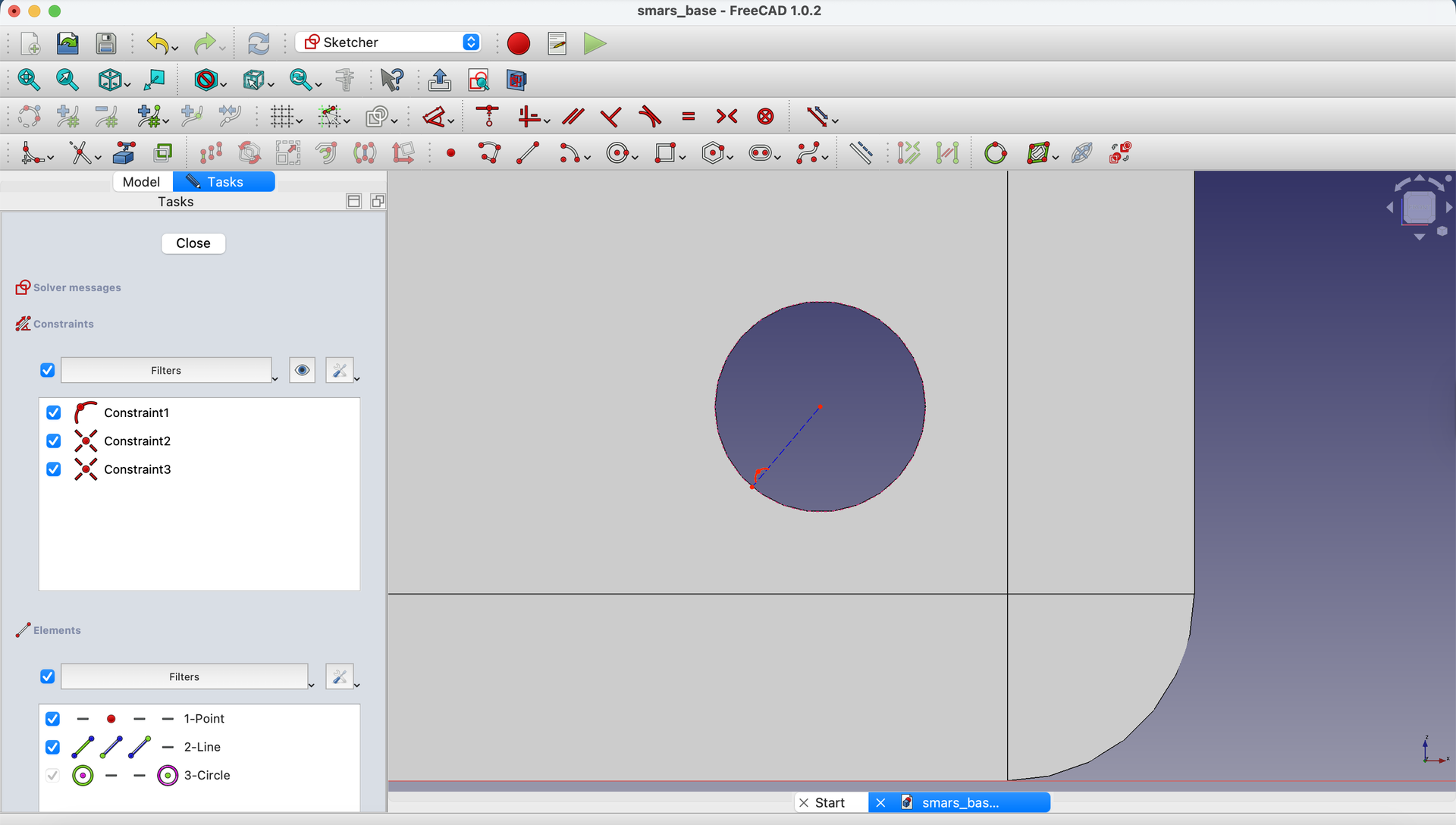
5. Apply Vertical Constraint
Select the line and apply a Vertical Constraint to ensure it’s perfectly vertical.
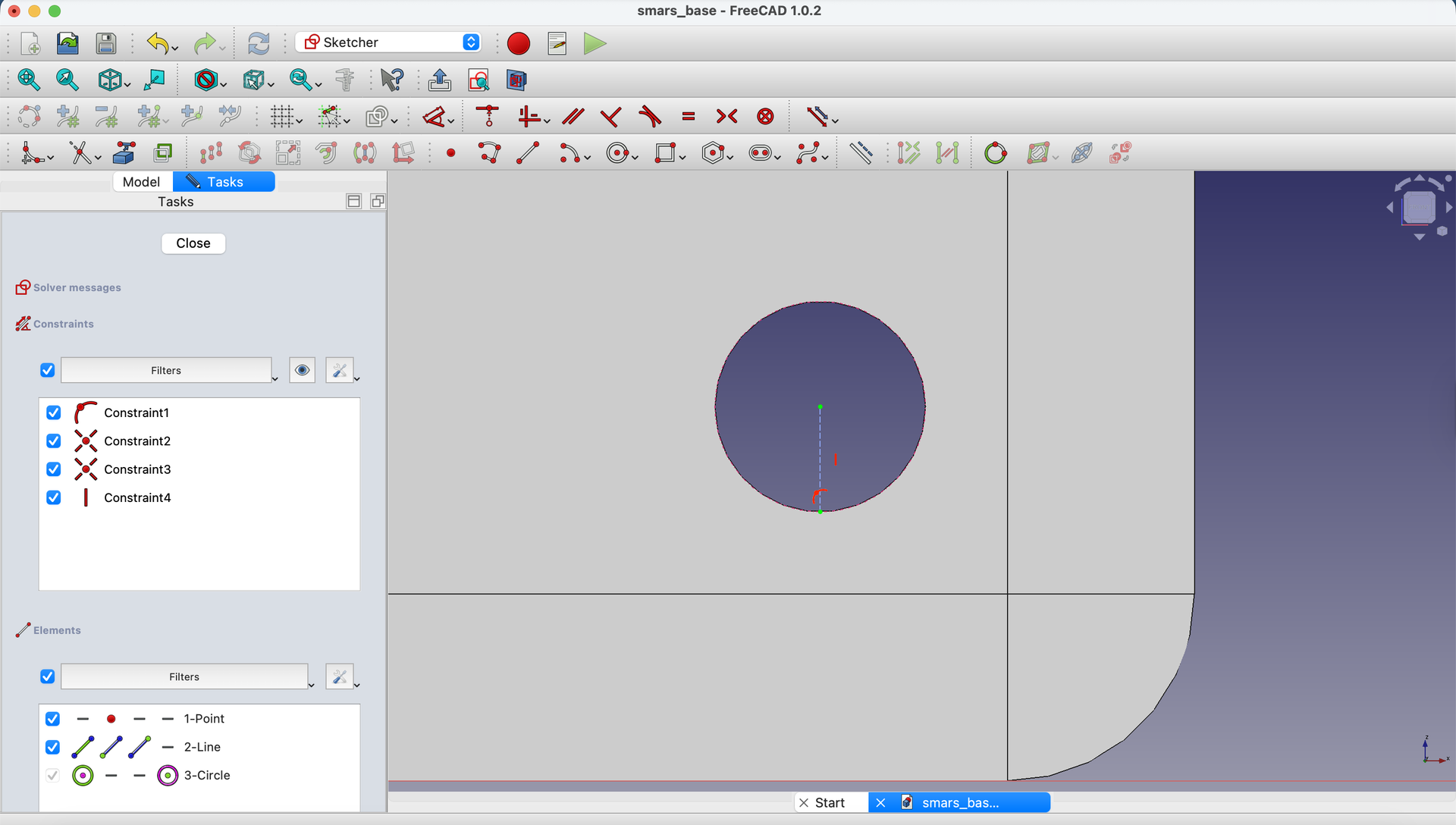
6. Close the Sketch
Click the Close button.
Create a Datum Plane for the Stub
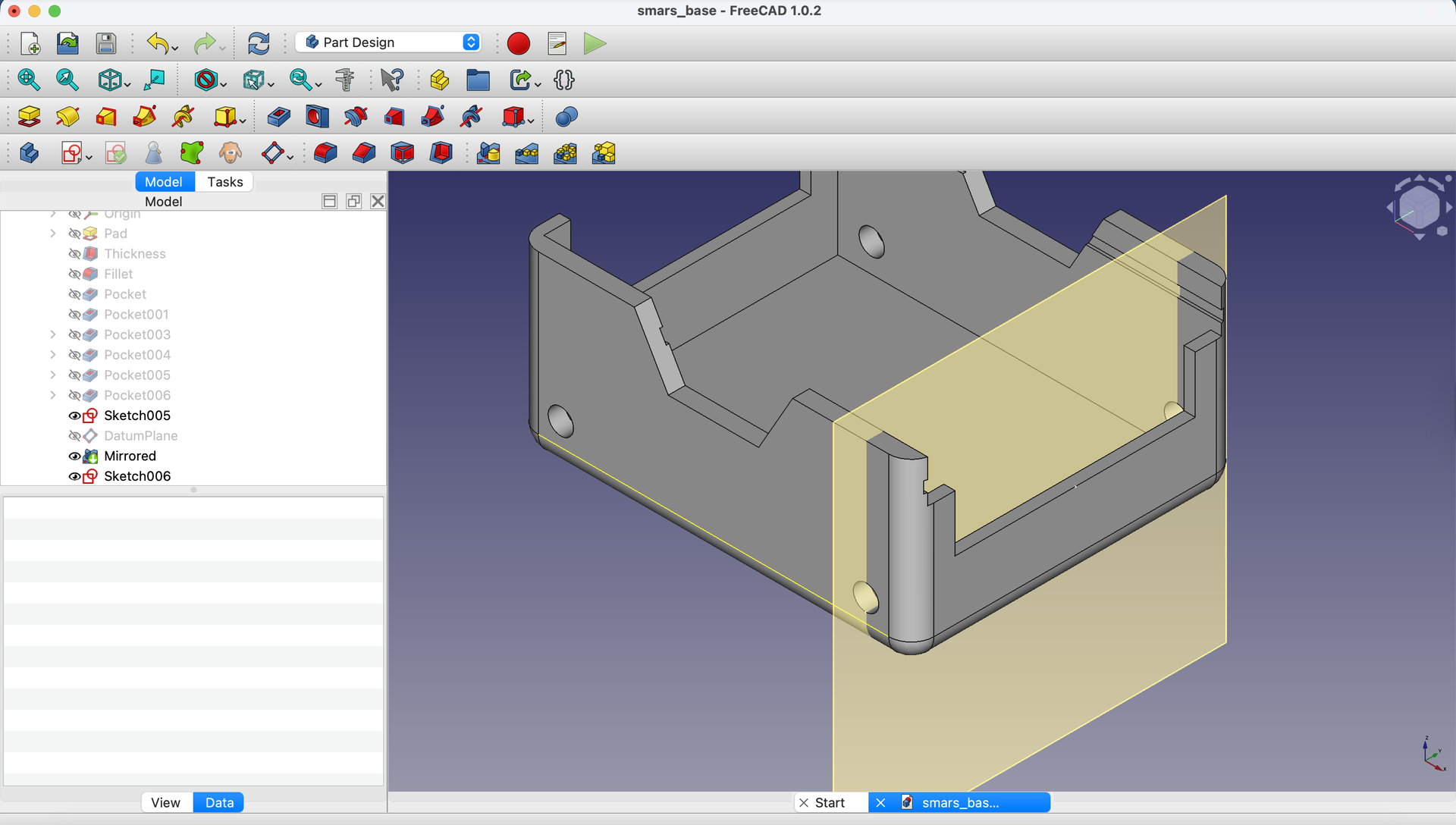
7. Create Datum Plane at Reference Point
Click Create a datum plane in the toolbar.
In the Data tab, set Attachment mode to Translate Origin, then click on the point at the bottom of the vertical line.

Click Close.
Design the Stub Profile
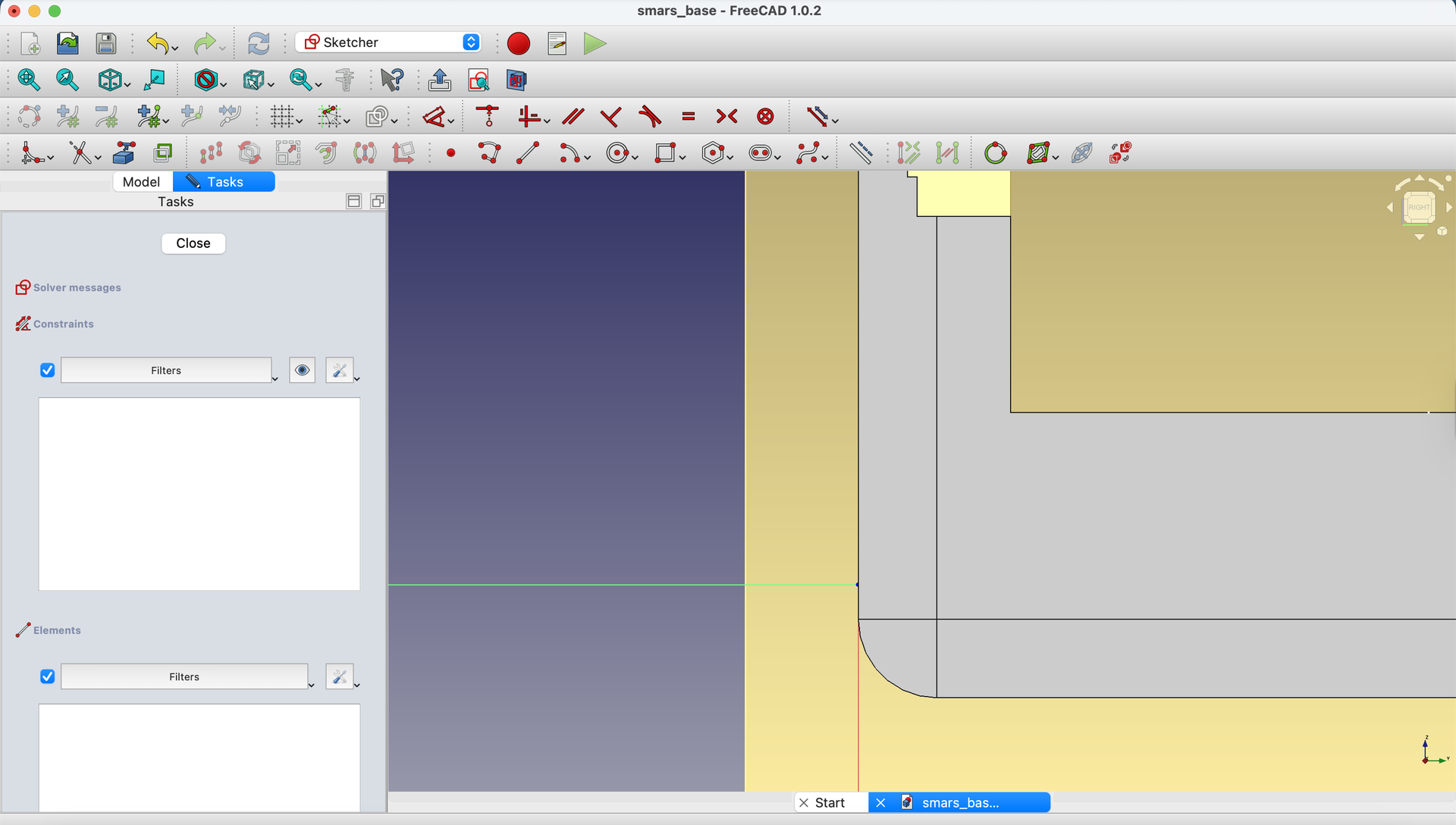
8. Sketch on the Datum Plane
Select the datum plane and click Create Sketch.
9. Draw the Profile Shape
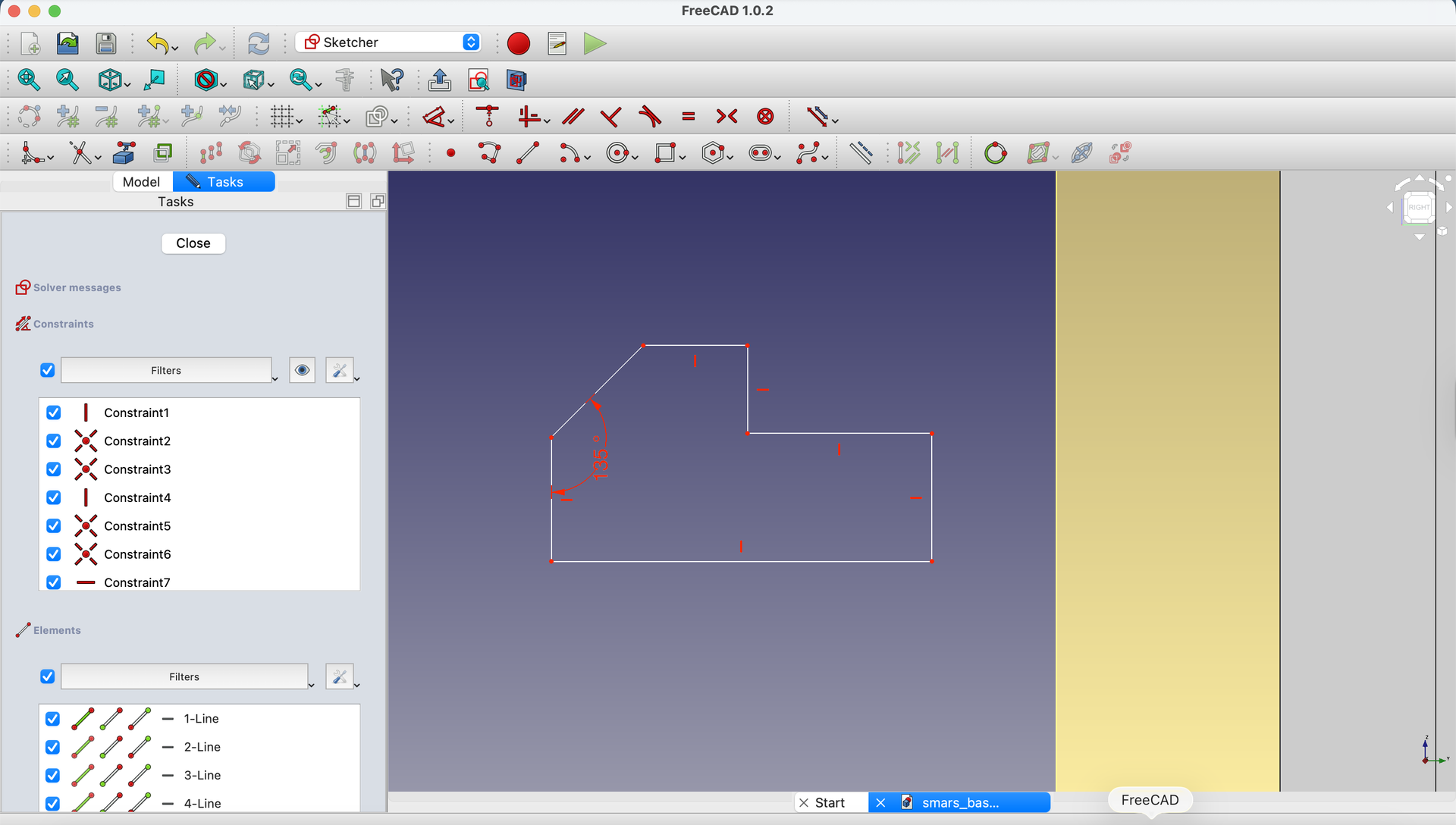
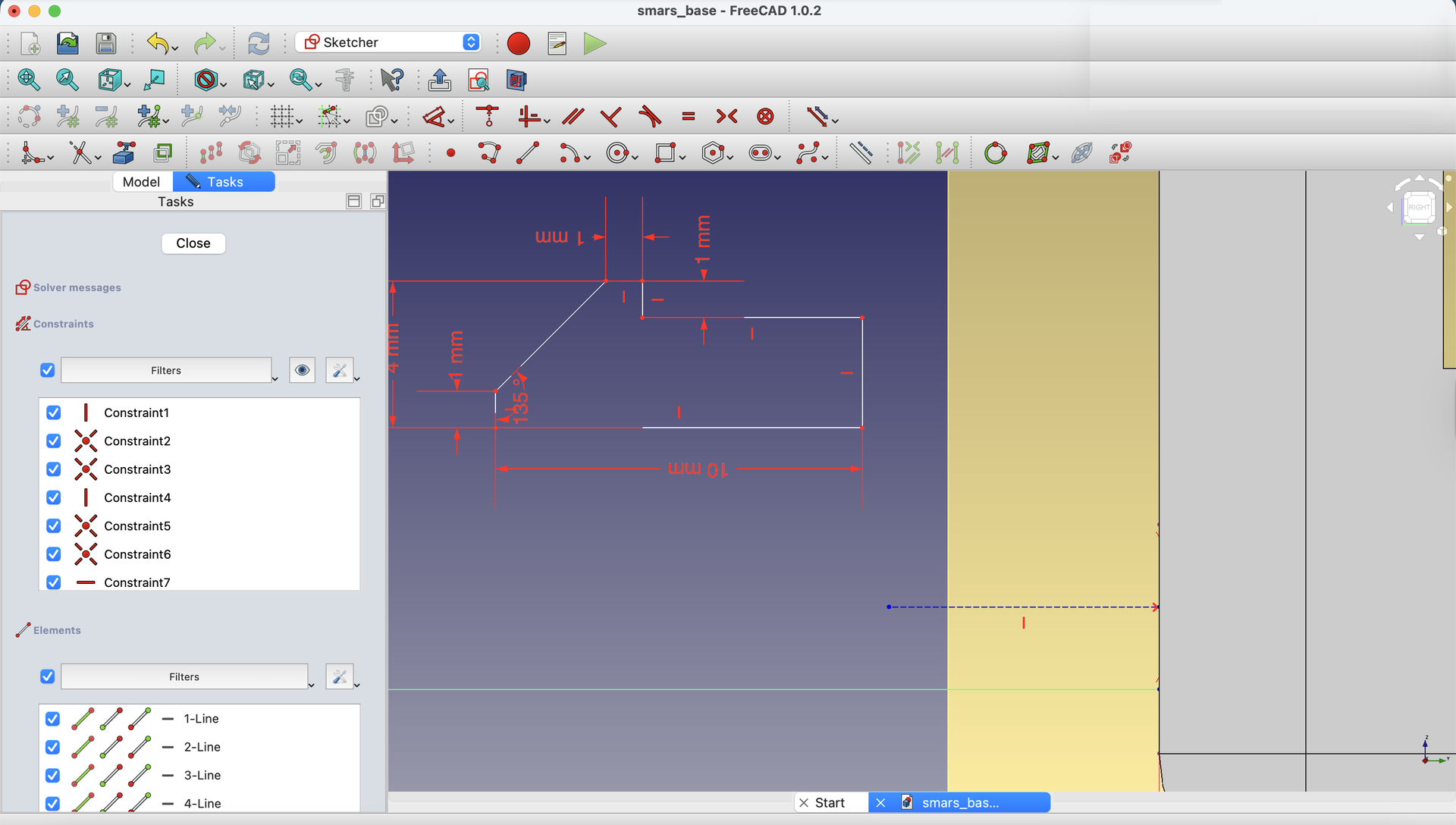
Create the profile shown below - this is half of the wheel stub cross-section.

Use Horizontal and Vertical constraints to align the shape properly.
10. Add Dimensions
Using the Dimensions tool, set the angle of the slanted line to 135 degrees (this creates the chamfer for easy wheel insertion).
11. Complete the Dimensions
Add the remaining dimensions as shown.

Align to Motor Hole
12. Project Motor Hole Geometry
Click Create external geometry and project the motor hole edges.

You may need to rotate the view slightly to select the circular edges.
Press 3 to return to the side view.
Also project the edge of the base.

13. Create Symmetry Reference
Draw a horizontal construction line roughly in the middle of the motor hole area.
Using Constrain Symmetric, select the line and the two points from the projected motor hole geometry to center it.
14. Position the Stub
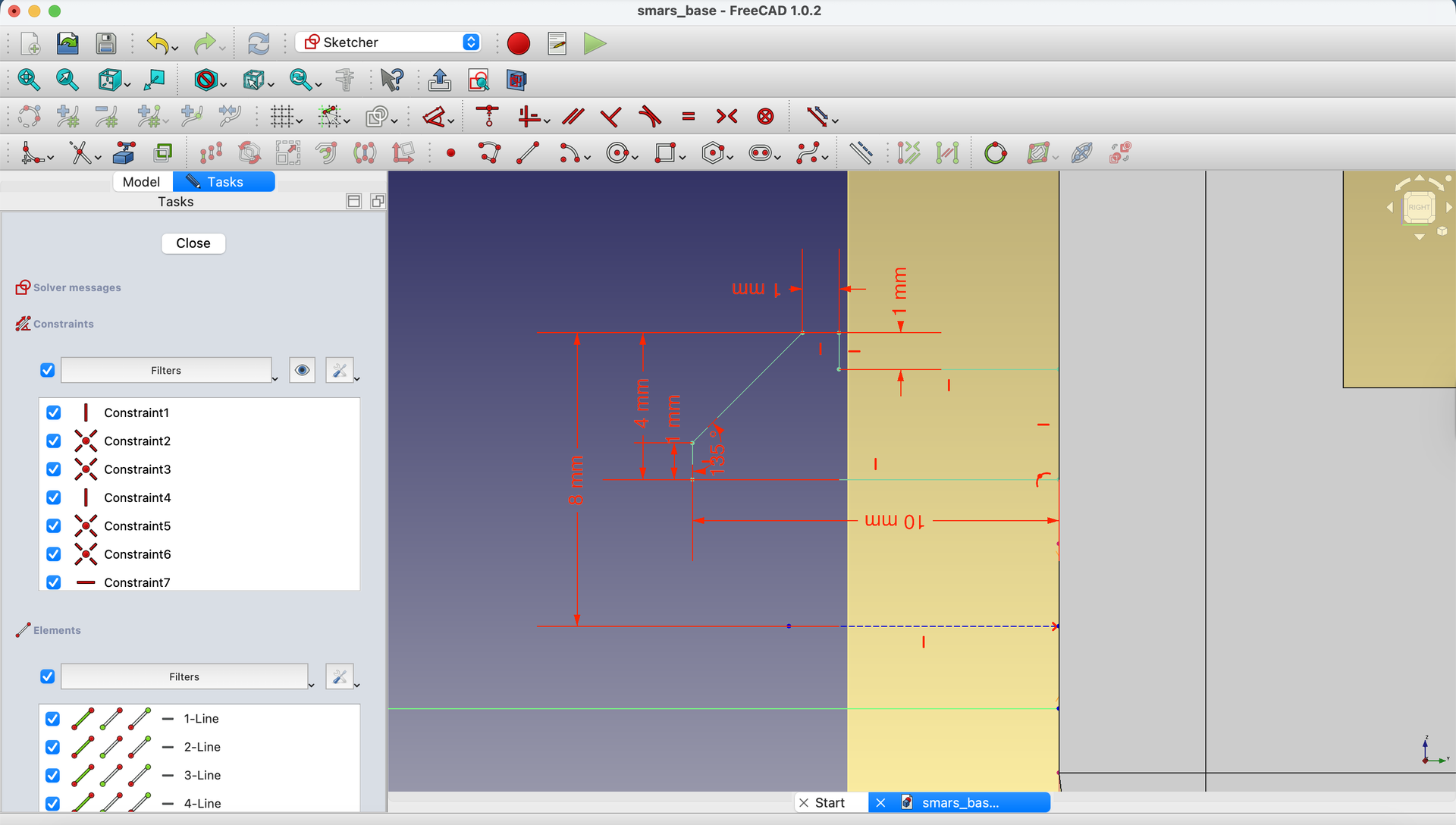
Set the distance from the stub profile’s top edge to the motor hole edge at 8mm.
Use Constrain Coincident to attach the top right point of the profile to the base edge.
15. Close the Sketch
Click Close.

Revolve the Stub
16. Apply Revolve
Select the sketch and click the Revolve button.
Set:
- Angle:
360 degrees(full rotation) - Axis: Select the appropriate edge reference
Click OK.

Note: The axis edge number may vary in your model - select the vertical edge you created as the axis.
Merge with Base
17. Pad into Base
Hide the datum plane. Select the flat face of the wheel stub.

18. Extrude Inward
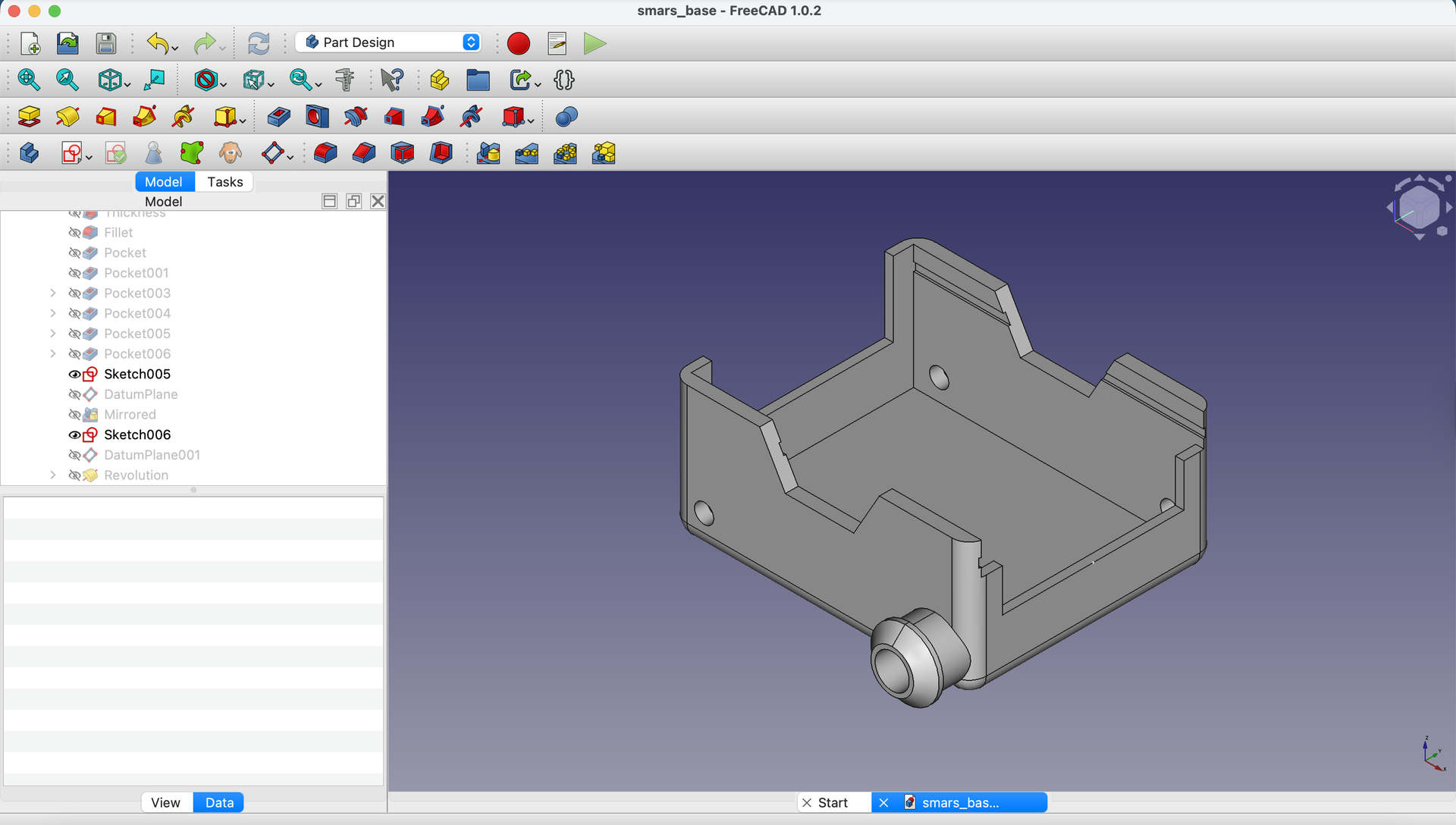
Use the Pad tool with length 2mm to merge the stub into the base wall.

Click Close.

Press 0 to return to isometric view.
Add the Key Slot
19. Sketch on Stub Face
Create a new sketch on the flat end of the wheel stub.

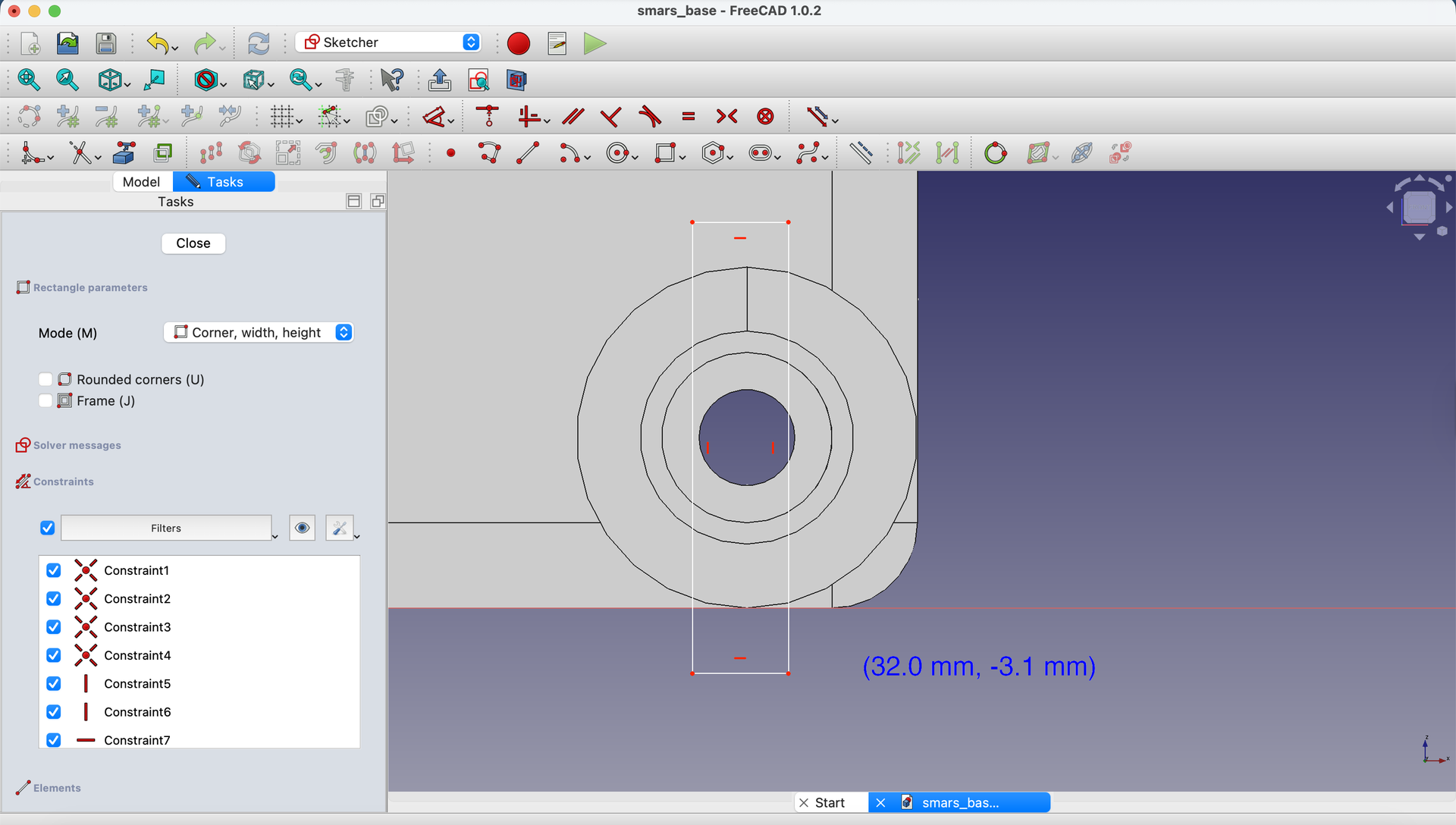
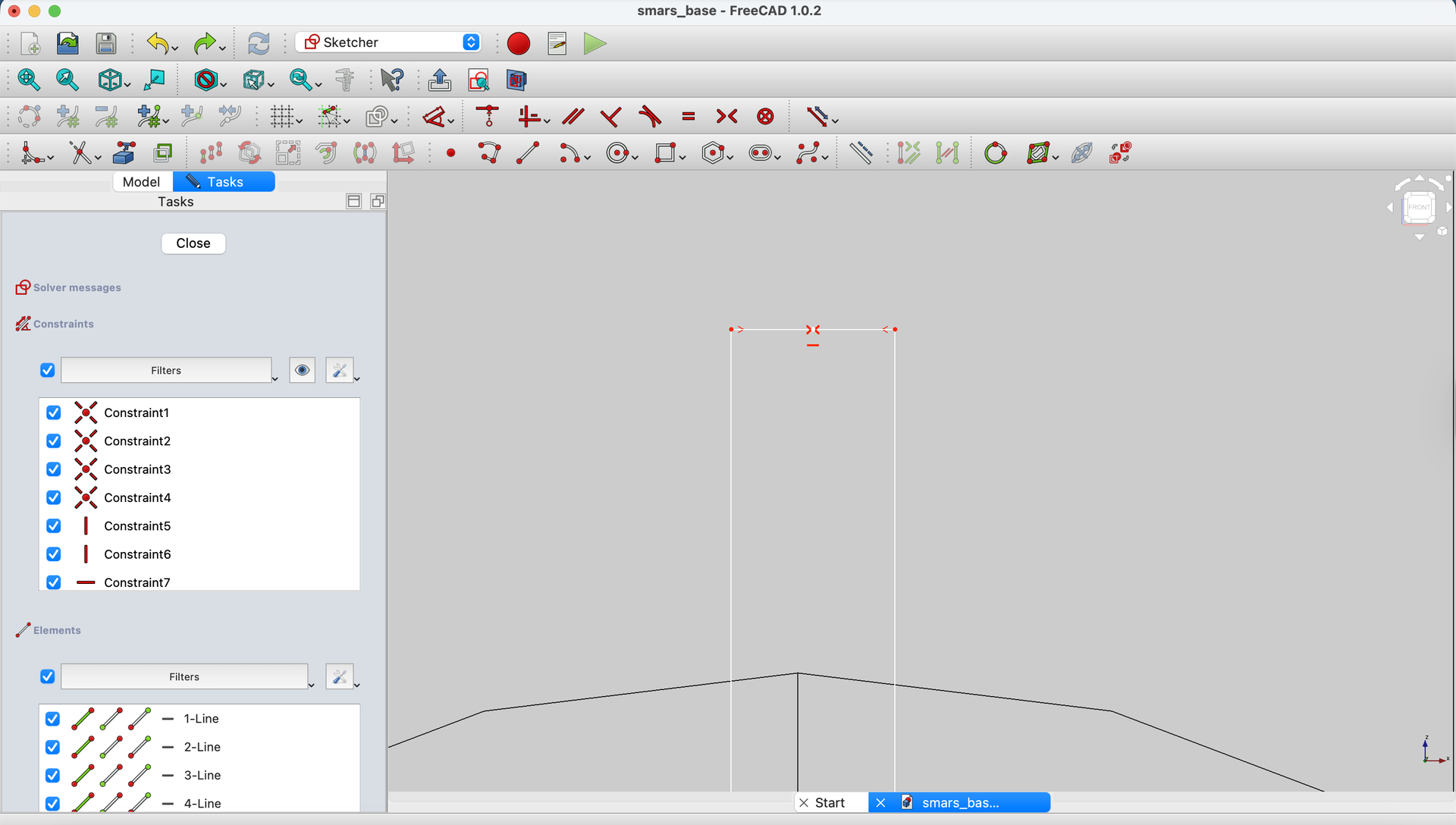
20. Draw Key Rectangle
Draw a rectangle for the keyed slot.
21. Dimension the Key
Set the rectangle width to 1mm.

22. Position the Key
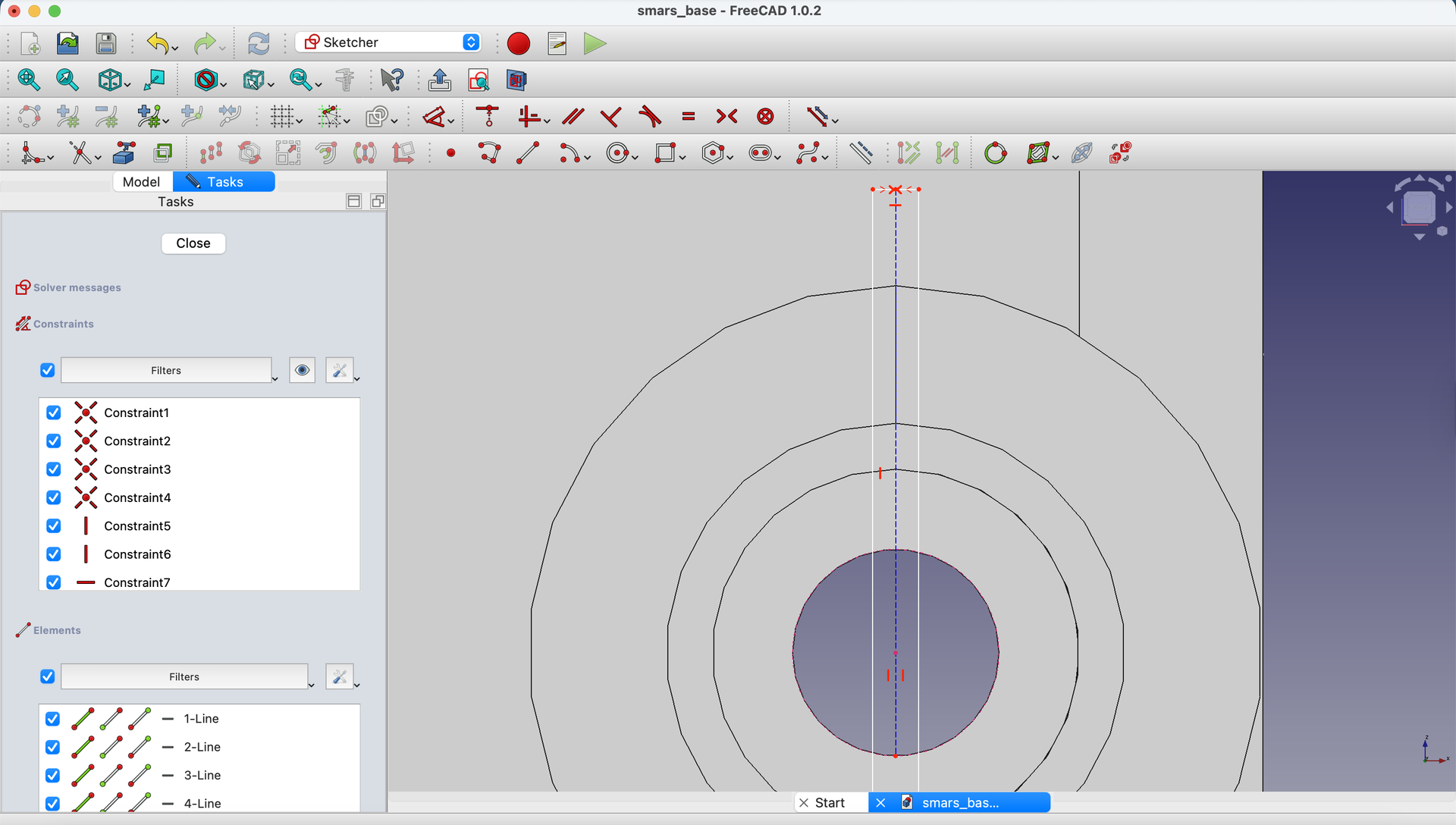
Project the inner motor hole circle.
Add a midpoint to the top of the rectangle (watch for the > < cursor).
23. Add Reference Line
Draw a construction line from the rectangle midpoint to the bottom of the projected circle.
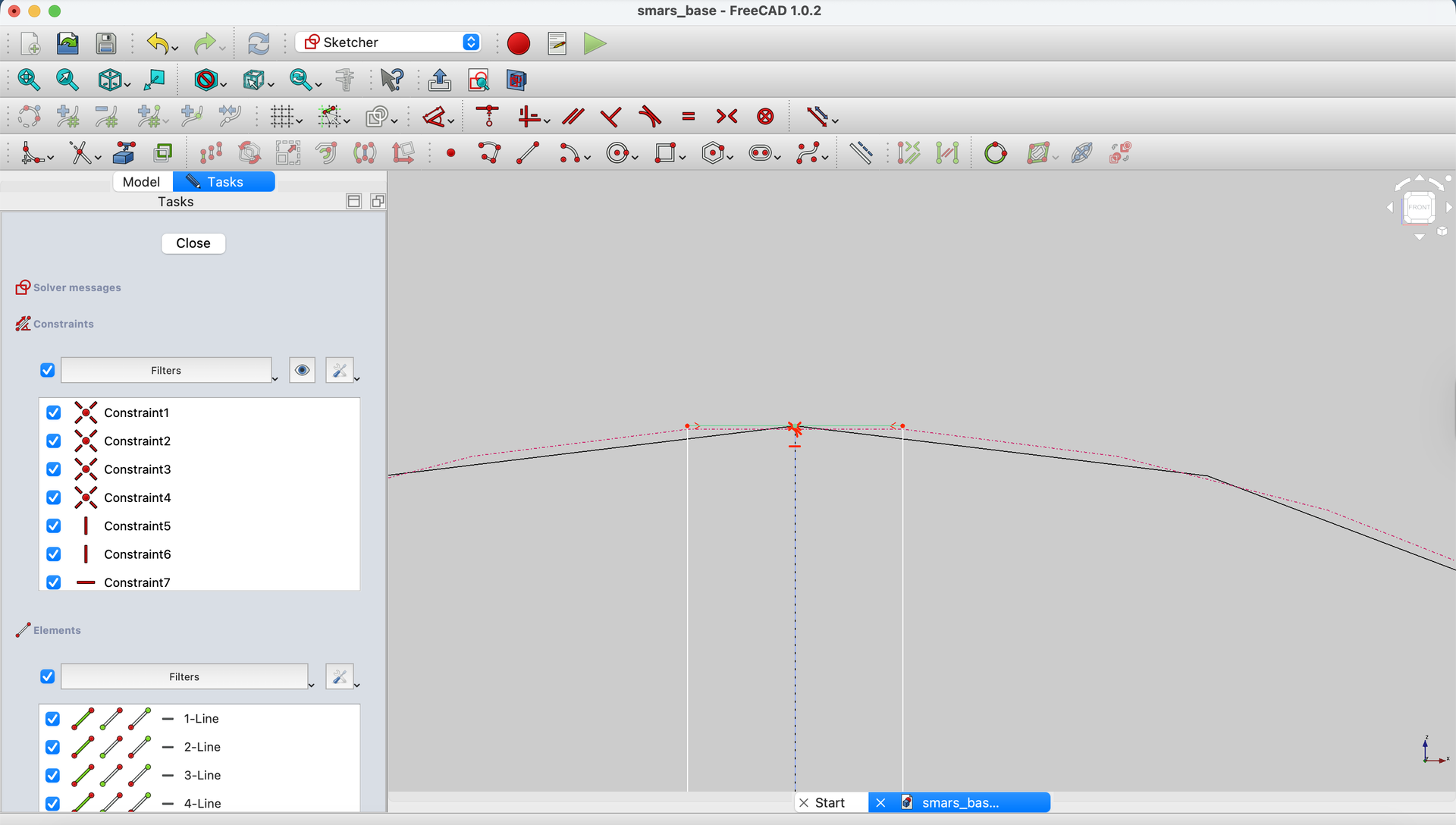
24. Constrain to Outer Edge
Project the outer circular edge of the stub.
Use Constrain Tangent to make the top and bottom edges of the rectangle tangent to this circle.
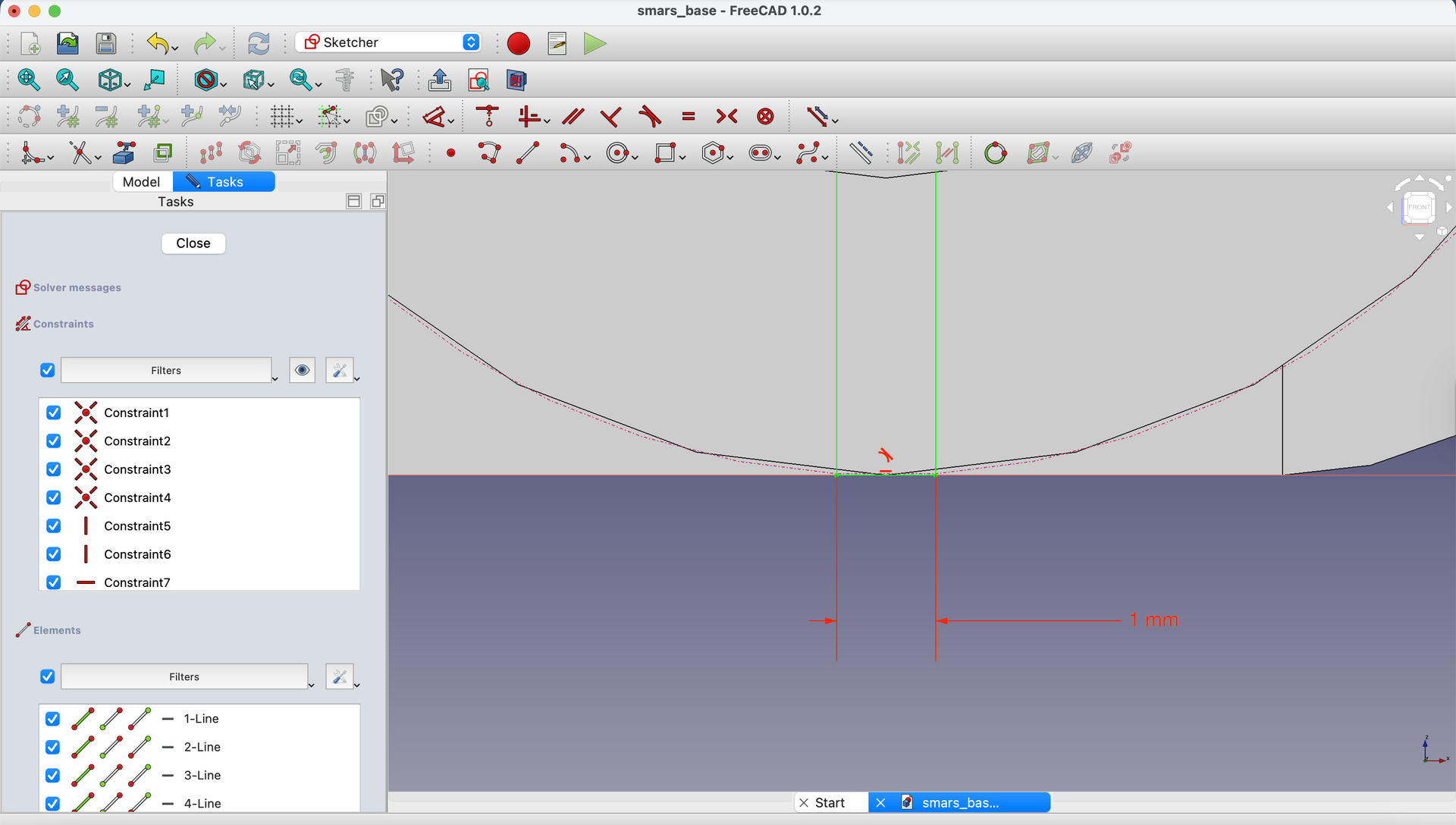

25. Close and Pocket
Close the sketch.
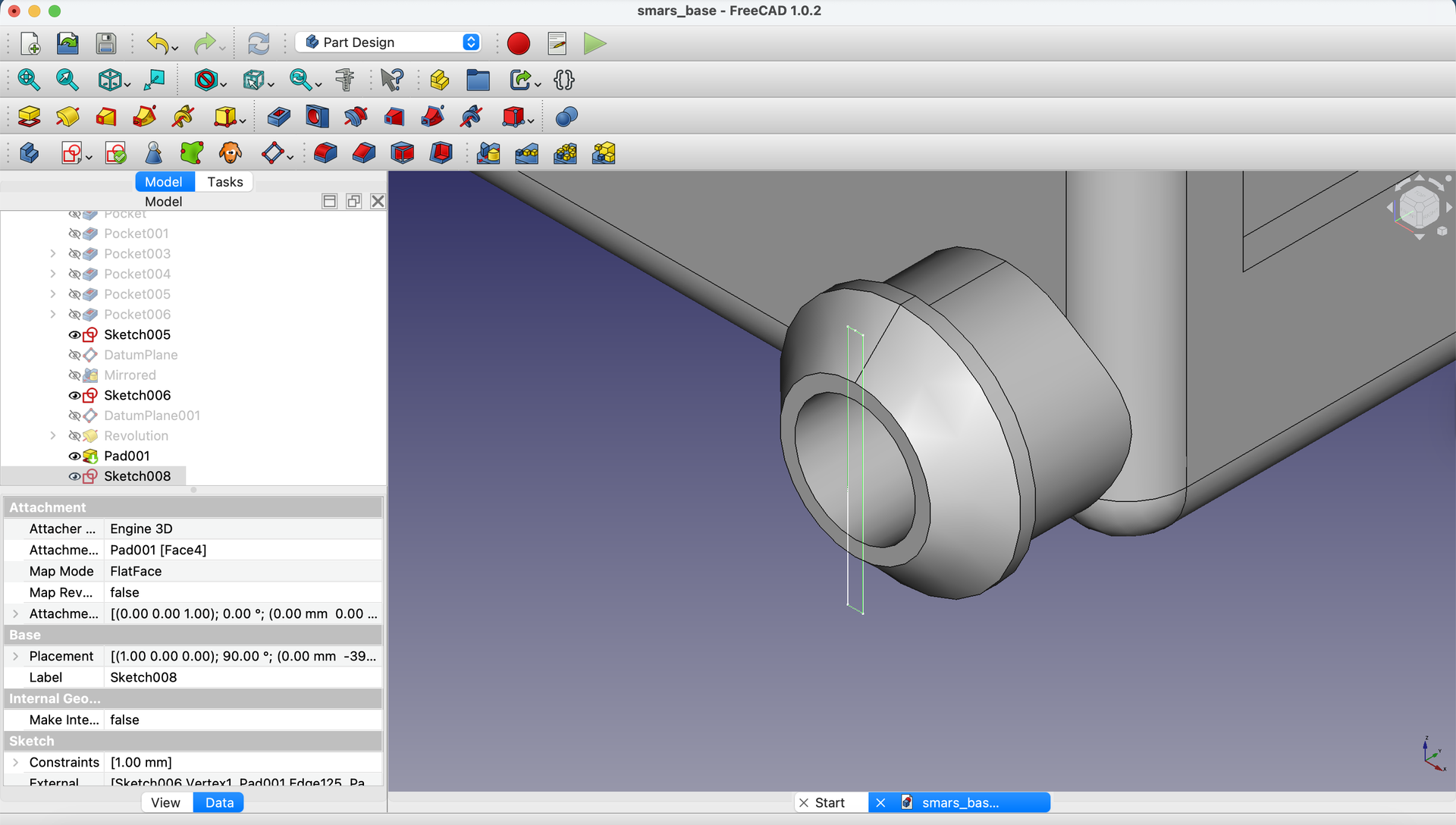
Select the sketch and use Pocket with depth 10mm.

Duplicate with Polar Pattern
26. Select Features to Pattern
Select the Pocket in the Model tree.

27. Apply Polar Pattern
Click the Polar Pattern tool.
Set:
- Axis:
Z Axis - Number of occurrences:
2 - Enable Symmetric checkbox
Click OK.
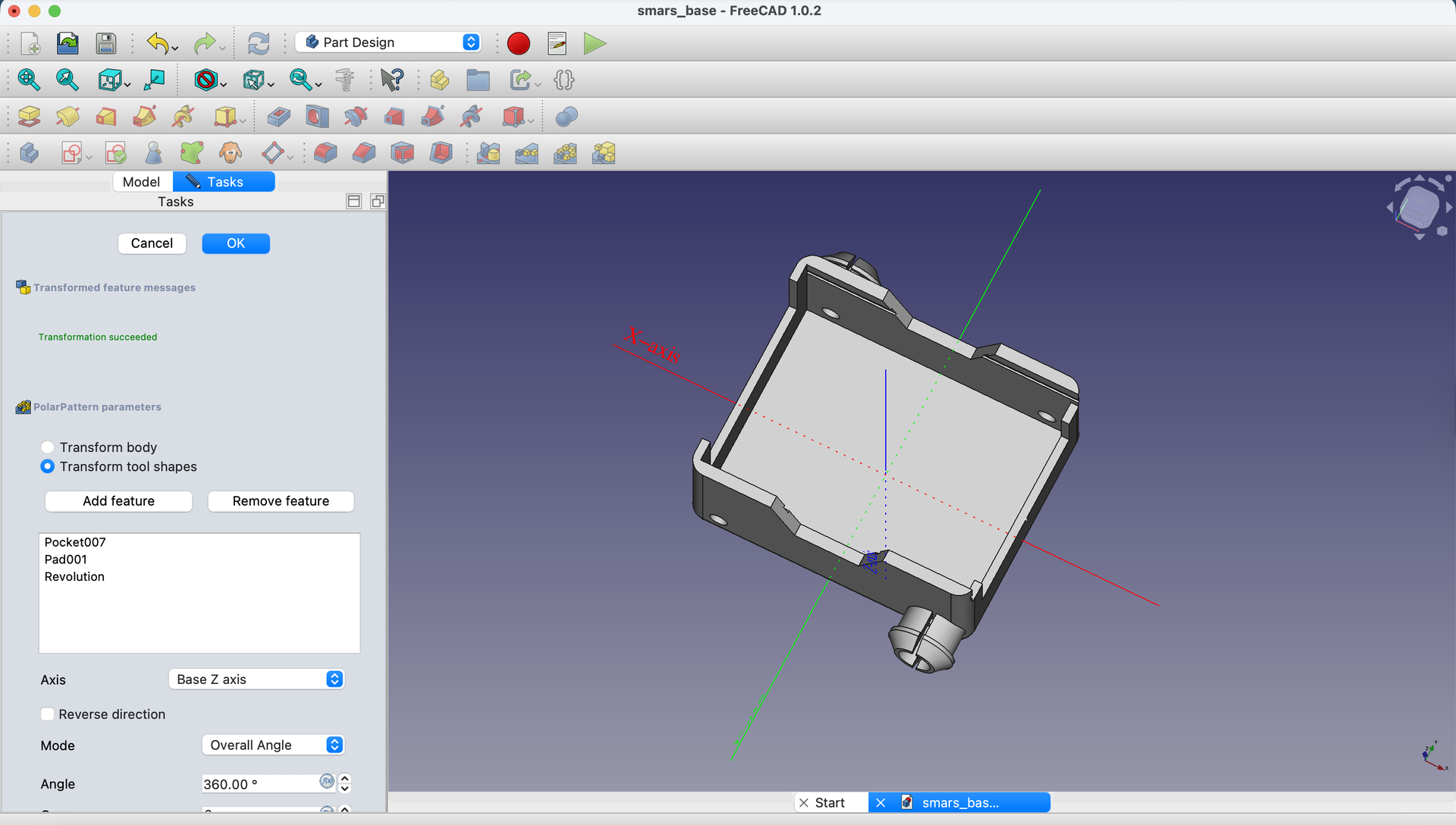
Note: You may need to create additional Polar Patterns for the Revolve and Pad features if they don’t copy automatically.

Understanding the Design Choices
| Feature | Reason |
|---|---|
| 135° chamfer | Makes wheel insertion easy |
| Key slot | Prevents wheel from spinning |
| Tangent constraints | Key extends to exact edge |
| Polar Pattern | Ensures both stubs are identical |
Try It Yourself
- Inspect the stub: Rotate to see the keyed slot - would a matching wheel lock onto it?
- Measure: Use View → Measure to verify the stub dimensions
- Edit test: Change the revolve angle to 270° - what shape results?
Common Issues
“Revolve creates wrong shape”
Problem: The revolved shape doesn’t look like a stub. Solution: Check your revolve axis. It should be the vertical edge, not a horizontal one. Also verify your profile is on the correct side of the axis.
“Polar Pattern only copies some features”
Problem: The stub appears but the key slot doesn’t. Solution: Apply separate Polar Patterns to each feature (Revolve, Pad, Pocket) if needed.
“Tangent constraint fails”
Problem: Can’t make rectangle tangent to circle. Solution: The rectangle edges must be able to touch the circle. If it’s too big or small, adjust dimensions first.
“Key slot is in wrong position”
Problem: The keyed slot isn’t centered or is rotated wrong. Solution: Verify the construction line from midpoint to circle center is vertical.
What You Learned
In this lesson, you mastered:
- Revolve - Creating rotational 3D shapes from profiles
- Datum planes - Positioning sketches at specific locations
- Polar Pattern - Duplicating features around a center axis
- Tangent constraints - Positioning elements to touch circles precisely
Next Up
Time to add the motor holder tabs - the final structural feature! Then we’ll export for 3D printing.
You can use the arrows ← → on your keyboard to navigate between lessons.
Comments