You design a robot chassis at midnight. By morning, it’s sitting on your desk. That’s the magic of 3D printing — it collapses the gap between idea and object.
What is 3D Printing?
3D printing (also called additive manufacturing) builds physical objects layer by layer from a digital file. The most common type for robot builders is FDM (Fused Deposition Modelling) — a heated nozzle melts plastic filament and deposits it in precise paths until your part takes shape.
The two filaments you’ll reach for most often are:
- PLA — easy to print, rigid, great for prototypes and lightweight parts
- PETG — tougher, slightly flexible, better for parts that take knocks or need some give
A typical desktop FDM printer has a build volume around 220 × 220 × 250 mm and a layer height of 0.2 mm. That’s more than enough for most robot chassis, brackets, mounts, and enclosures.
From model to part
A print always travels the same path: you design (or download) a 3D model, export it as an STL, run it through a slicer that turns it into machine instructions (G-code), and the printer builds it up one layer at a time:
flowchart LR
    CAD["3D model<br/>(CAD)"] --> STL["Export STL"]
    STL --> SLICE["Slicer<br/>(Cura / PrusaSlicer)<br/>→ G-code"]
    SLICE --> PRINT["Printer<br/>builds layer<br/>by layer"]
    PRINT --> PART["Finished part"]
The “layer by layer” bit is the heart of FDM. A heated nozzle lays down a thin line of molten plastic, the bed (or nozzle) steps up by one layer height, and it repeats — stacking 0.2 mm slices until a flat cross-section has grown into a solid 3D part:
   nozzle ──▶ ═══════════   ← layer being printed now
              ───────────   ← 0.2 mm layers already
              ───────────     laid down and cooled
              ───────────
   ═══════════════════════   ← print bed
This is why overhangs need support and why orientation matters — each layer can only rest on the one beneath it.
Why robot builders care
Almost every custom robot you see on kevsrobots.com has 3D printed parts in it. Brackets rarely come off the shelf in the right shape. Motor mounts need to be exactly the right distance apart. Servo horn extensions have to fit your specific design.
3D printing lets you iterate fast. Print a bracket, test the fit, tweak the CAD file, print again. You can go through four or five design revisions in a day without spending a penny on new hardware. It also means you can share your designs freely — publish the STL files and anyone in the world can build exactly what you built.
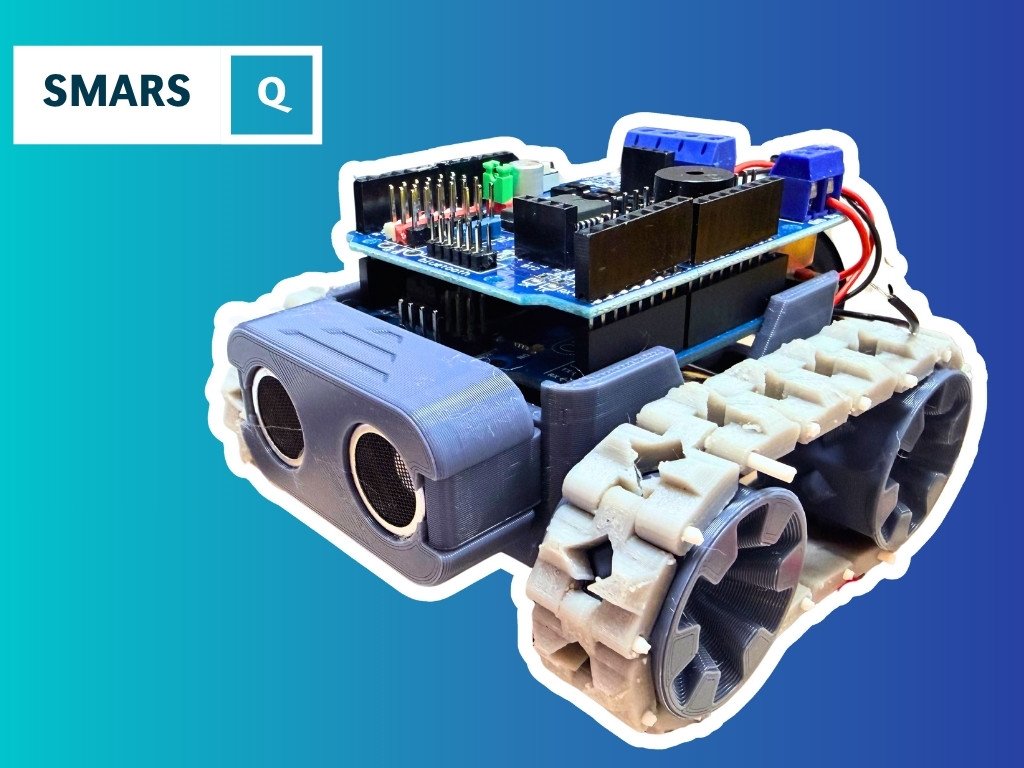
Robots that simply wouldn’t be possible without 3D printing: quadrupeds, hexapods, custom rover frames, robot arms, and tiny chassis like SMARS. The parts are too complex and too specific to buy off the shelf.
Get started
If you’re new to 3D printing for robots, start by printing something someone else has already designed. Download a free STL from Printables or Thingiverse, slice it in PrusaSlicer or Cura (both free), and hit print. Get comfortable with your machine before you start designing.
When you’re ready to design your own parts, FreeCAD is a brilliant free starting point — the Introduction to FreeCAD for Beginners course will walk you through it step by step. Once you want to design a complete printable robot from the ground up, the Building SMARS with FreeCAD course shows you exactly that workflow.
Want to see what a fully 3D-printed robot looks like in practice? BurgerBot is a cracking example — every structural part is printed, and the whole thing is designed to be accessible to beginners.
The learning curve is real, but it’s worth every hour. Once you can print your own parts, you stop being limited by what’s available to buy. You become the manufacturer.
Reacts well with
More Making & Design
- GrGears
- WhWheels
- CdCAD
- FuFusion 360
- FcFreeCAD
- LcLaser Cutting
- ChChassis Design
- TkTank Tracks
- LeLEGO Robotics
- WeWearables
Learn more on KevsRobots
Articles to read
Share this element
This page is awesome? Show some love!Did you find this content useful?
If you found this high quality content useful please consider supporting my work, so I can continue to create more content for you.
I give away all my content for free: Weekly video content on YouTube, 3d Printable designs, Programs and Code, Reviews and Project write-ups, but 98% of visitors don't give back, they simply read/watch, download and go. If everyone who reads or watches my content, who likes it, helps fund it just a little, my future would be more secure for years to come. A price of a cup of coffee is all I ask.
There are a couple of ways you can support my work financially:
If you can't afford to provide any financial support, you can also help me grow my influence by doing the following:
Thank you again for your support and helping me grow my hobby into a business I can sustain.
- Kevin McAleer
Comments