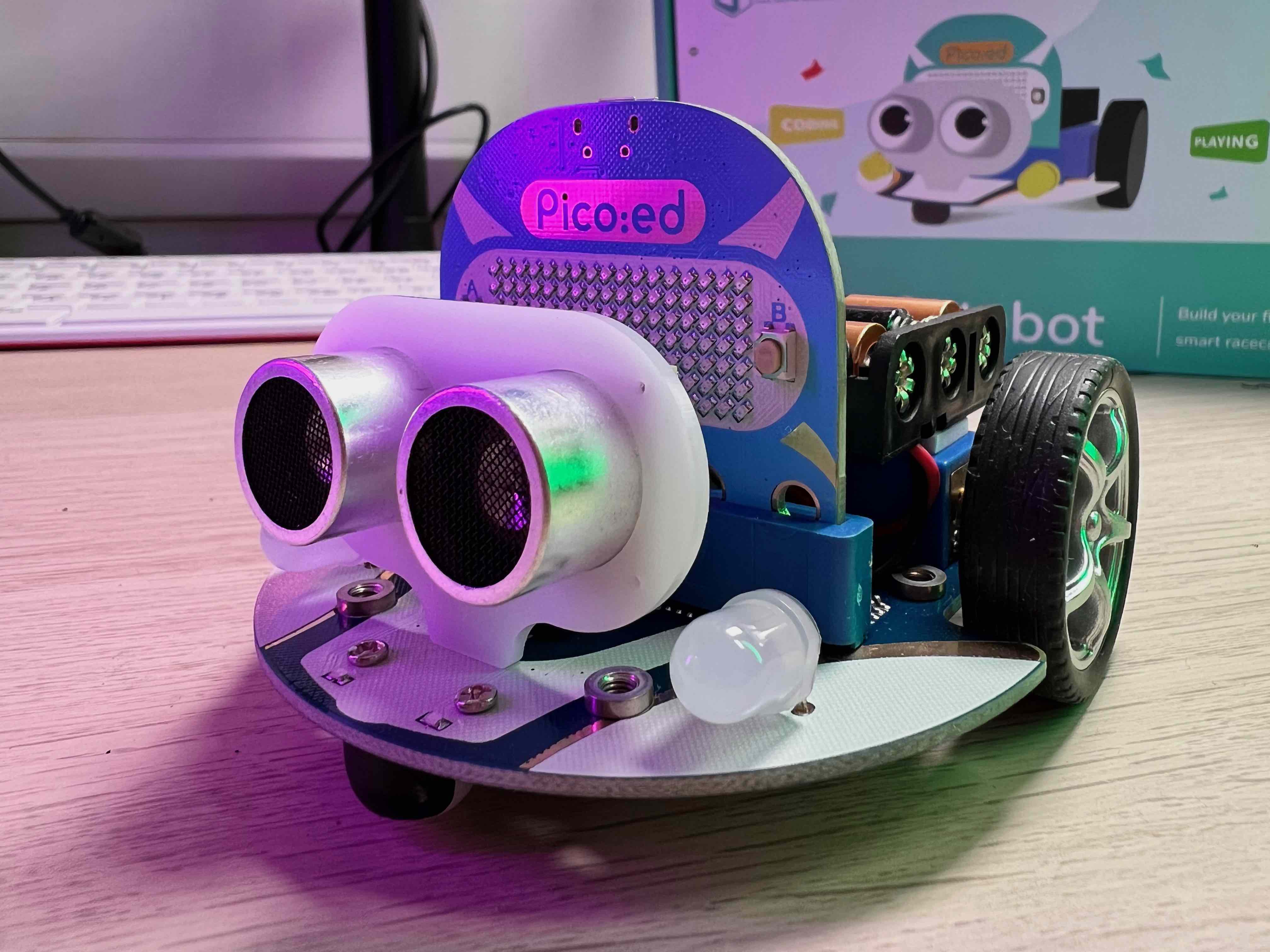
👍 Recommendation
This is a solid buy recommendation, This is a perfect starter kit for getting into robotics, and learning how to programme. if you already have a micro:bit you can use that instead of the Pico:ed.
Elecfreak Cutebot Review
Cutebot is a small programmable robot, based on the Pico:Ed or Micro:bit microcontroller. It can be programmed in MicroPython, Microblocks and C++.
Features
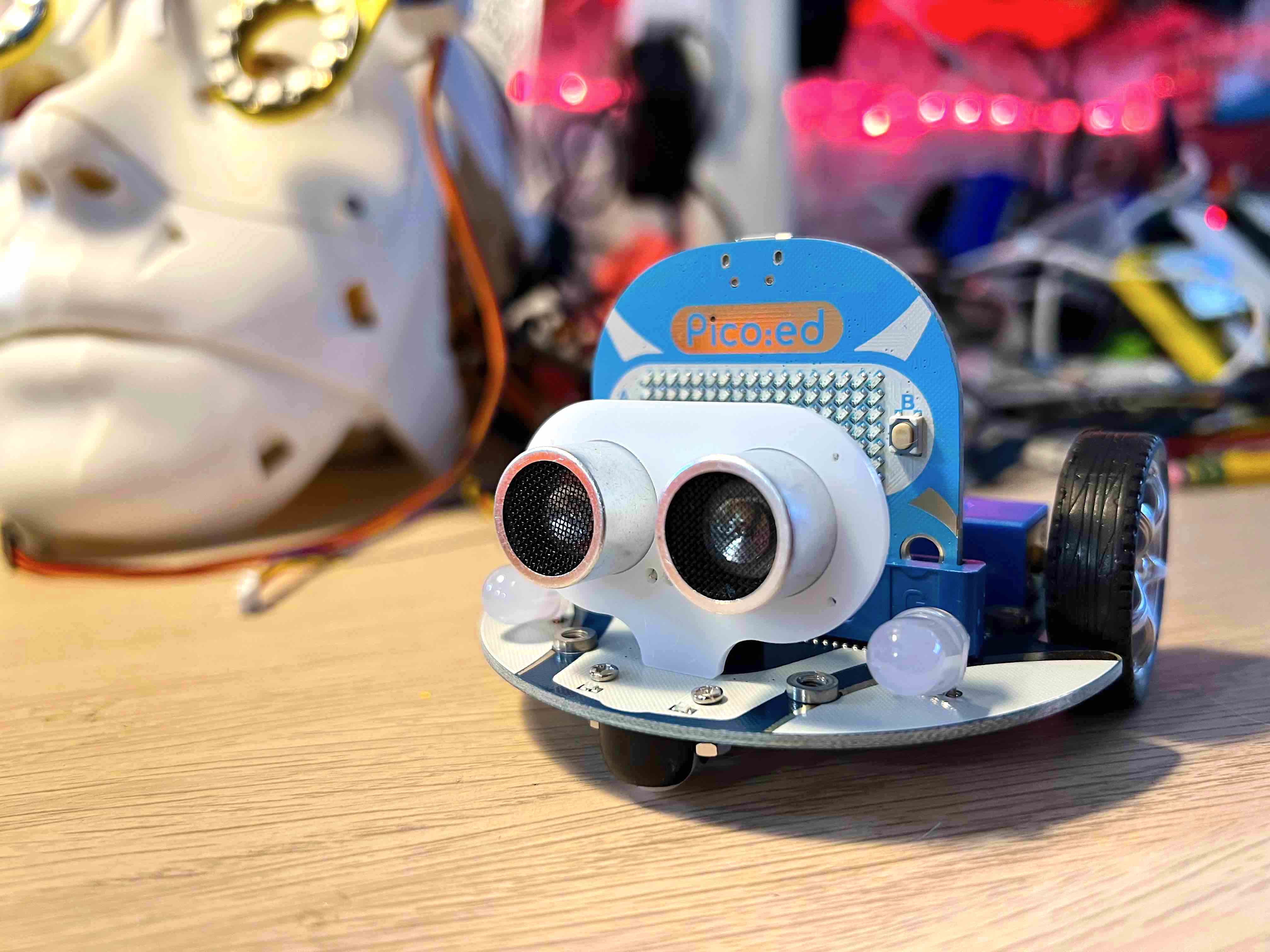
Cutebot has the following features:
- Dual line following sensors
- 2 motors
- 2 RGB LED user programmable ‘headlights’
- IR sensor
- Ultrasonic rangefinder for avoiding obstacles or following them!
- Ambient Chassis lights
- Headers for expansion and access to the I2C bus and GPIOs
- Battery box for 3 AAA batteries
Whats in the box
The Cutebot kit contains everything you need to get started (apart from 3 AAA batteries). The box contains:
- The Cutebot robot
- A MicroUSB cable for programming the robot
- An AAA battery box and sticky pad for attaching it to the robot
- An ultrasonic range finder for measuring distance and detecting objects in front of the robot
- A Pico:ed microcontroller board for controlling the robot
- User Instructions
- A line following sheet; the robot can follow the black line drawn on the sheet
User instructions
The guide that comes with the kit has a couple of easy examples (they call then cases, as in use-cases) to get you started:
- Case 01: Move Forward or Reverse at the Full Speed
- Case 02: Speed Up Gradually
- Case 03: Dance in Figure-of-eight
- Case 04: Run at Random
- Case 05: Automatic Headlights
- Case 06: Steering&Clearance Lamps
- Case 07: Fall-arrest Cutebot
- Case 08: Run Along the Black Line
- Case 09: Autonomous Obstacle Avoidance
- Case 10: Car Following with A Fixed Distance
- Case 11: micro:bit Remote Control
- Case 12: Remote Control the Cutebot with micro:bit Accelerometer
- Case 13: Remote Control with Joystick:bit
- Case 14: IR Remote Control Car
- Case 15: Seeking the Light
You can access the examples here: https://www.elecfreaks.com/learn-en/microbitKit/smart_cutebot/index.html
Programming languages
The Pico:ed (and therefore cutebot), can be programmed using a couple of different approaches:
Microblocks
Microblocks is a Scratch-like, visual programming environment suited to beginners, particularly young people in education.
MicroPython
Micro:bit Makemode provides an web-based environment for coding in MicroPython.
Javascript
Micro:bit Makemode - Javascript mode also enables you to program the Pico:ed in Javascript, simply by toggling he slider over from Python to Javascript.
C++
For the more experienced and hardcore programmer, the Pico:ed can be programmed in C++. The main benefit of this is the speed of execution of code, and the smaller code size on board. The main disadvantage is that C++ can be quite complicated and intimidating for beginners, and requires experience and knowledge to do the most basic of things.
Price
The price for the Cutebot:
- with the pico:ed - $47.90
- without the pico:ed - $34.90
Pico:ed
The Pico:ed is a microcontroller, similiar in form factor to the BBC Micro:Bit. Unlike the Micro:Bit, the Pico:Ed has a Raspberry Pi RP2040 as the main processor, bringing all the rich features and software support for that chip.
The pico:ed is priced around $12.90.
Pros
- Small, solid construction
- Very easy to setup and start programming
- Lots of features for the price
- Price
- Compatibility - Accessories & Plugins available
- Expandability - easy to add lego to it
Cons
- I had a few problem getting the software to work initially (CircuitPython libraries)
Review Score
Below is the Kevs Robots review framework. First, each product is scored out of 5 for each of the 9 areas. The total score is then calculated by adding the scores for each area and dividing by 9. The total score is then rounded to the nearest whole number.
| Scoring area | 1 | 2 | 3 | 4 | 5 |
|---|---|---|---|---|---|
| Price | Very Expensive, verging on not worth it | Expensive, but worth it for the value add | Affordable, similar in price to competitors | Cheap / great value for the parts and features | Free / Very low cost |
| Ease of use | Hard to use, complex operations requiring multipe steps | Many steps, some of which as complex. | Some steps to construct or operate, some of which are complex | Few steps, simple to do | Very easy to use / use is obvious and clear |
| Functionality | Very little innovation or usefulness | Does less then you’d expect, but still useful | Practice, does what you expect but no more | Quite a few innovative functions, does more than you’d expect | Amazing features & innovation, industry leading |
| Availability | Very difficult to get hold of any variation or version | Little available; some variations or versions are available | Available in some countries and stocks mostly available | Available in most countries & mostly in stock, short wait for stock replenishment | All versions and variations widely available in all countries & in stock |
| Aesthetics | Design is not pleasing to the eye; poor colour choice, parts do not fit together, no cohesive design | Design is acceptable, some elements do not work together well | Design is functional, no overall cohesion | Design is functional with some flair, most elements work together well | Very pleasing to the eye, complimentary colour choices, great fit and finish, with an overall cohesive design |
| Build Quality | Poor construction, with gaps or overlapping parts. Poor quality materials used | Functional construction, cheap materials | Functional construction, acceptable materials used | Durable design, some parts are high quality, most are acceptable | Solid construction, parts fit together as intended with no unexpected gaps or overlapping parts. High quality materials and parts used |
| Documentation | Single language instructions, no diagrams, basic features only | Basic instructions, technical specifications in a few languages, little no diagrams, no example code | Basic instructions, technical specifications in a few languages, diagrams for use. Some example code | Documentation available in multiple languages, with all features covered and diagrams for use. Some example code | Documentation available in multiple languages, with all features covered and simple diagrams for use. Mechanical and circuit diagrams also included. Example code. Advanced topics covered too |
| Packaging | Little to no thought given to environment. Wasteful use of space leading to higher shipping costs. Excess layers of packaging | Some thought given to environmental packaging & recycling. A few layers of packaging | Some thought given to environmental packaging materials & recycling. Single layer of packaging | Environmentally friendly, packaging designed for recycling with some effort. Packaging is has mostly efficient use of space to cut down on shipping costs | Environmentally friendly, packaging designed for easy recycling. Packaging is small with efficient use of space to cut down on shipping costs |
| Environmental | No consideration given to sourcing, production, supply, delivery or disposal of product, with toxic chemicals used in production | No consideration given to sourcing, production, supply, delivery or disposal of product | Product is efficient to operate, but may have poor environmental production or disposal impacts | Most of the product is sourced from recycled materials, no toxic chemicals used in production, some thought given to production and delivery energy used | Product is sourced from 100% recycled materials, with no toxic chemicals used in production. produced with clean energy, packaging designed to lower delivery costs and disposal of product is taken care of |
total is 4.2
🎁 🤝 See the transparency notes for details.

Comments