Servo Easing & Pancake-Bot
Learn Servo easing in MicroPython with Pancake-Bot
18 February 20234 minute read
By Kevin McAleer
Share this article on
Learn Servo easing in MicroPython with Pancake-Bot
18 February 2023
By Kevin McAleer
Share this article on
Watch the associated video here:
Servo easing is a technique used to improve the smoothness of the movement of servo motors. It is achieved by using a mathematical algorithm to adjust the acceleration and deceleration of the servo motor as it moves between two positions. This helps create a smoother, more natural motion and can help reduce motor noise and wear.
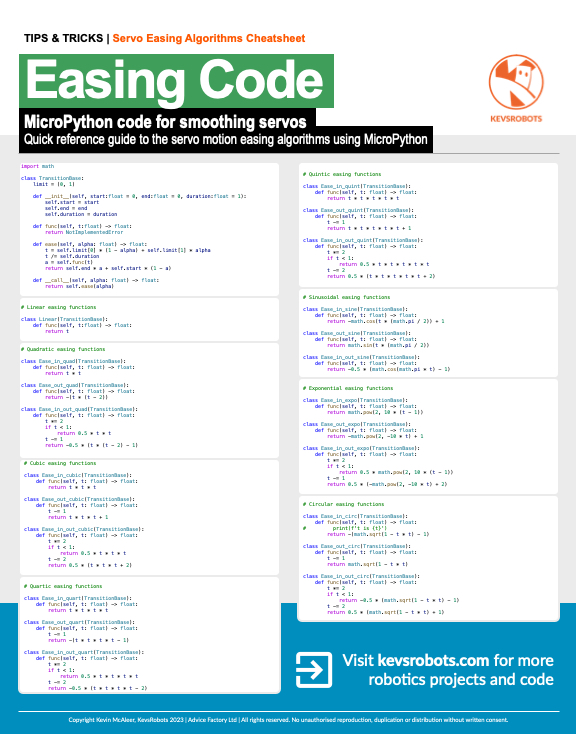
Get the Servo Easing cheatsheet PDF and support my work
You can download a Servo Easing cheatsheet PDF and support my work at the same time, its available on my Buy Me A Coffee page. It only costs £5 and will help support my YouTube channel and keep me making more robots!
Click Here to get the PDF
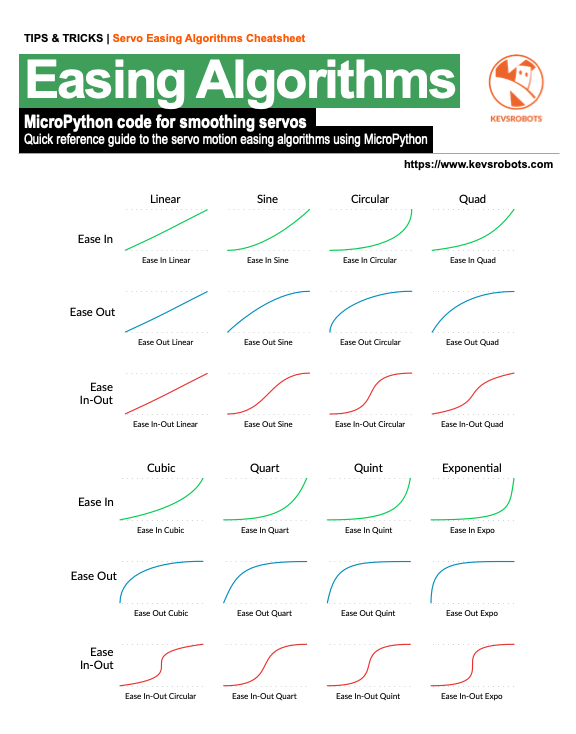
There are quite a few common servo easing algorithms, we’ll look at the most common here.
There are 3 types of algorithm:
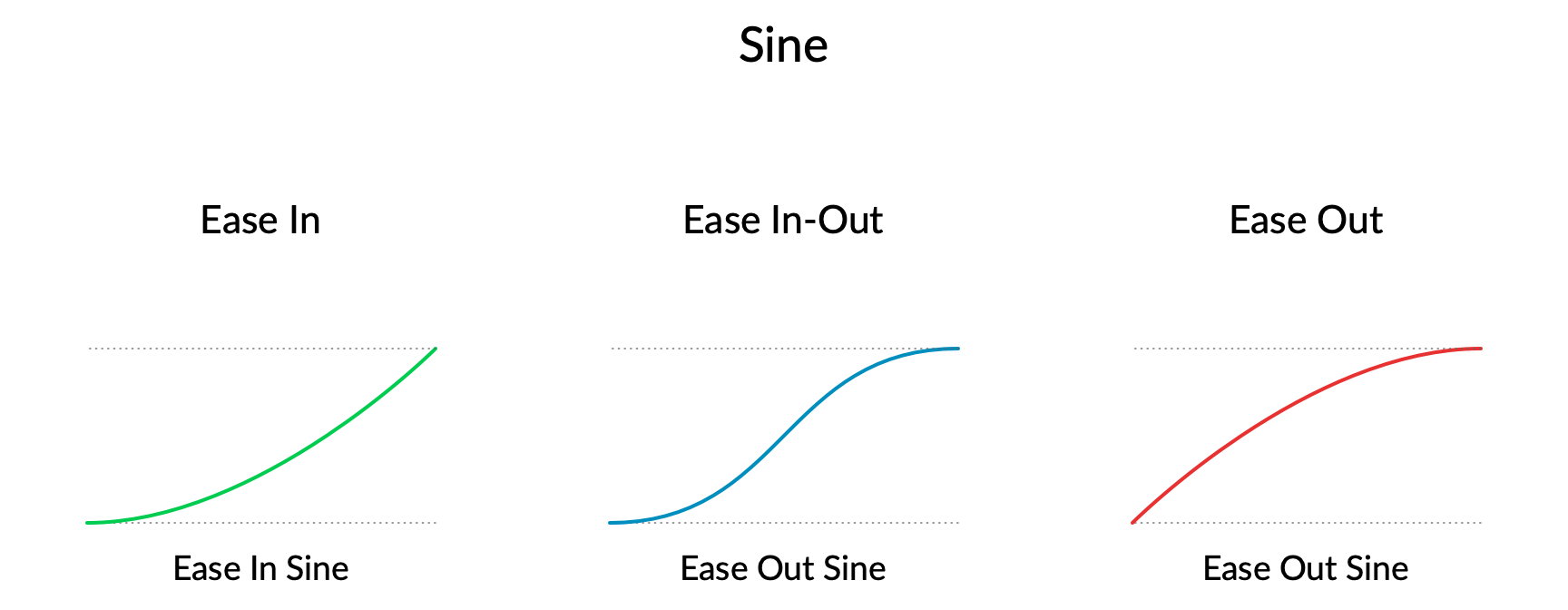
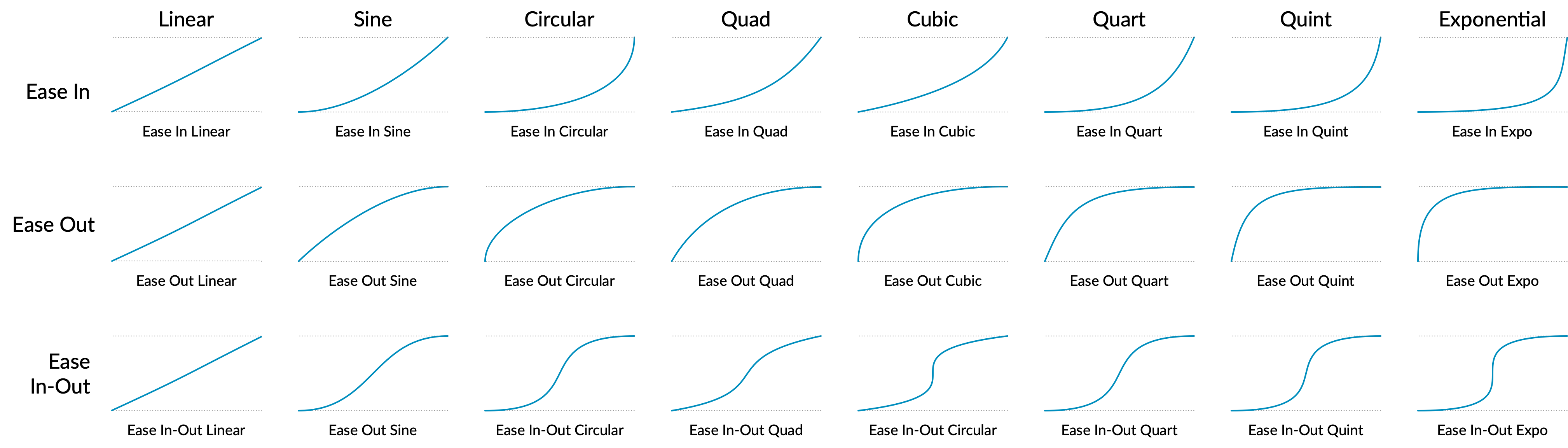
For each of the Ease-in, Ease-out and Ease-in-out, there are also many different algorithms which change the speed of increase and decrease of the easing:
Easing algorithms take 3 initial values:
The ease function will calculate the position of the servo, given a time value.
A time value of 0 will give the the start value, a time value of the duration with give the end value, and any time value inbetween 0 and duration will give the servo value, based on which easing algorithm is used.
Here is an example snippet of code, for the ease in quad algorithm.
def ease_in_quad(t: float) -> float:
    """ t is the time value, returns the servo position"""
        return t * t
Here is the link to the Github repository that contains the easing.py code: https://github.com/kevinmcaleer/bubo-2t
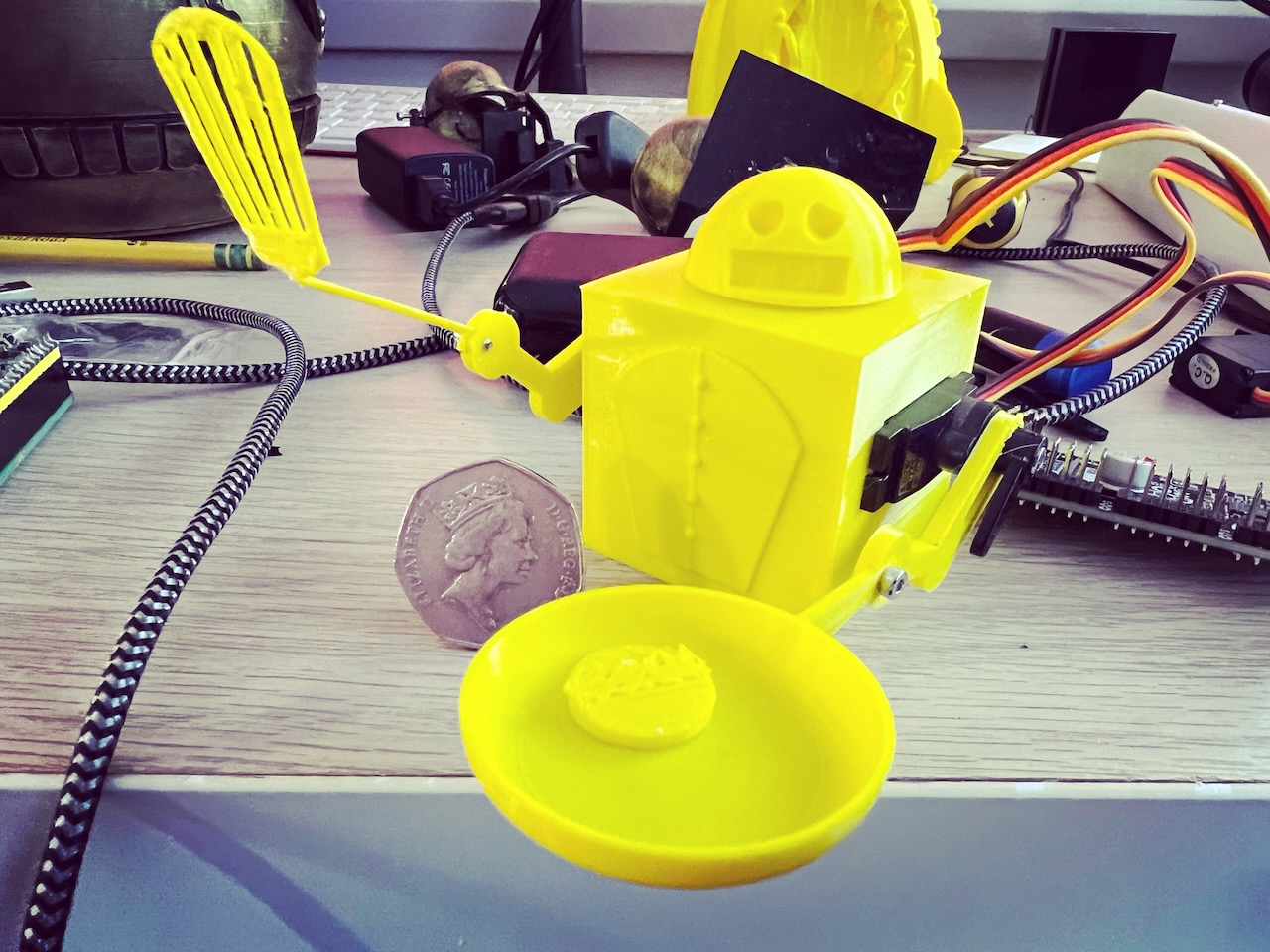
As of the writing of this article, its nearly Pancake day (also known as Shrove Tuesday), so I thought it would be fun to create a robot that can flip pancakes. This would also be useful for experimenting with servo easing techniques, to find the best one for flipping a tiny 3d printed pancake.
This small robot has two servo controlled arms, with cooking implements attached:
The robot also has a small pancacke, and an optional chef’s hat.
| Item | Description | Qty | Cost |
|---|---|---|---|
| Servo 2040 | Pimoroni Servo 2040 | 1 | £24.00 |
| 2x Servos | DS 929 MG servos | 2 | £9.60 |
| 1x m2 screw | Screw to attach the head | 1 | £0.10 |
There are quite a few parts, some of which are very delicate so becareful when removing them from the build surface and when removing suport structures.
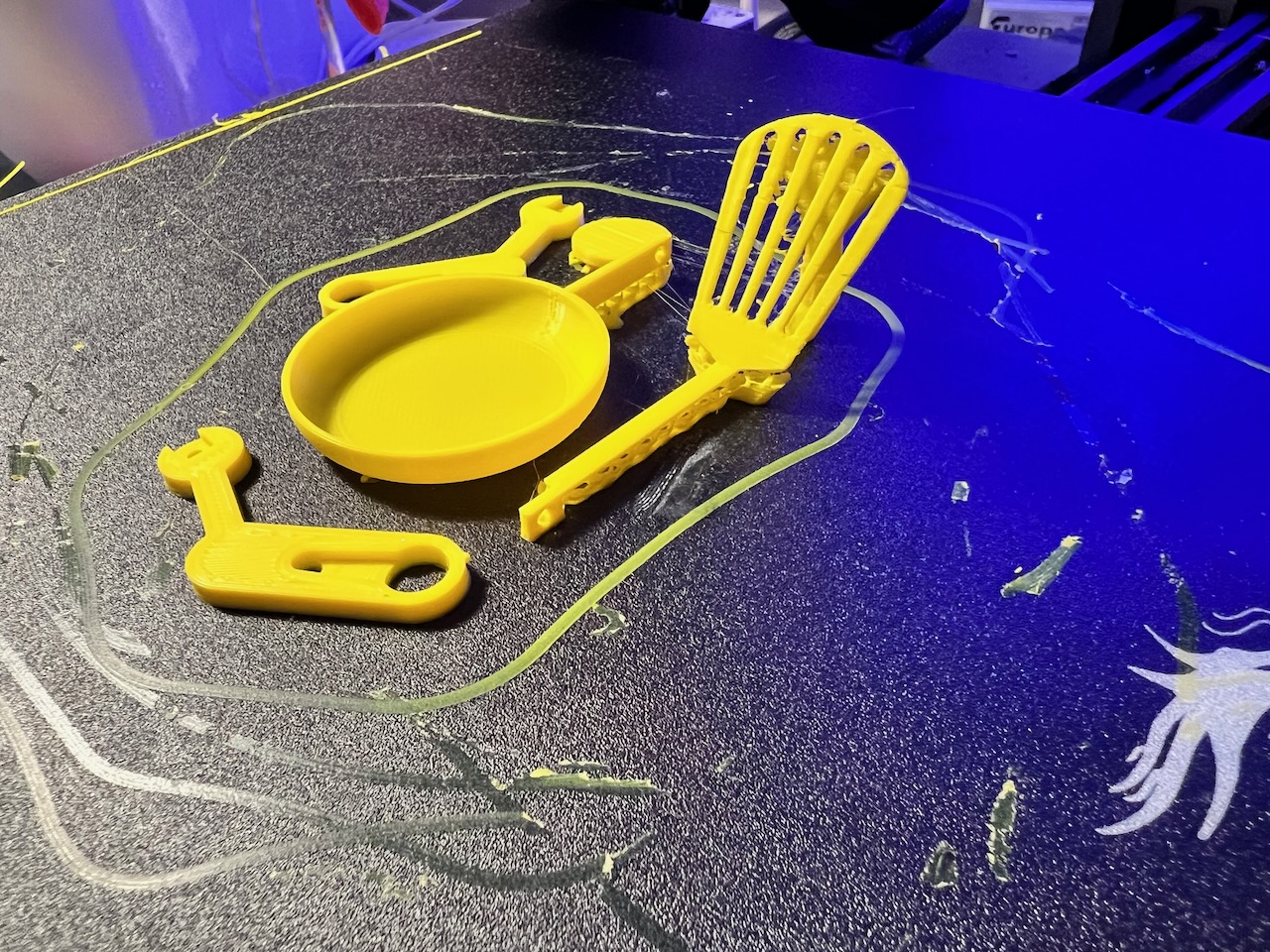
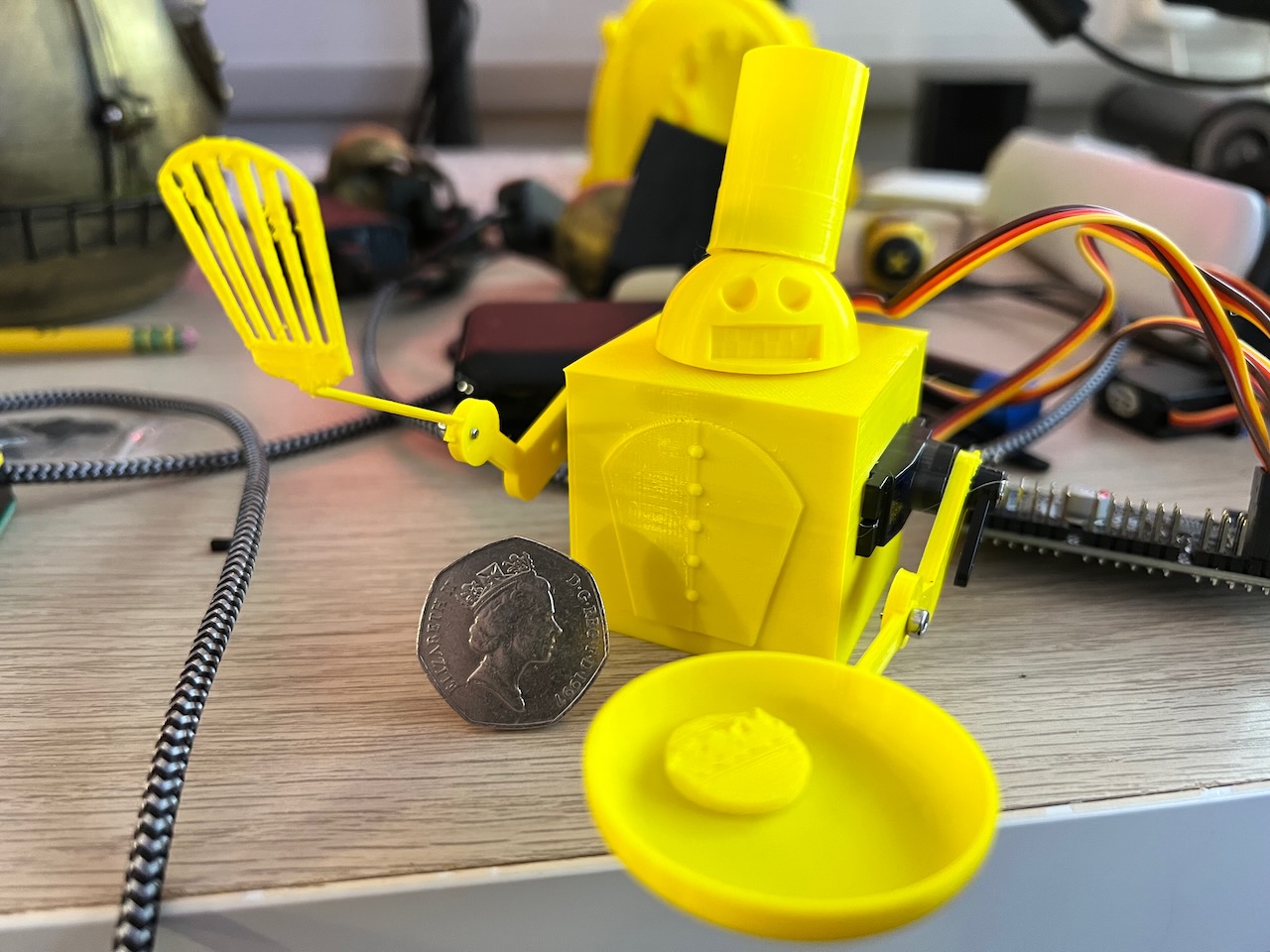
The code for Pancake-Bot is bundled with the Bubo-2t Repository; you’ll need to upload the bubo folder to the Pico or Servo 2040, along with the chef.py Python file.
There is also a Jupyter Notebook named notebook.ipynb which contains code for you to explore and experiment with.
The left_arm (the one with the frying pan) is connected to servo socket 1 on the Servo 2040, the right_arm (the one with the spatula) is connected to servo socket 3 on the Servo 2040.

Kevin McAleer
I build robots, bring them to life with code, and have a whole load of fun along the way
Social Links:
If you found this high quality content useful please consider supporting my work, so I can continue to create more content for you.
I give away all my content for free: Weekly video content on YouTube, 3d Printable designs, Programs and Code, Reviews and Project write-ups, but 98% of visitors don't give back, they simply read/watch, download and go. If everyone who reads or watches my content, who likes it, helps fund it just a little, my future would be more secure for years to come. A price of a cup of coffee is all I ask.
There are a couple of ways you can support my work financially:
If you can't afford to provide any financial support, you can also help me grow my influence by doing the following:
Thank you again for your support and helping me grow my hobby into a business I can sustain.
- Kevin McAleer

Comments