Raspberry Pi Home Hub
Create your own Home Hub with a Raspberry Pi and a touchscreen display, and Kivy

Video
For every project I create, I often make a corresponding YouTube video. Sometimes, there might be more than one video for a single project. You can find these videos in this section.
Explore more through this this dedicated video.
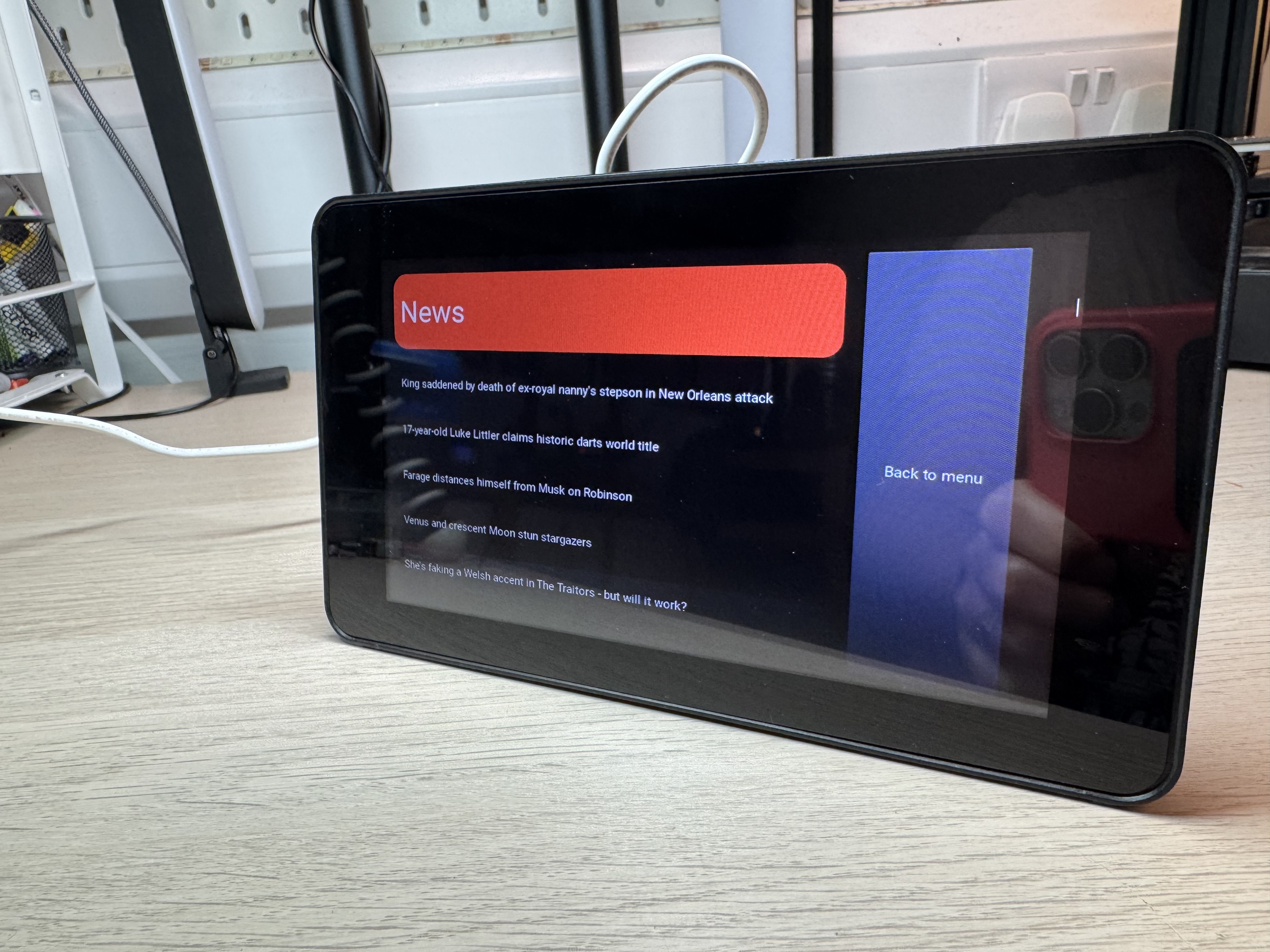
Project Chihuahua is a Raspberry Pi Home Hub that I built using a Raspberry Pi 4 and a 7” touchscreen display. The Home Hub is a central place in my home where I can control all my smart devices, check the weather and news headlines. It’s a fun project that combines hardware and software to create a useful and interactive device.
Why Chihuahua?
I call this project Chihuahua because it’s small, cute, and always there when you need it. Just like a Chihuahua! I have two chihuahuas, Archie and Minnie!
Bill of Materials
| Item | Description | Quantity | Price | Total |
|---|---|---|---|---|
| Raspberry Pi 4 | single board computer | 1 | £33.30 | £33.30 |
| 7” Touchscreen | 7” touchscreen display | 1 | £55.00 | £55.00 |
| Touchscreen Case | Case for the touchscreen display | 1 | £15.99 | £15.99 |
| SD Card | 32GB SD card | 1 | £8.00 | £8.00 |
| Total | £109.29 |
Kivy
I used the Kivy framework to create the user interface for the Home Hub. Kivy is an open-source Python library for developing multitouch applications. It’s cross-platform and supports Android, iOS, Linux, OS X, and Windows. Kivy is easy to use and has a wide range of widgets and tools for creating interactive applications.
Aims for this project
I wanted to create a Raspberry Pi-based Home hub, like Amazons Echo Show or Google Nest Hub, but with more control over the software and privacy. I wanted to be able to:
- Display a large clock - with temperature and current weather icons
- Control my smart devices - showing data from sensors around the house
- Check the weather - from OpenWeatherMap
- Read the news headlines - from an RSS feed of my choosing
I also wanted to be able to customize the interface and add new features as I go.
Designing the User Interface
I designed the user interface for the Home Hub using Kivy’s kv language. The kv language is a declarative language that allows you to create user interfaces in a simple and intuitive way, and even store this configuration in a app.kv file. I created a main screen with navigation buttons for navigating to other screens.
Wireframes


Screens
- Home Screen - Will display the top 5 headlines from an RSS feed - I’m going to use the BBC news feed for this.
- Weather Screen - This widget will show the 5 day weather forecast for my location. I’m going to use OpenWeatherMap for this
- Smart Devices Screen - I will create a Chart widget that will display data from my smart devices. All of my sensors send data to an MQTT server on my network, so I can simply subscribe to the topics and display the data in a chart.
- Home Screen - Shows the Clock & Weather widget along with a menu button to navigate to the other screens and a background image.

Challenges with this project
First of all, it does run a litle slower than expected on Raspberry Pi 4 and the original 7” touchscreen display.
Secondly I spent way too long messing about with layouts and moving widgets around. Expect this, but make it easier by doing all this in the .kv file.
This page is awesome - Show some love!


Comments